
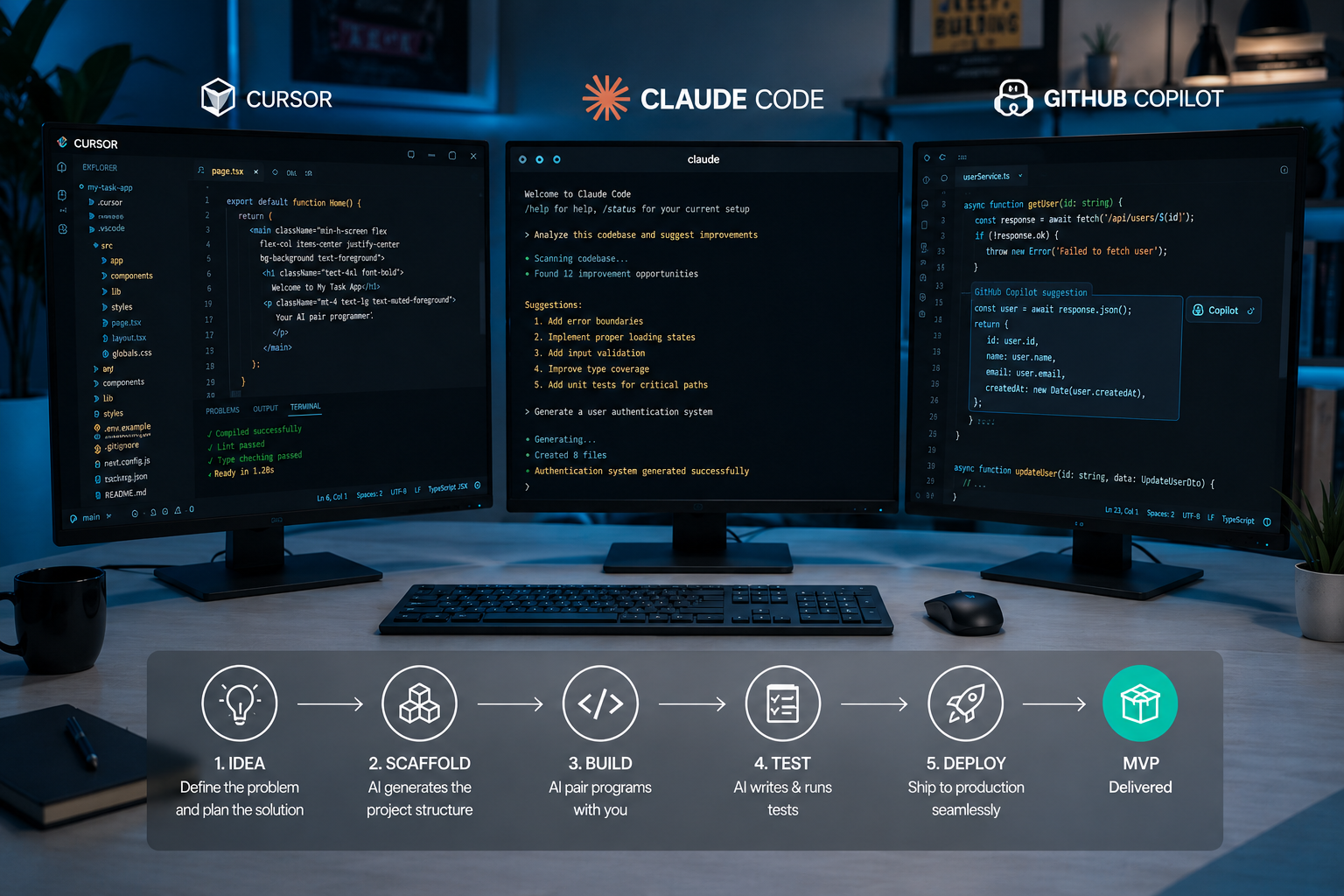
 Cursor vs Claude Code vs GitHub Copilot – Which AI Dev Tool Ships Your MVP Fastest in 2026?
Opening Note
Choosing the right coding assistant matters when time is short and the market waits. In 2026 teams weigh developer experience, integration, and predictable outcomes. This comparison looks at three popular options – Cursor, Claude Code, and GitHub Copilot – to see which one helps deliver a minimum viable product fastest. The aim is practical. Product Siddha focuses on measurable workflows and straightforward trade offs, so the recommendations here favour speed to working software and reliable iteration.
How to judge speed to MVP
Before comparing tools, clarify what shipping an MVP means in practice. Useful measures include time to first working demo, number of meaningful iterations per week, lead time from idea to deploy, and defect rate after initial launch. Also consider onboarding time for engineers, integration with CI and deployment pipelines, and the effort to maintain quality and security. These operational metrics give a clear sense of productivity beyond marketing claims.
Cursor – an IDE-first, agentic approach
Cursor is built around a developer workspace with agent-driven automation. It can scaffold projects, run local tests, and help with debugging while keeping the developer inside an IDE-like surface. For small teams that value a tight feedback loop, Cursor shortens the distance between a prompt and runnable code.
Strengths
- Workflow automation that follows the developer context.
- Tight local testing and live session features so problems are found early.
- Good for building prototypes that need rapid local iteration.
Limitations
- The learning curve can be steeper for teams used to separate tools.
- Cost can rise if agent features run frequently across many repos.
When Cursor helps ship faster
Cursor shines when the product requires frequent local experimentation, for example when the MVP depends on complex client side interactions or quick iterations in backend logic. Its agent orchestration reduces manual glue work and lowers time to a stable demo.
Claude Code – a careful, context-aware assistant
Claude Code focuses on long-form reasoning and safe code generation. It excels at translating design documents or product requirements into structured scaffolds. The assistant is less about live IDE control and more about supplying robust, well explained code with an eye to clarity.
Strengths
- Strong at turning specifications into tested stubs and detailed implementations.
- Emphasis on explainability so teams understand generated choices.
- Useful for documentation and handoff between product and engineering.
Limitations
- Fewer in-IDE automation hooks compared with other options.
- Iteration speed depends on how teams integrate outputs into their pipelines.
When Claude Code helps ship faster
Claude Code is useful when the MVP has nontrivial business logic and the team needs clear audit trails. If the bottleneck is turning product intent into reliable code and tests, Claude Code reduces rework and clarifies design decisions for new engineers.
GitHub Copilot – an inline, completion-first assistant
GitHub Copilot operates as an extension to familiar IDEs and editors. It supplies line-level completions and small function suggestions. For many teams it accelerates routine coding and reduces context switching because the assistant lives inside the editor they already use.
Strengths
- Low friction adoption and fast onboarding.
- Good at repetitive tasks, boilerplate, and API usage patterns.
- Integrates naturally with version control and developer workflows.
Limitations
- Less suited to end-to-end automation of build, test, and deploy tasks.
- Quality varies with prompt clarity and surrounding context in the file.
When Copilot helps ship faster
Copilot is most effective when the MVP relies on standard frameworks, known libraries, and predictable patterns. It speeds up development for experienced engineers who know how to review suggestions quickly and accept or refine them.
Practical comparison on core MVP tasks
Project scaffolding
- Cursor: strong, with agent flows that create runnable scaffolds and local test harnesses.
- Claude Code: good at structured scaffolds with rationale and tests.
- Copilot: quick for file-level scaffolding but needs manual orchestration.
Coding and iteration
- Cursor: fast for iterative cycles where tests run locally.
- Claude Code: careful, leading to fewer logic errors in complex modules.
- Copilot: fastest for filling standard code and reducing typing.
Testing and quality
- Cursor: integrates test runs into the workflow.
- Claude Code: generates tests and explanations that support correctness.
- Copilot: suggests tests but leaves orchestration to the developer.
CI, deploy, and ops
- Cursor: some orchestration features help, but teams still wire CI.
- Claude Code: produces scripts and docs that aid integration.
- Copilot: minimal on CI automation by itself.
Security and code review
All three tools require governance. Static analysis, dependency scanning, and human review remain essential. Product Siddha recommends treating generated code like third-party contributions and enforcing the same review gates and automated checks.
Cost and team fit
Cost affects speed indirectly. A tool that lowers manual toil but adds heavy runtime fees can slow teams through budget limits. Consider per-seat pricing, API usage, and the time cost of setting up integrations. Teams that already use GitHub find Copilot easiest to adopt. Teams that want a single workspace automation layer may prefer Cursor. Teams that value thorough specification and traceable outputs may pick Claude Code.
A recommended workflow to ship fast
- Start with a tight scope and a one-week spike that defines the core feature.
- Choose the tool that best matches your bottleneck – scaffolding, specification, or inline productivity.
- Automate tests and CI from day one. Use the assistant to produce test stubs and deployment scripts.
- Measure time to first working demo and iterate in short cycles.
- Maintain human review for security and edge cases.
Final Take
No single assistant universally guarantees the fastest MVP. The right choice depends on what slows your team today. For rapid local experimentation Cursor often shortens the loop. For clear, auditable code generation Claude Code reduces rework. For low friction and steady developer speed GitHub Copilot accelerates routine tasks. Product Siddha advises teams to run a focused pilot, measure lead time and iteration velocity, and select the tool that improves those metrics. The practical outcome matters more than any feature checklist.