
Product Siddha

AI Automation

AI Automation, Blog

Why Every Business Needs Email Automation in 2025

Why Every Business Needs Email Automation in 2025 The Digital Communication Revolution Businesses today face a challenge that would have seemed impossible two decades ago. They need to maintain personal relationships with thousands of customers while managing limited resources and tight schedules. The solution lies not in hiring more staff but in working smarter through email automation. Email automation has transformed from a luxury tool used by large corporations into a necessity for businesses of all sizes. In 2025, companies that fail to implement automated email systems risk falling behind competitors who leverage technology to deliver timely, relevant messages to their audience. Understanding Modern Email Marketing Traditional email marketing required manual effort for every campaign. Marketing teams would spend hours crafting messages, segmenting lists, and scheduling sends. This approach worked when customer databases were small, but it becomes unsustainable as businesses grow. Automated email campaigns operate differently. They use triggers and workflows to send the right message at the right time without constant human intervention. When a customer abandons their shopping cart, signs up for a newsletter, or completes a purchase, automated systems respond immediately with appropriate follow-up communications. Product Siddha has observed that businesses implementing marketing automation see dramatic improvements in their customer engagement metrics. The technology handles repetitive tasks while allowing teams to focus on strategy and creative development. Time Efficiency and Resource Optimization Consider how much time your team spends on routine email tasks. Sending welcome messages to new subscribers, following up with prospects, or reminding customers about upcoming renewals all consume valuable hours that could be spent on high-level planning or customer service. Email automation software eliminates this burden. A single workflow can handle thousands of customer interactions simultaneously. Your team sets up the sequence once, and the system executes it flawlessly for months or even years with minimal adjustments. This efficiency extends beyond time savings. Automated email marketing reduces human error. Typos, wrong attachments, or messages sent to incorrect segments become rare when machines handle the execution. Your brand maintains consistency across all customer touchpoints. Personalization at Scale Modern consumers expect personalized experiences. They want businesses to remember their preferences, acknowledge their purchase history, and provide relevant recommendations. Meeting these expectations manually for a large customer base is impossible. Email automation tools excel at personalization. They pull data from your customer relationship management system to customize every message. Subject lines include recipient names. Product recommendations reflect past purchases. Content adapts based on browsing behavior or demographic information. This level of customization drives engagement. Studies consistently show that personalized emails generate higher open rates and click-through rates compared to generic broadcasts. Customers respond positively when businesses demonstrate that they understand individual needs and preferences. Revenue Growth Through Strategic Timing Timing plays a crucial role in email marketing success. A promotional message sent too early or too late misses the window when customers are ready to buy. Automated email sequences ensure perfect timing by responding to customer actions in real time. Cart abandonment emails provide an excellent example. When someone adds products to their cart but leaves without purchasing, an automated system can send a reminder within an hour. This immediate follow-up recovers sales that would otherwise be lost. Many businesses report that automated cart abandonment campaigns alone generate significant revenue increases. Birthday emails, anniversary messages, and renewal reminders all benefit from automation. The system tracks important dates and sends appropriate communications without requiring anyone to maintain a manual calendar. Lead Nurturing and Customer Journey Mapping Not every prospect is ready to buy immediately. Some need time to research options, compare features, or secure budget approval. Email automation nurtures these leads through the decision-making process. A well-designed drip campaign delivers educational content over weeks or months. Early messages introduce your brand and establish credibility. Middle messages demonstrate product benefits and address common objections. Final messages create urgency and encourage conversion. Product Siddha has helped numerous clients develop automated workflows that guide prospects from initial awareness through purchase and beyond. These systems maintain engagement during long sales cycles that would be difficult to manage manually. Data-Driven Decision Making Automated email platforms provide detailed analytics on every campaign. You can track open rates, click rates, conversion rates, and revenue per email. This data reveals what resonates with your audience and what falls flat. The insights gained from email marketing automation inform broader business strategies. If certain subject lines consistently outperform others, that knowledge applies to other marketing channels. If specific product categories generate high engagement, inventory and promotion decisions can reflect that interest. Advanced platforms offer A/B testing capabilities. The system automatically sends different versions of an email to small audience segments, identifies the winner, and delivers the best-performing version to the remainder of your list. This continuous optimization improves results over time. Competitive Advantage in Crowded Markets Your competitors are likely already using marketing automation tools. Businesses that resist adoption fall behind in customer experience and operational efficiency. The gap widens as automated systems become more sophisticated and accessible. Email automation software has become more affordable and user-friendly. Small businesses can access features that were once exclusive to enterprises. Cloud-based platforms eliminate the need for expensive infrastructure or technical expertise. Companies that embrace automation early gain advantages that compound over time. They build larger, more engaged email lists. They develop more refined workflows based on performance data. They establish stronger customer relationships through consistent, relevant communication. Integration with Broader Marketing Ecosystems Modern email automation platforms integrate seamlessly with other business tools. They connect to e-commerce systems, social media platforms, customer support software, and analytics dashboards. This integration creates a unified view of customer interactions across channels. When all systems share data, businesses can coordinate campaigns more effectively. A customer who clicks an email link might see related social media ads. Someone who contacts support receives follow-up emails addressing their specific issue. These coordinated experiences strengthen brand perception and drive loyalty. Product Siddha emphasizes the importance of choosing automation platforms that offer robust integration capabilities. The right automated
AI Automation, Blog

OpenAI’s AgentKit and Agent Builder: Is it the End of n8n?

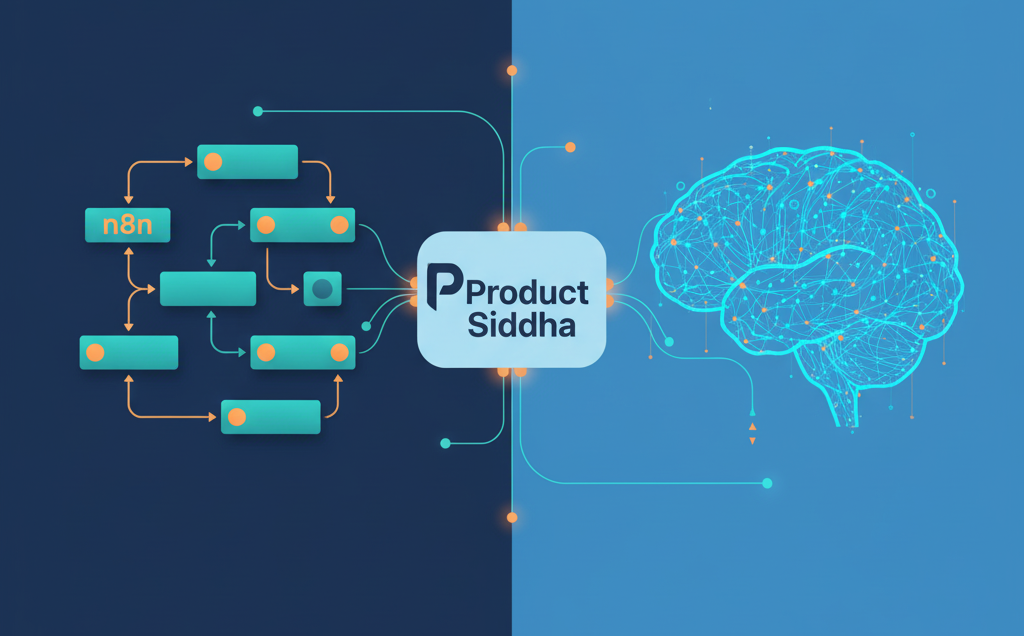
OpenAI’s AgentKit and Agent Builder: Is it the End of n8n? Rethinking Automation: Where OpenAI’s AgentKit Meets n8n Artificial intelligence is reshaping how automation platforms function. With the recent introduction of OpenAI’s AgentKit and Agent Builder, discussions have emerged around whether tools like n8n will still hold their ground. While OpenAI’s new frameworks promise a leap forward in creating intelligent agents, the question is not simply about replacement. It is about purpose, flexibility, and the kind of ecosystem each platform supports. The Rise of Intelligent Automation Over the past few years, workflow automation has moved from simple integrations to adaptive systems capable of understanding intent. n8n, known for its open-source design, became a favorite among developers and data teams because it allowed complete visibility and control. Users could automate multi-step workflows connecting APIs, CRMs, databases, and analytics platforms without being tied to closed ecosystems. OpenAI’s AgentKit, however, introduces a different model. Instead of connecting prebuilt tools, it enables developers to create autonomous AI agents that perform reasoning, execute API calls, and adapt dynamically. It integrates closely with OpenAI’s ecosystem, relying on natural language input rather than a visual interface. This distinction highlights a key divide: n8n focuses on process orchestration, while AgentKit emphasizes intelligent decision-making. Understanding What AgentKit and Agent Builder Offer To understand the comparison, it helps to look at what OpenAI has launched. AgentKit: A developer framework allowing programmers to build autonomous agents capable of using APIs, performing actions, and managing data through natural language reasoning. Agent Builder: A graphical interface aimed at business users to create and manage AI agents without deep programming knowledge. Together, they aim to make automation conversational and adaptable. In contrast, n8n gives users visual, node-based workflow design. It connects hundreds of applications through a transparent process map that businesses can easily audit and customize. Why n8n Still Matters Despite the excitement around AgentKit, n8n holds enduring value for organizations that prioritize data ownership, cost efficiency, and modular flexibility. Unlike closed AI ecosystems, n8n allows complete control over how workflows are executed and stored. This feature is crucial for compliance-sensitive industries like healthcare, finance, and enterprise marketing operations. At Product Siddha, for example, internal automation systems were built using n8n to unify client onboarding, data collection, and analytics reporting. When third-party services limited API access, n8n’s open framework allowed Product Siddha’s developers to rebuild critical integrations without depending on external vendors. That adaptability is what keeps open-source tools relevant, even as AI-driven automation grows. In short, n8n gives structure to automation, while AI agents add reasoning to it. The future likely depends on how well both can coexist. Comparing n8n and AgentKit Feature n8n AgentKit / Agent Builder Type Workflow automation Autonomous AI agent creation Interface Visual, node-based Conversational / GUI Control Full transparency and audit trail Limited interpretability Deployment Self-hosted or cloud Cloud-based (OpenAI ecosystem) Ideal Use Case Data workflows, CRM, marketing ops Dynamic reasoning, adaptive tasks How AgentKit Changes the Conversation AgentKit’s core advantage lies in autonomous adaptability. Instead of defining every rule, a user can describe a goal, and the agent figures out how to achieve it. For instance, a content operations team might ask the agent to “prepare next week’s publishing schedule based on engagement data.” The system could then fetch metrics, suggest topics, and even draft outlines. While this seems revolutionary, it also introduces challenges in predictability and compliance. Businesses cannot always rely on autonomous reasoning where audit trails and consistency are required. This is where n8n’s structured workflows remain valuable. Each step is visible, reversible, and governed by logic that can be documented and improved. For now, AgentKit may excel in creative or exploratory tasks, whereas n8n continues to dominate operational automation that demands stability and traceability. Case Study: Combining n8n with AI Agents at Product Siddha At Product Siddha, the engineering team experimented with hybrid automation – combining n8n’s workflow structure with AI-powered decision layers. For instance, in a client project related to marketing analytics automation, Product Siddha used n8n to orchestrate data movement across CRM, email systems, and visualization dashboards. An AI layer (using GPT models) was added to interpret performance anomalies and trigger specific workflow paths. This hybrid design reduced manual intervention by 42% while preserving transparency. It also demonstrated that AI and n8n do not compete but rather complement one another when engineered with clarity and control. Such real-world applications highlight that n8n is far from obsolete. Instead, it can become the foundation that anchors AI decision-making into repeatable, compliant workflows. A Balanced View of the Future While OpenAI’s AgentKit and Agent Builder open a new frontier, they are unlikely to replace n8n entirely. Instead, they may redefine the boundaries between automation and autonomy. n8n remains ideal for structured data automation, controlled API orchestration, and integration across varied business systems. AgentKit introduces reasoning-based automation, suitable for adaptive tasks that require interpretation rather than instruction. As enterprises seek both control and intelligence, the future will likely blend the two. A visual workflow might handle the infrastructure while an AI agent operates within it to optimize decisions. Final Reflection: Coexistence Over Replacement It would be premature to call the rise of AgentKit the end of n8n. Automation ecosystems evolve, but foundational tools that offer transparency, governance, and scalability rarely disappear. What will change is the layer above them – the intelligence that makes automation responsive. For forward-looking teams, the opportunity lies in combining n8n’s orchestration power with AI-driven adaptability. This synthesis represents the next step in operational intelligence, and companies like Product Siddha are already demonstrating how to bridge that gap effectively.

AI Automation, Blog

Smarter, Faster Creative Production with Product Siddha’s AI Automation Suite

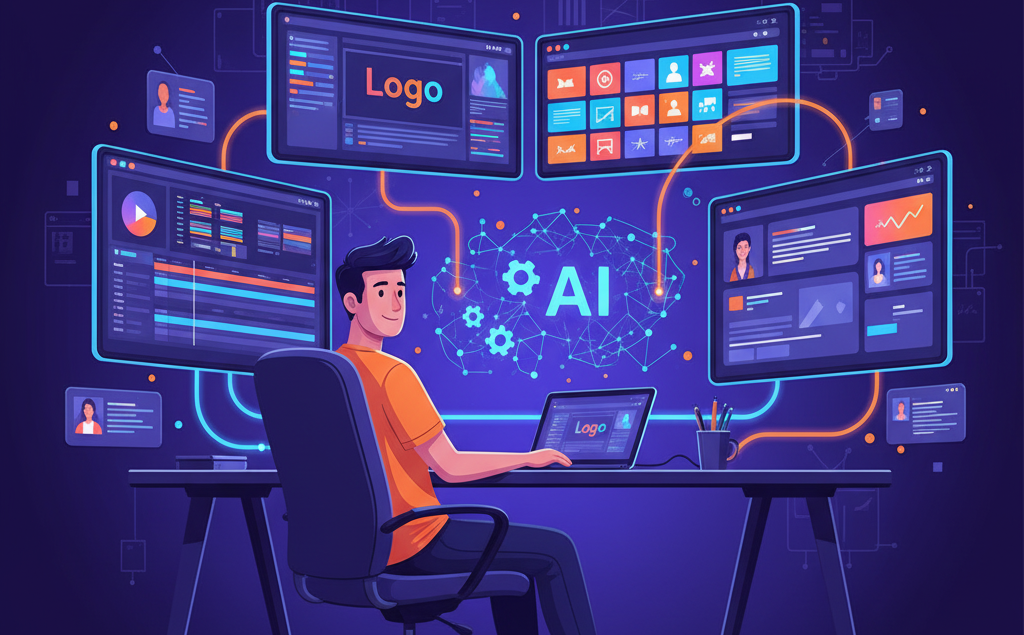
Smarter, Faster Creative Production with Product Siddha’s AI Automation Suite The Creative Bottleneck Creative teams today face growing pressure to produce more content across multiple platforms. One campaign may require a dozen assets, videos for YouTube, short clips for Instagram Reels, banners for LinkedIn, blog headers, and product images for eCommerce. Every piece goes through concepting, design, editing, and review before it goes live. Traditional workflows are linear and slow. Designers create one file at a time. Editors manually reformat videos for each platform. Copywriters wait for final designs to pair with text. As a result, projects stretch for weeks, limiting how fast brands can react to new opportunities. Product Siddha, an AI automation agency, helps creative teams streamline these workflows. Using automation tools built around real production challenges, we help teams cut project time by up to 70% without compromising quality. Why Traditional Production Slows You Down The Multi-Platform Challenge Every platform has unique specifications. A horizontal YouTube video must become a vertical Instagram Reel. A static image needs animation for TikTok. Even small adjustments like cropping, reformatting text, or optimizing file sizes take hours of repetitive work. This kind of work doesn’t need creative thinking; it needs consistency and speed. When teams spend their time resizing banners and exporting video formats, their creative energy gets wasted on mechanical steps rather than storytelling and design. The Quality vs. Quantity Struggle Most marketing teams face a trade-off: deliver more content or maintain high standards. Budgets rarely allow for both. Long hours, missed deadlines, and creative burnout become common. The solution is intelligent automation. Product Siddha’s automation suite handles repetitive production steps while leaving creative direction and decision-making in human hands. Machines do the execution work, and teams focus on creativity. The AI Automation Suite That Powers Creative Teams Smarter Asset Management Finding the right file version, approved logo, or licensed photo can take longer than actual design. Product Siddha’s automated asset management system solves this with machine learning. It tags, categorizes, and retrieves assets automatically. Designers can type natural queries like “blue-themed office team photo,” and the system fetches matching images. It also manages version control, ensuring only approved designs are used, and tracks licensing details to prevent misuse or expired rights. With organized assets and version history, teams spend less time searching and more time creating. Automated Project Setup Starting a new campaign involves setup work, folders, templates, access permissions, and notifications. Doing this manually takes up to 45 minutes each time. Our automated project setup workflow does this in seconds. When a new project starts, it creates folder structures, copies templates, assigns team permissions, and sends notifications. Everyone receives the right files, deadlines, and instructions automatically. This reduces confusion and saves hours that usually go into repetitive coordination. Multi-Platform Video Adaptation Video editing is one of the most time-consuming creative tasks. A two-minute horizontal video for YouTube must be re-edited for vertical and square formats. Each version has different visual and timing needs. Product Siddha’s automation suite uses AI to analyze and adapt content for each platform automatically. The system reframes shots, adjusts pacing, repositions on-screen text, and optimizes exports for every channel. Editors only need to review the results. What used to take hours now takes minutes. Across projects, this compounds into major time savings and higher creative output. Template-Driven Design Production Designers often recreate the same layout with small variations for each campaign—social media posts, email headers, ads, or banners. Product Siddha’s template automation turns these into intelligent systems. Designers define master templates with flexible elements. The automation engine then customizes layouts based on provided text, images, and colors. It applies brand fonts, aligns spacing, and balances composition automatically. This keeps visual consistency across dozens of assets and eliminates repetitive manual resizing or layout adjustments. Batch Processing and Design Scaling When campaigns require multiple asset sizes, automation generates all versions at once. From one master file, the system produces ad banners in every required dimension, adjusting layout and typography intelligently for each size. This makes scaling creative output simple and efficient. A task that once took a day now takes minutes, allowing teams to focus on creative thinking rather than resizing graphics. Automated Quality and Review Workflows Before any file reaches a client or stakeholder, automated quality checks scan it for issues. The system verifies resolution, color profile, file format, and text placement. For videos, it checks captions, frame rates, and encoding quality. Once the work passes quality review, automated approval routing notifies stakeholders. It sends reminders for pending reviews and moves approved files to the next stage automatically. This reduces revision delays and keeps projects moving smoothly. Measuring the Impact of Automation Time and Efficiency Gains Automation removes bottlenecks and gives teams back valuable time. Tasks like video adaptation, resizing, and setup now happen in minutes instead of hours. A typical campaign sees production time drop from 12 hours to less than 2. Teams can handle more projects without extra staff or longer hours. Creative Task Manual Time Automated Time Efficiency Gain Multi-platform video editing 180 min 25 min 86% faster Social media post design 25 min 3 min 88% faster File tagging & retrieval 40 min 4 min 90% faster Stakeholder review routing 60 min 10 min 83% faster With Product Siddha’s suite, the average project runs 85–90% faster, increasing capacity and ROI without team expansion. Real-World Results Marketing Agency Example A mid-sized digital agency producing social media content for multiple clients faced missed deadlines and high workload. By implementing Product Siddha’s automation suite, they automated template-based post design and video adaptation. Content output rose by 70%, turnaround time dropped by 60%, and their creative team finally had bandwidth to focus on strategy and storytelling. Within a year, their production ROI increased by over 300%. E-commerce Brand Example An online retailer with 500+ products automated its product image processing. The time required for editing and resizing dropped from 45 minutes to 8 minutes per product. Three designers who previously handled mechanical image work

AI Automation, Blog

Streamline HR Operations: Automate Employee Onboarding and Offboarding

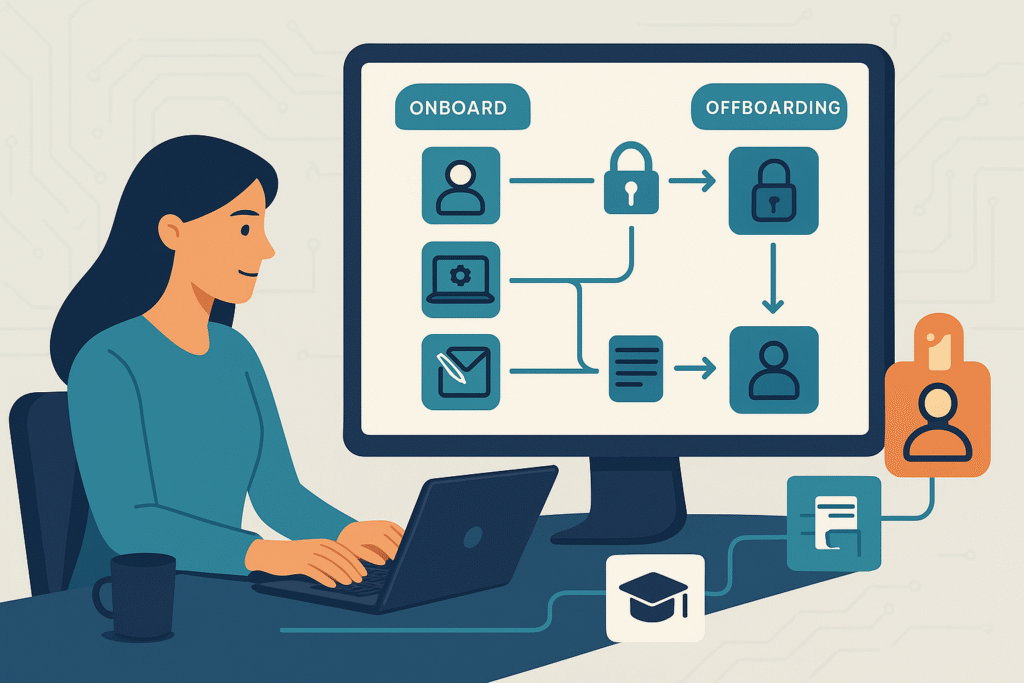
Streamline HR Operations: Automate Employee Onboarding and Offboarding The HR Bottleneck Nobody Talks About Hiring or offboarding an employee sounds simple – until you realize how many moving parts are involved. A single new hire can trigger 40–60 individual tasks: creating accounts, assigning training, sending welcome kits, granting building access, and more. When someone leaves, it’s just as complex – revoking access, collecting equipment, handling payroll, and ensuring compliance. Most HR teams still manage this manually through endless spreadsheets, reminder emails, and follow-ups. The result? Delays, missed steps, security risks, and burnt-out HR staff. At Product Siddha, we help organizations eliminate this chaos with n8n-based workflow automation. The result: up to 75% reduction in HR workload, faster task completion, and smoother experiences for employees – both joining and leaving the company. Why Manual HR Processes Fail Onboarding Chaos Traditional onboarding means HR must coordinate with multiple departments – IT, finance, admin, and management. Each relies on manual communication to: Create user accounts and emails Arrange hardware delivery Assign learning modules Schedule introductions and orientation Collect paperwork and approvals Without automation, it’s easy to miss steps. Many new hires arrive without access to systems or equipment, creating poor first impressions and wasted time. Offboarding Risks When employees leave, HR must deactivate access, reclaim devices, process pay, and document exits. If a single step is missed, security risks arise, former employees might still access data, or company assets go untracked. These errors happen because HR relies on manual coordination and human memory instead of structured workflows. How n8n Fixes It All n8n is a powerful workflow automation platform that connects all your HR, IT, and communication tools into one seamless system. At Product Siddha, we design custom n8n workflows that automatically handle repetitive HR actions. Here’s how it transforms onboarding and offboarding: Process Before Automation After n8n Automation New hire data entry HR enters info into multiple systems manually HR adds data once — n8n syncs it across all systems IT provisioning Manual email to IT for account setup Accounts, access, and devices created automatically Document collection Emails, printouts, follow-ups Digital forms auto-sent, tracked, and verified Offboarding access removal Delayed and error-prone Instant, timed deactivation across all systems Status updates Manual check-ins Real-time notifications to HR, IT, and managers Automating Employee Onboarding A great onboarding experience starts before Day One. With n8n, once HR marks a candidate as “hired,” automation takes over: HRIS entry: Employee record and ID are created instantly. IT setup: Email accounts, Slack access, and software licenses are provisioned automatically. Equipment requests: Laptop and accessories are scheduled for delivery before the start date. Documents: The new hire receives automated emails with links to complete tax forms, policy acknowledgments, and bank details. Training: Based on role, required courses are assigned automatically in the learning system. Communication: Welcome messages, manager alerts, and team introductions are all triggered automatically. Result? A fully prepared first day – with zero manual chasing. Automating Offboarding Employee exits often create anxiety for HR teams. Automation brings order and security. When HR initiates a resignation or termination, n8n automatically: Creates an offboarding checklist: From system access removal to asset recovery. Deactivates accounts: Email, Google Workspace, Slack, CRM—everything at the exact time scheduled. Tracks equipment return: Sends reminders, logs items, and updates inventory automatically. Handles knowledge transfer: Reassigns document ownership, redirects emails, and notifies managers. Schedules exit interviews: Sends invites and compiles responses directly into HR records. Coordinates final pay: Calculates dues and alerts Finance automatically. This ensures every exit is smooth, compliant, and fully documented – without HR having to micromanage. Designing Your Automation Strategy If you’re just getting started with automation, don’t try to overhaul everything at once. Here’s a step-by-step approach Product Siddha recommends: 1. Map Your Current Workflows Write down every step in onboarding and offboarding, including who handles it and what systems are used. This helps identify repetitive tasks perfect for automation. 2. Find High-Impact Bottlenecks Ask: Where do we waste the most time? Where do errors or delays happen most often? These are your best starting points for automation. 3. Build Modular Workflows Instead of one massive automation, create small, focused workflows – for IT provisioning, equipment tracking, and document collection. They’re easier to test and refine. 4. Add Human Review Where Needed Not everything should be 100% automated. Keep manual approval steps for sensitive cases (e.g., final pay verification or termination approvals). 5. Monitor, Improve, Repeat Use n8n’s logs and dashboards to see which workflows save time and which need adjustment. Optimization is continuous. Metrics That Prove It Works When Product Siddha implements n8n-based automation, clients typically see: 60–75% reduction in HR admin time Zero missed steps in onboarding/offboarding checklists Faster onboarding (from 3 days to a few hours) Improved data security through timely deactivation Happier employees due to seamless experiences Automation doesn’t just save time – it also builds trust. New hires feel valued when everything is ready on Day One, and departing employees leave on a positive note. Start Small, Scale Fast You don’t need a huge IT project to begin. Many Product Siddha clients start by automating just one process – like account provisioning or equipment return – and then expand gradually. Our team helps HR leaders design, build, and deploy low-code n8n automations that integrate with systems like: BambooHR, Zoho People, or Gusto Slack and Google Workspace Trello or Asana Office 365, Okta, or Freshservice Each workflow is customized for your organization’s unique needs, ensuring reliability, security, and scalability. The Bigger Picture Automation doesn’t replace HR – it empowers it. By letting workflows handle repetitive admin work, HR teams can focus on what matters most: Building culture Nurturing talent Improving employee engagement At Product Siddha, we believe automation is the foundation of a smarter workplace. It’s not about removing the human touch – it’s about freeing humans to do what they do best. Final Thoughts Manual onboarding and offboarding are relics of the past. Modern HR teams that embrace automation gain not only efficiency but also

AI Automation, Blog

Confused About n8n Pricing in 2025? Here’s How to Choose the Right Plan

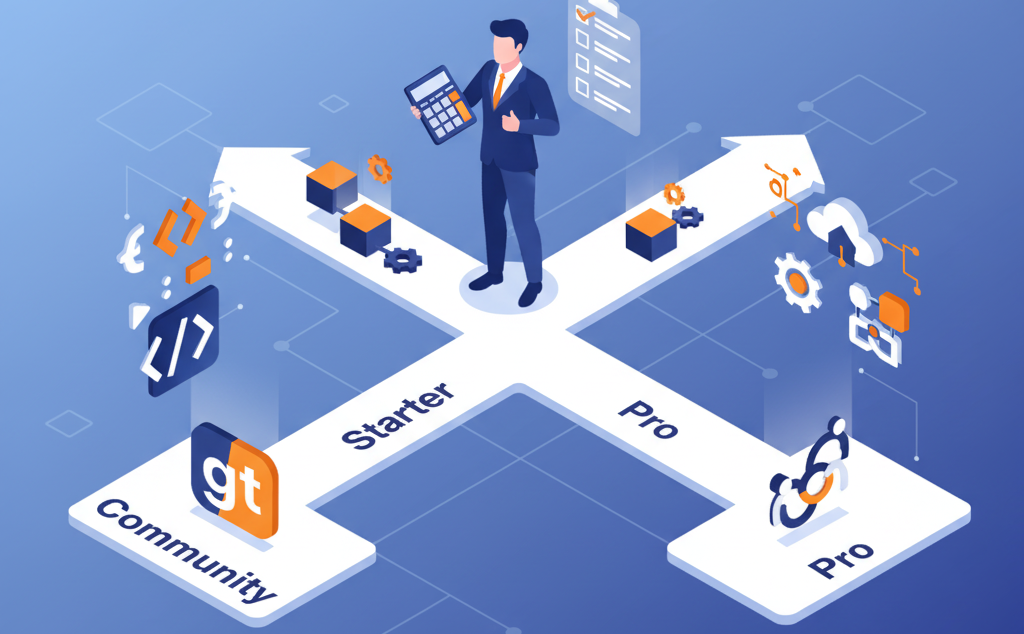
Confused About n8n Pricing in 2025? Here’s How to Choose the Right Plan Why n8n Pricing Confuses So Many Teams If you’ve explored automation tools lately, you’ve probably noticed that n8n’s pricing changed a lot. What started as a free, open-source workflow builder has grown into a full automation platform with paid cloud tiers, usage limits, and premium support. At Product Siddha, we help businesses compare automation platforms – and n8n is often one of the top choices. But many founders and teams get stuck trying to understand what they’re really paying for. So here’s a simple, startup-friendly breakdown of n8n’s 2025 pricing, hidden costs, and when each plan makes sense. 1. The n8n Plans at a Glance Plan Best For Cost (Monthly) Executions Users Hosting Support Community (Self-hosted) Tech-savvy teams $0 + server cost Unlimited Unlimited Self-managed Community forum Starter (Cloud) Solo users ~$20 2,500 1 n8n Cloud Basic Pro (Cloud) Small teams ~$50–$80/user 5,000+ Multi-user n8n Cloud Priority Enterprise Large orgs Custom (~$1,000+) Custom Unlimited Flexible Dedicated 2. Community Edition – Free, but Not Really “Free” The Community Edition is 100% open-source and free to use. You can install it on your own server and unlock all automation features without restrictions. Sounds great, right? But here’s the catch – you handle everything. What you get: Unlimited workflow executions Full control over your data Access to all community nodes and features What you manage yourself: Server setup and hosting Security patches and updates Backups and monitoring Troubleshooting through community support Hidden costs: Hosting can cost $50–$500 per month, depending on your setup. Add 10–15 hours of DevOps time monthly for maintenance, and the “free” version can easily cost more than a paid plan if you factor in team time. Best for: Developers, technical founders, and teams with in-house DevOps who want complete control and scalability. 3. Starter Plan – Cloud Hosting for Solo Users The Starter Plan is the easiest way to try n8n without worrying about infrastructure. It’s hosted on n8n’s cloud and designed for individuals or micro businesses. What you get: Hosted solution (no servers needed) 2,500 workflow executions/month 1 user account Basic security and community support What to watch for: Extra executions cost $10–$15 per 1,000 runs No team collaboration (single-user only) Limited support if things go wrong Best for: Freelancers, solo founders, or small businesses testing automation or running light workflows. Example: A solo marketer automating lead collection and email alerts can run comfortably within 2,000–2,500 executions per month. Once workflows grow, they’ll likely need to upgrade to Pro. 4. Pro Plan – For Growing Teams The Pro Plan is where most growing teams land. It balances cost, capacity, and collaboration tools, perfect for startups scaling their operations. What you get: 5,000 executions/month (expandable) Multiple user access Role-based permissions Workflow sharing and version control Priority email support Why it’s worth it: When automation becomes part of your daily operations – syncing CRMs, triggering emails, generating reports, you’ll need multiple users and faster support. The Pro Plan scales with your team and keeps automation reliable. Estimated cost: $50–$80 per user per month, depending on usage. Best for: Startups and teams that rely on automation daily and need collaboration + stability. 5. Enterprise Plan – For Large, Regulated Organizations If you’re a larger business or need guaranteed uptime and compliance, the Enterprise Plan is your match. Key features: Custom executions and user count Dedicated support and SLAs Advanced security controls Option for dedicated hosting Training and onboarding for big teams Pricing: Starts around $1,000/month but varies based on setup. Best for: Corporates, fintech, and healthcare companies with complex automation needs and strict data regulations. 6. Understanding the Real Costs Even though n8n’s listed pricing looks simple, total cost depends on how you use it. Let’s break down hidden costs and key variables that affect your decision. a. Execution Overages Every cloud plan has a workflow execution cap. When you exceed it, overage fees kick in, and they can pile up fast. Pro Tip: Monitor execution usage weekly. Optimize workflows by combining triggers, batching tasks, or reducing unnecessary steps. Product Siddha has seen teams cut execution costs by 20–40% just through better workflow design. b. Infrastructure and Maintenance If you self-host n8n (Community Edition), you’re responsible for: Server hosting ($50–$500/month) Security patches and monitoring Backup management DevOps hours for updates For non-technical teams, these hidden costs often outweigh the savings of going self-hosted. c. Integration & API Costs Many workflows rely on third-party APIs (like HubSpot, Airtable, or Slack). Some APIs have premium pricing or request limits – adding to your total automation cost. Always check if your workflow uses any paid connectors or API subscriptions before committing. 7. How to Choose the Right Plan (Step-by-Step) Let’s make this simple. Here’s a step-by-step checklist Product Siddha uses with clients when selecting the right n8n plan: Check your technical ability If you have a DevOps or tech team → Community Edition If not → Cloud (Starter or Pro) Estimate your execution volume Light usage (<2,500) → Starter Moderate (5,000–10,000) → Pro Heavy or custom (>20,000) → Enterprise or self-hosted Evaluate team access Solo user → Starter Team collaboration → Pro or higher Consider data privacy Regulated or sensitive data → Community (self-hosted) No strict requirements → Cloud Plan for growth Expect workflow volume to double in 6–12 months. Start with the lowest plan that can handle future growth without constant upgrades. 8. Real-World Examples Startup Example: SaaS Founders A small SaaS team uses n8n to automate customer onboarding and billing. They started on the Starter Plan to test automation, but quickly hit limits as users grew. Upgrading to Pro gave them more executions, multi-user access, and better reliability. Agency Example: Marketing Team A five-person digital agency automates client reports and campaign updates. They needed collaboration, version control, and reliable support, so they chose Pro Plan for around $240/month (3 users). The automation saves 15+ hours per week, easily covering the plan’s cost. Tech Example: Self-Hosting A tech startup

AI Automation, Blog

40 Hours to 4: AI Automation Reclaimed Our Workweek

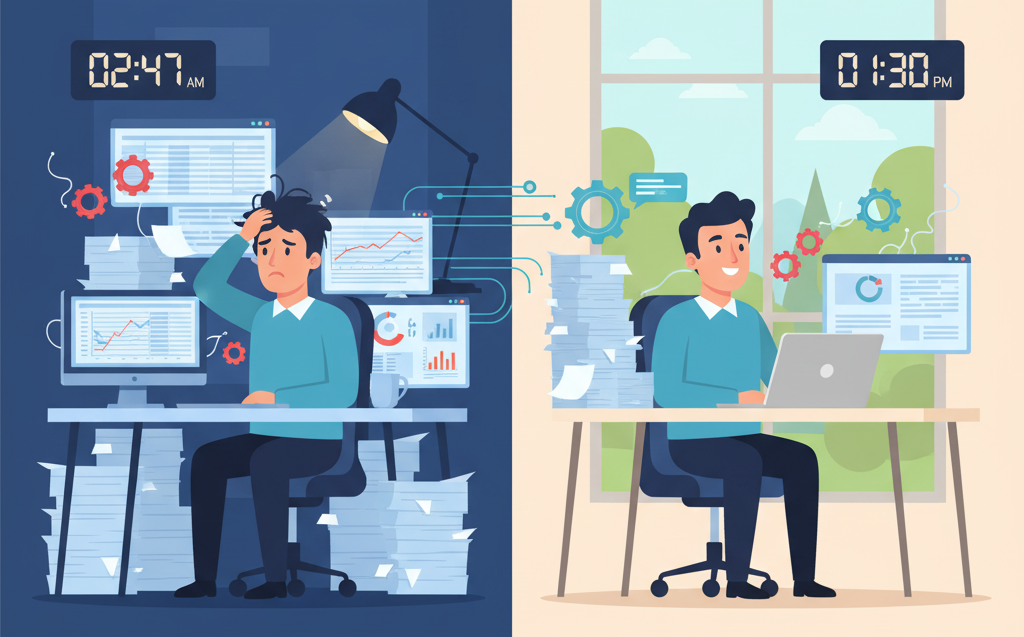
40 Hours to 4: AI Automation Reclaimed Our Workweek When Time Became Our Most Valuable Resource At Product Siddha, we build smarter systems for fast-moving B2B brands. But even for us – an agency dedicated to efficiency and automation – time had become our rarest commodity. Our operations manager, David, was spending nearly 12 hours a day managing recurring administrative work: updating spreadsheets, sending client reports, tracking project statuses, processing invoices, and coordinating between marketing and development teams. It wasn’t just David – across the company, we found the same story. Brilliant people, buried under repetitive, rule-based work. The tasks were necessary but left no time for innovation or strategic growth. We realized it was time to turn our own expertise inward. So we asked ourselves: What if we could apply the same AI automation frameworks we build for clients… to our own workflow? The results surprised even us. Finding the Hidden Time Sinks Before jumping to solutions, we conducted an internal time audit across every department at Product Siddha. Here’s what we found: Operations: 40 hours per week on project updates, vendor coordination, and data entry. Accounting: 35 hours per week on invoice approvals and payment reconciliations. Marketing: 38 hours per week on social media scheduling, lead tracking, and performance reporting. Customer Success: 35 hours per week answering repetitive client questions. HR: 30 hours per week on onboarding workflows and internal communications. Across all departments, nearly 75% of weekly work was repetitive, rule-based, and predictable – making it perfect for automation. We weren’t dealing with a productivity problem; we were dealing with a manual process problem. How We Designed Our AI Automation Framework Our mission was clear: reduce manual workload by 80% within six weeks, without adding headcount or disrupting active projects. Using the same 4-Step Framework we deploy for our clients – Build Real, Learn What Matters, Stack Smart Tools, and Launch with Focus- we began re-engineering our internal operations. 1. Build Real, Fast We started with invoice automation, a process that consumed the most time and followed strict logic. Using AI-powered OCR (Optical Character Recognition) and low-code workflow tools like Make and n8n, we built an automation that: Extracted data from invoices automatically Validated entries against our CRM and accounting systems Routed exceptions for human approval Logged payment status in a shared dashboard What once took 15 minutes per invoice was now completed in under two minutes, entirely hands-free. 2. Learn What Matters Next, we automated email and customer communication workflows. Our AI assistant, powered by natural language processing, was trained on thousands of historical support and client emails. It learned to identify intent, context, and sentiment, responding instantly to common requests like file access, project updates, or invoice queries. Within a week, the assistant was handling 60% of all incoming queries, freeing our support and account managers to focus on complex, high-impact client relationships. 3. Stack Smart Tools Our marketing team had been juggling multiple tools for campaign tracking, reporting, and CRM updates. We connected HubSpot, Google Analytics, and Slack using AI-driven automation. Reports that took 5 hours to compile now appeared automatically every morning, visualized on a custom Product Siddha dashboard. 4. Launch with Focus The final phase was refining workflows for scalability. We set up automated alerts, daily summaries, and escalation rules to maintain full visibility. Every workflow was documented, versioned, and monitored using analytics dashboards-so we could measure performance in real time. The Results: Reclaiming 36 Hours per Week After just six weeks of implementation, our internal time audit revealed astonishing results: Department Manual Hours/Week Automated Hours/Week Time Saved How Time Was Reinvested Operations 40 4 36 hrs Vendor strategy & workflow optimization Accounting 35 6 29 hrs Forecasting & profitability analysis Marketing 38 10 28 hrs Creative strategy & customer insights Customer Success 35 8 27 hrs Relationship building & proactive support HR 30 8 22 hrs Employee engagement & culture programs Across the company, we reduced manual hours by 90%, reclaiming hundreds of hours each month for strategic, creative, and analytical work. What We Learned Along the Way 1. Automation Doesn’t Replace People, It Empowers Them Our biggest takeaway was cultural, not technical. Automation wasn’t about replacing employees; it was about liberating them from low-value tasks. When AI handled data processing, our people finally had the space to think deeply and creatively. David, once buried in spreadsheets, now spends his week designing workflow improvements and mentoring junior team members. 2. Strategic Thinking Needs Breathing Room Our marketing lead used the extra 12 hours a week to revamp our content strategy, launch new performance campaigns, and improve engagement metrics by 38%. The difference was night and day – when you’re not buried in execution, you can finally focus on innovation. 3. The Human Element Is Still Essential Roughly 20% of our workflows couldn’t be automated effectively. Empathy-driven client conversations, strategic planning, and creative problem-solving still require human intuition. AI amplifies our efforts, it doesn’t replace the human spark. 4. Data Quality Determines Automation Success AI is only as smart as the data it learns from. We spent significant time cleaning, standardizing, and labeling our historical data to ensure the automation could operate reliably. That groundwork paid off in accuracy and consistency. The Financial Impact Within four months, our investment in automation tools and integrations had paid for itself. Here’s what changed: Productivity increased by 340%, measured by value-generating activities. Error rates dropped by 67%, thanks to consistent data handling. Operational costs decreased by 29%, without reducing team size. Employee satisfaction increased by 31%, as measured by internal surveys. Our ROI wasn’t just financial – it was cultural. Automation reshaped how we viewed time, value, and productivity. How B2B Brands Can Replicate This Transformation At Product Siddha, we now use this same AI automation playbook to help our clients scale faster and smarter. Here’s the simplified roadmap we recommend to growing B2B teams: Audit Your Workflows – Identify processes that are rule-based, repetitive, and time-consuming. Start Small, Scale Fast – Automate one

AI Automation, Blog

How Product Siddha Automated Customer Service for a Fintech SaaS in 48 Hours

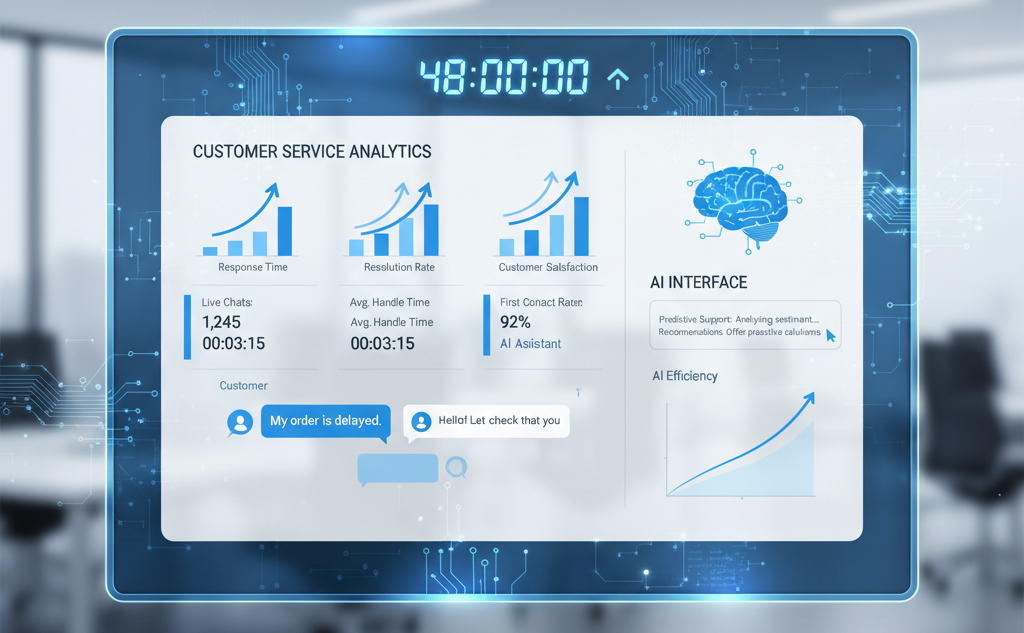
How Product Siddha Automated Customer Service for a Fintech SaaS in 48 Hours The Challenge: Scaling Customer Support Without Scaling Costs A fast-growing fintech SaaS company was facing a familiar startup dilemma – rapid customer growth but limited support bandwidth. The support team was managing hundreds of repetitive tickets every week – password resets, billing clarifications, account access issues, and renewal confirmations. Despite having a capable staff, they were spending most of their time responding to the same questions, manually updating CRMs, and routing tickets between departments. Response times were climbing. On average, customers waited six hours for replies – longer during weekends and peak billing periods. Hiring more agents was an option, but not a scalable one. The leadership team realized that their growth was being held back by inefficiency, not demand. They needed a system that could automate repetitive processes, improve response times, and enhance customer experience, without requiring additional headcount or software chaos. That’s when they partnered with Product Siddha, a consulting agency specializing in AI automation, MVP development, and workflow optimization for early-stage SaaS startups. Their goals were ambitious: Automate at least 70% of recurring support tasks Reduce average response time by 90% Improve visibility and coordination across customer touchpoints Deliver results within 48 hours Phase 1: Mapping and Integration (Hour 0–24) Product Siddha started by mapping the entire customer service workflow – from chat and email inquiries to CRM updates and escalation procedures. The automation specialists quickly identified key inefficiencies: manual ticket assignment, redundant CRM updates, and delayed handoffs. Within the first 24 hours, they built an integrated, AI-powered workflow that connected all major systems. Here’s what went live on day one: HubSpot CRM integration with live chat and Slack notifications AI intent detection for repetitive questions (billing, renewals, password resets) Real-time data sync between the helpdesk and CRM Smart routing for complex issues that required human review Fail-safe escalation triggers to ensure no ticket was ever missed By the end of the first day, the prototype was operational in test mode. It could already recognize basic queries, fetch data instantly, and alert the right team members for urgent or high-value interactions. Phase 2: Testing, Training, and Launch (Hour 24–48) Once the structure was in place, Product Siddha shifted to AI training and validation. They ran more than 250 test scenarios to fine-tune automation accuracy and ensure the responses aligned with the client’s tone and brand voice. The AI assistant was trained using historical support data so it could mimic the company’s conversational style – clear, concise, and customer-first. At 9:00 AM on launch day, the new system went live. Within the first hour, it handled over 40 inquiries end-to-end without human assistance – each resolved in under two minutes. The transformation was immediate: Response time: 6 hours → 1.7 minutes Automation accuracy: 94% Human handoff success: 100% The fintech company’s leadership was astonished – not just by the speed, but by how seamless the transition felt. There was no downtime, no technical bottleneck, and no disruption to live operations. Phase 3: The First Week – Real, Measurable Impact Within the first week of deployment, the automated system processed more than 1,200 customer interactions. Most were related to billing, renewals, and product troubleshooting, exactly the kind of queries that had previously consumed hours of manual effort. The improvements were evident across all metrics: Metric Before Automation After Automation Improvement Average Response Time 6 hours 1.7 minutes 99.5% faster Customer Satisfaction 72% 88% +16 points Support Cost per Ticket $12.50 $7.38 41% lower Automation Rate 0% 78% — Customer satisfaction surveys confirmed what the numbers showed – users appreciated the faster, more consistent responses. Meanwhile, the internal support team was finally free to focus on strategic initiatives like customer onboarding, retention analytics, and experience improvement. Phase 4: Lessons from the Automation Journey The fintech SaaS team learned several key lessons through this process – lessons that shaped how they approached automation going forward: Clean data drives great automation. Product Siddha helped structure and sanitize historical data before deployment. This step drastically improved AI accuracy and reduced errors in ticket resolution. Transparency builds trust. Customers were informed they were chatting with an AI assistant. Because the system was quick, helpful, and could escalate instantly when needed, transparency enhanced, not reduced, user trust. AI works best with human support. Automation handled 80% of tickets flawlessly, while human agents managed the remaining 20%, typically complex or emotionally sensitive issues. This balance delivered both efficiency and empathy. The collaboration reinforced that automation doesn’t replace teams, it amplifies their productivity. Phase 5: 30 Days Later – Tangible ROI A month after implementation, the results were clear. The AI-powered system had processed more than 8,300 conversations, resolving 6,500 of them entirely through automation. The measurable outcomes: 41% reduction in operational overhead 24/7 coverage without increasing staff Full ROI achieved in under seven weeks Beyond numbers, the company’s support team experienced a noticeable morale boost. Instead of chasing repetitive tickets, they were contributing to product improvements, customer success initiatives, and strategic growth planning. The leadership team credited Product Siddha’s structured approach and deep understanding of SaaS operations for making such rapid automation possible. How Product Siddha Made It Work Product Siddha’s success came from a clear, structured framework that balances speed, scalability, and strategic fit – specifically designed for SaaS and MVP-stage businesses: Build Real, Fast – Rapidly prototype working automation flows that deliver immediate value. Learn What Matters – Track how users and AI interact to refine automation logic continuously. Stack Smart Tools – Integrate CRMs, MarTech, and communication platforms seamlessly. Launch with Focus – Deploy with rigorous testing and monitor for iterative optimization. This process ensured that the fintech client didn’t just “get automation” – they got a sustainable, adaptive system that grows with the business. The Takeaway: From Chaos to Clarity in 48 Hours This 48-hour project showcased what’s possible when a growing SaaS company partners with the right automation experts. In just two days, the fintech startup transformed

recruiting
AI Automation, Blog

Is Your Recruiting Process Hurting Your Brand? Product Siddha is Here to Help

Is Your Recruiting Process Hurting Your Brand? Product Siddha is Here to Help The Hidden Cost of Poor Hiring Practices Every interaction between your organization and potential employees sends a message about who you are as a company. The recruiting process represents one of the most significant touchpoints where people form lasting impressions about your culture, values, and operational competence. Yet many organizations treat recruitment as a purely transactional function without recognizing its profound impact on brand perception. Candidates who experience disorganized, disrespectful, or opaque hiring practices share their stories. They tell friends, post reviews on employer rating sites, and factor these experiences into their opinions about your products or services. In markets where talent remains scarce and customers have abundant choices, these negative impressions create consequences that extend far beyond a single unfilled position. When Recruitment Becomes a Brand Liability Several common problems transform the recruiting process from a neutral administrative function into an active threat to organizational reputation. Understanding these issues helps companies recognize where their own practices may be causing damage. Slow response times frustrate candidates who have other opportunities under consideration. When weeks pass between application submission and initial contact, or when promised follow-ups never materialize, candidates conclude that your organization lacks efficiency or respect for people’s time. These impressions persist even among candidates you eventually hire, affecting their early engagement and loyalty. Inconsistent communication creates confusion and anxiety. Candidates receive conflicting information from different people, encounter unexplained changes to interview schedules, or never learn the status of their applications. This disorganization suggests broader operational problems and raises questions about how the company treats employees once hired. Unnecessarily complex or lengthy processes signal bureaucracy and inefficiency. Requiring multiple rounds of interviews for junior positions, demanding extensive unpaid work samples, or making candidates repeat the same information across different forms demonstrates poor process design and insufficient regard for candidate time. Poor interviewer preparation wastes everyone’s time and damages credibility. When interviewers arrive unprepared, ask inappropriate questions, or clearly have not reviewed the candidate’s background, it suggests the organization does not value the recruiting process or the people participating in it. Common Recruiting Process Issues and Their Brand Impact Problem Area Candidate Experience Brand Impact Slow Response Time Frustration, feeling undervalued Company seen as inefficient Communication Gaps Confusion, anxiety Perceived as disorganized Process Complexity Time burden, inconvenience Viewed as bureaucratic Unprepared Interviewers Wasted time, lack of respect Questions about competence No Feedback or Closure Uncertainty, negative feelings Disrespectful to people Unrealistic Requirements Discouragement, gatekeeping Out of touch with reality The Ripple Effects on Business Performance Damage from a poor recruiting process extends through multiple aspects of business performance. The most obvious impact appears in hiring outcomes. Strong candidates accept offers elsewhere or withdraw from consideration when they experience frustrating recruitment interactions. Organizations find themselves hiring from a diminished pool of second and third-choice candidates rather than competing successfully for top talent. Customer perception suffers when candidates share negative experiences publicly. People increasingly check employer reviews before purchasing products or services, particularly for companies that emphasize their culture or values in marketing. Inconsistency between marketed values and recruitment reality creates damaging credibility gaps. Current employees notice how candidates are treated. They recognize when their referrals receive poor treatment or when new hires share stories about difficult recruiting experiences. This awareness affects morale and employee advocacy. Team members become less willing to refer qualified contacts when they feel embarrassed about the recruiting process those contacts will encounter. Product development and innovation suffer when hiring practices prevent organizations from attracting necessary talent. Companies that struggle to recruit skilled product managers, designers, engineers, or other specialists cannot execute on their strategic visions regardless of how sound those strategies might be. Designing a Recruiting Process That Strengthens Your Brand Improving recruitment requires examining the complete candidate journey from initial awareness through offer acceptance and onboarding. Product Siddha works with organizations to identify friction points and implement practical improvements that enhance both candidate experience and hiring outcomes. Clear process definition establishes consistent candidate experiences. Document each step of the recruiting process, including who is responsible for what actions and what timeframes should be maintained. This clarity allows everyone involved in hiring to understand their roles and prevents candidates from falling into communication gaps. Realistic timeline commitments demonstrate respect for candidate schedules. Establish achievable response windows and meet them consistently. If delays occur, communicate proactively rather than leaving candidates wondering about their status. Simple acknowledgment of applications and regular updates throughout the process dramatically improve candidate perception. Efficient interview design respects everyone’s time while gathering necessary information. Limit interview rounds to what genuinely adds value in decision making. Combine conversations when possible rather than scheduling numerous separate meetings. Provide clear agendas so candidates can prepare appropriately and interviewers can avoid redundant questioning. Interviewer training ensures consistent, professional interactions. Train people on appropriate questioning techniques, legal considerations, and how to represent company culture authentically. Provide interview guides that help maintain focus while allowing natural conversation. Require interviewers to review candidate materials before meetings. Constructive feedback closes the loop professionally even when candidates are not selected. While detailed critique may not be feasible for early-stage rejections, providing some explanation helps candidates understand decisions and maintains positive relationships. Many rejected candidates become customers, partners, or future applicants when treated respectfully throughout the process. Technology Tools, Automation, and Human Touch Modern recruiting technology can significantly improve efficiency and candidate experience when implemented thoughtfully. Applicant tracking systems help manage workflows and communication. Scheduling tools reduce coordination friction. Video interviewing platforms expand geographic reach while saving travel time. Today, advanced automation unlocks even greater opportunities: Candidate sourcing automation – Tools can scrape LinkedIn, professional networks, and niche communities to identify potential candidates who may not be actively applying but fit your requirements. AI-driven personalization – Instead of sending generic outreach, AI can analyze candidate profiles and craft tailored icebreakers or introduction messages that resonate with individual interests and career paths. Email and campaign automation – Automated but personalized drip campaigns

AI Automation, Case Studies

Building a Lead Engine After Apollo Shut Us Out

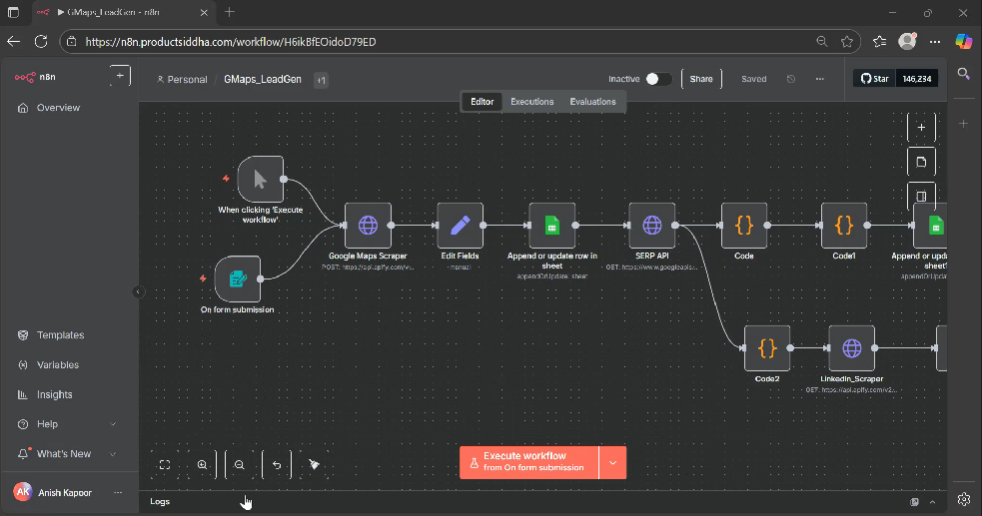
Building a Lead Engine After Apollo Shut Us Out Client Internal Project (Product Siddha) Service Provider Product Siddha Industry B2B / Marketing Automation Service AI Automation Services / Lead Generation Workflow Automation The Problem: Apollo Went Down, and Our Lead Flow Stopped Like many agencies, Product Siddha relied on Apollo for fast prospect lists and outbound campaigns. It worked well – until Apify’s Apollo scraping access was suddenly banned. Overnight, our outbound system stopped working. No more fresh leads. No more automated contact lists. We tried a few alternatives like Ample Leads and Scraper City. They worked, but most of the data felt old or repeated. We needed something fresh, real-time, and under our control. The goal was clear: Pull live business data from Google Maps Find key decision-makers via LinkedIn Automate everything through n8n Keep it cheaper than Apollo or Sales Navigator scraping The Solution: A Smart, Lightweight Lead Engine Instead of switching to another expensive tool, Product Siddha decided to build its own lead generation system – powered by open tools like Google Maps, Apify, and n8n. Here’s how our new lead engine works: Google Maps Scraper → Fresh Business Data The system starts by pulling live business listings directly from Google Maps (for example: “clinics in Melbourne”). This ensures that every lead is from a real, active business. Google Sheets → Clean Data Storage The scraped data – business name, website, phone, and address – is automatically added to a Google Sheet for easy use. SERP API → Decision Maker Discovery Using Google’s free Search API, the system finds decision-maker names and LinkedIn profile URLs based on each company’s website. Apify LinkedIn Scraper → Profiles & Emails Next, Apify’s LinkedIn automation fetches profile data, roles, and professional emails for each contact. n8n → Full Automation n8n ties everything together. It schedules scrapes, merges data, and updates Google Sheets, all without any manual effort. The Outcome: Reliable Leads Without the Heavy Price Our internal automation system now runs smoothly without relying on Apollo or similar databases. Key Wins: Fresh business data from Google Maps Real-time decision-maker insights from LinkedIn Fully automated workflow via n8n Lower cost than any paid lead database Zero manual upkeep once built Measurable Results: Accuracy: ~60% (strong for live scraped data) Time saved: Hours each week Cost: Significantly lower than Apollo or Sales Navigator Maintenance: Zero ongoing management Output: Google Sheet with business name, contact, title, email, LinkedIn URL, company, website, phone, and address Lessons Learned Live data beats bulk databases every time. Automation doesn’t have to be perfect, just consistent. Building your own tools can often be faster (and smarter) than finding new ones. Now, this same workflow helps us: Test new Ideal Customer Profiles (ICPs) Feed AI tools for personalized outreach Run cleaner, higher-quality cold campaigns The Stack Tools Used: n8n, Google Maps API, Google SERP API, Apify LinkedIn Scraper, Google Sheets Watch the Walkthrough: Product Siddha Case Video Conclusion: Own Your Data, Own Your Growth This project shows how Product Siddha uses AI automation to solve real business problems, quickly and cost-effectively. By creating our own lightweight lead system, we now have control, flexibility, and accuracy without paying for outdated data. Want a similar setup for your sales or marketing team? Reach out to Product Siddha – we’ll help you build it, or share the JSON file so you can tinker with it yourself.

product management
AI Automation, Blog

AI Automation in Customer Journeys: From Onboarding to Retention

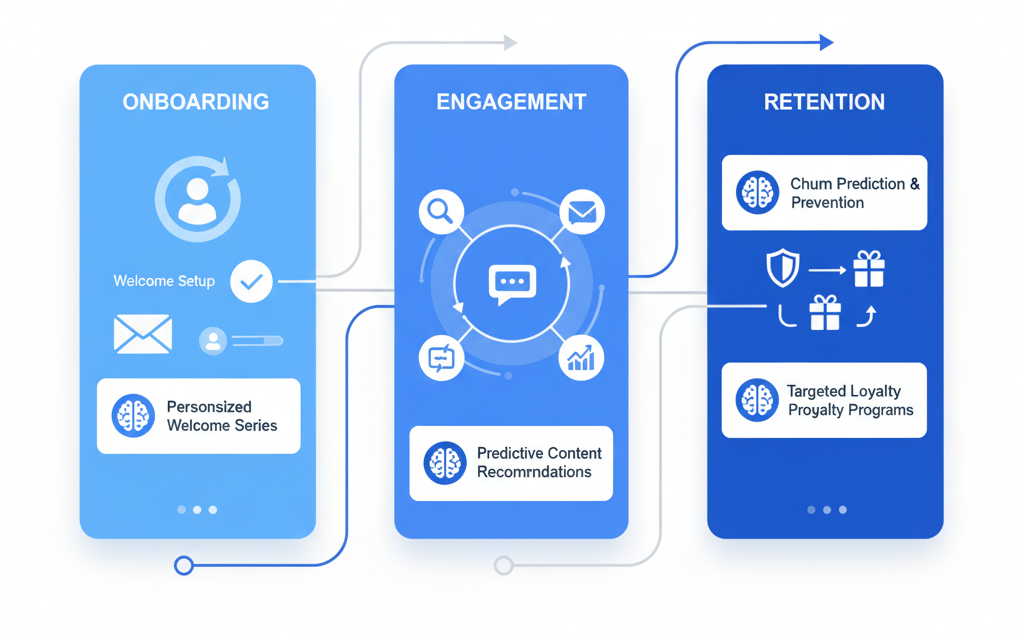
AI Automation in Customer Journeys: From Onboarding to Retention The Shifting Landscape of Customer Experience Customer expectations have changed dramatically over the past decade. People now expect immediate responses, personalized interactions, and seamless experiences across every touchpoint with a business. Meeting these expectations manually has become nearly impossible for most organizations, particularly those experiencing growth or operating with limited resources. Artificial intelligence automation has emerged as a practical solution to this challenge. When implemented thoughtfully, automated systems can deliver consistent, personalized experiences at scale while freeing human teams to focus on complex situations that genuinely require personal attention. Understanding the Complete Customer Journey The customer journey encompasses every interaction someone has with a business, from initial awareness through purchase and into ongoing use of a product or service. Each stage presents distinct challenges and opportunities for automation. Traditional approaches treated these stages as separate functions managed by different teams with different tools. This fragmentation created gaps where customers fell through the cracks or received inconsistent experiences. Modern AI automation connects these stages into a coherent journey where information flows naturally and actions trigger appropriate responses. Automating the Onboarding Experience First impressions matter considerably in customer relationships. The onboarding phase determines whether new customers feel confident and capable or confused and frustrated. Automation can ensure that every customer receives the guidance they need precisely when they need it. Intelligent onboarding systems track user behavior and adapt their approach accordingly. If someone completes initial setup quickly, the system moves them forward to more advanced features. If someone hesitates or makes errors, the automation provides additional support without waiting for them to request help. An AI automation agency working with a software company might implement progressive onboarding that introduces features gradually rather than overwhelming new users with everything at once. The system monitors engagement patterns and adjusts the pace based on individual user readiness. Product Siddha has worked with clients to design onboarding automation that reduces time-to-value while maintaining a personal feel. These systems send timely messages, provide contextual help, and escalate to human support only when automated assistance proves insufficient. Key Onboarding Automation Touchpoints Stage Automated Action Expected Outcome Account Creation Welcome email with next steps Clear direction, reduced confusion Initial Setup Progressive tutorials based on user role Faster completion, higher confidence First Use Contextual tips triggered by actions Improved feature adoption Completion Congratulations message with advanced resources Sense of achievement, continued engagement Intelligent Engagement During Active Use Once customers complete onboarding, the focus shifts to supporting their ongoing success. This middle phase of the customer journey often receives less attention than acquisition or onboarding, yet it critically influences retention and expansion opportunities. Automation during active use should feel helpful rather than intrusive. Systems can monitor usage patterns to identify when customers might benefit from learning about additional features, when they appear stuck on a task, or when their engagement drops below healthy levels. Behavioral triggers allow automation to respond to what customers actually do rather than following rigid schedules. If someone repeatedly performs a task manually that could be automated within the product, the system might suggest the more efficient approach. If usage suddenly decreases, automation can reach out to understand whether the customer encountered problems or simply has seasonal usage patterns. Predictive Automation for Retention Preventing customer churn proves far more cost-effective than acquiring replacement customers. AI automation excels at identifying early warning signs that someone may be considering leaving and triggering appropriate interventions. Predictive models analyze dozens of behavioral signals to calculate churn risk for individual customers. These models consider factors like login frequency, feature usage depth, support ticket patterns, and payment history. When risk scores cross certain thresholds, automation initiates retention workflows tailored to the specific situation. An AI automation agency implementing retention systems might create different intervention paths based on why someone appears at risk. Technical problems trigger offers of additional support or training. Pricing concerns might prompt conversations about value received or alternative plans. Competitive pressure could activate campaigns highlighting unique capabilities. The key lies in matching the response to the actual situation rather than applying generic retention tactics uniformly. Automation makes this level of personalization achievable at scale. Renewal and Expansion Automation For subscription businesses, the renewal period represents a critical moment in the customer journey. Automation can ensure that renewals happen smoothly while identifying opportunities for expansion into higher tiers or additional products. Well-designed renewal automation begins engaging customers well before contracts expire. It highlights value received during the current period, addresses any outstanding concerns, and makes the renewal process as frictionless as possible. For customers showing strong engagement and growth, automation can identify the right moment to discuss expansion opportunities. This approach requires sophisticated data integration. The automation must understand usage patterns, support history, payment behavior, and business outcomes to make intelligent recommendations about timing and messaging. Human-AI Collaboration in Customer Success Effective automation does not replace human involvement in customer relationships. Instead, it amplifies what human teams can accomplish by handling routine interactions and flagging situations that benefit from personal attention. Customer success teams working alongside automation systems can focus their time on strategic planning, relationship building, and complex problem-solving. The automation handles monitoring, routine communication, and data analysis that would otherwise consume most of their capacity. Product Siddha approaches AI automation implementation with this collaborative model in mind. The goal involves creating systems that make human team members more effective rather than simply reducing headcount. This philosophy produces better customer outcomes and more sustainable operations. Implementation Considerations Organizations considering AI automation for customer journeys should start with clear objectives and realistic timelines. Attempting to automate everything simultaneously typically produces poor results. A phased approach that tackles one journey stage at a time allows for learning and refinement. Data quality determines automation effectiveness. Systems can only personalize experiences and make intelligent decisions when they have access to accurate, complete information about customers and their interactions. Many organizations discover they need to improve data collection and integration before automation can deliver its