Product Siddha

Blog

Why Marketing Teams Need Data Engineers
Blog, MarTech Implementation

Why Marketing Teams Need Data Engineers

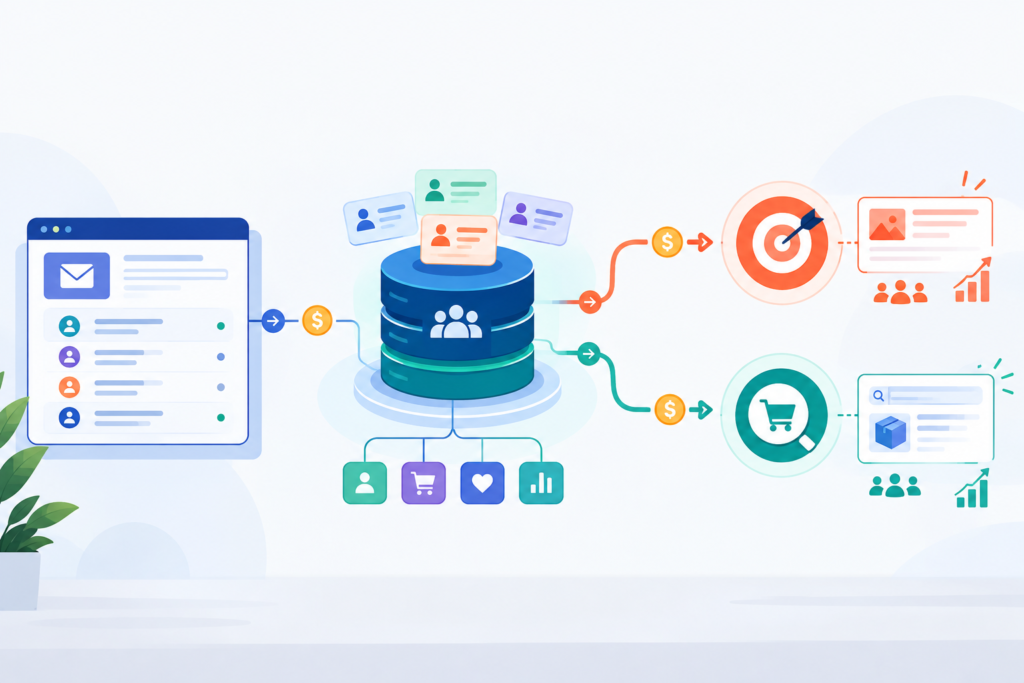
Why Marketing Teams Need Data Engineers Opening Perspective Marketing has changed significantly over the past decade. Teams now work with information from websites, CRM systems, advertising platforms, email campaigns, customer support software, and sales applications. Every campaign creates valuable data, but collecting information is only one part of the process. Many marketing departments still spend hours exporting spreadsheets, fixing duplicate records, and comparing reports from different platforms. Instead of planning campaigns, they often spend time correcting data problems. This is where Data Engineers for Marketing Teams become valuable. They create reliable systems that collect, organize, and prepare marketing data for analysis. Their work helps marketers trust their reports, understand customer behavior, and make informed business decisions without wasting time on manual tasks. At Product Siddha, we help businesses build automated data workflows that support better reporting, cleaner customer records, and faster decision-making. What Does a Data Engineer Do? A data engineer builds and maintains the systems that move information between different platforms. Their responsibility is not creating marketing campaigns. Instead, they ensure that marketers always have accurate and up-to-date information. Typical responsibilities include: Building automated data pipelines Integrating CRM and marketing platforms Cleaning duplicate customer records Maintaining data quality Creating centralized reporting systems Managing cloud databases Improving reporting performance Supporting analytics teams Without these systems, marketers often depend on manual reports that quickly become outdated. Why Marketing Teams Need Better Data Modern marketing depends on reliable information. A typical business collects customer data from: Data Source Information Collected Website Visitor activity, form submissions CRM Customer details and sales progress Email platform Opens, clicks, subscriptions Advertising platforms Campaign performance Social media Engagement metrics Customer support Service requests and feedback Each platform stores information differently. When these systems are disconnected, reports rarely match. Data engineers connect these platforms into one organized system, making it easier for marketing teams to understand the complete customer journey. Cleaner Data Leads to Better Decisions Marketing decisions are only as reliable as the data behind them. Poor-quality data often creates problems such as: Duplicate customer records Missing campaign information Incorrect attribution Delayed reports Inconsistent dashboards Data engineers develop processes that automatically validate and clean incoming information before it reaches reporting tools. As a result, marketers spend less time questioning reports and more time improving campaigns. Faster Reporting Saves Valuable Time Many marketing teams still prepare weekly or monthly reports manually. This usually involves: Exporting spreadsheets Copying information between systems Updating charts Comparing campaign results Correcting formatting issues These repetitive tasks reduce productivity. A properly designed data pipeline updates reports automatically. Dashboards refresh with current information, allowing managers to review campaign performance whenever they need it. Instead of waiting for reports, teams can focus on improving marketing activities. Better Campaign Measurement Understanding campaign performance requires information from several systems. For example: A customer may: Click a Google advertisement. Visit the company website. Download a guide. Receive email communication. Speak with a sales representative. Become a paying customer. Without connected data, marketers only see parts of this journey. Data engineers combine information from multiple sources into one reporting environment. This creates a clearer picture of customer behavior and campaign effectiveness. Reliable Dashboards Improve Business Decisions Executives often rely on marketing dashboards when making business decisions. If dashboard information is inaccurate, the business may: Increase spending on ineffective campaigns Miss valuable customer segments Delay product launches Misjudge sales performance Data engineers ensure dashboards display consistent, validated information. This improves confidence across marketing, sales, finance, and leadership teams. Supporting Marketing Automation Marketing automation depends on accurate customer information. Automated workflows may include: Lead nurturing Customer segmentation Email campaigns Customer onboarding Lead routing Personalized recommendations These workflows become unreliable when customer records contain errors. Data engineers help maintain clean, synchronized information across every connected platform, allowing automation systems to perform consistently. Scaling Marketing Operations As businesses grow, the amount of marketing data increases rapidly. A growing company may operate: Multiple websites Several advertising channels Regional campaigns Different CRM systems Customer support software Analytics platforms Manual reporting becomes increasingly difficult. Data engineers build scalable infrastructure that continues working as new tools and data sources are added. This allows marketing teams to expand without creating additional reporting challenges. Improving Customer Understanding Customers interact with businesses through many different channels. These include: Website visits Email campaigns Social media Paid advertising Sales conversations Customer support Each interaction generates useful information. Data engineers combine these records into unified customer profiles. Marketing teams can then understand: Customer interests Purchase history Preferred communication channels Engagement patterns Customer lifetime value This complete view helps businesses make more informed marketing decisions. Data Security and Compliance Marketing teams handle sensitive customer information every day. Examples include: Contact details Purchase history Email preferences Consent records Data engineers implement secure systems that protect customer information while supporting reporting needs. They also help organizations follow data governance standards by controlling access, maintaining audit trails, and ensuring consistent data handling practices. Working Together with Marketing Analysts Data engineers and marketing analysts perform different but complementary roles. Data Engineer Marketing Analyst Builds data pipelines Analyzes marketing performance Integrates systems Identifies trends Maintains databases Creates reports Cleans customer data Measures campaign success Improves data quality Recommends marketing actions When both roles work together, businesses receive accurate information and meaningful insights. How Product Siddha Supports Marketing Teams At Product Siddha, we help organizations simplify marketing operations through reliable data infrastructure and intelligent automation. Our services include: Marketing data integration CRM automation Reporting automation Dashboard development Workflow automation Customer data synchronization AI-powered business process automation Cloud-based reporting solutions Our goal is to reduce manual work while helping businesses make faster, better-informed decisions using trusted data. Comparison: Manual vs Automated Marketing Data Manual Process Automated Data Pipeline Spreadsheet exports Automatic data sync Duplicate records Clean customer profiles Delayed reports Real-time dashboards Manual updates Scheduled refresh Higher error rate Consistent reporting Final Thoughts Marketing success depends on more than creative campaigns and advertising budgets. Reliable information forms the foundation of every effective decision. Data engineers help marketing teams organize growing volumes

Small Language Models vs Large Language Models for Enterprises
AI Automation, Blog

Small Language Models vs Large Language Models for Enterprises

Small Language Models vs Large Language Models for Enterprises Choosing the Right AI Foundation Artificial intelligence has become a practical tool for improving business operations, customer service, document management, and decision support. Among the technologies driving this change are language models, which allow computers to understand, generate, and process human language with remarkable accuracy. Many organizations assume that larger models automatically provide better business outcomes. While Large Language Models (LLMs) offer impressive capabilities, they are not always the most suitable choice for every enterprise application. In many situations, Small Language Models (SLMs) deliver faster performance, lower operating costs, and stronger control over business data. Selecting the right language model requires understanding how each option aligns with business objectives, technical requirements, security expectations, and operational budgets. At Product Siddha, we help organizations evaluate AI technologies and implement solutions that deliver measurable business value rather than unnecessary complexity. Understanding Language Models Language models are artificial intelligence systems trained to understand text, answer questions, summarize documents, generate content, classify information, and assist with business workflows. The primary difference between Small Language Models and Large Language Models is the number of parameters used during training. Large Language Models contain billions or even trillions of parameters, allowing them to perform a wide range of language tasks across many subjects. Small Language Models contain fewer parameters and are usually optimized for specific business functions or industry applications. Both approaches have strengths depending on the intended use. What Are Large Language Models? Large Language Models are designed for broad knowledge and versatile language understanding. They can perform tasks such as: Content generation Document summarization Translation Customer support Programming assistance Research support Business communication Data analysis Because they are trained on extensive datasets, they can respond to diverse questions without requiring task-specific training. However, this flexibility often comes with higher infrastructure costs and greater computing requirements. What Are Small Language Models? Small Language Models focus on efficiency rather than scale. These models are often trained or fine-tuned for specific business activities. Examples include: Customer service assistants Internal knowledge search Invoice processing Document classification Contract analysis HR support Technical documentation Product recommendations Since they require fewer computing resources, they are often easier to deploy within enterprise environments. Key Differences Between SLMs and LLMs Feature Small Language Models Large Language Models Model Size Smaller parameter count Billions or more parameters Processing Speed Faster Moderate Infrastructure Cost Lower Higher Resource Requirements Minimal Significant Deployment Easier More complex Domain Specialization Excellent Broad knowledge Training Cost Lower High Customization Easier More demanding The best choice depends on business priorities rather than model size alone. When Small Language Models Make Sense Many enterprise processes involve repetitive, structured tasks. Small Language Models perform well when businesses need: Fast Response Times Applications such as customer portals, internal chat assistants, and workflow automation benefit from low response times. Lower Operating Costs Organizations processing thousands of daily requests often reduce infrastructure expenses by using smaller models. Greater Privacy Businesses handling confidential information frequently prefer models deployed within private cloud or on-premises environments. Industry-Specific Knowledge A well-trained Small Language Model can outperform a larger general-purpose model within a specialized business domain. When Large Language Models Are the Better Choice Large Language Models remain valuable for broader business requirements. They are well suited for: Knowledge Discovery LLMs can summarize lengthy reports, compare documents, and answer complex questions across multiple subjects. Content Creation Marketing teams, technical writers, and business analysts benefit from their ability to draft reports, articles, and presentations. Multi-Step Reasoning Complex business scenarios involving several connected questions often require stronger reasoning capabilities. Language Support Global organizations working across multiple languages benefit from the multilingual capabilities of large models. Factors Enterprises Should Consider Choosing between SLMs and LLMs involves more than comparing technical specifications. Several business considerations should guide the decision. Cost Infrastructure expenses increase with larger models. Organizations should evaluate long-term operating costs rather than initial implementation alone. Performance A faster specialized model may produce better business outcomes than a slower general-purpose model. Performance should be measured against real business tasks. Security Many enterprises manage confidential financial records, legal documents, healthcare information, and customer data. Private deployment options may become a deciding factor. Scalability Future business growth should influence model selection. The chosen solution should support increasing workloads without excessive infrastructure investment. Integration Language models should integrate with existing systems, including CRM platforms, ERP software, document management systems, customer support tools, and business intelligence platforms. Hybrid Approaches Are Becoming Common Many organizations no longer choose between Small Language Models and Large Language Models exclusively. Instead, they combine both. For example: A Small Language Model handles internal document classification. A Large Language Model assists with research and report generation. Workflow automation routes requests to the most suitable model. Sensitive business data remains inside private infrastructure. This hybrid architecture balances cost, speed, and capability. Common Enterprise Applications Businesses across industries are already using language models. Typical applications include: Customer support automation Internal knowledge assistants Contract review Employee self-service Document summarization Financial reporting Compliance monitoring IT support Procurement assistance Sales enablement Each application should be evaluated according to complexity, privacy requirements, and expected workload. Looking Ahead Language model technology continues to evolve rapidly. Small Language Models are becoming more capable through efficient training techniques and domain-specific optimization. Large Language Models continue expanding their reasoning abilities and multilingual performance. Future enterprise AI platforms will increasingly combine several specialized models instead of relying on one large system for every task. Businesses that carefully evaluate their operational requirements will gain greater value from AI investments while maintaining flexibility as technology advances. Product Siddha works with organizations to identify suitable language model strategies, design enterprise AI solutions, and integrate intelligent automation into existing business processes with security, scalability, and long-term efficiency in mind.

AI Decision Engines Explained for Business Leaders
AI Automation, Blog

AI Decision Engines Explained for Business Leaders

AI Decision Engines Explained for Business Leaders The Business Shift Every business makes hundreds or even thousands of operational decisions each day. Some are routine, such as assigning customer inquiries, routing service requests, qualifying leads, or onboarding new customers. Others involve inventory planning, customer support prioritization, workforce scheduling, and identifying operational risks. As organizations grow, these decisions become more frequent and more complex. Traditional software follows predefined instructions. It performs tasks exactly as it is programmed. Modern businesses, however, require systems that can evaluate multiple sources of information, apply business rules, and recommend the most appropriate next step. This is where AI Decision Engines become valuable. They combine business logic, data analysis, and intelligent automation to support consistent, timely, and informed operational decision-making across an organization. At Product Siddha, we help businesses design AI-powered automation solutions that simplify operational decisions, improve efficiency, and reduce manual effort. Understanding AI Decision Engines An AI Decision Engine is a software system that evaluates available information, applies predefined business rules, analyzes patterns, and determines the most appropriate next action. Unlike basic automation, which follows a fixed sequence of tasks, a decision engine evaluates changing conditions before selecting an outcome. For example, an AI Decision Engine can: Route customer inquiries to the right department Prioritize sales opportunities Route customer onboarding requests Recommend inventory replenishment Assign service tickets based on urgency Recommend personalized product suggestions Prioritize document review workflows These recommendations follow predefined business policies while using available operational data to improve consistency and efficiency. How AI Decision Engines Work An AI Decision Engine typically follows four stages. 1. Data Collection The system gathers information from different business platforms such as: CRM software ERP systems Marketing platforms Customer support tools Inventory databases HR systems Website activity External APIs The quality of the decision depends on the quality of the available data. 2. Data Processing Incoming information is validated and organized before analysis. During this stage, the system may: Remove duplicate records Verify customer information Standardize formats Combine information from multiple sources Update missing values Accurate data helps produce reliable recommendations. 3. Decision Logic This is the core of the decision engine. Business rules and AI models evaluate the available information. Examples include: Customer purchase history Customer onboarding status Product availability Lead quality Customer lifetime value Support ticket priority Service-level agreements (SLAs) Based on these inputs, the system determines the most appropriate next action. 4. Automated Action Once a recommendation is made, the engine automatically triggers the appropriate workflow. Examples include: Assigning a customer onboarding specialist Creating a follow-up task Updating a CRM record Scheduling customer communication Notifying the appropriate department Escalating high-priority customer issues The process happens with minimal manual involvement while following established business rules. Business Problems AI Decision Engines Solve Many organizations experience similar operational challenges. Business Challenge AI Decision Engine Solution Slow customer onboarding Intelligent workflow routing Lead assignment delays Intelligent lead routing Manual customer support Ticket prioritization Inventory shortages Inventory forecasting recommendations Document processing delays Automated document classification Inconsistent service routing Rule-based request routing Rather than relying on employees to manually review every operational request, organizations can use AI Decision Engines to evaluate information, prioritize tasks, and recommend the next appropriate action. This creates greater consistency while allowing employees to focus on decisions that require experience and business judgment. Key Benefits for Business Leaders Faster Decision-Making Routine operational decisions often consume valuable employee time. AI Decision Engines evaluate information within seconds, allowing employees to focus on strategic work instead of repetitive administrative tasks. Improved Consistency Different employees may interpret business policies differently. Decision engines apply the same business rules every time, reducing inconsistencies across departments. Better Resource Allocation The system helps assign work according to business priorities. Examples include: Customer onboarding requests are routed more efficiently. High-priority service requests reach the appropriate teams sooner. Sales representatives receive qualified opportunities first. This improves productivity while balancing workloads. Reduced Operational Costs Manual reviews require time and staff. Automating routine operational decisions reduces administrative effort while maintaining consistent outcomes. Scalable Operations As organizations grow, operational requests increase. Decision engines continue processing thousands of requests without requiring proportional increases in staffing. Practical Business Applications Sales Operations AI Decision Engines help sales teams by: Scoring incoming leads Assigning prospects automatically Prioritizing follow-up activities Identifying promising sales opportunities Sales managers gain better visibility while reducing manual assignment work. Customer Service Support teams often receive hundreds of requests every day. Decision engines automatically: Classify customer issues Measure urgency Route tickets Recommend responses Customers receive quicker service while support teams manage workloads more effectively. Customer Onboarding Customer onboarding often requires information to move across several business systems. AI Decision Engines help by: Reviewing submitted information Checking document completeness Identifying missing details Routing applications to the correct team Triggering onboarding workflows This shortens onboarding time while maintaining consistency across departments. Supply Chain Decision engines improve supply chain operations by: Recommending inventory replenishment based on demand forecasts Monitoring inventory levels Identifying supply chain delays Prioritizing replenishment requests Notifying operations teams about potential shortages This helps businesses improve inventory planning while reducing operational disruptions. Human Resources HR departments can automate: Candidate screening Interview scheduling Employee onboarding Leave request routing Training recommendations Administrative work decreases while employee experiences improve. AI Decision Engines vs Traditional Automation Traditional Automation AI Decision Engines Executes fixed tasks Evaluates multiple conditions Limited flexibility Adapts to changing data Rule-based workflows Combines rules with intelligent analysis Performs repetitive actions Selects the most appropriate next action Minimal analysis Provides data-driven recommendations Traditional automation performs repetitive work efficiently. Decision engines extend automation by helping systems determine what should happen next based on business rules and available information. Important Considerations Before Implementation Business leaders should prepare several foundations before introducing an AI Decision Engine. High-Quality Data Poor data creates poor recommendations. Organizations should clean and standardize their business information before implementation. Clearly Defined Business Rules Successful decision engines require documented business policies. Leadership teams should identify: Customer priorities Operational thresholds Service-level objectives Escalation criteria Workflow rules Integration with Existing Systems Decision engines perform

Server-Side Tracking Explained for Marketers
AI Automation, Blog

Server-Side Tracking Explained for Marketers

Server-Side Tracking Explained for Marketers A Better Way to Measure Marketing Marketing decisions depend on reliable data. Every campaign, landing page, email, and advertisement generates valuable information that helps businesses understand customer behavior. When that information is incomplete or inaccurate, it becomes difficult to measure performance and improve results. For many years, browser-based tracking has been the standard approach for collecting marketing data. However, growing privacy expectations, browser restrictions, ad blockers, and changing cookie policies have reduced the reliability of traditional tracking methods. Server-side tracking has emerged as a practical solution to these challenges. It gives marketers greater control over data collection while improving data accuracy and supporting stronger privacy practices. For businesses investing in Marketing Automation, server-side tracking creates a stronger foundation for campaign reporting, audience segmentation, and customer journey analysis. At Product Siddha, we help organizations implement reliable data collection systems that improve marketing performance while maintaining compliance with evolving privacy standards. What Is Server-Side Tracking? Server-side tracking is a method of collecting website and application data through a secure server instead of sending tracking information directly from a visitor’s browser to marketing platforms. In traditional browser tracking, a user’s browser communicates directly with tools such as Google Analytics, Meta Pixel, or advertising platforms. With server-side tracking, the browser sends data to a dedicated server first. The server processes, filters, validates, and forwards the required information to different marketing and analytics platforms. This additional layer provides businesses with greater control over the information they collect and share. How Traditional Tracking Works Most marketers are familiar with browser-based tracking. The process is simple: A visitor opens a website. Tracking scripts load inside the browser. User actions are recorded. Data is sent directly to analytics and advertising platforms. While this approach has worked for years, several factors now reduce its effectiveness. Common challenges include: Browser privacy restrictions Third-party cookie limitations Ad blockers JavaScript failures Slow page loading Network interruptions These issues often result in missing conversions and incomplete reporting. How Server-Side Tracking Works Server-side tracking changes the flow of information. The process typically follows these steps: A visitor interacts with a website. Event data is sent to a secure server. The server validates and processes the information. Unnecessary or sensitive data is filtered. Clean event data is forwarded to analytics, advertising, and reporting platforms. This controlled process improves data quality while reducing unnecessary requests from the user’s browser. Why Marketers Should Care Reliable measurement supports better marketing decisions. Server-side tracking provides several practical benefits. Improved Data Accuracy Browser restrictions often prevent events from reaching analytics platforms. Server-side tracking reduces data loss by sending information through controlled server connections. This produces more complete reporting. Better Conversion Tracking Businesses depend on accurate conversion data to evaluate campaigns. Server-side tracking helps capture: Form submissions Purchases Lead generation Downloads Newsletter registrations Account creation Improved conversion tracking supports better campaign optimization. Faster Website Performance Traditional tracking requires multiple browser scripts. Reducing these browser requests can improve page loading speed. Faster websites contribute to better user experiences and improved search engine performance. Greater Control Over Data Organizations decide exactly which information is shared with external platforms. Sensitive fields can be removed before data leaves the company’s environment. This helps maintain cleaner datasets. Stronger Privacy Practices Businesses increasingly need to balance marketing insights with responsible data handling. Server-side tracking supports privacy-focused data collection by giving organizations greater visibility into what information is transmitted. The Role of Server-Side Tracking in Marketing Automation Reliable data is the foundation of successful Marketing Automation. Automated campaigns depend on accurate customer information to deliver relevant experiences. When event tracking becomes inconsistent, automation workflows also become less reliable. Server-side tracking improves several marketing automation activities. Customer Journey Tracking Businesses can monitor customer interactions across multiple touchpoints with greater consistency. This supports better lifecycle analysis. Audience Segmentation Accurate behavioral data improves customer segmentation. Marketing teams can build audiences based on reliable actions instead of incomplete browser events. Lead Scoring Marketing automation platforms often assign scores based on customer activity. More accurate tracking improves lead qualification. Campaign Attribution Understanding which channels generate results becomes easier when conversion data is more complete. Marketing teams gain greater confidence in campaign reporting. Personalized Communication Reliable behavioral data allows automation platforms to trigger appropriate customer communications based on actual interactions. Common Business Applications Many organizations implement server-side tracking across multiple departments. Examples include: Business Function Server-Side Tracking Use Ecommerce Purchase tracking Lead Generation Form submission monitoring SaaS Platforms Product usage tracking Customer Support Service interaction reporting Email Marketing Campaign attribution CRM Systems Customer activity synchronization These integrations provide a more complete view of customer behavior. Best Practices for Implementation Successful server-side tracking requires careful planning. Businesses should follow several guidelines. Define Business Goals Identify which events truly matter. Collecting unnecessary information increases complexity. Track Meaningful Events Focus on actions that support business decisions, including: Purchases Quote requests Contact forms Downloads Product views Account registrations Maintain Data Quality Consistent event naming and validation improve reporting accuracy. Poor data structure creates confusion across reporting platforms. Integrate with Existing Systems Server-side tracking works best when connected with: CRM platforms Analytics platforms Marketing automation software Advertising platforms Customer data platforms A connected data ecosystem produces more reliable insights. Looking Ahead Marketing measurement continues to evolve as browsers, privacy standards, and digital technologies change. Organizations that rely solely on browser-based tracking may experience increasing gaps in reporting over time. Server-side tracking offers a more dependable approach by giving businesses greater ownership of their marketing data. Combined with well-designed Marketing Automation workflows, reliable tracking supports better reporting, improved customer insights, stronger campaign measurement, and more informed business decisions. For businesses seeking long-term data reliability, server-side tracking is becoming an essential part of modern marketing infrastructure. Product Siddha helps organizations design and implement server-side tracking solutions that improve reporting accuracy, strengthen marketing automation, and support sustainable business growth.

Digital Workers The Next Generation of Business Automation
AI Automation, Blog

Digital Workers: The Next Generation of Business Automation

Digital Workers: The Next Generation of Business Automation A New Workforce for Modern Businesses Businesses have spent years improving efficiency through software, automation tools, and digital systems. Yet many daily operations still depend on people completing repetitive work such as updating records, processing documents, responding to common customer questions, or moving information between applications. These activities consume valuable time while adding little strategic value. This is where digital workers are changing the way organizations operate. A digital worker is a software-driven employee that performs routine business activities using artificial intelligence, automation technologies, and predefined business rules. Unlike traditional automation, digital workers can complete several connected tasks, make simple decisions based on available information, and interact with different business applications. For organizations investing in Business Automation, digital workers provide a practical way to increase productivity without expanding administrative workloads. Organizations across healthcare, retail, manufacturing, logistics, insurance, telecommunications, and professional services are using digital workers to streamline routine operations, improve data quality, and reduce manual effort across business functions. At Product Siddha, we help businesses identify opportunities where digital workers can simplify operations while supporting long-term business growth. What Are Digital Workers? Digital workers are software agents designed to perform work that normally requires human interaction with business systems. They can: Read and process business documents Extract information from business documents, forms, and customer applications Respond to routine customer requests Update CRM and ERP systems Generate reports Monitor workflows Trigger approvals Schedule routine activities Coordinate tasks across multiple applications Unlike a basic automation script, digital workers understand workflows and execute several connected activities without constant human supervision. They work alongside employees rather than replacing them. Human teams continue handling judgment, planning, customer relationships, and business decisions while digital workers manage repetitive operational tasks. Why Business Automation Is Changing Traditional business automation focused on individual tasks. For example: Traditional Automation Digital Workers Sends scheduled emails Manages complete customer onboarding workflows Copies data between systems Collects, validates, and updates customer and business records Creates reports Generates reports and distributes them automatically Processes one workflow Coordinates multiple connected business workflows Digital workers bring together several automation technologies into one intelligent process. This creates smoother operations while reducing delays between departments. Where Digital Workers Create Value Digital workers are useful in nearly every business function. Customer Service They can: Answer common customer questions Create support tickets Route requests to the correct department Update customer information Schedule follow-up communication Support teams spend less time on repetitive requests and more time solving complex customer issues. Customer Onboarding Customer onboarding often involves collecting documents, validating information, updating multiple systems, and notifying different teams. Digital workers can: Collect customer information from online forms Verify required documents are complete Create customer records across business systems Notify internal teams when onboarding milestones are reached Schedule welcome communications This shortens onboarding time while ensuring customer information remains accurate and consistent across departments. Business Operations Many operations and administrative teams spend significant time handling repetitive work that supports daily business activities. Digital workers can: Organize business documents for review Route requests to the appropriate departments Update ERP and operational systems Generate routine operational reports Track approval status for business processes Monitor workflow progress across departments This reduces manual administrative work while helping teams focus on planning, analysis, and business improvement. Human Resources HR teams manage large amounts of employee information. Digital workers help by: Screening applications Scheduling interviews Processing employee onboarding Updating HR systems Managing leave requests Employees receive faster responses while HR professionals focus on talent development. Sales Operations Sales representatives should spend time building relationships rather than updating software. Digital workers can: Update CRM records Assign leads Schedule follow-up reminders Generate proposals Track sales activity This keeps customer information accurate without adding administrative work. Operations and Supply Chain Manufacturing and logistics organizations use digital workers to: Monitor inventory Process purchase requests Track shipments Update warehouse systems Generate operational reports The result is better visibility across business operations. Benefits of Digital Workers Organizations adopting digital workers often experience improvements across several areas. Higher Productivity Routine work moves faster because software performs repetitive activities continuously without interruptions. Better Accuracy Manual data entry often introduces mistakes. Digital workers follow predefined rules consistently, reducing processing errors and improving data quality. Faster Business Processes Many business delays occur while information moves between departments. Digital workers remove unnecessary waiting by completing connected tasks automatically. Lower Operating Costs Reducing repetitive manual work allows businesses to use existing resources more effectively without immediately increasing headcount. Improved Employee Experience Employees generally prefer solving meaningful business problems rather than completing repetitive administrative tasks. Digital workers reduce repetitive workloads while allowing staff to focus on higher-value responsibilities. Building an Effective Digital Workforce Successful implementation involves more than installing automation software. Businesses should begin by identifying processes that are repetitive, rule-based, and time-consuming. Examples include: Customer onboarding Employee onboarding Document verification CRM data management Customer support request routing Report generation Business record updates Once suitable processes are identified, organizations should map each workflow before introducing automation. This helps avoid automating inefficient processes. Working with experienced AI and automation consultants such as Product Siddha helps businesses identify realistic opportunities while reducing implementation risks. Comparison Feature Traditional Automation Digital Workers Task Type Single repetitive task End-to-end workflows Decision Making Rule-based only Rule-based with AI assistance System Integration Limited Multiple connected systems Human Involvement Frequent Exception handling only Scalability Moderate High Productivity Moderate improvement Significant improvement The Future of Business Automation Digital workers continue to become more capable as artificial intelligence develops. Future digital workers will increasingly: Understand natural language Analyze business documents Assist with business decisions Coordinate larger workflows Learn from historical business data Support predictive business operations Businesses will gradually shift from isolated automation projects toward connected digital workforces that operate across departments. Rather than replacing employees, digital workers will become trusted operational partners that handle repetitive processes while allowing people to focus on work that requires judgment, collaboration, and creativity. Organizations that begin building automation capabilities today will be better prepared for future

WhatsApp Lifecycle Marketing for Shopify The 2026 Playbook
AI Automation, Blog

WhatsApp Lifecycle Marketing for Shopify: The 2026 Playbook

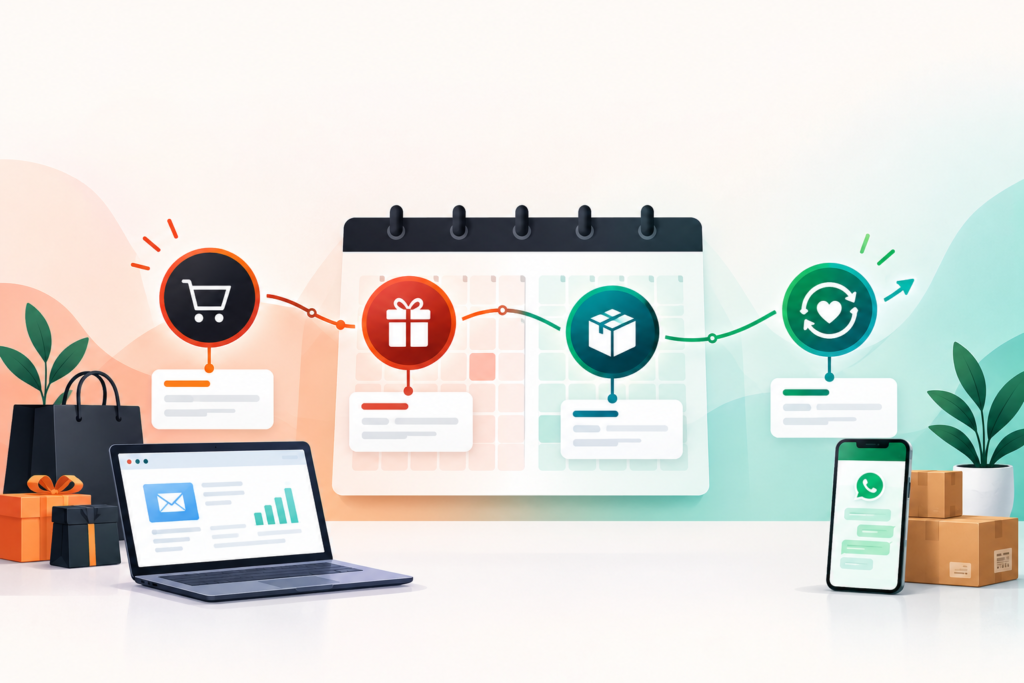
WhatsApp Lifecycle Marketing for Shopify: The 2026 Playbook   WhatsApp Lifecycle Marketing for Shopify Online shopping has become more competitive than ever. Customers expect quick responses, timely updates, and a shopping experience that feels personal from the moment they discover a product until long after their purchase. For Shopify store owners, maintaining consistent communication throughout this journey can improve customer satisfaction and increase repeat purchases. WhatsApp has evolved into one of the most effective business communication channels because it allows brands to interact with customers in a familiar and direct way. When combined with Shopify and intelligent automation, WhatsApp becomes more than a messaging platform. It supports customer engagement across every stage of the buying journey. This guide explains how WhatsApp Lifecycle Marketing can help Shopify businesses improve customer relationships, automate communication, and create a better shopping experience. It also explores how Product Siddha helps businesses implement scalable automation solutions that simplify customer engagement. Understanding WhatsApp Lifecycle Marketing WhatsApp Lifecycle Marketing is the practice of communicating with customers at different stages of their relationship with your business using automated and personalized WhatsApp messages. Instead of sending the same message to every customer, businesses deliver relevant communication based on customer actions. Examples include: Welcome messages Product recommendations Cart abandonment reminders Order confirmations Shipping updates Delivery notifications Review requests Reorder reminders Loyalty program updates Each interaction supports the customer journey while reducing manual effort. Why Shopify Businesses Are Adopting WhatsApp Shopify merchants manage many customer interactions every day. These include: Product inquiries Order tracking Payment confirmations Customer support Promotional announcements Return requests Managing these conversations manually becomes difficult as order volume increases. WhatsApp automation improves communication by delivering accurate information immediately after customer actions occur. Mapping the Customer Journey An effective WhatsApp Lifecycle Marketing strategy begins by understanding the customer journey. Customer Stage WhatsApp Communication New Visitor Welcome message Product Interest Product recommendations Cart Abandonment Reminder with checkout link Purchase Completed Order confirmation Order Processing Shipping updates Delivery Delivery confirmation After Purchase Review request Returning Customer Personalized offers This structured communication keeps customers informed throughout the purchasing process. Automating Shopify Workflows Automation connects Shopify with WhatsApp through predefined workflows. Common automated processes include: Customer registration Order confirmation Inventory alerts Payment reminders Shipping notifications Appointment scheduling Customer feedback collection Businesses save time while providing consistent communication. At Product Siddha, workflow automation connects Shopify stores with CRM systems, inventory platforms, and communication tools to create seamless customer experiences. Personalization Improves Engagement Customers respond better when messages are relevant to their needs. Personalization may include: Customer names Order history Preferred products Purchase frequency Location-based updates Loyalty rewards Using CRM data, businesses can deliver messages that match each customer’s buying history without overwhelming them with unnecessary communication. CRM Integration Strengthens Customer Relationships CRM systems help organize customer information collected through Shopify. Integrated automation allows businesses to: Store customer profiles Track purchase history Record customer interactions Monitor support requests Schedule follow-up communication This creates a complete customer profile that supports more meaningful engagement. Product Siddha provides CRM Automation Solutions that synchronize Shopify customer data with business systems, reducing manual updates and improving operational efficiency. Order Updates Build Customer Confidence One of the most valuable uses of WhatsApp is providing real-time order updates. Customers appreciate receiving: Order confirmation Payment verification Shipping notification Estimated delivery date Delivery confirmation These updates reduce customer support inquiries while improving trust. Recovering Abandoned Carts Cart abandonment remains one of the biggest challenges for online retailers. Automated WhatsApp reminders can encourage customers to complete purchases by providing: Product reminders Checkout links Stock availability updates Limited-time promotional offers Customer support assistance Businesses should keep reminder messages helpful rather than repetitive. Real Business Example Imagine a Shopify fashion retailer processing hundreds of orders every week. Previously, customer service representatives manually answered questions about order status, shipping, and delivery. After implementing WhatsApp Lifecycle Marketing with automated workflows: Customers received instant order confirmations. Shipping updates were delivered automatically. Delivery notifications reduced support inquiries. Post-purchase review requests increased customer feedback. CRM records updated automatically after every transaction. The business reduced manual communication while improving customer satisfaction and operational efficiency. Businesses working with Product Siddha implement similar automation strategies that connect Shopify, CRM systems, and communication platforms into one streamlined workflow. Measuring Campaign Performance Businesses should regularly evaluate automation performance using measurable indicators. KPI Purpose Message Delivery Rate Confirms successful communication Open Rate Measures customer engagement Click Rate Tracks customer interest Cart Recovery Rate Measures recovered sales Repeat Purchase Rate Indicates customer loyalty Customer Satisfaction Evaluates service quality Business Intelligence Dashboards help visualize these metrics and identify opportunities for improvement. Best Practices for 2026 Businesses implementing WhatsApp Lifecycle Marketing should follow several important principles. Obtain customer consent before sending messages. Keep communication timely and relevant. Personalize messages using CRM data. Limit promotional communication. Provide clear customer support options. Regularly review automation workflows. Monitor performance using analytics dashboards. Protect customer information through secure data practices. These practices support long-term customer relationships while maintaining compliance with privacy expectations. How Product Siddha Supports Shopify Automation Product Siddha helps Shopify businesses automate customer communication through intelligent workflow design and system integration. Our services include: AI Automation Services Shopify Workflow Automation CRM Automation Solutions WhatsApp Business API Integration Business Intelligence Dashboards Customer Journey Automation AI Consulting Services These solutions help businesses improve customer engagement while reducing repetitive operational tasks. Final Thoughts WhatsApp Lifecycle Marketing has become an important component of customer communication for Shopify businesses. By combining automation, CRM integration, and personalized messaging, businesses can improve customer satisfaction throughout every stage of the purchasing journey. Order confirmations, shipping updates, abandoned cart reminders, and post-purchase engagement all contribute to stronger customer relationships when delivered at the right time. With Product Siddha’s expertise in automation and business process optimization, Shopify merchants can build scalable communication systems that improve operational efficiency and support sustainable business growth.

Make vs n8n for Enterprise Automation
AI Automation, Blog

Make vs n8n for Enterprise Automation

Make vs n8n for Enterprise Automation Automation has become an essential part of modern business operations. As organizations expand, manual processes often slow productivity, increase costs, and create unnecessary errors. Workflow automation platforms solve these challenges by connecting business applications, reducing repetitive work, and improving operational efficiency. Among today’s most widely used automation platforms are Make and n8n. Both offer powerful workflow automation capabilities, yet they differ in architecture, deployment options, customization, pricing, and enterprise suitability. Choosing between them requires more than comparing features. Businesses should evaluate long-term scalability, security, integration requirements, and technical expertise before making a decision. At Product Siddha, we help organizations implement enterprise automation solutions that align with their operational goals. Whether a business chooses Make or n8n, success depends on careful planning, system integration, and workflow optimization. Understanding Enterprise Automation Enterprise automation refers to the use of software to automate routine business processes across departments. Typical automation workflows include: CRM updates Lead management Customer support routing Invoice processing Employee onboarding Data synchronization Marketing workflows Business reporting Automation allows employees to spend more time on strategic work while reducing repetitive administrative tasks. What Is Make? Make is a cloud-based visual automation platform designed to connect thousands of applications through drag-and-drop workflows. It allows users to build automated scenarios with minimal coding knowledge. Common business uses include: CRM integration Email automation Cloud storage synchronization Project management updates Customer notifications Marketing workflows Its visual interface makes workflow creation accessible to both technical and non-technical users. What Is n8n? n8n is an open-source workflow automation platform that provides greater flexibility for businesses requiring custom automation. Unlike many cloud-only platforms, n8n supports self-hosting, allowing organizations to maintain greater control over their infrastructure and data. Businesses often use n8n for: Internal system integration API orchestration Custom business workflows Data transformation Enterprise software integration AI-powered automation Its ability to incorporate custom code makes it attractive for development teams and enterprises with specialized requirements. Comparing Make and n8n Feature Make n8n Deployment Cloud-based Cloud or Self-hosted Ease of Use Beginner Friendly Technical Flexibility Custom Coding Limited Extensive API Integration Excellent Excellent Visual Workflow Builder Yes Yes Self Hosting No Yes Enterprise Customization Moderate High Community Support Large Growing Open Source Community Both platforms provide strong automation capabilities, but their strengths serve different business needs. Ease of Implementation For businesses seeking quick deployment, Make offers an intuitive visual interface that simplifies workflow creation. Teams can connect applications using pre-built integrations without extensive technical knowledge. n8n offers similar visual workflow capabilities, but organizations often require development expertise when building advanced automation or custom integrations. Businesses with dedicated technical teams may appreciate this flexibility. Integration Capabilities Enterprise automation depends on reliable software integration. Both platforms support connections with: CRM systems ERP platforms Cloud storage Email services Databases Accounting software Customer support platforms API services n8n provides additional flexibility for organizations working with proprietary systems through custom API development. Security and Data Control Data security plays an important role in enterprise automation. Businesses handling sensitive customer or financial information often require greater control over their infrastructure. Make Cloud-hosted environment Vendor-managed infrastructure Built-in security management Reduced maintenance responsibilities n8n Self-hosting available Complete infrastructure control Internal security policies Flexible deployment environments Organizations operating under strict compliance requirements may benefit from self-hosted solutions. Scalability for Growing Businesses As organizations grow, automation requirements become more complex. Large enterprises typically require: Multiple workflow environments Department-specific automation High-volume API requests Centralized reporting Advanced permissions Workflow monitoring Both platforms scale effectively, although n8n offers greater flexibility for organizations managing highly customized enterprise environments. Workflow Customization Customization determines how well automation adapts to unique business operations. Make focuses on simplicity through visual workflow design. n8n supports: JavaScript functions API customization Conditional logic Complex data transformations Advanced workflow branching Development teams often prefer this level of control. Practical Business Example Consider a manufacturing company managing customer inquiries, inventory updates, supplier communications, and financial reporting. Using automation, the business connects: CRM software Inventory management Accounting platform Customer support system Internal databases With Make, the organization quickly builds standard workflows that synchronize customer and sales information across departments. With n8n, the same organization develops advanced automation that connects proprietary manufacturing systems through custom APIs while maintaining full control over internal infrastructure. Both solutions improve operational efficiency, but the preferred platform depends on business complexity. At Product Siddha, automation consultants evaluate business requirements before recommending the most suitable platform. Choosing the Right Platform Businesses should evaluate the following questions: Business Requirement Better Fit Quick implementation Make Minimal coding Make Custom API development n8n Self-hosting n8n Enterprise customization n8n Internal infrastructure control n8n User-friendly workflow builder Make Flexible automation architecture n8n No single platform suits every organization. The best choice depends on operational priorities and technical capabilities. How Product Siddha Helps Product Siddha works with businesses to design enterprise automation strategies that improve productivity while reducing operational complexity. Our services include: AI Automation Services Enterprise Workflow Automation CRM Automation Solutions API Integration Business Intelligence Dashboards Process Automation Consulting Data Integration Solutions Rather than selecting software based on popularity, we evaluate each organization’s existing systems, business goals, and long-term growth plans before implementing automation. Final Thoughts Both Make and n8n are capable enterprise automation platforms that support workflow optimization, system integration, and operational efficiency. Make provides a streamlined experience for businesses seeking rapid deployment and user-friendly automation. n8n offers greater flexibility for organizations requiring custom development, self-hosting, and advanced workflow control. Choosing the right platform depends on the complexity of your business processes, available technical resources, security requirements, and future scalability. With Product Siddha’s enterprise automation expertise, businesses can confidently implement automation solutions that simplify operations, improve collaboration, and support sustainable growth.

AI Personalization Beyond Email Campaigns
AI Automation, Blog

AI Personalization Beyond Email Campaigns

AI Personalization Beyond Email Campaigns AI Personalization Beyond Email Campaigns For many years, businesses have associated personalization with email marketing. Addressing customers by name or recommending products based on previous purchases became common practices. While these methods remain useful, customer expectations have changed. People now expect relevant experiences across websites, mobile applications, customer support, online portals, and every other point of interaction. Artificial Intelligence has made this possible by helping businesses understand customer preferences, behavior, and needs in real time. Instead of focusing only on email communication, organizations can create connected experiences that improve customer satisfaction while supporting business growth. At Product Siddha, we help businesses implement AI-driven automation, CRM integration, and business intelligence solutions that make personalization more meaningful across the entire customer journey. A Broader View of Personalization AI personalization is the process of using customer data and intelligent systems to deliver relevant experiences based on individual preferences and behavior. Unlike traditional personalization, which often relies on basic customer information, AI analyzes multiple data sources to identify useful patterns. These sources may include: Website activity Purchase history CRM records Customer support interactions Mobile application usage Product preferences Browsing behavior Service requests Combining these data points allows businesses to make informed decisions without relying on assumptions. Why Email Alone Is No Longer Enough Email remains an important communication channel, but it represents only one part of the customer experience. Customers often interact with a business through several platforms before making a purchase or requesting support. These touchpoints may include: Company websites Customer portals Live chat Mobile applications Online booking systems CRM platforms Customer support centers Providing consistent and relevant experiences across these channels strengthens customer relationships. AI Personalization Across Digital Channels Artificial Intelligence can improve personalization in several practical ways. Website Experiences Visitors can receive content based on their previous browsing activity, location, or interests. Examples include: Recommended services Industry-specific content Personalized landing pages Frequently viewed products Customer Support Support teams can access complete customer histories before responding to inquiries. Benefits include: Faster issue resolution Personalized assistance Reduced response times Better customer satisfaction CRM Systems AI helps organize customer information while identifying sales opportunities and service needs. CRM automation allows businesses to: Track customer interactions Predict future requirements Improve relationship management Simplify follow-up activities Business Dashboards Business Intelligence Dashboards transform customer data into visual reports that support better decision-making. Managers can monitor: Customer engagement Purchasing trends Service performance Customer retention Revenue growth The Importance of First-Party Data As privacy regulations evolve, businesses increasingly depend on first-party data collected directly from customers. Examples include: Source Information Collected Contact Forms Customer details CRM Systems Purchase history Customer Portals User preferences Support Requests Service history Mobile Apps Usage behavior Website Accounts Browsing activity Using first-party data helps organizations deliver personalized experiences while respecting customer privacy. Predictive Personalization One of AI’s greatest strengths is its ability to identify future patterns. Predictive analytics helps businesses estimate: Customer purchasing behavior Product demand Service renewal likelihood Customer retention risks Sales opportunities These insights support better planning without requiring manual analysis of large datasets. Automation Creates Consistency Personalization becomes more effective when business systems work together. For example: A customer submits an inquiry through a company website. The automation system immediately: Creates a CRM record Assigns the inquiry to the appropriate department Sends a confirmation email Schedules follow-up reminders Updates management dashboards The customer experiences faster communication while employees spend less time on manual administrative tasks. Practical AI Personalization Checklist Businesses should regularly evaluate whether they: Maintain accurate customer records Connect CRM with automation tools Personalize website experiences Track customer interactions Analyze customer behavior Use Business Intelligence Dashboards Protect customer privacy Review automation workflows This checklist supports continuous improvement while maintaining reliable customer experiences. Measuring Success Organizations should monitor key performance indicators that reflect customer engagement and operational efficiency. KPI Business Value Customer Retention Measures long-term relationships Customer Satisfaction Indicates service quality Repeat Purchases Shows customer loyalty Response Time Measures operational efficiency CRM Data Accuracy Improves reporting Workflow Completion Tracks automation reliability Regular reporting helps businesses identify opportunities for improvement. How Product Siddha Supports AI Personalization Product Siddha provides businesses with intelligent automation solutions that connect customer information across departments. Our services include: AI Automation Services CRM Automation Solutions Business Intelligence Dashboards Workflow Automation AI Consulting Services Data Integration Solutions These services help businesses improve efficiency while delivering consistent customer experiences across multiple channels. Looking Ahead AI personalization has progressed far beyond traditional email campaigns. Modern businesses benefit from connected systems that understand customer behavior, simplify operations, and provide meaningful experiences throughout the customer journey. Organizations that invest in CRM integration, workflow automation, first-party data strategies, and business intelligence create stronger customer relationships while improving operational performance. With Product Siddha’s automation expertise, businesses can build scalable personalization strategies that support sustainable growth and long-term customer satisfaction.

Marketing Automation Audit Checklist for Growing Businesses
AI Automation, Blog

Marketing Automation Audit Checklist for Growing Businesses

Marketing Automation Audit Checklist for Growing Businesses As a business grows, marketing activities become more complex. New campaigns, expanding customer databases, multiple communication channels, and increasing lead volumes require organized systems to maintain consistency. Marketing automation helps manage these activities, but simply implementing automation software does not guarantee better results. Over time, workflows become outdated, customer data may lose accuracy, and automated processes can create unnecessary delays instead of improving efficiency. Regular audits help businesses identify these issues before they affect customer experience or business performance. A structured Marketing Automation audit ensures that every workflow supports business goals, customer communication remains relevant, and valuable opportunities are not overlooked. At Product Siddha, we help businesses evaluate, optimize, and automate their marketing processes through intelligent automation, CRM integration, and business intelligence solutions that support long-term growth. Why Regular Marketing Automation Audits Matter Automation should simplify business operations. Without periodic reviews, automated systems may begin working against your objectives. Common issues include: Duplicate customer records Broken automation workflows Outdated email sequences Incorrect customer segmentation Missing CRM updates Delayed lead assignments Inaccurate reporting An audit allows businesses to identify these problems early and improve overall efficiency. Review Your Business Goals Every automation workflow should support a clear business objective. Ask the following questions: Does this workflow generate qualified leads? Does it improve customer communication? Does it reduce manual work? Does it improve customer retention? Does it support sales conversion? If a workflow no longer contributes to measurable business outcomes, it should be updated or removed. Evaluate Customer Data Quality Marketing automation depends on reliable customer information. Review your database for: Duplicate contacts Incomplete customer profiles Invalid email addresses Outdated phone numbers Missing customer preferences Inactive contacts Maintaining clean customer records improves personalization and reporting accuracy. Verify CRM Integration Marketing automation platforms perform best when connected with CRM systems. Your CRM should automatically update: New leads Customer interactions Sales activities Support requests Purchase history Follow-up reminders Disconnected systems often result in inconsistent customer experiences. At Product Siddha, CRM Automation Solutions help businesses connect marketing, sales, and customer service into one streamlined workflow. Review Every Automated Workflow Each automation sequence should be tested regularly. Review workflows for: Trigger accuracy Timing delays Email delivery Workflow completion Error handling Duplicate actions Visual workflow mapping helps identify unnecessary complexity and areas for improvement. Audit Lead Management Processes Lead management is one of the most valuable applications of Marketing Automation. Check whether your system: Captures every inquiry Assigns leads correctly Sends immediate acknowledgments Scores leads accurately Alerts sales representatives promptly Tracks follow-up activities A missed lead often represents a missed business opportunity. Evaluate Email Automation Email remains one of the most effective automation channels. Review: Welcome email sequences Follow-up campaigns Customer onboarding Event reminders Renewal notifications Re-engagement campaigns Ensure every email contains current information and aligns with your business goals. Review Customer Segmentation Effective automation depends on meaningful audience segmentation. Consider grouping customers by: Segmentation Type Example Industry Healthcare, Manufacturing Purchase History New vs Returning Customers Geographic Location Region or Country Customer Interests Product Categories Engagement Level Active or Inactive Business Size Small, Medium, Enterprise Accurate segmentation improves communication without increasing marketing effort. Test Forms and Landing Pages Lead generation begins with customer interactions. Review all forms for: Proper field validation Mobile responsiveness CRM integration Spam protection Fast loading speed Confirmation messages Even minor form issues can reduce conversion rates. Check Reporting Accuracy Automation platforms generate valuable business insights only when reporting is accurate. Review dashboards for: Lead conversion rates Campaign performance Customer acquisition Sales pipeline activity Email engagement Customer retention Business Intelligence Dashboards simplify this process by presenting key performance indicators in real time. Strengthen Data Security Growing businesses collect increasing amounts of customer information. Your audit should include: User permissions Access controls Data encryption Backup procedures Consent management Privacy compliance Protecting customer information strengthens trust and supports regulatory compliance. Real Business Example Consider a growing software company managing leads through website inquiries, webinars, and email campaigns. Initially, automation handled these processes efficiently. As the business expanded, duplicate customer records appeared, multiple sales representatives contacted the same prospects, and outdated email sequences continued reaching existing customers. After conducting a comprehensive Marketing Automation audit, the company: Removed duplicate workflows Improved CRM synchronization Updated lead scoring rules Simplified customer segmentation Reduced manual reporting The result was smoother internal operations, improved customer communication, and better visibility into marketing performance. This example illustrates why routine audits are essential for businesses experiencing growth. Marketing Automation Audit Checklist Audit Area Status Business Goals Reviewed ✓ Customer Database Cleaned ✓ CRM Integration Verified ✓ Automation Workflows Tested ✓ Lead Management Reviewed ✓ Email Campaigns Updated ✓ Customer Segmentation Evaluated ✓ Forms and Landing Pages Tested ✓ Reporting Accuracy Verified ✓ Security and Compliance Reviewed ✓ Businesses should complete this checklist at least twice each year or after major system updates. Practical Improvements with Product Siddha At Product Siddha, businesses receive support in reviewing existing automation systems and identifying opportunities for improvement. Our services include: Marketing Automation implementation CRM Automation Solutions AI-powered workflow optimization Business Intelligence Dashboards Process automation consulting Customer journey optimization These services help businesses reduce manual work while improving operational efficiency. Final Thoughts Marketing Automation delivers lasting value only when workflows remain accurate, connected, and aligned with business objectives. As organizations grow, automation systems require regular evaluation to maintain performance and reliability. A structured audit helps identify outdated processes, improve customer experiences, strengthen CRM integration, and increase operational efficiency. By reviewing workflows, customer data, reporting, and system performance on a regular basis, businesses can ensure their automation continues to support sustainable growth. With Product Siddha’s automation expertise, organizations can build scalable systems that simplify operations, improve decision-making, and create stronger customer relationships.

First-Party Data Strategies After Cookie Deprecation
AI Automation, Blog

First-Party Data Strategies After Cookie Deprecation

First-Party Data Strategies After Cookie Deprecation First-Party Data Strategies After Cookie Deprecation Third-party cookies have shaped digital marketing for many years. Businesses relied on them to understand customer behavior, measure campaign performance, and deliver personalized experiences. As browsers continue to phase out third-party cookies and privacy expectations grow stronger, companies must rethink how they collect and use customer information. The shift is not simply about replacing one technology with another. It is about creating stronger relationships with customers while respecting their privacy. Businesses that invest in first-party data today will be in a much better position to improve customer experiences, increase conversion rates, and make better business decisions. At Product Siddha, we help businesses build intelligent automation solutions that make first-party data more valuable. By combining AI automation, CRM integration, and business intelligence dashboards, organizations can transform customer information into meaningful business insights while remaining compliant with evolving privacy standards. Why Third-Party Cookies Are Going Away Third-party cookies allow websites to track users across multiple domains. While this helped advertisers target audiences effectively, growing concerns about privacy have led browsers like Google Chrome, Safari, and Firefox to reduce or eliminate third-party cookie support. Several factors have accelerated this change. Increased privacy regulations Higher customer expectations for transparency Browser-level tracking restrictions Greater focus on user consent This shift encourages businesses to rely on information customers willingly share through direct interactions. What Is First-Party Data? First-party data is information collected directly from your customers through your own digital channels. Examples include: Source Type of Data Collected Website Forms Contact information CRM Systems Customer profiles Mobile Apps User behavior Email Campaigns Engagement metrics Customer Support Purchase history and feedback Online Orders Transaction details Product Usage Feature adoption and preferences Unlike third-party data, first-party information belongs to your business and is collected with customer awareness and consent. Build Trust Before Collecting Data The strongest first-party data strategy begins with trust. Customers are more willing to share information when they clearly understand: Why data is collected How it will be used What value they receive in return Simple privacy policies, transparent consent forms, and honest communication encourage higher participation. For example, an online retailer offering personalized product recommendations in exchange for customer preferences often achieves better engagement than businesses collecting information without explanation. Improve Data Collection Across Every Customer Touchpoint Every customer interaction creates an opportunity to gather meaningful information. Important touchpoints include: Newsletter signups Contact forms Customer portals Live chat conversations Product registrations Loyalty programs Customer surveys Webinar registrations Instead of asking for excessive information upfront, businesses should collect data gradually as customer relationships develop. This approach creates a better user experience while improving data quality. Connect Your CRM with Marketing Systems Collecting first-party data is only the first step. Businesses also need connected systems that organize customer information into one reliable source. CRM automation helps businesses: Maintain accurate customer profiles Track customer journeys Identify buying behavior Personalize communications Improve sales forecasting At Product Siddha, CRM automation solutions connect multiple business systems so teams can work with consistent customer information rather than disconnected spreadsheets. Use AI to Make First-Party Data More Valuable Artificial Intelligence helps businesses identify patterns that are difficult to detect manually. AI can analyze: Customer purchasing habits Website navigation Product interests Email engagement Support requests Customer lifetime value These insights allow businesses to deliver more relevant recommendations while reducing unnecessary marketing efforts. Rather than relying on third-party tracking, organizations can make smarter decisions using their own customer information. Real Example – Product Siddha’s Data Automation Approach One of the core strengths of Product Siddha is helping businesses integrate customer data across multiple operational systems. For example, a growing B2B company may receive customer information through website forms, CRM software, email marketing platforms, and customer support systems. Without automation, these datasets often remain isolated. Product Siddha’s automation services help connect these systems into a unified workflow. Customer information automatically flows between platforms, reducing duplicate records and improving reporting accuracy. Business intelligence dashboards then transform this information into visual reports that help decision-makers identify customer trends, sales opportunities, and operational improvements. Instead of spending hours preparing reports manually, teams can focus on improving customer relationships. Create Better Customer Experiences First-party data allows businesses to personalize experiences without invading customer privacy. Some practical examples include: Product recommendations based on previous purchases Personalized onboarding emails Renewal reminders Location-specific offers Customized dashboards Relevant educational content Personalization works best when it solves customer problems rather than simply increasing marketing activity. Measure the Right Business Metrics A successful first-party data strategy depends on meaningful measurement. Useful performance indicators include: KPI Business Value Customer Retention Measures loyalty Repeat Purchase Rate Tracks returning customers Email Engagement Indicates content relevance Customer Lifetime Value Shows long-term profitability Lead Conversion Rate Measures sales efficiency Customer Satisfaction Reflects service quality Business Intelligence Dashboards make these metrics easier to understand through real-time visualization. Strengthen Data Governance As businesses collect more customer information, maintaining data quality becomes increasingly important. Good governance includes: Regular database cleanup Permission management Secure storage Role-based access Data validation Compliance monitoring Clean data improves reporting accuracy while reducing operational errors. Prepare for the Future Cookie deprecation is only one part of a larger movement toward responsible data practices. Organizations that invest in first-party data today will be better prepared for future privacy regulations and changing customer expectations. Instead of depending on external tracking technologies, businesses can create long-term value by understanding their own customers more effectively. With intelligent automation, connected CRM systems, and business intelligence reporting, organizations gain deeper insights while maintaining customer trust. Product Siddha helps businesses build these connected ecosystems through AI automation services, CRM automation solutions, and business intelligence dashboards that turn customer data into actionable business intelligence. Key Takeaways The end of third-party cookies represents an opportunity rather than a limitation. Businesses that prioritize first-party data collection, strengthen customer trust, integrate business systems, and apply AI-driven insights will remain competitive in an increasingly privacy-focused environment. At Product Siddha, we help organizations simplify this transition through intelligent automation,

Product Siddha
Privacy Overview

This website uses cookies so that we can provide you with the best user experience possible. Cookie information is stored in your browser and performs functions such as recognising you when you return to our website and helping our team to understand which sections of the website you find most interesting and useful.