
Product Siddha

Blog

Blog, Product Management

A Day in the Life of a Product Management Consultant

A Day in the Life of a Product Management Consultant Morning Kick-Off: Setting the Context Each morning at Product Siddha starts with structure and clarity. As a Product Management Consultant, I begin the day by connecting with the development team to review what features are being built next and what design updates or functionality adjustments are planned. At 9:45 AM, we hold a quick daily check-in with developers – a short sync to align on priorities, blockers, and expectations. Our team collaborates primarily through Slack, which stays active throughout the day for real-time communication, and Jira, where every task, bug, and backlog item is tracked. Once the stand-up wraps up, I open my project dashboards to scan key metrics and yesterday’s performance numbers. Which modules progressed? What user feedback came in overnight? Are there any new issues reported in testing? This quick diagnostic shapes the day’s focus. At this stage, my role is less about project oversight and more about strategic alignment. I spend ten minutes reviewing the roadmap with the product owner, then fifteen minutes auditing the backlog to ensure that what’s being built connects directly to business objectives – not just ad-hoc requests. Mid-Morning: Collaboration and User Insights Mid-morning usually brings a rhythm of collaboration. Using tools like Miro, we run remote brainstorming sessions and design reviews with UX and UI teams. These sessions help clarify working expectations and visualize user flows. As a product management consultant, my focus is on communication and context-sharing — ensuring designers, developers, and business teams interpret goals consistently. Alongside, I run or review results from user interviews and usability tests. These qualitative insights help detect potential friction points early, whether in onboarding, navigation, or feature comprehension. Sometimes I identify small but meaningful issues – for example, a password reset link not working correctly – and work with developers to fix it promptly. These rapid feedback loops keep the user experience seamless and the team focused on accuracy. Lunch & Learning: Quiet Reflection Lunch offers a short pause, usually around 2 PM. I take this time for light reflection – reading a short piece on product frameworks, agile trends, or market shifts. Often, while eating, I jot down quick thoughts: “Should we prioritize value themes beyond features?” “Can we reorganize our roadmap by business impact instead of effort?” After lunch, I clear emails and respond to developer questions in Slack – typically clarifications about acceptance criteria, dependencies, or user story details logged in Jira. These micro-interactions keep the momentum steady across teams and time zones. Afternoon: Mapping, Testing, and Planning Afternoons are where the deep work happens. Between strategy sessions and testing cycles, I focus on connecting insights with execution. For the next few hours, I review Jira tickets, test new features, and perform short 20-minute bug verification sessions alongside the development team. I check not only for functional errors but also for user experience details like button alignment, text visibility, and overall visual consistency. In parallel, I might map the broader 12-month product strategy – identifying which markets to target, what customer problems remain unsolved, and where competitor shifts might create new opportunities. At Product Siddha, our consultants use adaptable frameworks rather than one-size-fits-all models. For instance, in a recent MarTech project, we structured a client roadmap using the “Discover–Engage–Convert–Retain” framework, customizing each phase to their stack and KPIs. Writing user stories, defining acceptance criteria, and prioritizing backlog items based on business value and technical complexity form the core of the afternoon. Every decision is backed by analytics, research, and stakeholder feedback. Late Afternoon: Partnership and Progress Alignment Around 4:15 PM, I meet with the partnership teams to exchange updates and gather feedback from other consultants, marketing, and sales stakeholders. These sessions are vital for cross-functional visibility — understanding what’s coming next, aligning communication, and syncing dependencies between parallel projects. Before wrapping up, I prepared a concise status update for senior management. It outlines key wins, progress against roadmap goals, open risks, and upcoming deliverables – often visualized through a dashboard highlighting metrics like user adoption, conversion trends, or feature engagement. Finally, I revisit Jira to update ticket statuses, ensure testing feedback has been logged, and confirm that any bugs identified earlier have been resolved. Evening: Skill Building and Preparation Evenings are reserved for personal development and preparation for the next day. I dedicate about thirty minutes to professional growth – listening to product leadership podcasts, reviewing new frameworks, or refining facilitation techniques for upcoming client workshops. Before closing the laptop, I organize the next day’s agenda: update to-do lists, check dependencies, and set reminders for the morning stand-up. Product Siddha’s emphasis on documentation and transparent workflows ensures that knowledge is preserved across the consulting team, helping projects scale smoothly as complexity grows. Final Thoughts The life of a Product Management Consultant at Product Siddha is structured yet dynamic – blending strategic vision with tactical precision. Each day balances planning, testing, communication, and reflection. It’s not about constant meetings or heroic effort but about rhythm and clarity: connecting with teams, analyzing insights, and aligning outcomes with measurable business impact. If you’re considering working with a product management consultant, seek one who not only manages timelines but also bridges strategy, development, and data. At Product Siddha, we believe in consultancy built on clarity, collaboration, and continuous improvement – where every decision turns insight into impact.

AI Automation, Blog

Web Scraping Frameworks Compared: Scrapy vs. BeautifulSoup vs. Puppeteer

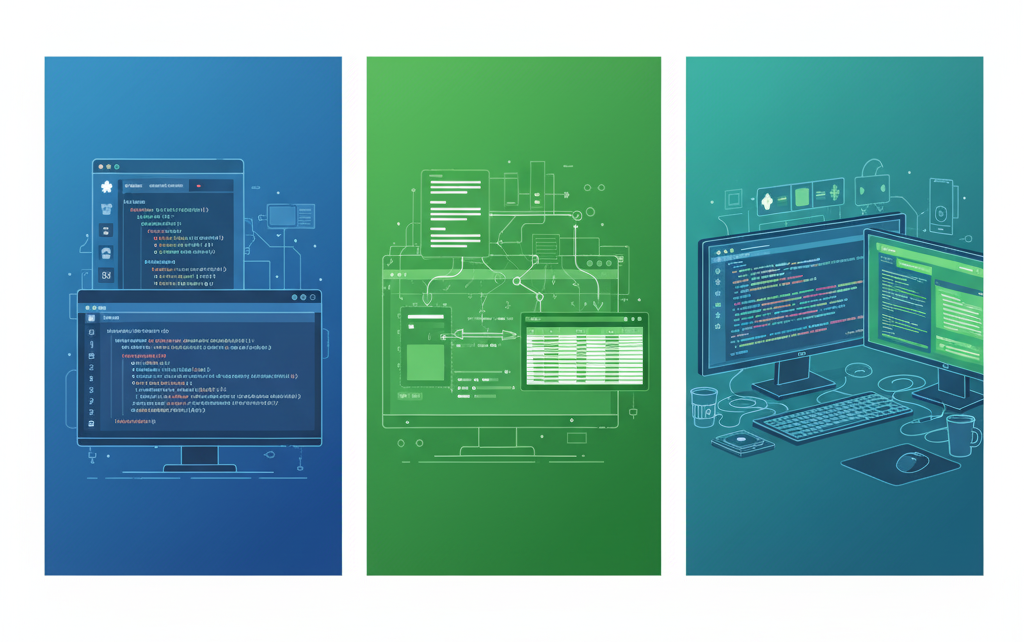
Web Scraping Frameworks Compared: Scrapy vs. BeautifulSoup vs. Puppeteer Opening Perspective In data-driven business environments, automation is often anchored by the ability to gather structured insights from unstructured web sources. Frameworks like Scrapy, BeautifulSoup, and Puppeteer have become essential tools for developers and product management consultants who focus on data extraction, enrichment, and integration. At Product Siddha, these frameworks form the foundation of several automation projects, including a full-scale lead generation engine rebuilt after a major data provider restricted API access. Understanding the Frameworks Scrapy: The Powerhouse for Structured Crawling Scrapy is designed for large-scale, production-level web scraping. It handles asynchronous requests, follows links, and stores structured data in databases or pipelines. Its architecture encourages modular design, allowing developers to create spiders that can crawl thousands of pages efficiently. For Product Siddha’s internal automation systems, Scrapy has been used to power distributed scraping clusters. In one instance, Scrapy’s scheduling and throttling capabilities helped maintain compliance with website access limits while delivering continuous, real-time data. Key strengths of Scrapy: Built-in support for crawling rules and pipelines Asynchronous I/O for high-speed extraction Easy integration with cloud-based scheduling Reliable error handling and retry mechanisms Best suited for: Enterprises managing large-scale, repeatable scraping tasks that require clean, structured outputs. BeautifulSoup: The Lightweight Parser BeautifulSoup is simple, flexible, and ideal for projects that require HTML parsing rather than large-scale crawling. It works closely with Python’s requests library to fetch and clean web content. Developers often prefer BeautifulSoup for one-off or small batch extractions, quick data analysis, or educational projects. At Product Siddha, BeautifulSoup often serves as a supporting parser within broader frameworks. For instance, in a product comparison dashboard project, BeautifulSoup was used to extract specific price and description fields from nested HTML elements after Scrapy retrieved the raw data. Key strengths of BeautifulSoup: Excellent for parsing complex or broken HTML Minimal setup with clear syntax Ideal for quick data extraction and prototyping Best suited for: Smaller or low-frequency scraping tasks, content parsing, and web data cleaning. Puppeteer: The Browser-Based Extractor Puppeteer operates differently from Scrapy and BeautifulSoup. It’s a headless Chrome automation library that interacts with web pages as a real user would. This makes it invaluable for scraping JavaScript-rendered sites that rely on dynamic loading. For modern web architectures, Puppeteer provides a true browser context, enabling developers to capture user-generated data, screenshots, and complete DOM content. It is often integrated into Product Siddha’s MarTech automation solutions where pages are heavily dependent on scripts or user interactions. Key strengths of Puppeteer: Handles dynamic, script-heavy sites with accuracy Enables visual rendering and screenshot capture Simulates user interactions like clicks and form submissions Best suited for: Interactive or JavaScript-heavy applications, including ecommerce listings and SaaS platforms. Real-World Application: Product Siddha’s Lead Engine Project In 2025, Product Siddha faced a challenge when Apollo.io restricted access to its lead database, affecting several client automation pipelines. The team developed an internal Lead Engine using a hybrid scraping approach to rebuild a reliable data acquisition pipeline. Framework Choice: Scrapy was selected as the backbone for large-scale data crawling, handling parallel requests and ensuring continuous data retrieval. Parsing Layer: BeautifulSoup was integrated for fine-grained HTML parsing, cleaning messy data structures from multiple lead sources. Dynamic Pages: Puppeteer was deployed to scrape interactive sites where content loaded only after user actions. This hybrid setup created a multi-framework ecosystem where each tool complemented the other. The result was a robust system capable of regenerating a high-quality contact database that powered CRM enrichment and outbound automation. Today, this engine continues to support real-time business development operations, illustrating how framework diversity improves scalability and adaptability. Performance Comparison Table Feature / Framework Scrapy BeautifulSoup Puppeteer Data Volume Handling High Low Medium JavaScript Rendering Limited None Full Speed and Efficiency Excellent (Async) Moderate Slower (Browser-based) Ease of Use Moderate High Moderate Best Use Case Large-scale Crawling HTML Parsing and Cleaning Dynamic Site Scraping Choosing the Right Framework The decision to use Scrapy, BeautifulSoup, or Puppeteer depends on the nature of your data sources, the volume of extraction, and the complexity of rendering required. Product Siddha’s consultants often evaluate the following before recommending a framework: How dynamic is the website? How frequently must the data be updated? Does the project prioritize speed, depth, or visual accuracy? A thoughtful combination often yields the best results. While Scrapy delivers raw power, BeautifulSoup offers simplicity, and Puppeteer provides realism. Together, they create a data ecosystem that mirrors modern digital environments. Practical Insight from Product Siddha Across projects involving MarTech automation, product intelligence, and lead generation, Product Siddha’s use of these frameworks has revealed a consistent truth – flexibility outperforms specialization. Teams that integrate multiple scraping tools achieve more resilient and maintainable systems, particularly when adapting to changing website architectures. Closing Thoughts Data extraction is not merely a technical task. It is a strategic practice that underpins automation, analytics, and decision-making. At Product Siddha, each scraping framework represents a tool within a broader vision – enabling businesses to rebuild and strengthen their data pipelines when external sources become unreliable. Whether developing an enterprise data engine or parsing a single structured dataset, the thoughtful use of Scrapy, BeautifulSoup, and Puppeteer reflects the discipline and adaptability that define successful digital transformation projects.

AI Automation, Blog

How to Build an Effective Email Automation Strategy for Your Brand

How to Build an Effective Email Automation Strategy for Your Brand Mapping Customer Journeys Every customer relationship follows a predictable rhythm, discovery, evaluation, purchase, and retention. Understanding these patterns is the foundation for strategic automation. Understanding Behavioral Patterns Customers encounter your brand through multiple channels, compare alternatives, make their first purchase, and either stay engaged or drift away. Documenting this flow helps identify natural points for automated engagement. Ask questions like: What hesitations prevent first-time purchases? What motivates repeat buying? What signals customer inactivity? Turning Insights into Sequences Each stage offers automation opportunities. Welcome series: for new subscribers learning about your brand. First-purchase nurturing: for new customers exploring your ecosystem. Re-engagement flows: for dormant users who need a nudge. Product Siddha emphasizes using real customer data, not generic templates, to design journey maps. When automation mirrors actual behavioral patterns, it delivers authenticity and relevance. Defining Clear Objectives Email automation can serve many functions: converting prospects, increasing retention, or reviving lost customers. But trying to do everything at once often leads to diluted impact. Focus on Priority Goals Select two or three objectives aligned with your business priorities: Retention: Strengthen loyalty through post-purchase and re-engagement campaigns. Acquisition: Use welcome sequences or referral programs to expand reach. Revenue Growth: Trigger upsell or cross-sell workflows after purchase. Establish Success Metrics Before launching, define what success looks like. Possible KPIs include: Increased repeat purchase rates Higher average order values Improved open and click-through rates Reduced churn or unsubscribe rates Clear metrics turn automation from guesswork into measurable business performance. Segmentation and Personalization Sending the same message to everyone is the biggest mistake in email marketing. Effective automation starts with meaningful segmentation and authentic personalization. Creating Actionable Segments Start simple: New vs. returning customers Product preferences or categories Engagement levels (active, occasional, dormant) Over-segmentation can complicate workflows, so focus on divisions that reflect distinct communication needs. Moving Beyond “First Name” Personalization True personalization means referencing specific customer actions: Recommending products based on purchase history Adjusting tone based on engagement level Showing relevant offers tied to browsing behavior Modern automation platforms make this achievable with variables, conditional logic, and dynamic content blocks, creating the feeling of one-to-one communication at scale. Designing Workflow Triggers Automation begins with triggers, the events or conditions that start an email sequence. Choosing the right triggers ensures relevance without intrusiveness. Types of Triggers Behavioral triggers: Customer subscribes, abandons a cart, makes a purchase, or clicks a link. Time-based triggers: X days after signup or last purchase, anniversaries, or renewal dates. Condition-based triggers: Reaching lifetime value thresholds or dropping below engagement benchmarks. Combining Triggers for Precision Product Siddha recommends using multi-condition logic. Example: A re-engagement campaign might target users who haven’t purchased in 90 days and haven’t opened the last five emails, excluding those who recently interacted with support. Such layered logic ensures context-aware communication that feels timely, not robotic. Content Development for Sequences Each automated series should tell a cohesive story. Rather than isolated emails, think of sequences as narrative arcs that guide recipients toward specific actions. Structuring the Sequence Welcome Series: Introduce your brand and set expectations. Abandoned Cart Flow: Address hesitation and simplify decision-making. Post-Purchase Emails: Reinforce satisfaction and recommend add-ons. Plan content progression carefully, what should come first, what follows, and how each message builds anticipation. Tone and Voice Keep welcome emails conversational and warm. Make transactional messages concise and factual. Use re-engagement messages to reignite curiosity with creative flair. Dynamic blocks allow personalization while templates preserve brand consistency — balancing efficiency and authenticity. Timing and Frequency Decisions When and how often you send emails greatly affects performance. Finding the Right Timing Welcome emails: Send immediately after signup to capture attention. Abandoned cart reminders: Send within 1 hour, then again after 24 hours if needed. Post-purchase follow-ups: Time based on delivery expectations and product usage cycles. Managing Frequency Too many overlapping workflows can overwhelm recipients. Coordinate automation triggers to prevent message overload – especially for active customers engaging across multiple campaigns. Testing and Optimization The first version of any automation workflow is just a hypothesis. Ongoing testing refines strategy over time. What to Test Subject Lines: Personalization vs. curiosity-driven hooks. Content: CTA placement, image inclusion, or message length. Timing: Morning vs. evening or weekday vs. weekend delivery. Sequence Length: Shorter vs. extended nurture flows. Continuous Improvement Track open, click, and conversion rates to see what resonates. Product Siddha advises prioritizing high-impact tests that balance insight with effort, focusing on elements most likely to move performance metrics. Integration with Other Channels Email works best as part of a connected marketing ecosystem. Cross-Channel Synergy Your automated emails should align with: Social media promotions Website content Retargeting ads Unified customer data ensures that messages reinforce each other rather than creating confusion. Smart Triggers Across Platforms For example, skip sending a cart reminder if the customer already returned to the website and completed checkout. Or launch retargeting ads for users who opened but didn’t click an email. Consistency across channels strengthens trust and brand recognition. Measuring What Matters Automation platforms produce vast data – but not every metric matters equally. Key Performance Indicators Engagement Metrics: Open and click rates reveal content resonance. Conversion Metrics: Track how many recipients complete desired actions. List Health Metrics: Monitor unsubscribe and bounce rates to gauge sustainability. Revenue Metrics: Evaluate sales, average order value, and lifetime value from automated flows. Focusing on meaningful KPIs ties automation performance directly to business results. Building for Growth A strong automation framework must evolve with your business. Planning for Scale Choose platforms that scale affordably with list size. Document workflow logic and test results for team continuity. Conduct periodic audits to eliminate redundant sequences. Continuous Evolution As new customer behaviors emerge, revisit automation flows to stay relevant. What worked at launch may need refinement as your audience and objectives shift. Final Thoughts Email automation is far more than a time-saver – it’s a strategic relationship-building system. By mapping journeys, defining goals, segmenting intelligently, and optimizing relentlessly, businesses can transform scattered campaigns

Blog, Product Management

What Are the Best Practices for Product Roadmapping in 2025?

What Are the Best Practices for Product Roadmapping in 2025? Product roadmapping has come a long way from static timelines and feature wish lists. In 2025, the most effective roadmaps are dynamic, data-informed, and outcome-driven – guiding teams through uncertainty while keeping everyone aligned on what matters most: delivering customer and business value. Whether you’re launching a new product or managing a mature one, your roadmap is more than a planning tool – it’s a strategic compass. Here are the best practices shaping modern product roadmapping in 2025. 1. Start with Outcomes, Not Features The biggest shift in 2025 product roadmapping is from output-based planning (what we’ll build) to outcome-based planning (why it matters). Traditional roadmaps listed features tied to deadlines: “Add dark mode in Q2.” But this approach often failed when timelines slipped or customer needs evolved. Modern teams instead define desired results, leaving room for flexibility in execution. Example: Instead of “Launch advanced search filters in April,” an outcome-based roadmap might set a goal like “Reduce average time to find a product by 40%.” This outcome focus empowers teams to explore different solutions – maybe it’s better categorization, AI recommendations, or improved UX – without losing sight of the goal. It also helps leaders measure progress through impact, not just delivery speed. 2. Build Multiple Views for Different Stakeholders No single roadmap satisfies everyone. Executives, engineers, sales teams, and customers all view product progress through different lenses. In 2025, successful product teams maintain multiple synchronized roadmaps that draw from the same source of truth but offer different levels of detail: Strategic Roadmap: For leadership – focuses on business goals, customer outcomes, and quarterly priorities. Tactical Roadmap: For product and engineering – details short-term initiatives and measurable milestones. Customer-Facing Roadmap: A Public view that communicates direction without overpromising specific dates. By tailoring communication this way, you maintain alignment without overwhelming or confusing anyone. When one version updates, all others stay consistent. 3. Use Data to Drive Prioritization The strongest roadmaps in 2025 are built on evidence, not opinions. Teams now rely heavily on analytics, user research, and feedback loops to prioritize what delivers the most impact. Some proven prioritization frameworks include: RICE (Reach, Impact, Confidence, Effort): Helps evaluate each initiative quantitatively. Value vs. Effort Matrix: Quickly identifies high-value, low-effort opportunities. Opportunity Scoring: Focuses on customer importance vs. satisfaction to pinpoint unmet needs. The key isn’t which framework you use – it’s using one consistently. When decisions are transparent and data-backed, you avoid politics and make progress faster. 4. Make Your Roadmap Flexible, Not Fixed In 2025, product teams have accepted one truth: change is constant. Market shifts, AI innovations, and evolving user behavior can make rigid plans obsolete in weeks. To stay adaptive, many teams use the Now–Next–Later model: Now: What the team is actively building (0–3 months). Next: What’s coming soon (3–6 months). Later: Big-picture opportunities or strategic bets (6+ months). This structure gives enough visibility for planning while maintaining flexibility to adjust. It also reduces pressure on teams to commit prematurely to features they haven’t validated yet. 5. Collaborate Cross-Functionally from Day One Roadmaps created in isolation fail fast. The best product managers in 2025 bring engineering, design, marketing, and sales into the planning process early. Engineers flag feasibility and technical dependencies. Designers ensure usability aligns with customer goals. Marketing validates messaging and launch timing. Sales shares real-world customer objections and feedback. This collaboration results in realistic plans, smoother launches, and better team alignment. Many teams now hold quarterly roadmap workshops to review progress and adjust plans together. 6. Use Real-Time Tools and Visualization Gone are the days of static PowerPoints and spreadsheets. In 2025, teams rely on dynamic roadmap tools that update automatically, integrate with analytics, and allow real-time collaboration. Platforms like Productboard, Aha!, and Notion have become popular because they let teams visualize strategy at multiple levels – from OKRs to sprint tasks – without losing the big picture. This transparency helps every contributor understand why their work matters and how it ladders up to the company vision. 7. Include Dependencies and Capacity in Planning One reason roadmaps derail is the failure to account for dependencies and capacity. Teams plan ambitious timelines without realizing how much work depends on other functions, partners, or infrastructure. In 2025, effective product teams visualize dependencies clearly — using color-coded links or swimlanes to show which initiatives rely on others. They also use realistic capacity forecasting to prevent burnout. A roadmap should inspire, not overwhelm. Building with honesty about bandwidth leads to better delivery and happier teams. 8. Keep Your Roadmap Alive A product roadmap is a living document, not a quarterly artifact. The best teams update their roadmaps monthly or even weekly based on new insights. When priorities shift, communicate clearly: Why the change was made. What it means for customers and stakeholders. How it supports the larger strategy. This proactive transparency builds credibility instead of frustration. Stakeholders are far more forgiving when they understand the reasoning behind changes. 9. Communicate Outcomes, Not Just Activities A common pitfall is overcommunicating tasks and undercommunicating goals. Instead of “we shipped version 2.3,” share outcomes like “user onboarding time decreased by 20%.” This helps both internal and external stakeholders see the value of progress rather than the volume of work. Consistent storytelling – through visuals, summaries, and customer examples – reinforces confidence in your product direction. 10. Sample Product Roadmap for 2025 (Outcome-Based) Here’s a simple example of how a modern outcome-driven roadmap might look: Timeframe Strategic Theme Key Outcomes Example Initiatives Success Metrics Now (Q1) Customer Activation Increase onboarding completion by 30% Guided setup wizard, AI onboarding tips Activation rate Next (Q2) Product Discovery Improve feature adoption by 25% Smart recommendations, search enhancements Monthly active usage Later (Q3–Q4) Retention & Monetization Boost annual retention by 15% Loyalty program, personalized upsell flows Retention rate, ARPU Notice how each phase ties to measurable outcomes, not arbitrary deadlines. This structure allows flexibility without sacrificing direction. 11. Link Strategy to Execution A great roadmap

AI Automation, Blog

Which AI Automation Tools Deliver the Best ROI for Marketing Teams?

Which AI Automation Tools Deliver the Best ROI for Marketing Teams? Measuring What Matters Marketing leaders face ongoing pressure to prove that every technology investment produces measurable results. Each new software platform promises higher efficiency, improved targeting, and lower costs. Yet many fall short after deployment. Tools are purchased with enthusiasm, used briefly, and then left idle due to complexity or limited impact. AI Automation Tools have changed this dynamic. Unlike earlier generations of marketing software, modern AI systems can manage complex, repetitive tasks once dependent on large teams. When implemented thoughtfully, they provide quantifiable returns in productivity, engagement, and revenue. At Product Siddha, our MarTech consultants help businesses cut through the noise to identify platforms that deliver genuine value. Through practical use of leading tools like HubSpot, MoEngage, Klaviyo, Customer.io, Brevo, CleverTap, Mailchimp, and Twilio Segment, we’ve seen firsthand how strategic AI automation transforms marketing efficiency and ROI. Content Creation and Optimization Platforms Producing fresh, high-quality content consistently is one of marketing’s most expensive challenges. Blog articles, product descriptions, email campaigns, and social media updates demand time and coordination. AI-powered content tools streamline this process by generating first drafts from structured briefs and ensuring brand consistency across writers and channels. Platforms like HubSpot’s Content Hub and AI-assisted SEO recommendations allow marketing teams to publish faster while maintaining tone and accuracy. The ROI becomes evident within weeks. By reducing hours spent on drafting and editing, organizations recover tool costs through saved labor and quicker time-to-market. Product Siddha’s clients, particularly in retail and technology sectors, also note improved content performance when automation tools suggest topics based on engagement data. Beyond efficiency, HubSpot’s AI content optimization engine helps maintain brand voice across languages and regions, reinforcing long-term trust and recognition. Predictive Analytics and Customer Insights Traditional analytics relied on manual data pulls and delayed reporting. Modern AI-driven platforms now interpret customer behavior continuously, identifying purchase intent, churn risk, and emerging trends in real time. Twilio Segment, one of the key platforms Product Siddha integrates, acts as a Customer Data Platform (CDP) that unifies data from web, app, and offline interactions. Combined with machine learning models, it enables predictive segmentation and smarter targeting decisions. For example, a retail brand using Twilio Segment and MoEngage’s predictive insights saw a 20% increase in customer retention within three months. The system identified inactive users before they disengaged completely, allowing timely reactivation campaigns. The ROI here isn’t just time saved but revenue protected through better decision-making. Product Siddha often integrates predictive analytics into larger MarTech Implementation strategies, ensuring businesses act on insights rather than simply collecting data. Email Marketing Automation Systems Email remains one of the most profitable marketing channels, but personalization and segmentation at scale are difficult without automation. AI-driven platforms like Klaviyo, Brevo, Mailchimp, and Customer.io have revolutionized this area. They use machine learning to predict send times, personalize subject lines, and generate product recommendations dynamically. For example, Klaviyo’s predictive analytics help ecommerce brands estimate customer lifetime value and send tailored offers. Meanwhile, Mailchimp’s AI-assisted segmentation automatically adjusts audience lists based on engagement behavior. The result is measurable improvement: Higher open and click-through rates Lower unsubscribe rates Increased average order values Product Siddha’s clients typically see positive ROI within the first month of adoption. The time saved from automated workflows, combined with increased conversions from personalized content, far outweighs subscription costs. Advertising Campaign Management Running digital ad campaigns across multiple platforms demands constant monitoring and adjustment. AI tools like HubSpot’s Marketing Hub and MoEngage’s Smart Triggers simplify this complexity by automating bid optimization, audience segmentation, and creative testing. One Product Siddha client, a fintech startup, reduced its cost per acquisition (CPA) by 15% within six weeks using MoEngage’s AI-driven campaign orchestration. The platform identified the most responsive audience segments and automatically adjusted ad frequencies and budgets. The ROI is immediate for businesses with moderate to high advertising spend. Even a modest improvement in cost efficiency generates substantial savings. Product Siddha emphasizes pairing these tools with human oversight so strategy and creativity remain aligned with brand objectives. Customer Service Chatbots Fast, accurate responses to customer inquiries build trust and improve conversion. However, 24/7 staffing remains impractical for most teams. AI-powered chatbots integrated into HubSpot or Customer.io offer intelligent, automated interactions across web and social platforms. These bots qualify leads, schedule demos, and resolve common questions before handing complex cases to human agents. The ROI benefits include: Reduced staffing costs Increased lead conversion rates Improved satisfaction through instant support A Product Siddha client in B2B SaaS reported that chatbot automation reduced first-response time by 80%, while lead quality improved as bots pre-qualified prospects based on their behavior and queries. Social Media Management and Engagement Managing multiple social media accounts can easily consume entire workdays. Tools like CleverTap and MoEngage automate posting schedules, monitor engagement, and suggest content ideas based on trending topics. These platforms identify optimal posting times using engagement analytics and help marketing teams maintain consistency without manual effort. Automated insights highlight which posts perform best, enabling rapid refinement of strategy. Product Siddha’s clients report significant time savings and better engagement metrics. Consistent, data-driven posting keeps brand presence strong while freeing staff to focus on creative storytelling and customer conversations. Lead Scoring and Qualification Systems Not all leads are equally valuable. Sales efficiency improves dramatically when teams can focus on the prospects most likely to convert. AI-powered scoring systems within HubSpot, Customer.io, and Klaviyo analyze data from email engagement, website visits, and behavioral patterns to assign predictive scores. For instance, Product Siddha helped a SaaS company integrate HubSpot’s predictive lead scoring with Twilio Segment’s customer data. The result was a 30% increase in qualified leads and a 25% faster conversion cycle. ROI stems from better resource allocation and higher deal closure rates. Instead of chasing cold leads, sales teams engage prospects at the right moment, guided by AI-driven prioritization. Personalization Engines Modern consumers expect experiences tailored to their preferences. MoEngage, Klaviyo, and CleverTap lead in this space by dynamically personalizing website and app experiences. AI

Blog, MarTech Implementation

The Role of Customer Data Platforms (CDPs) in Shaping the Future of MarTech

The Role of Customer Data Platforms (CDPs) in Shaping the Future of MarTech The Data Fragmentation Challenge Marketing departments today manage an average of fifteen different technology tools. Each platform collects customer information independently. Email systems track open rates and clicks. Website analytics monitor browsing behavior. CRM software stores purchase history and contact details. Social media tools measure engagement and sentiment. This scattered approach creates problems that extend far beyond simple inconvenience. Marketing teams waste hours switching between platforms to build a complete picture of customer behavior. Data inconsistencies emerge when systems use different identifiers for the same person. Opportunities slip away because no single platform has enough information to trigger the right action at the right moment. Customer Data Platforms address these fundamental challenges by serving as a central repository for all customer information. They connect disparate systems and create unified profiles that give marketing teams a comprehensive view of each customer’s journey. Understanding CDP Architecture A Customer Data Platform differs from other data management tools in several important ways. Unlike data warehouses designed for historical analysis, CDPs process information in real time. They capture customer actions as they happen and make that data immediately available to connected marketing tools. CDPs also handle identity resolution automatically. When someone visits your website from a mobile device, opens an email on their laptop, and makes a purchase in your store, the platform recognizes these actions as coming from a single individual. It merges the data points into one coherent profile despite different devices, channels, and interaction types. This unified view becomes the foundation for effective MarTech implementation. Every connected tool accesses the same accurate, up-to-date customer information. Marketing automation platforms, advertising systems, personalization engines, and analytics tools all work from a single source of truth. Breaking Down Data Silos Traditional marketing technology stacks operate in isolation. Your email platform knows what messages someone has received but cannot see their recent website behavior. Your advertising system targets users based on demographics but lacks insight into their purchase history. Your customer service team answers questions without knowing what marketing messages the caller recently received. These silos prevent businesses from delivering consistent, relevant experiences across touchpoints. A customer might receive a promotional email for products they already purchased. Advertising continues after someone converts. Support agents repeat information already shared through other channels. CDPs eliminate these disconnects by making customer data accessible across the entire marketing technology ecosystem. When implementing MarTech solutions, businesses that start with a strong CDP foundation avoid the integration problems that plague traditional approaches. Product Siddha has worked with organizations that spent years accumulating marketing tools without a unifying data strategy. The process of connecting these systems through a CDP often reveals opportunities for optimization and consolidation that were previously invisible. Real-Time Personalization Capabilities Modern consumers expect businesses to recognize them regardless of how they interact with your brand. Someone browsing your website should see recommendations based on their email engagement history. A mobile app user deserves experiences informed by their in-store purchases. This level of coordination requires instant access to complete customer profiles. CDPs enable this real-time personalization by continuously updating customer records as new information arrives. When someone abandons a shopping cart, the CDP immediately shares that signal with your email platform, advertising system, and website personalization engine. Each tool can respond appropriately based on the customer’s complete history and current context. This capability transforms MarTech implementation from a collection of independent tools into a coordinated system that adapts to customer behavior moment by moment. The result is higher engagement rates, improved conversion rates, and stronger customer relationships. Privacy and Compliance Management Data privacy regulations have become increasingly strict across global markets. GDPR in Europe, CCPA in California, and similar laws in other jurisdictions impose serious obligations on businesses that collect and use customer information. Violations result in substantial fines and reputational damage. Managing compliance across multiple marketing platforms presents significant challenges. Each system needs to respect customer consent preferences. Data retention policies must be enforced consistently. Customers who request data deletion require removal from every connected database. Modern CDPs include privacy management features that simplify compliance. They maintain a central record of consent preferences and propagate those choices to all connected systems. When someone opts out of marketing communications or requests data deletion, the CDP ensures that preference applies across your entire technology stack. This centralized approach to privacy management reduces legal risk while demonstrating respect for customer preferences. It also streamlines MarTech implementation by addressing compliance requirements at the platform level rather than configuring privacy controls separately for each tool. Improving Marketing Attribution Understanding which marketing activities drive results remains one of the most difficult challenges in the field. Customers interact with brands through multiple channels before making purchase decisions. They might see a social media ad, visit your website several times, read email newsletters, and talk to a sales representative before buying. Traditional attribution models struggle to track these complex journeys accurately. They often credit the last touchpoint before conversion while ignoring the earlier interactions that built awareness and consideration. This incomplete picture leads to poor investment decisions as marketing teams allocate budget based on faulty data. CDPs solve attribution problems by capturing every customer interaction across all channels and devices. They build complete timeline records that show exactly how marketing activities influence customer behavior over time. This comprehensive view supports sophisticated attribution models that recognize the contribution of each touchpoint throughout the customer journey. Better attribution leads to smarter MarTech implementation decisions. Teams can identify which tools and channels generate the best returns and adjust their technology investments accordingly. Predictive Analytics and Customer Insights The volume of customer data collected by modern businesses exceeds human capacity to analyze manually. Valuable patterns hide within millions of interactions. Customer segments with similar behaviors and preferences remain unidentified. Opportunities to prevent churn or encourage upsells pass unnoticed. Advanced CDPs incorporate analytics capabilities that uncover these hidden insights. They identify customer segments based on behavior patterns rather than

AI Automation, Blog

Why Every Business Needs Email Automation in 2025

Why Every Business Needs Email Automation in 2025 The Digital Communication Revolution Businesses today face a challenge that would have seemed impossible two decades ago. They need to maintain personal relationships with thousands of customers while managing limited resources and tight schedules. The solution lies not in hiring more staff but in working smarter through email automation. Email automation has transformed from a luxury tool used by large corporations into a necessity for businesses of all sizes. In 2025, companies that fail to implement automated email systems risk falling behind competitors who leverage technology to deliver timely, relevant messages to their audience. Understanding Modern Email Marketing Traditional email marketing required manual effort for every campaign. Marketing teams would spend hours crafting messages, segmenting lists, and scheduling sends. This approach worked when customer databases were small, but it becomes unsustainable as businesses grow. Automated email campaigns operate differently. They use triggers and workflows to send the right message at the right time without constant human intervention. When a customer abandons their shopping cart, signs up for a newsletter, or completes a purchase, automated systems respond immediately with appropriate follow-up communications. Product Siddha has observed that businesses implementing marketing automation see dramatic improvements in their customer engagement metrics. The technology handles repetitive tasks while allowing teams to focus on strategy and creative development. Time Efficiency and Resource Optimization Consider how much time your team spends on routine email tasks. Sending welcome messages to new subscribers, following up with prospects, or reminding customers about upcoming renewals all consume valuable hours that could be spent on high-level planning or customer service. Email automation software eliminates this burden. A single workflow can handle thousands of customer interactions simultaneously. Your team sets up the sequence once, and the system executes it flawlessly for months or even years with minimal adjustments. This efficiency extends beyond time savings. Automated email marketing reduces human error. Typos, wrong attachments, or messages sent to incorrect segments become rare when machines handle the execution. Your brand maintains consistency across all customer touchpoints. Personalization at Scale Modern consumers expect personalized experiences. They want businesses to remember their preferences, acknowledge their purchase history, and provide relevant recommendations. Meeting these expectations manually for a large customer base is impossible. Email automation tools excel at personalization. They pull data from your customer relationship management system to customize every message. Subject lines include recipient names. Product recommendations reflect past purchases. Content adapts based on browsing behavior or demographic information. This level of customization drives engagement. Studies consistently show that personalized emails generate higher open rates and click-through rates compared to generic broadcasts. Customers respond positively when businesses demonstrate that they understand individual needs and preferences. Revenue Growth Through Strategic Timing Timing plays a crucial role in email marketing success. A promotional message sent too early or too late misses the window when customers are ready to buy. Automated email sequences ensure perfect timing by responding to customer actions in real time. Cart abandonment emails provide an excellent example. When someone adds products to their cart but leaves without purchasing, an automated system can send a reminder within an hour. This immediate follow-up recovers sales that would otherwise be lost. Many businesses report that automated cart abandonment campaigns alone generate significant revenue increases. Birthday emails, anniversary messages, and renewal reminders all benefit from automation. The system tracks important dates and sends appropriate communications without requiring anyone to maintain a manual calendar. Lead Nurturing and Customer Journey Mapping Not every prospect is ready to buy immediately. Some need time to research options, compare features, or secure budget approval. Email automation nurtures these leads through the decision-making process. A well-designed drip campaign delivers educational content over weeks or months. Early messages introduce your brand and establish credibility. Middle messages demonstrate product benefits and address common objections. Final messages create urgency and encourage conversion. Product Siddha has helped numerous clients develop automated workflows that guide prospects from initial awareness through purchase and beyond. These systems maintain engagement during long sales cycles that would be difficult to manage manually. Data-Driven Decision Making Automated email platforms provide detailed analytics on every campaign. You can track open rates, click rates, conversion rates, and revenue per email. This data reveals what resonates with your audience and what falls flat. The insights gained from email marketing automation inform broader business strategies. If certain subject lines consistently outperform others, that knowledge applies to other marketing channels. If specific product categories generate high engagement, inventory and promotion decisions can reflect that interest. Advanced platforms offer A/B testing capabilities. The system automatically sends different versions of an email to small audience segments, identifies the winner, and delivers the best-performing version to the remainder of your list. This continuous optimization improves results over time. Competitive Advantage in Crowded Markets Your competitors are likely already using marketing automation tools. Businesses that resist adoption fall behind in customer experience and operational efficiency. The gap widens as automated systems become more sophisticated and accessible. Email automation software has become more affordable and user-friendly. Small businesses can access features that were once exclusive to enterprises. Cloud-based platforms eliminate the need for expensive infrastructure or technical expertise. Companies that embrace automation early gain advantages that compound over time. They build larger, more engaged email lists. They develop more refined workflows based on performance data. They establish stronger customer relationships through consistent, relevant communication. Integration with Broader Marketing Ecosystems Modern email automation platforms integrate seamlessly with other business tools. They connect to e-commerce systems, social media platforms, customer support software, and analytics dashboards. This integration creates a unified view of customer interactions across channels. When all systems share data, businesses can coordinate campaigns more effectively. A customer who clicks an email link might see related social media ads. Someone who contacts support receives follow-up emails addressing their specific issue. These coordinated experiences strengthen brand perception and drive loyalty. Product Siddha emphasizes the importance of choosing automation platforms that offer robust integration capabilities. The right automated

AI Automation, Blog

OpenAI’s AgentKit and Agent Builder: Is it the End of n8n?

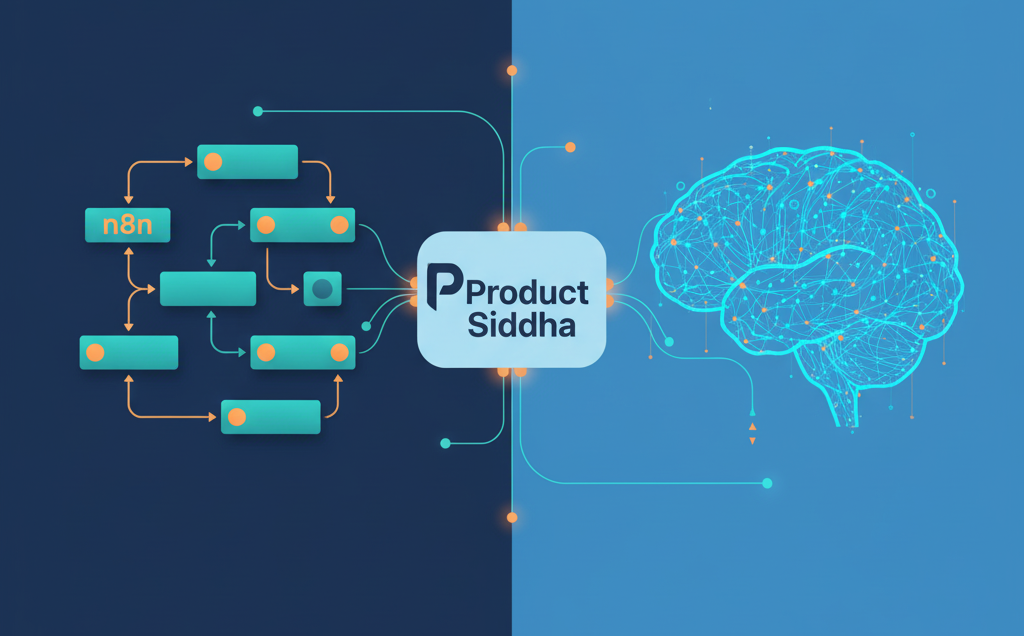
OpenAI’s AgentKit and Agent Builder: Is it the End of n8n? Rethinking Automation: Where OpenAI’s AgentKit Meets n8n Artificial intelligence is reshaping how automation platforms function. With the recent introduction of OpenAI’s AgentKit and Agent Builder, discussions have emerged around whether tools like n8n will still hold their ground. While OpenAI’s new frameworks promise a leap forward in creating intelligent agents, the question is not simply about replacement. It is about purpose, flexibility, and the kind of ecosystem each platform supports. The Rise of Intelligent Automation Over the past few years, workflow automation has moved from simple integrations to adaptive systems capable of understanding intent. n8n, known for its open-source design, became a favorite among developers and data teams because it allowed complete visibility and control. Users could automate multi-step workflows connecting APIs, CRMs, databases, and analytics platforms without being tied to closed ecosystems. OpenAI’s AgentKit, however, introduces a different model. Instead of connecting prebuilt tools, it enables developers to create autonomous AI agents that perform reasoning, execute API calls, and adapt dynamically. It integrates closely with OpenAI’s ecosystem, relying on natural language input rather than a visual interface. This distinction highlights a key divide: n8n focuses on process orchestration, while AgentKit emphasizes intelligent decision-making. Understanding What AgentKit and Agent Builder Offer To understand the comparison, it helps to look at what OpenAI has launched. AgentKit: A developer framework allowing programmers to build autonomous agents capable of using APIs, performing actions, and managing data through natural language reasoning. Agent Builder: A graphical interface aimed at business users to create and manage AI agents without deep programming knowledge. Together, they aim to make automation conversational and adaptable. In contrast, n8n gives users visual, node-based workflow design. It connects hundreds of applications through a transparent process map that businesses can easily audit and customize. Why n8n Still Matters Despite the excitement around AgentKit, n8n holds enduring value for organizations that prioritize data ownership, cost efficiency, and modular flexibility. Unlike closed AI ecosystems, n8n allows complete control over how workflows are executed and stored. This feature is crucial for compliance-sensitive industries like healthcare, finance, and enterprise marketing operations. At Product Siddha, for example, internal automation systems were built using n8n to unify client onboarding, data collection, and analytics reporting. When third-party services limited API access, n8n’s open framework allowed Product Siddha’s developers to rebuild critical integrations without depending on external vendors. That adaptability is what keeps open-source tools relevant, even as AI-driven automation grows. In short, n8n gives structure to automation, while AI agents add reasoning to it. The future likely depends on how well both can coexist. Comparing n8n and AgentKit Feature n8n AgentKit / Agent Builder Type Workflow automation Autonomous AI agent creation Interface Visual, node-based Conversational / GUI Control Full transparency and audit trail Limited interpretability Deployment Self-hosted or cloud Cloud-based (OpenAI ecosystem) Ideal Use Case Data workflows, CRM, marketing ops Dynamic reasoning, adaptive tasks How AgentKit Changes the Conversation AgentKit’s core advantage lies in autonomous adaptability. Instead of defining every rule, a user can describe a goal, and the agent figures out how to achieve it. For instance, a content operations team might ask the agent to “prepare next week’s publishing schedule based on engagement data.” The system could then fetch metrics, suggest topics, and even draft outlines. While this seems revolutionary, it also introduces challenges in predictability and compliance. Businesses cannot always rely on autonomous reasoning where audit trails and consistency are required. This is where n8n’s structured workflows remain valuable. Each step is visible, reversible, and governed by logic that can be documented and improved. For now, AgentKit may excel in creative or exploratory tasks, whereas n8n continues to dominate operational automation that demands stability and traceability. Case Study: Combining n8n with AI Agents at Product Siddha At Product Siddha, the engineering team experimented with hybrid automation – combining n8n’s workflow structure with AI-powered decision layers. For instance, in a client project related to marketing analytics automation, Product Siddha used n8n to orchestrate data movement across CRM, email systems, and visualization dashboards. An AI layer (using GPT models) was added to interpret performance anomalies and trigger specific workflow paths. This hybrid design reduced manual intervention by 42% while preserving transparency. It also demonstrated that AI and n8n do not compete but rather complement one another when engineered with clarity and control. Such real-world applications highlight that n8n is far from obsolete. Instead, it can become the foundation that anchors AI decision-making into repeatable, compliant workflows. A Balanced View of the Future While OpenAI’s AgentKit and Agent Builder open a new frontier, they are unlikely to replace n8n entirely. Instead, they may redefine the boundaries between automation and autonomy. n8n remains ideal for structured data automation, controlled API orchestration, and integration across varied business systems. AgentKit introduces reasoning-based automation, suitable for adaptive tasks that require interpretation rather than instruction. As enterprises seek both control and intelligence, the future will likely blend the two. A visual workflow might handle the infrastructure while an AI agent operates within it to optimize decisions. Final Reflection: Coexistence Over Replacement It would be premature to call the rise of AgentKit the end of n8n. Automation ecosystems evolve, but foundational tools that offer transparency, governance, and scalability rarely disappear. What will change is the layer above them – the intelligence that makes automation responsive. For forward-looking teams, the opportunity lies in combining n8n’s orchestration power with AI-driven adaptability. This synthesis represents the next step in operational intelligence, and companies like Product Siddha are already demonstrating how to bridge that gap effectively.

AI Automation, Blog

Smarter, Faster Creative Production with Product Siddha’s AI Automation Suite

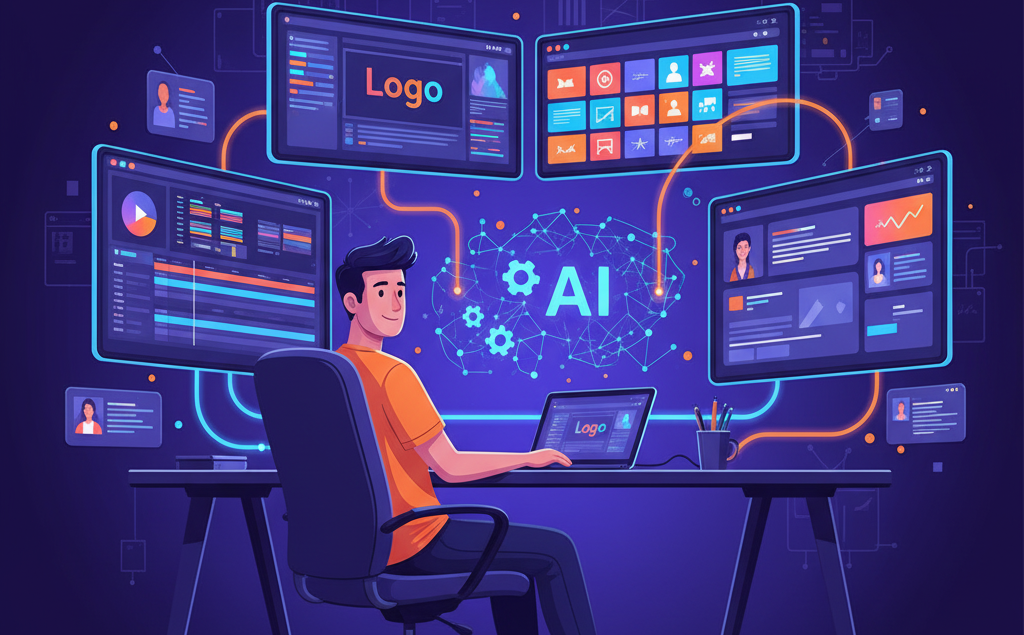
Smarter, Faster Creative Production with Product Siddha’s AI Automation Suite The Creative Bottleneck Creative teams today face growing pressure to produce more content across multiple platforms. One campaign may require a dozen assets, videos for YouTube, short clips for Instagram Reels, banners for LinkedIn, blog headers, and product images for eCommerce. Every piece goes through concepting, design, editing, and review before it goes live. Traditional workflows are linear and slow. Designers create one file at a time. Editors manually reformat videos for each platform. Copywriters wait for final designs to pair with text. As a result, projects stretch for weeks, limiting how fast brands can react to new opportunities. Product Siddha, an AI automation agency, helps creative teams streamline these workflows. Using automation tools built around real production challenges, we help teams cut project time by up to 70% without compromising quality. Why Traditional Production Slows You Down The Multi-Platform Challenge Every platform has unique specifications. A horizontal YouTube video must become a vertical Instagram Reel. A static image needs animation for TikTok. Even small adjustments like cropping, reformatting text, or optimizing file sizes take hours of repetitive work. This kind of work doesn’t need creative thinking; it needs consistency and speed. When teams spend their time resizing banners and exporting video formats, their creative energy gets wasted on mechanical steps rather than storytelling and design. The Quality vs. Quantity Struggle Most marketing teams face a trade-off: deliver more content or maintain high standards. Budgets rarely allow for both. Long hours, missed deadlines, and creative burnout become common. The solution is intelligent automation. Product Siddha’s automation suite handles repetitive production steps while leaving creative direction and decision-making in human hands. Machines do the execution work, and teams focus on creativity. The AI Automation Suite That Powers Creative Teams Smarter Asset Management Finding the right file version, approved logo, or licensed photo can take longer than actual design. Product Siddha’s automated asset management system solves this with machine learning. It tags, categorizes, and retrieves assets automatically. Designers can type natural queries like “blue-themed office team photo,” and the system fetches matching images. It also manages version control, ensuring only approved designs are used, and tracks licensing details to prevent misuse or expired rights. With organized assets and version history, teams spend less time searching and more time creating. Automated Project Setup Starting a new campaign involves setup work, folders, templates, access permissions, and notifications. Doing this manually takes up to 45 minutes each time. Our automated project setup workflow does this in seconds. When a new project starts, it creates folder structures, copies templates, assigns team permissions, and sends notifications. Everyone receives the right files, deadlines, and instructions automatically. This reduces confusion and saves hours that usually go into repetitive coordination. Multi-Platform Video Adaptation Video editing is one of the most time-consuming creative tasks. A two-minute horizontal video for YouTube must be re-edited for vertical and square formats. Each version has different visual and timing needs. Product Siddha’s automation suite uses AI to analyze and adapt content for each platform automatically. The system reframes shots, adjusts pacing, repositions on-screen text, and optimizes exports for every channel. Editors only need to review the results. What used to take hours now takes minutes. Across projects, this compounds into major time savings and higher creative output. Template-Driven Design Production Designers often recreate the same layout with small variations for each campaign—social media posts, email headers, ads, or banners. Product Siddha’s template automation turns these into intelligent systems. Designers define master templates with flexible elements. The automation engine then customizes layouts based on provided text, images, and colors. It applies brand fonts, aligns spacing, and balances composition automatically. This keeps visual consistency across dozens of assets and eliminates repetitive manual resizing or layout adjustments. Batch Processing and Design Scaling When campaigns require multiple asset sizes, automation generates all versions at once. From one master file, the system produces ad banners in every required dimension, adjusting layout and typography intelligently for each size. This makes scaling creative output simple and efficient. A task that once took a day now takes minutes, allowing teams to focus on creative thinking rather than resizing graphics. Automated Quality and Review Workflows Before any file reaches a client or stakeholder, automated quality checks scan it for issues. The system verifies resolution, color profile, file format, and text placement. For videos, it checks captions, frame rates, and encoding quality. Once the work passes quality review, automated approval routing notifies stakeholders. It sends reminders for pending reviews and moves approved files to the next stage automatically. This reduces revision delays and keeps projects moving smoothly. Measuring the Impact of Automation Time and Efficiency Gains Automation removes bottlenecks and gives teams back valuable time. Tasks like video adaptation, resizing, and setup now happen in minutes instead of hours. A typical campaign sees production time drop from 12 hours to less than 2. Teams can handle more projects without extra staff or longer hours. Creative Task Manual Time Automated Time Efficiency Gain Multi-platform video editing 180 min 25 min 86% faster Social media post design 25 min 3 min 88% faster File tagging & retrieval 40 min 4 min 90% faster Stakeholder review routing 60 min 10 min 83% faster With Product Siddha’s suite, the average project runs 85–90% faster, increasing capacity and ROI without team expansion. Real-World Results Marketing Agency Example A mid-sized digital agency producing social media content for multiple clients faced missed deadlines and high workload. By implementing Product Siddha’s automation suite, they automated template-based post design and video adaptation. Content output rose by 70%, turnaround time dropped by 60%, and their creative team finally had bandwidth to focus on strategy and storytelling. Within a year, their production ROI increased by over 300%. E-commerce Brand Example An online retailer with 500+ products automated its product image processing. The time required for editing and resizing dropped from 45 minutes to 8 minutes per product. Three designers who previously handled mechanical image work

AI Automation, Blog

Streamline HR Operations: Automate Employee Onboarding and Offboarding

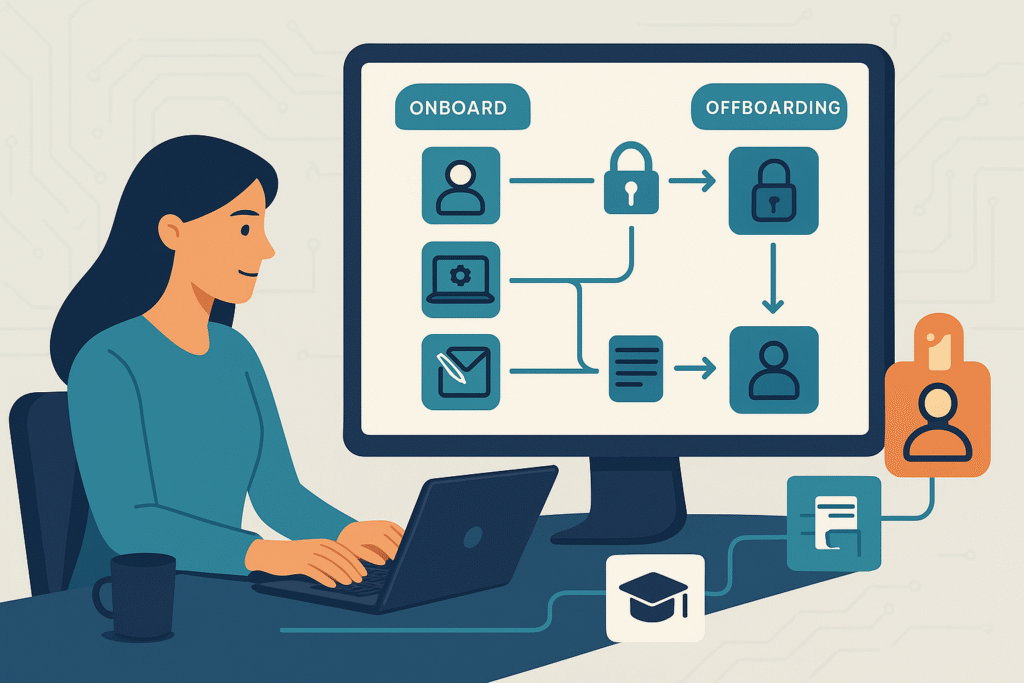
Streamline HR Operations: Automate Employee Onboarding and Offboarding The HR Bottleneck Nobody Talks About Hiring or offboarding an employee sounds simple – until you realize how many moving parts are involved. A single new hire can trigger 40–60 individual tasks: creating accounts, assigning training, sending welcome kits, granting building access, and more. When someone leaves, it’s just as complex – revoking access, collecting equipment, handling payroll, and ensuring compliance. Most HR teams still manage this manually through endless spreadsheets, reminder emails, and follow-ups. The result? Delays, missed steps, security risks, and burnt-out HR staff. At Product Siddha, we help organizations eliminate this chaos with n8n-based workflow automation. The result: up to 75% reduction in HR workload, faster task completion, and smoother experiences for employees – both joining and leaving the company. Why Manual HR Processes Fail Onboarding Chaos Traditional onboarding means HR must coordinate with multiple departments – IT, finance, admin, and management. Each relies on manual communication to: Create user accounts and emails Arrange hardware delivery Assign learning modules Schedule introductions and orientation Collect paperwork and approvals Without automation, it’s easy to miss steps. Many new hires arrive without access to systems or equipment, creating poor first impressions and wasted time. Offboarding Risks When employees leave, HR must deactivate access, reclaim devices, process pay, and document exits. If a single step is missed, security risks arise, former employees might still access data, or company assets go untracked. These errors happen because HR relies on manual coordination and human memory instead of structured workflows. How n8n Fixes It All n8n is a powerful workflow automation platform that connects all your HR, IT, and communication tools into one seamless system. At Product Siddha, we design custom n8n workflows that automatically handle repetitive HR actions. Here’s how it transforms onboarding and offboarding: Process Before Automation After n8n Automation New hire data entry HR enters info into multiple systems manually HR adds data once — n8n syncs it across all systems IT provisioning Manual email to IT for account setup Accounts, access, and devices created automatically Document collection Emails, printouts, follow-ups Digital forms auto-sent, tracked, and verified Offboarding access removal Delayed and error-prone Instant, timed deactivation across all systems Status updates Manual check-ins Real-time notifications to HR, IT, and managers Automating Employee Onboarding A great onboarding experience starts before Day One. With n8n, once HR marks a candidate as “hired,” automation takes over: HRIS entry: Employee record and ID are created instantly. IT setup: Email accounts, Slack access, and software licenses are provisioned automatically. Equipment requests: Laptop and accessories are scheduled for delivery before the start date. Documents: The new hire receives automated emails with links to complete tax forms, policy acknowledgments, and bank details. Training: Based on role, required courses are assigned automatically in the learning system. Communication: Welcome messages, manager alerts, and team introductions are all triggered automatically. Result? A fully prepared first day – with zero manual chasing. Automating Offboarding Employee exits often create anxiety for HR teams. Automation brings order and security. When HR initiates a resignation or termination, n8n automatically: Creates an offboarding checklist: From system access removal to asset recovery. Deactivates accounts: Email, Google Workspace, Slack, CRM—everything at the exact time scheduled. Tracks equipment return: Sends reminders, logs items, and updates inventory automatically. Handles knowledge transfer: Reassigns document ownership, redirects emails, and notifies managers. Schedules exit interviews: Sends invites and compiles responses directly into HR records. Coordinates final pay: Calculates dues and alerts Finance automatically. This ensures every exit is smooth, compliant, and fully documented – without HR having to micromanage. Designing Your Automation Strategy If you’re just getting started with automation, don’t try to overhaul everything at once. Here’s a step-by-step approach Product Siddha recommends: 1. Map Your Current Workflows Write down every step in onboarding and offboarding, including who handles it and what systems are used. This helps identify repetitive tasks perfect for automation. 2. Find High-Impact Bottlenecks Ask: Where do we waste the most time? Where do errors or delays happen most often? These are your best starting points for automation. 3. Build Modular Workflows Instead of one massive automation, create small, focused workflows – for IT provisioning, equipment tracking, and document collection. They’re easier to test and refine. 4. Add Human Review Where Needed Not everything should be 100% automated. Keep manual approval steps for sensitive cases (e.g., final pay verification or termination approvals). 5. Monitor, Improve, Repeat Use n8n’s logs and dashboards to see which workflows save time and which need adjustment. Optimization is continuous. Metrics That Prove It Works When Product Siddha implements n8n-based automation, clients typically see: 60–75% reduction in HR admin time Zero missed steps in onboarding/offboarding checklists Faster onboarding (from 3 days to a few hours) Improved data security through timely deactivation Happier employees due to seamless experiences Automation doesn’t just save time – it also builds trust. New hires feel valued when everything is ready on Day One, and departing employees leave on a positive note. Start Small, Scale Fast You don’t need a huge IT project to begin. Many Product Siddha clients start by automating just one process – like account provisioning or equipment return – and then expand gradually. Our team helps HR leaders design, build, and deploy low-code n8n automations that integrate with systems like: BambooHR, Zoho People, or Gusto Slack and Google Workspace Trello or Asana Office 365, Okta, or Freshservice Each workflow is customized for your organization’s unique needs, ensuring reliability, security, and scalability. The Bigger Picture Automation doesn’t replace HR – it empowers it. By letting workflows handle repetitive admin work, HR teams can focus on what matters most: Building culture Nurturing talent Improving employee engagement At Product Siddha, we believe automation is the foundation of a smarter workplace. It’s not about removing the human touch – it’s about freeing humans to do what they do best. Final Thoughts Manual onboarding and offboarding are relics of the past. Modern HR teams that embrace automation gain not only efficiency but also