
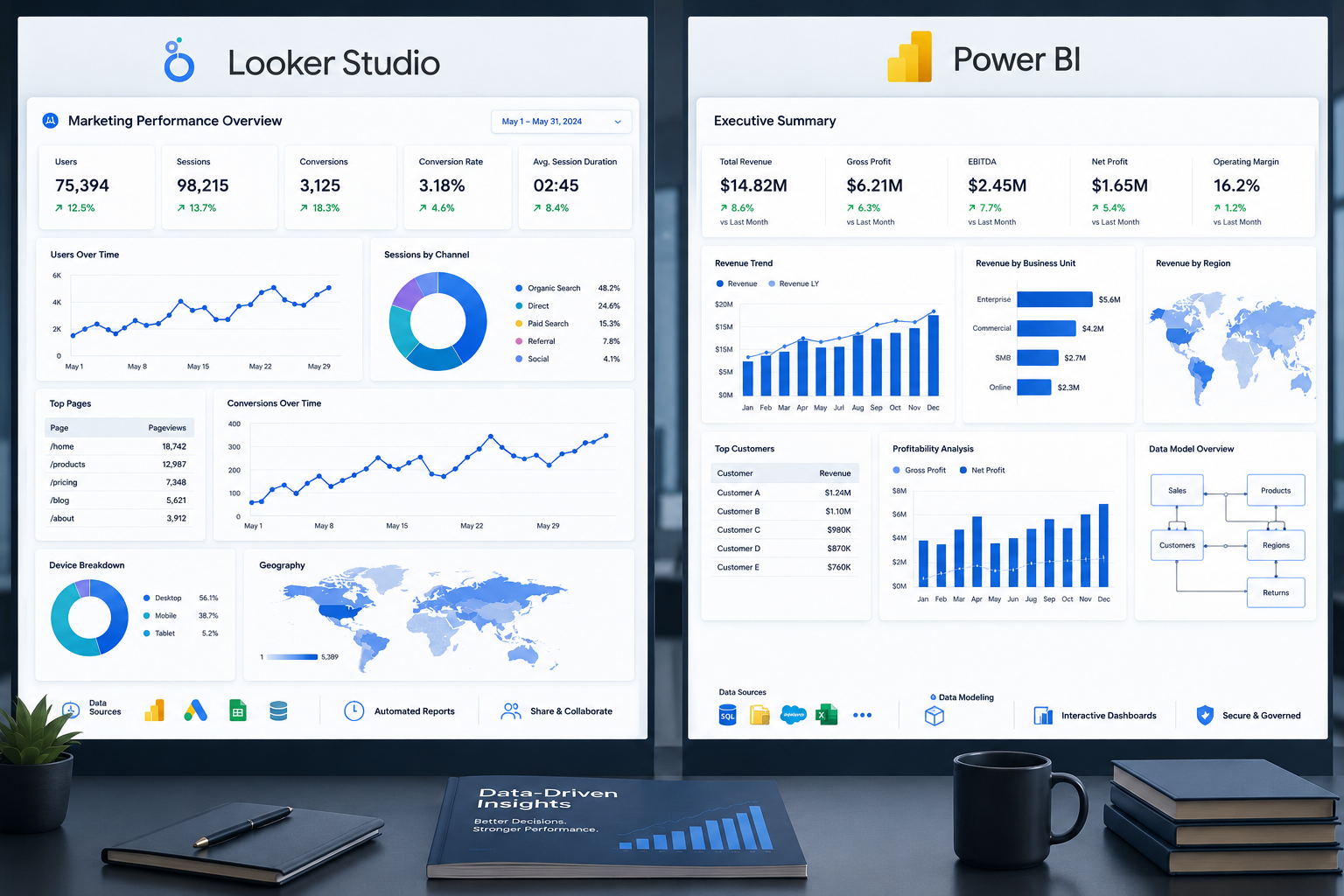
Looker Studio vs Power BI: Which BI Tool Fits Your Business?
Understanding the Role of BI Tools in Modern Teams
Business intelligence tools have become part of everyday decision-making in many organizations. They pull data from different systems, clean it, and present it in dashboards that teams can read without technical help.
Two tools often compared in this space are Looker Studio and Power BI. Both are widely used, but they serve slightly different working styles and infrastructure needs.
For teams working with data-driven operations, the choice is not only about features. It is about how well the tool connects with existing systems, how data is modeled, and how easily teams can maintain reports over time.
At Product Siddha, we see this decision most often during analytics and MarTech implementation projects where reporting systems need to align with CRM, marketing, and product data.
What Is Looker Studio
Looker Studio is a cloud-based data visualization tool developed by Google. It allows users to create dashboards by connecting multiple data sources.
Common use cases include:
- Marketing performance dashboards
- SEO reporting
- Website analytics tracking
- Campaign reporting from Google Ads and GA4
Looker Studio works best in environments that already use Google services heavily. It connects easily with Google Analytics, BigQuery, Google Sheets, and Google Ads.
Its main strength is simplicity. It allows teams to build reports without deep technical setup.
What Is Power BI
Power BI is a business intelligence platform developed by Microsoft. It is designed for deeper data modeling and enterprise reporting.
Typical use cases include:
- Financial reporting systems
- Operational dashboards
- Enterprise data modeling
- Cross-department analytics
Power BI integrates strongly with Microsoft ecosystems like Azure, Excel, and SQL Server. It is often used in organizations with structured data warehouses and complex reporting requirements.
Its strength lies in data modeling flexibility and enterprise-level scalability.
Core Differences Between Looker Studio and Power BI
Data Handling Approach
Looker Studio relies on live connections to data sources. It does not store data in most cases. This makes it fast to set up but limited for complex transformations.
Power BI uses a data modeling layer. It can import data, transform it, and store it internally. This allows deeper analysis and faster performance for large datasets.
Ease of Use
Looker Studio is easier to start with. Most users can build a basic dashboard without training.
Power BI requires more learning. It involves data modeling concepts, relationships, and sometimes DAX formulas.
For non-technical teams, Looker Studio feels more direct. For analytical teams, Power BI offers more control.
Integration Ecosystem
Looker Studio integrates naturally with:
- Google Analytics 4
- Google Ads
- Google Sheets
- BigQuery
Power BI integrates with:
- Microsoft Excel
- Azure data services
- SQL databases
- Enterprise ERP systems
This difference often decides the direction of adoption.
Performance and Scalability
Looker Studio performs well for lightweight dashboards and marketing reports. However, performance can slow down with large datasets and multiple data sources.
Power BI handles large-scale datasets better due to its in-memory processing engine and data compression capabilities.
Feature Comparison Table
| Feature | Looker Studio | Power BI |
| Ease of setup | High | Medium |
| Data modeling | Basic | Advanced |
| Performance on large data | Moderate | Strong |
| Google ecosystem fit | Excellent | Limited |
| Microsoft ecosystem fit | Limited | Excellent |
| Custom calculations | Limited | Advanced (DAX) |
| Cost structure | Mostly free | License-based |
Example: Marketing Dashboard
To understand how both tools behave, consider a digital marketing team tracking campaign performance.
Data Sources
- Google Ads
- Google Analytics 4
- CRM leads from HubSpot
- Email campaign data
Using Looker Studio
Setup flow:
- Connect GA4 and Google Ads directly
- Use Google Sheets for CRM imports
- Build dashboard with drag and drop charts
Result:
- Fast setup
- Easy reporting for marketing team
- Limited data blending capability
Using Power BI
Setup flow:
- Import all data into data warehouse or Power BI model
- Define relationships between campaigns, leads, and revenue
- Build structured dashboard with calculated metrics
Result:
- More accurate attribution model
- Deeper revenue analysis
- Higher setup time but better long-term structure
When Looker Studio Fits Better
Looker Studio is suitable when:
- Teams rely heavily on Google marketing tools
- Reporting needs are simple and visual
- Setup speed is more important than deep modeling
- Small to mid-sized businesses are involved
It is often used by marketing teams that need quick visibility into campaign performance without technical overhead.
When Power BI Fits Better
Power BI is better when:
- Data comes from multiple enterprise systems
- Financial and operational reporting is required
- Data modeling complexity is high
- Long-term scalability is important
It is commonly used by finance teams, enterprise analytics teams, and data engineering teams.
Common Implementation Challenges
Both tools face similar issues when not implemented correctly:
- Poor data structure from source systems
- Inconsistent metrics definitions across teams
- Lack of unified data warehouse
- Overcomplicated dashboards with unnecessary metrics
At Product Siddha, most reporting issues are solved at the data layer, not at the dashboard layer. Without clean data pipelines, no BI tool performs well consistently.
Role of Product Siddha in BI Implementation
Product Siddha helps teams design analytics systems where BI tools are part of a larger data structure.
Key areas include:
- Data pipeline design (ETL/ELT)
- Dashboard architecture planning
- CRM and marketing data integration
- KPI standardization across teams
- BI tool selection based on business needs
The focus is not only on choosing between Looker Studio and Power BI, but on building a system where both tools can operate correctly if needed.
Final Perspective
Looker Studio and Power BI serve different needs rather than competing directly.
Looker Studio works well for fast reporting and marketing-focused dashboards, especially in Google-centric environments. Power BI fits structured enterprise environments that require deeper data modeling and long-term scalability.
The decision depends on how the organization handles data, not only how it visualizes it.
A well-designed data system matters more than the BI tool itself.