
Product Siddha

intelligent automation

Human-in-the-Loop AI When Automation Should Ask for Approval
AI Automation

Human-in-the-Loop AI: When Automation Should Ask for Approval

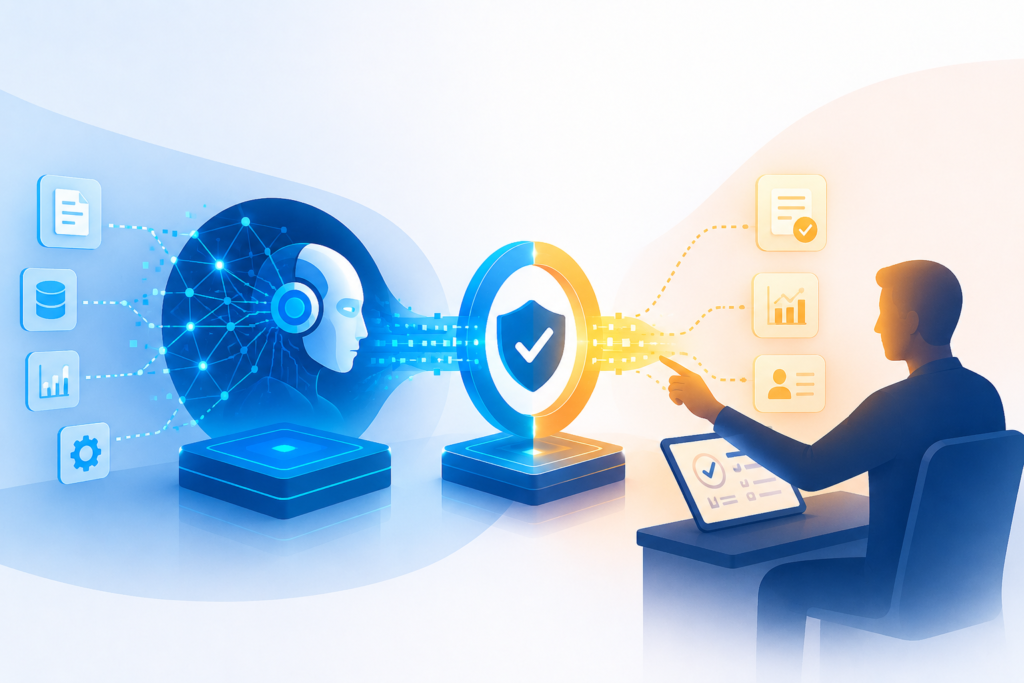
Human-in-the-Loop AI: When Automation Should Ask for Approval Finding the Right Balance Artificial intelligence has become an important part of everyday business operations. Companies use automated systems to process documents, respond to customer requests, analyze information, and complete routine tasks faster than ever before. While these capabilities improve productivity, there are situations where fully automated decisions can create unnecessary risks. Some business processes require human judgment before an action is completed. Financial approvals, legal reviews, healthcare decisions, hiring recommendations, and customer complaints often involve factors that software alone cannot fully understand. This is where Human-in-the-Loop (HITL) AI becomes valuable. Human-in-the-Loop AI combines the speed of AI Automation with human expertise. Instead of allowing automation to complete every task independently, the system pauses when predefined conditions are met and requests approval from a person before continuing. For businesses seeking reliable automation without losing control over important decisions, this approach offers a practical balance between efficiency and accountability. At Product Siddha, we help organizations build AI automation workflows that improve operational efficiency while ensuring human oversight where it matters most. What Is Human-in-the-Loop AI? Human-in-the-Loop AI is an automation model where artificial intelligence performs routine work while humans review, approve, or correct actions that require experience or business judgment. The workflow usually follows this sequence: AI receives a task. The system processes available information. A recommendation or action is prepared. Approval is requested if predefined conditions are triggered. A person reviews the recommendation. The workflow continues after approval or revision. This structure allows organizations to automate repetitive work while maintaining confidence in important business decisions. Why Human Approval Still Matters Artificial intelligence performs well when dealing with structured information and predictable rules. However, businesses regularly encounter situations that require context, interpretation, and professional judgment. For example: A customer refund exceeds company policy. A supplier invoice contains inconsistent information. A healthcare record requires clinical review. A loan application presents unusual financial data. A legal contract includes non-standard clauses. In these situations, automatic decisions may not produce the most appropriate outcome. Human oversight helps prevent costly mistakes. Where Human-in-the-Loop AI Works Best Human-in-the-Loop AI supports many business functions. Finance Finance departments process thousands of transactions every month. AI automation can: Verify invoices Match purchase orders Detect unusual transactions Prepare payment approvals When exceptions appear, finance managers review the transaction before payment is released. Customer Support Many customer requests can be handled automatically. However, complex complaints, compensation requests, or sensitive cases often require human review. AI automation collects information, prepares responses, and routes exceptions to customer service specialists. Human Resources Recruitment systems can screen resumes and organize candidate information. Final hiring decisions, salary approvals, and employee evaluations remain under human control. This supports fairness while reducing administrative work. Healthcare Healthcare organizations increasingly use AI to assist with medical imaging, scheduling, documentation, and patient communication. Doctors continue making clinical decisions while AI provides supporting information. This improves efficiency without reducing professional responsibility. Legal Services AI can review contracts, identify missing clauses, summarize documents, and organize legal files. Lawyers review recommendations before approving legal agreements. Benefits of Human-in-the-Loop AI Organizations adopting Human-in-the-Loop AI often experience several advantages. Improved Accuracy AI handles repetitive work consistently while humans review exceptions. This combination reduces operational errors. Better Compliance Many industries operate under strict regulations. Human approval creates additional accountability for regulated decisions. This supports compliance with internal policies and legal requirements. Higher Productivity Employees spend less time on repetitive administrative work. Their attention shifts toward decisions that require experience and critical thinking. Greater Trust Business leaders often hesitate to rely entirely on automated systems. Knowing that important actions require human approval increases confidence in AI automation. Continuous Improvement Every correction made by employees helps identify opportunities to improve automation rules and AI performance over time. Deciding When Automation Should Ask for Approval Not every workflow requires human review. Organizations should define approval points based on business risk. Typical approval triggers include: High-value financial transactions Contract approval Sensitive customer complaints Policy exceptions Data inconsistencies Regulatory reporting Security alerts Employee termination Vendor onboarding Routine tasks with low business risk can usually remain fully automated. Critical decisions deserve human involvement. Building Effective Approval Workflows Successful Human-in-the-Loop AI depends on well-designed business processes. Several best practices improve results. Define Clear Approval Rules Employees should understand why an approval request has been generated. Simple business rules reduce confusion. Provide Relevant Information Approval requests should include supporting documents, recommended actions, and confidence scores where appropriate. Decision-makers should not need to search for missing information. Keep Approval Steps Efficient Adding unnecessary approval levels slows business operations. Only involve people when their review creates meaningful value. Record Decisions Maintaining approval records improves transparency, supports audits, and helps organizations evaluate workflow performance. Comparison Feature Fully Automated AI Human-in-the-Loop AI Human Review None Required for defined exceptions Decision Accuracy High for routine tasks Higher for complex decisions Compliance Support Moderate Strong Business Risk Higher in sensitive cases Lower through oversight Workflow Speed Faster Slightly slower for approvals Transparency Limited Improved with approval records Employee Involvement Minimal Focused on critical decisions   The Future of AI Automation Human oversight will remain an important part of AI automation as organizations expand the use of intelligent systems. Future automation platforms will become better at identifying situations that require human judgment while independently completing routine activities with greater confidence. Businesses are unlikely to remove people from important decisions entirely. Instead, the relationship between employees and automation will continue to evolve. AI will perform repetitive operational work. People will provide experience, accountability, ethical judgment, and business context. This partnership creates stronger business outcomes than either humans or automation working alone. Final Perspective Human-in-the-Loop AI demonstrates that successful AI automation is not simply about reducing human involvement. It is about placing people where their expertise delivers the greatest value. By allowing automation to manage repetitive processes while reserving important decisions for experienced professionals, organizations improve productivity without sacrificing quality, compliance, or accountability. At Product Siddha, we help businesses design AI automation solutions that combine intelligent

Digital Workers The Next Generation of Business Automation
AI Automation, Blog

Digital Workers: The Next Generation of Business Automation

Digital Workers: The Next Generation of Business Automation A New Workforce for Modern Businesses Businesses have spent years improving efficiency through software, automation tools, and digital systems. Yet many daily operations still depend on people completing repetitive work such as updating records, processing documents, responding to common customer questions, or moving information between applications. These activities consume valuable time while adding little strategic value. This is where digital workers are changing the way organizations operate. A digital worker is a software-driven employee that performs routine business activities using artificial intelligence, automation technologies, and predefined business rules. Unlike traditional automation, digital workers can complete several connected tasks, make simple decisions based on available information, and interact with different business applications. For organizations investing in Business Automation, digital workers provide a practical way to increase productivity without expanding administrative workloads. Organizations across healthcare, retail, manufacturing, logistics, insurance, telecommunications, and professional services are using digital workers to streamline routine operations, improve data quality, and reduce manual effort across business functions. At Product Siddha, we help businesses identify opportunities where digital workers can simplify operations while supporting long-term business growth. What Are Digital Workers? Digital workers are software agents designed to perform work that normally requires human interaction with business systems. They can: Read and process business documents Extract information from business documents, forms, and customer applications Respond to routine customer requests Update CRM and ERP systems Generate reports Monitor workflows Trigger approvals Schedule routine activities Coordinate tasks across multiple applications Unlike a basic automation script, digital workers understand workflows and execute several connected activities without constant human supervision. They work alongside employees rather than replacing them. Human teams continue handling judgment, planning, customer relationships, and business decisions while digital workers manage repetitive operational tasks. Why Business Automation Is Changing Traditional business automation focused on individual tasks. For example: Traditional Automation Digital Workers Sends scheduled emails Manages complete customer onboarding workflows Copies data between systems Collects, validates, and updates customer and business records Creates reports Generates reports and distributes them automatically Processes one workflow Coordinates multiple connected business workflows Digital workers bring together several automation technologies into one intelligent process. This creates smoother operations while reducing delays between departments. Where Digital Workers Create Value Digital workers are useful in nearly every business function. Customer Service They can: Answer common customer questions Create support tickets Route requests to the correct department Update customer information Schedule follow-up communication Support teams spend less time on repetitive requests and more time solving complex customer issues. Customer Onboarding Customer onboarding often involves collecting documents, validating information, updating multiple systems, and notifying different teams. Digital workers can: Collect customer information from online forms Verify required documents are complete Create customer records across business systems Notify internal teams when onboarding milestones are reached Schedule welcome communications This shortens onboarding time while ensuring customer information remains accurate and consistent across departments. Business Operations Many operations and administrative teams spend significant time handling repetitive work that supports daily business activities. Digital workers can: Organize business documents for review Route requests to the appropriate departments Update ERP and operational systems Generate routine operational reports Track approval status for business processes Monitor workflow progress across departments This reduces manual administrative work while helping teams focus on planning, analysis, and business improvement. Human Resources HR teams manage large amounts of employee information. Digital workers help by: Screening applications Scheduling interviews Processing employee onboarding Updating HR systems Managing leave requests Employees receive faster responses while HR professionals focus on talent development. Sales Operations Sales representatives should spend time building relationships rather than updating software. Digital workers can: Update CRM records Assign leads Schedule follow-up reminders Generate proposals Track sales activity This keeps customer information accurate without adding administrative work. Operations and Supply Chain Manufacturing and logistics organizations use digital workers to: Monitor inventory Process purchase requests Track shipments Update warehouse systems Generate operational reports The result is better visibility across business operations. Benefits of Digital Workers Organizations adopting digital workers often experience improvements across several areas. Higher Productivity Routine work moves faster because software performs repetitive activities continuously without interruptions. Better Accuracy Manual data entry often introduces mistakes. Digital workers follow predefined rules consistently, reducing processing errors and improving data quality. Faster Business Processes Many business delays occur while information moves between departments. Digital workers remove unnecessary waiting by completing connected tasks automatically. Lower Operating Costs Reducing repetitive manual work allows businesses to use existing resources more effectively without immediately increasing headcount. Improved Employee Experience Employees generally prefer solving meaningful business problems rather than completing repetitive administrative tasks. Digital workers reduce repetitive workloads while allowing staff to focus on higher-value responsibilities. Building an Effective Digital Workforce Successful implementation involves more than installing automation software. Businesses should begin by identifying processes that are repetitive, rule-based, and time-consuming. Examples include: Customer onboarding Employee onboarding Document verification CRM data management Customer support request routing Report generation Business record updates Once suitable processes are identified, organizations should map each workflow before introducing automation. This helps avoid automating inefficient processes. Working with experienced AI and automation consultants such as Product Siddha helps businesses identify realistic opportunities while reducing implementation risks. Comparison Feature Traditional Automation Digital Workers Task Type Single repetitive task End-to-end workflows Decision Making Rule-based only Rule-based with AI assistance System Integration Limited Multiple connected systems Human Involvement Frequent Exception handling only Scalability Moderate High Productivity Moderate improvement Significant improvement The Future of Business Automation Digital workers continue to become more capable as artificial intelligence develops. Future digital workers will increasingly: Understand natural language Analyze business documents Assist with business decisions Coordinate larger workflows Learn from historical business data Support predictive business operations Businesses will gradually shift from isolated automation projects toward connected digital workforces that operate across departments. Rather than replacing employees, digital workers will become trusted operational partners that handle repetitive processes while allowing people to focus on work that requires judgment, collaboration, and creativity. Organizations that begin building automation capabilities today will be better prepared for future

AI Automation KPIs How to Measure ROI Beyond Cost Savings
AI Automation, Blog

AI Automation KPIs: How to Measure ROI Beyond Cost Savings

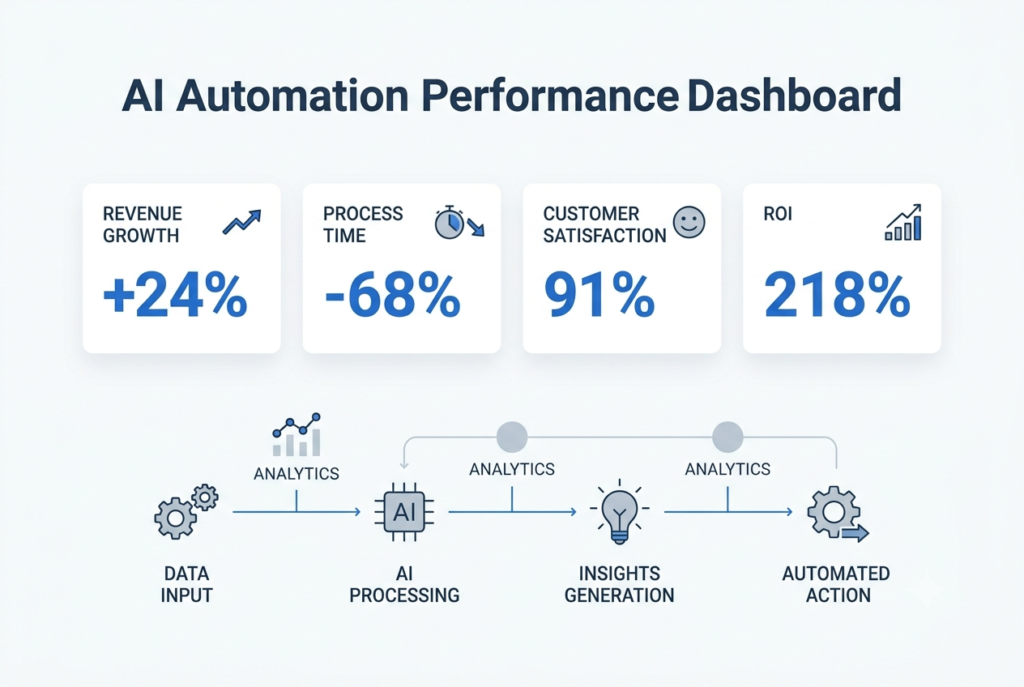
AI Automation KPIs: How to Measure ROI Beyond Cost Savings Looking Beyond Payroll Savings Many AI automation projects are approved because they promise lower operating costs. Business leaders often hear statements such as “automation will save thousands of working hours” or “manual work will be reduced by 60 percent.” While these outcomes are valuable, they rarely represent the biggest return from an automation initiative. For executives responsible for approving technology budgets, the real question is much broader. Did the investment improve business performance? A successful automation project should strengthen revenue generation, improve customer satisfaction, shorten business processes, reduce operational risk, and help employees focus on work that creates greater value. This is why measuring return on investment (ROI) through labour savings alone gives an incomplete picture. At Product Siddha, AI Automation Services are designed around measurable business outcomes. Every implementation begins with clear objectives and a reporting framework that allows leadership teams to evaluate progress using practical business KPIs rather than assumptions. Why Cost Savings Can Be Misleading Imagine two businesses that each invest ₹18 lakh in AI automation. Company A Saves ₹5 lakh annually in staffing costs. No improvement in customer experience. Sales remain unchanged. Employees continue working with disconnected systems. ROI appears modest. Company B Saves only ₹2 lakh in operating costs. Reduces customer response time by 80%. Increases repeat purchases by 18%. Improves lead conversion by 22%. Generates ₹36 lakh in additional annual revenue. Although Company B saved less money directly, its automation project produced significantly greater business value. This illustrates why modern AI projects should be measured using operational and commercial KPIs instead of payroll reductions alone. The ROI Formula Every Executive Should Understand Many organisations make ROI calculations unnecessarily complicated. A practical approach is: ROI (%) = (Total Business Value − Total Investment) ÷ Total Investment × 100 Example An organisation invests: Investment Cost AI Automation Implementation ₹9,00,000 Software Licences ₹4,00,000 System Integration ₹3,00,000 Employee Training ₹2,00,000 Total Investment = ₹18,00,000 After twelve months, measurable business gains include: Business Outcome Annual Value Additional Revenue ₹28,00,000 Operational Savings ₹6,00,000 Fewer Processing Errors ₹4,00,000 Faster Customer Onboarding ₹5,00,000 Total Business Value = ₹43,00,000 ROI Calculation: (43 − 18) ÷ 18 × 100 = 139% ROI This calculation tells leadership something meaningful. The project created more than twice the value of its implementation cost. Scenario 1: Customer Support Automation Consider a growing logistics company serving more than 18,000 active customers. The support team receives approximately 1,300 enquiries every week. Before automation: KPI Before AI Support Agents 8 Average Response Time 16 minutes First Contact Resolution 64% Customer Satisfaction 74% Monthly Support Cost ₹6.2 lakh Management initially expected AI to reduce staffing costs. Instead, Product Siddha recommended automating repetitive customer enquiries while allowing agents to focus on complex cases. After six months: KPI After AI Average Response Time 90 seconds First Contact Resolution 83% Customer Satisfaction 91% Repeat Customer Rate +17% Monthly Support Cost ₹5.8 lakh Direct payroll savings amounted to only ₹40,000 per month. However, customer retention improved significantly. The company estimated that improved retention generated approximately ₹32 lakh in additional annual revenue. If management had measured only salary savings, the project would have appeared average. When customer retention and revenue growth were included, the automation initiative delivered an ROI of over 180 percent within the first year. This is the difference between measuring activity and measuring business impact. Scenario 2: Marketing Automation That Improves Revenue Marketing teams often measure campaign performance using click-through rates and lead volumes. These numbers provide useful information, but they do not always explain which activities contribute to revenue. A B2B technology company was generating approximately 1,500 enquiries each month from paid advertising, organic search, webinars, and email campaigns. The marketing team struggled to identify which channels influenced buying decisions because reports relied almost entirely on last-click attribution. Product Siddha introduced AI-powered marketing automation that connected CRM data, campaign activity, website interactions, and sales outcomes. Before AI KPI Before Marketing Qualified Leads 420 Average Lead Response Time 14 hours Conversion Rate 8.6% Revenue Attributed to Marketing Limited visibility After AI KPI After Marketing Qualified Leads 560 Average Lead Response Time 2 hours Conversion Rate 11.9% Revenue Attribution Accuracy Significantly improved Within nine months, marketing-generated revenue increased by 24% because campaigns could be optimized using complete customer journey data instead of isolated interactions. The KPIs That Matter Most Different departments measure success differently. A useful AI automation dashboard should include financial, operational, customer, and adoption metrics. Executive KPI Dashboard KPI Target Sample Result ROI 150% 186% Payback Period Under 12 months 8 months Revenue Growth 20% 24% Customer Satisfaction 90% 92% Customer Retention 85% 89% Process Completion Time -50% -68% Manual Tasks Automated 70% 76% Employee Productivity +20% +29% A dashboard like this helps executives evaluate business performance without reviewing dozens of operational reports. Build a KPI Roadmap Before Implementation Many organizations begin automation projects without deciding how success will be measured. A better approach is to define milestones before implementation begins. First 30 Days Focus on implementation quality. Measure: System uptime User adoption Workflow completion Integration accuracy Data quality First 90 Days Evaluate operational improvements. Track: Time saved Process cycle time Employee productivity Customer response time Automation success rate After 180 Days Measure commercial outcomes. Include: Revenue growth Customer retention Sales conversion Cost avoidance ROI Payback period This staged approach provides a balanced view of automation performance over time. KPIs That Are Often Overlooked Many organizations monitor operational efficiency but ignore indicators that reveal long-term business value. Examples include: Employee Adoption Rate If only half the workforce uses automated workflows, expected ROI will remain difficult to achieve. Exception Rate Monitor how often manual intervention is required. Lower exception rates indicate that workflows are becoming more reliable. Decision Speed Automation often reduces the time needed for approvals, reporting, and planning. This improvement creates business value that is difficult to measure through payroll savings alone. Customer Lifetime Value Improved customer experiences frequently increase repeat purchases. This can generate significantly greater financial returns than operational

Product Siddha
Privacy Overview

This website uses cookies so that we can provide you with the best user experience possible. Cookie information is stored in your browser and performs functions such as recognising you when you return to our website and helping our team to understand which sections of the website you find most interesting and useful.