
Product Siddha

Blog

Blog, MarTech Implementation

What Does It Cost to Build a Custom Data Pipeline for Marketing?

What Does It Cost to Build a Custom Data Pipeline for Marketing? Understanding the Cost Question When businesses ask about the cost of building a custom data pipeline for marketing, the question rarely stands alone. It usually comes from a place of friction. Reports do not match. Campaign numbers feel inconsistent. Teams spend more time reconciling data than using it. A data pipeline brings order to this confusion. It collects information from different systems, prepares it for use, and delivers it in a form that teams can trust. The cost reflects how difficult that process is in your specific case. At Product Siddha, the first step is not quoting a number. It is understanding how data moves within the business. Without that clarity, any estimate risks being inaccurate. What You Are Actually Building A marketing data pipeline is not a single tool. It is a structured system made up of several parts working together. Most pipelines include: Data sources such as advertising platforms, CRM systems, and websites Data ingestion processes that pull data at regular intervals Transformation layers where raw data is cleaned and organized Storage systems such as data warehouses Reporting layers including dashboards and analytics tools Each layer introduces effort. Each layer also influences the final cost. A Realistic Cost Structure The cost of building a custom pipeline can be understood in three stages. These ranges reflect typical mid-market implementations. 1. Setup and Integration This stage connects all your data sources and establishes the pipeline. Estimated cost: ₹1.5L to ₹5L If your business uses multiple platforms, integration becomes more involved. Each system has its own format and behavior. Some require custom API handling. Others may have limitations that need workarounds. 2. Data Cleaning and Transformation Raw data rarely works as it is. It must be structured, validated, and aligned. Estimated cost: ₹1L to ₹4L This stage often takes more time than expected. Naming inconsistencies, duplicate records, and missing fields require careful correction. If this step is rushed, reporting accuracy suffers later. 3. Dashboard and Reporting Layer This is the interface your team interacts with. Estimated cost: ₹50K to ₹2.5L Simple dashboards with basic metrics are faster to build. More advanced reporting, such as full funnel tracking or segmented views, increases the effort. Total Investment Range Here is a simplified view of overall costs: Complexity Level Estimated Cost Basic Pipeline ₹2.5L – ₹5L Mid-Level Pipeline ₹5L – ₹10L Advanced Pipeline ₹10L+ These figures vary depending on business needs, but they provide a realistic starting point. What Drives These Costs Several factors influence where your project will fall within these ranges. Number of Data Sources More platforms mean more integration work. Each source adds complexity. Data Volume Higher data volumes require stronger infrastructure and better optimization. Processing Type Real-time pipelines cost more due to their technical demands. Batch processing is simpler and more cost-effective. Custom Requirements If you need user-level tracking, advanced attribution, or predictive insights, the pipeline becomes more complex. Team Expertise An experienced team may charge more upfront, but it often prevents costly revisions later. A Practical Example In the case of Product Analytics and Full-Funnel Attribution for a SaaS Coaching Platform, the main challenge was not collecting data. The issue was connecting user behavior across different stages. The solution required building a structured pipeline that tracked users from acquisition to conversion. Events had to be mapped carefully, and data had to be transformed consistently. Once implemented, the team gained clear visibility into which channels were actually driving results. This level of clarity often offsets the initial investment. Another Scenario Worth Noting In Built Custom Dashboards by Stage, the requirement was different. The focus was not on a single unified dashboard, but on multiple views tailored to different teams. Each stage of the funnel had its own reporting logic. This increased the effort during setup, but it made the system more usable in practice. Teams could focus on relevant metrics without sorting through unnecessary data. The added clarity improved day-to-day decision making. Costs That Are Easy to Miss Initial setup is only part of the investment. Ongoing costs should also be considered. Monitoring and maintenance Updates when third-party APIs change Infrastructure scaling as data grows Training teams to use the system effectively Ignoring these elements often leads to underestimating the true cost. Build vs Ready-Made Tools Many businesses consider using standard tools instead of building a custom pipeline. Pre-built tools offer speed and lower upfront cost. However, they may not fit every use case. Custom pipelines take longer but provide greater control. In HubSpot Marketing Hub Setup for a Growing Fintech Brand, a hybrid approach was used. Standard tools handled core functions, while custom integration ensured data consistency across systems. This approach balanced cost with flexibility. When Does Investment Make Sense A custom data pipeline becomes valuable when: Data exists across multiple platforms Reporting takes too long to produce Teams rely on incomplete or inconsistent information Existing dashboards are not trusted In such situations, the cost of not fixing the problem can be higher than the investment required. Custom vs Standard Approach Aspect Custom Pipeline Standard Tools Flexibility High Limited Setup Time Longer Shorter Cost Higher upfront Lower upfront Scalability Strong Tool-dependent Control Full Restricted A Measured Perspective Cost alone does not tell the full story. Value matters more. A well-designed pipeline reduces manual work, improves data accuracy, and allows faster decision making. Over time, these gains accumulate. Product Siddha focuses on building systems that remain stable as the business grows. This reduces the need for repeated rebuilding and helps teams rely on their data with confidence. Final Thoughts There is no fixed price for a custom marketing data pipeline. The cost depends on your systems, your data quality, and your business requirements. What matters is having a clear understanding of what you need and why. With that clarity, the investment becomes easier to evaluate. A structured approach, supported by practical examples and careful execution, ensures that the pipeline delivers lasting value rather than short-term fixes.


AI Automation, Blog

How to Justify AI Automation Investment to Your Leadership Team

How to Justify AI Automation Investment to Your Leadership Team Making the Case Convincing a leadership team to invest in AI automation requires more than enthusiasm. Senior decision makers expect clarity, numbers, and a direct link to business outcomes. A well-prepared case speaks in terms they trust – cost, efficiency, risk, and long-term value. A skilled product consultant understands this balance. The role is not limited to suggesting tools. It involves shaping a clear argument that connects automation efforts with measurable business results. This is where many proposals fail. They focus on capability instead of consequence. This guide outlines a practical way to present AI automation as a sound business decision. Start with a Defined Problem Leadership teams respond better to problems than to possibilities. Begin by identifying a specific operational issue. For example, slow lead response time, manual reporting delays, or repeated data entry tasks. Describe the current state in simple terms. Show how it affects revenue, team productivity, or customer experience. In one engagement involving a real estate platform, the gap was clear. Leads were generated in volume, but follow-up was inconsistent. This resulted in missed site visits and lost opportunities. The automation effort was framed around solving that precise issue. When the problem is clear, the investment becomes easier to understand. Translate Automation into Financial Terms A proposal gains strength when it connects directly to financial outcomes. Break down the expected impact into three areas: Cost reduction Revenue improvement Time savings For instance, if automation reduces manual work by 20 hours per week, convert that into cost savings over a year. If faster response improves conversion rates, estimate the added revenue. A product consultant often builds simple financial models to support this step. These models do not need to be complex. They need to be credible and easy to follow. Use Real Examples to Build Confidence Leadership teams trust evidence more than projections. In the case of From Lead to Site Visit – Voice AI Automation for a Real Estate Platform, automation improved response time and increased qualified site visits. The outcome was not limited to efficiency. It directly influenced revenue flow. These examples show that AI automation is not an abstract concept. It delivers measurable improvements when applied with care. Clarify the Scope of Investment Unclear scope often leads to hesitation. Define what the investment includes: Tools and platforms Implementation effort Ongoing maintenance Training and support A product consultant helps structure this clearly. Leadership teams prefer predictable commitments over open-ended initiatives. It also helps to present the investment in phases. A smaller initial rollout reduces perceived risk and allows room for learning. Address Risk and Uncertainty Every investment carries risk. Ignoring it weakens the proposal. Discuss possible challenges such as integration issues, adoption delays, or data quality concerns. Then explain how these risks will be managed. In AI Automation Services for Agri-Tech/FoodTech VC Fund, early concerns included data inconsistency and process variation. The approach focused on cleaning data and standardizing workflows before automation. This reduced failure risk and improved outcomes. A balanced view builds trust. Show Impact on Teams, Not Just Systems Automation changes how teams work. Leadership teams care about this impact. Explain how roles will evolve. Will repetitive tasks reduce? Will decision making improve with better data? In Built Custom Dashboards by Stage, the benefit was not limited to reporting. Teams gained visibility into performance at each stage, which improved accountability and decision speed. This human angle often makes the difference in approval discussions. Before and After Automation Area Before Automation After Automation Lead Response Delayed and inconsistent Immediate and structured Reporting Manual and time-consuming Real-time dashboards Data Accuracy Prone to errors Standardized and reliable Team Efficiency Repetitive tasks Focus on high-value work Tables like this simplify complex changes. Build a Phased Roadmap Large investments are easier to approve when broken into stages. Start with a pilot project. Measure results. Use those results to justify further expansion. For example, in Product Analytics for a Ride-Hailing App with Mixpanel, the initial focus was on key user actions. Once insights improved decision making, the scope expanded to full funnel tracking. This step-by-step approach reduces resistance. Align with Business Priorities AI automation should not exist as a separate initiative. It must support existing business goals. If the company is focused on growth, highlight revenue impact. If efficiency is the priority, focus on cost and time savings. Product Siddha plays a key role here. They connect technical capabilities with business direction, ensuring that automation efforts are not isolated. A Grounded Perspective At its core, justifying AI automation is about clarity. Leadership teams are not opposed to new investments. They are cautious about unclear ones. A well-structured case answers three questions: What problem are we solving What value will we gain What risks are involved When these answers are supported by real examples and practical reasoning, the conversation changes. It shifts from approval seeking to informed decision making. AI automation is not a trend to follow. It is a tool to solve defined problems and improve how businesses operate. The responsibility lies in presenting it with care, discipline, and evidence. With the right approach, and with guidance from an experienced Product Siddha, organizations can move forward with confidence and avoid costly missteps.

Blog, Product Management

Before You Hire a Product Consultant: 12 Questions That Save You Lakhs

Before You Hire a Product Consultant: 12 Questions That Save You Lakhs The Cost of a Wrong Hire Hiring a product consultant is not a small decision. In many cases, the engagement runs into several lakhs within a few months. What often goes unnoticed is the cost of wrong direction. A consultant who builds the wrong roadmap, tracks the wrong metrics, or ignores user behavior can quietly drain time, budget, and team morale. A good product consultant does not just give advice. They shape how decisions are made, how features are prioritized, and how growth is measured. This is why asking the right questions before hiring matters far more than reviewing a polished proposal. Below are twelve questions that can help you avoid expensive mistakes and find the right partner for your business. 1. How do you approach product discovery? A capable product consultant will not jump straight into solutions. They begin with understanding users, business goals, and constraints. Ask how they validate ideas before development. Look for mention of user interviews, data analysis, and problem framing. If the answer sounds like a fixed process applied to every company, that is a warning sign. 2. Can you share a real example of solving a similar problem? Experience should be specific, not generic. For example, Product Siddha worked on Building a Lead Engine After Apollo Shut Us Out. Instead of relying on a single tool, they designed a multi-channel system that reduced dependency risk and improved lead flow stability. This kind of example shows problem solving under constraints, which is far more useful than standard success stories. 3. What metrics do you track to measure success? A strong product consultant focuses on meaningful metrics, not vanity numbers. They should speak about activation, retention, conversion rates, and revenue impact. If the conversation stays limited to traffic or downloads, the engagement may not deliver business outcomes. 4. How do you balance product intuition with data? Good product decisions sit between instinct and evidence. In one case, Product Siddha handled Product Analytics & Full-Funnel Attribution for a SaaS Coaching Platform. Instead of relying only on dashboards, they combined user journey data with founder insights to refine the funnel. This balance is critical. Too much data can slow decisions. Too much intuition can lead to bias. 5. What tools and systems do you work with? A consultant should be comfortable with modern analytics and marketing tools, but the focus should remain on outcomes. For instance, in Driving Growth for a U.S. Music App with Full-Stack Mixpanel Analytics, the use of Mixpanel was not the highlight. The real value came from identifying user drop-offs and improving engagement loops. The tool matters less than how it is used. 6. How do you prioritize features? Feature prioritization often decides the success or failure of a product. Ask how they choose what to build first. Look for structured thinking such as impact versus effort, user value, and alignment with business goals. Avoid consultants who rely only on founder requests or competitor features. 7. How do you handle unclear requirements? In early-stage or fast-moving companies, clarity is rare. A reliable product consultant should be comfortable working with incomplete information. They should explain how they break down ambiguity into smaller, testable steps. For example, in Building the World’s First AI-Powered Networking Assistant, the initial scope was broad. The approach focused on iterative validation instead of building everything at once. 8. Can you explain a failure and what you learned from it? This question reveals honesty and depth. Every experienced consultant has faced setbacks. What matters is how they learned and adapted. If the answer avoids failure entirely, it is unlikely to be genuine. 9. How do you work with internal teams? A product consultant should not operate in isolation. They must collaborate with developers, marketers, and leadership. Ask how they communicate progress, resolve conflicts, and ensure alignment. In HubSpot Marketing Hub Setup for a Growing Fintech Brand, success depended on aligning marketing and product teams around shared data and workflows. 10. What does your typical engagement look like? Clarity in process helps avoid confusion later. Ask about timelines, deliverables, and involvement levels. A vague answer often leads to scope creep and missed expectations. 11. How do you ensure long-term impact? The goal is not short-term fixes. It is building systems that continue to deliver value. For example, in Built Custom Dashboards by Stage, the focus was on creating visibility across the funnel so that teams could make informed decisions even after the engagement ended. 12. What will you need from us to succeed? This question shifts the focus to collaboration. A good product consultant will clearly state what they expect from your team. This may include access to data, regular check-ins, or decision-making support. If the answer suggests they can handle everything independently, it may lead to misalignment later. Good vs Poor Product Consultant Criteria Strong Consultant Weak Consultant Discovery Approach User and data driven Assumption based Metrics Focus Business outcomes Vanity metrics Communication Clear and structured Irregular and vague Flexibility Adapts to context Uses fixed templates Impact Builds systems Delivers one-time outputs Final Thoughts Hiring a product consultant is a strategic decision. The right choice can accelerate growth and bring clarity to complex problems. The wrong one can slow progress and increase costs without visible results. These twelve questions are not just a checklist. They are a way to understand how a consultant thinks, works, and collaborates. When answered well, they reveal far more than any proposal or presentation. Take your time with this process. A careful evaluation today can save lakhs tomorrow.

AI Automation, Blog

Why Co-Living Companies Need Custom Software

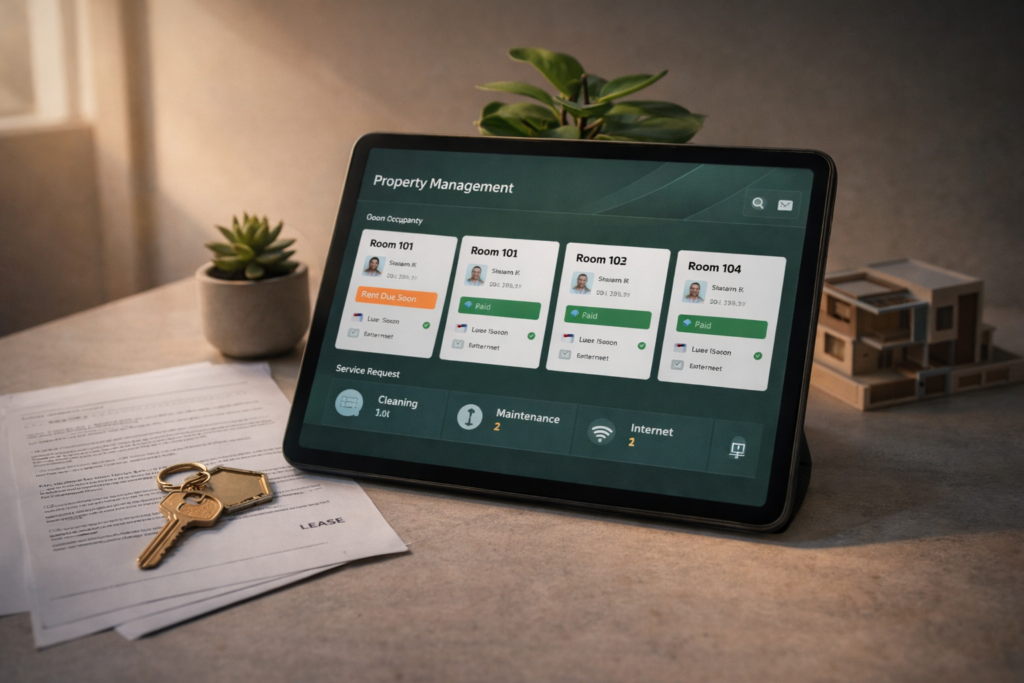
Why Co-Living Companies Need Custom Software Co-living has grown into a distinct segment of the housing market. Young professionals, students, and remote workers increasingly prefer flexible housing with shared services. Property operators now manage multiple buildings, rotating tenants, and various amenities under one business model. Yet many co-living companies still rely on generic property tools or spreadsheets. These tools were originally designed for traditional apartment management. Shared living operations require a different structure. This is where a Custom Software Development Company becomes valuable. Instead of forcing a business to adapt to generic software, a tailored system supports the exact workflow of co-living operations. For companies managing shared housing communities, the difference is practical and immediate. A Different Type of Housing Business Co-living operations differ from conventional rental management in several ways. Residents typically stay for shorter periods. New tenants arrive every few weeks. Services such as housekeeping, internet access, events, and maintenance must be coordinated across many units. Traditional property systems usually focus on long leases and simple rent collection. They rarely track shared services or community activity. As co-living portfolios grow, operational complexity increases. A Custom Software Development Company can design systems that reflect the actual structure of shared living operations. These systems track tenants, services, payments, and property usage in one environment. Operational Challenges in Co-Living Co-living companies often encounter similar operational issues. Challenge Operational Impact Frequent tenant turnover Manual onboarding and offboarding Shared services management Difficulty tracking service requests Multi-property coordination Limited visibility across locations Tenant communication Messages scattered across platforms When these activities are managed manually, staff spend significant time on administrative tasks. Custom systems simplify these operations. Why Generic Property Software Falls Short Standard property management tools usually assume a simple relationship between landlord and tenant. Co-living companies operate in a different environment. Residents may change rooms, extend short stays, or participate in shared activities. Amenities must be scheduled and tracked across multiple users. Generic systems cannot easily represent these patterns. A Custom Software Development Company can build platforms that handle: room level occupancy tracking flexible lease durations service subscriptions community event management integrated payment records This structure allows staff to manage operations without juggling multiple systems. Resident Experience Matters Co-living communities depend on resident satisfaction. Many tenants choose shared living for convenience and social interaction. A digital platform designed for co-living can improve the resident experience in several ways. Residents may use a mobile portal to: reserve shared spaces submit maintenance requests manage rent payments communicate with community managers When these services operate smoothly, the property feels organized and professional. A Custom Software Development Company can develop resident portals tailored to the exact services offered by a co-living brand. Example of Operational Transformation The importance of tailored software appears in several industries where operational complexity increases with growth. One relevant case documented by Product Siddha involves Product Management for UAE’s First Lifestyle Services Marketplace. The platform combined several service categories within one digital system. Users needed a unified interface to browse services, schedule appointments, and track activity. Although the marketplace operated in a different sector, the challenge resembles the situation faced by co-living operators. Multiple services must be coordinated within a single environment. By designing custom product workflows, the system could manage service listings, user engagement, and operational data more effectively. The lesson for co-living operators is clear. When a business offers several services under one roof, standard tools rarely provide the required flexibility. Custom platforms provide better alignment with day to day operations. Core Modules in Co-Living Software A well designed platform for shared housing typically includes several integrated modules. Module Function Tenant Management Track residents, room assignments, and lease duration Billing and Payments Manage rent, deposits, and service subscriptions Maintenance Requests Record and track service issues Community Events Organize resident activities Property Analytics Monitor occupancy and revenue These modules form the foundation of a digital operations system. A Custom Software Development Company can expand these modules as the business grows. Co-Living Software Architecture Tenant Onboarding ↓ Room Allocation ↓ Billing and Payments ↓ Service Requests ↓ Community Engagement ↓ Operational Analytics This simple structure allows managers to view the entire lifecycle of a resident. Benefits for Growing Operators Custom software offers several advantages to co-living businesses. Operational Efficiency Staff spend less time updating spreadsheets or searching for information. Most operational records appear within one dashboard. Data Visibility Managers can monitor occupancy rates, service usage, and revenue patterns. Consistent Resident Communication Messages, service updates, and announcements reach residents through one system. Scalable Infrastructure As the property portfolio expands, the platform grows alongside the business. These improvements help operators focus on building communities rather than managing paperwork. The Role of a Custom Software Development Company Developing software internally can be difficult for real estate operators. Most co-living companies specialize in property management rather than software engineering. Working with a Custom Software Development Company provides access to experienced product teams. These teams design platforms that match operational workflows. A firm such as Product Siddha works closely with businesses to understand their operational structure. Developers and product managers then translate those requirements into a structured digital platform. This collaboration ensures that the software supports real operations rather than forcing the company to change its processes. A Foundation for the Future Shared housing continues to evolve. New services appear as resident expectations change. Co-living operators who rely on manual tools often struggle to keep pace with this growth. Digital systems designed specifically for shared living offer a stable foundation. A platform built by a Custom Software Development Company allows co-living companies to manage properties, coordinate services, and support residents within a single environment. As portfolios expand and communities grow larger, the value of such systems becomes increasingly clear. Custom software does not simply automate tasks. It organizes the entire operational structure of a modern co-living business.

Blog, Product Management

Why Investors Care More About Retention Than Signups

Why Investors Care More About Retention Than Signups In the early life of a startup, growth numbers often receive the most attention. Founders celebrate rising signup counts. Dashboards display daily registrations and user acquisition charts. These figures appear impressive during product launches and press announcements. Investors, however, study a different signal. They want to know whether users remain active after the first visit. Signups show curiosity. Retention shows value. A product that attracts thousands of new users but loses them within days rarely builds a sustainable company. A smaller product that keeps its users engaged often attracts serious investment. This difference explains why investors place greater importance on user retention metrics than on raw signup totals. Looking Beyond the First Click A signup represents the beginning of a relationship with a product. It does not guarantee that the user will return. Many startups experience an early surge of registrations followed by rapid decline in activity. This pattern appears when marketing efforts bring visitors who are only exploring. Investors prefer to see signs of consistent usage. These signs include: repeat visits to the product regular interaction with core features gradual increase in user engagement These patterns indicate healthy product retention rates. They show that the product solves a real problem rather than attracting temporary interest. The Difference Between Growth and Stickiness Two metrics often appear together in startup reports. Metric What It Measures Signups Number of new users joining Retention Percentage of users returning Signups describe the speed at which people discover a product. Retention describes the strength of the product experience. Investors evaluate both numbers together. A product with steady customer retention metrics signals long term potential. Example Scenario Imagine two startups launching similar software tools. Startup A gains 50,000 signups during its first three months. After one week only 5 percent of those users remain active. Startup B attracts 8,000 signups during the same period. After one week 60 percent continue using the product. Although Startup A appears larger, investors usually prefer Startup B. Strong user retention analytics suggest that the product has real market fit. Why Retention Predicts Revenue Sustainable businesses depend on repeated usage. When customers continue using a product, several positive outcomes follow. Subscription payments continue Users recommend the product to others Customer support costs decrease Product data becomes more reliable These effects strengthen customer lifetime value, which investors examine carefully when evaluating a startup. A product that retains users often grows through natural referrals. This pattern reduces the cost of acquiring each new customer. Measuring Retention Correctly Product teams measure retention using several time based methods. Retention Period Purpose Day 1 Retention Checks if users return after the first visit Week 1 Retention Measures early product engagement Month 1 Retention Indicates long term interest These figures form the basis of product retention analysis. Data teams track the percentage of users who return during each period. The results reveal whether the product continues to provide value. Learning from Product Analytics Retention data becomes meaningful only when it connects to user behavior. Product analytics tools help teams understand what users actually do inside the product. One example appears in the case study titled “Driving Growth for a U.S. Music App with Full Stack Mixpanel Analytics.” In this project, analysts examined how listeners interacted with the music platform. The data showed specific points where users stopped listening or left the application. These drop off moments indicated friction in the user experience. After the product team simplified navigation and improved playlist discovery, engagement increased. As retention improved, the product gained stronger evidence of market demand. This example reflects how companies such as Product Siddha apply product analytics and retention tracking to guide product decisions. A Visual Look at Retention Suggested infographic for the article: New Users ↓ First Product Experience ↓ Repeat Visits ↓ Regular Usage ↓ Long Term Customer This path illustrates how a casual visitor becomes a committed user. The Investor Perspective Investors examine retention numbers because they reveal several important characteristics of a startup. Product Market Fit High retention suggests that the product solves a meaningful problem. Users continue returning because the product fits naturally into their daily routine. Efficient Growth When users stay active, growth becomes easier. Returning customers often invite colleagues or friends, creating organic expansion. Reliable Forecasting Retention provides stable revenue projections. Investors can estimate future earnings when customers maintain regular subscriptions. These factors make startup retention metrics a central part of investor evaluation. Real World Example A familiar example comes from the early development of Slack. Before the company became a global workplace communication platform, the founders observed that teams who tried the product often continued using it every day. Daily usage remained extremely high within organizations. This pattern demonstrated strong user engagement and retention. Investors recognized that behavior as a signal of deep product value. The product expanded rapidly after those early indicators appeared. Improving Retention in Practice Founders often ask how to improve retention once a product launches. The answer usually begins with careful observation of user behavior. Product teams often focus on three areas. Clear First Experience New users should quickly understand how the product helps them. Confusion during the first session often leads to abandonment. Reliable Performance Slow loading times and technical errors discourage repeat visits. Stable infrastructure supports better user retention performance. Continuous Product Learning Analytics data should guide product updates. When teams observe where users struggle, they can refine the experience gradually. Companies that follow these steps often see steady improvements in retention. Data That Guides Product Decisions The following chart illustrates common retention indicators used by product teams. Indicator Insight Active users Overall product engagement Session frequency How often users return Feature usage Most valuable product tools Churn rate Percentage of users leaving Together these metrics form a clear picture of product health. Final Insight Signups create the first spark of growth for a startup. They show that people are curious enough to try the product. Yet curiosity alone does not build a durable

Blog, MarTech Implementation

How to Connect 99acres, Magicbricks, and WhatsApp Leads to Your CRM

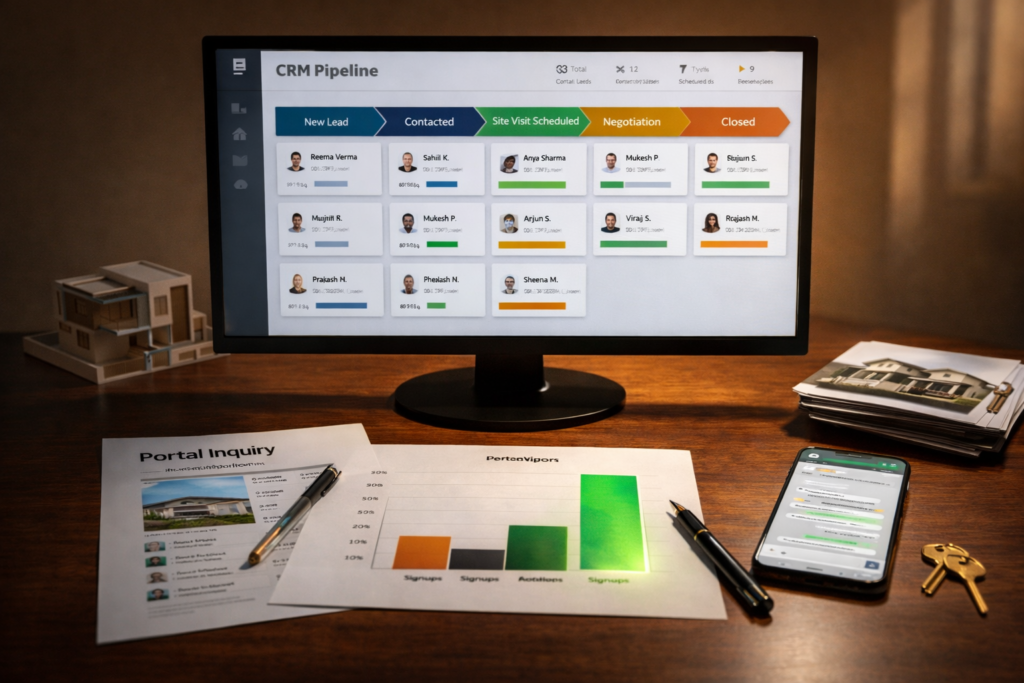
How to Connect 99acres, Magicbricks, and WhatsApp Leads to Your CRM Real estate teams often receive inquiries from several different places. Property portals generate a steady stream of buyer interest. Messaging platforms bring quick conversations. Agents speak with prospects through calls and follow ups. Yet many firms still record these interactions in scattered spreadsheets or informal notes. When leads from 99acres, Magicbricks, and WhatsApp remain disconnected, opportunities disappear quietly. A prospect may send a message, wait for a reply, and then contact another agent. Connecting these sources to a centralized CRM system solves that problem. The process allows every inquiry to enter one place, where agents can track conversations, respond quickly, and follow each lead until the property visit or purchase. Why Lead Integration Matters Property inquiries arrive at unpredictable hours. Some prospects submit a portal form late at night. Others send a short message through WhatsApp during their commute. Without integration, agents must check several dashboards. Leads may remain unnoticed for hours. In property sales, a delay of even thirty minutes can mean losing a serious buyer. A connected system ensures that every inquiry enters the same database automatically. The CRM records the source of the lead, the property of interest, and the contact information. From that point forward, every conversation becomes visible to the team. Where Real Estate Leads Usually Originate Real estate companies in India rely heavily on large property portals. These platforms attract millions of visitors who search for listings each day. Two major examples are 99acres and Magicbricks. Each allows potential buyers to submit inquiries directly from property listings. At the same time, many agents encourage quick conversations through WhatsApp. Prospects prefer messaging because it feels immediate and informal. When these channels remain separate, teams struggle to maintain consistent records. The Role of a CRM in Real Estate Operations A Customer Relationship Management system acts as the central record for every lead and client interaction. When integrated correctly, the CRM performs several essential tasks: Function Practical Value Lead capture Automatically records inquiries from portals and messaging apps Lead assignment Sends new inquiries to the appropriate sales agent Conversation tracking Stores every message, call, and follow up Pipeline visibility Shows which prospects are ready for a site visit or negotiation Without these records, teams rely on memory and manual updates. Step-by-Step Integration Approach Connecting portals and messaging platforms to a CRM usually involves four structured steps. 1. Capture Leads from Property Portals Both 99acres and Magicbricks provide mechanisms that allow lead data to be forwarded to external systems. Developers configure these connections using APIs or automated email parsing. When a prospect submits an inquiry, the system transfers the following information to the CRM: name and phone number property listing preferred location inquiry timestamp This step eliminates manual copying from portal dashboards. 2. Connect WhatsApp Conversations Many prospects send direct questions through WhatsApp before completing a formal inquiry. To capture these conversations, companies connect the WhatsApp Business API to their CRM. This integration performs several tasks: converts new chats into CRM leads stores message history within the contact profile enables automated responses when agents are offline Agents can continue chatting through familiar interfaces while the CRM records each interaction. 3. Automate Lead Assignment Once leads enter the CRM, the system distributes them to agents automatically. Distribution rules may depend on: project location property type inquiry source agent availability A residential inquiry in Bangalore, for example, may route to a specific sales manager who handles that region. Automation prevents situations where multiple agents respond to the same lead or where no one responds at all. 4. Track Progress Through the Sales Pipeline After integration, every inquiry progresses through defined stages. A simplified pipeline often includes: Stage Description New Lead Inquiry received from portal or WhatsApp Contacted Initial conversation completed Site Visit Scheduled Property visit arranged Negotiation Pricing and terms discussed Closed Purchase completed or lead archived Managers can review this pipeline daily and identify delays. Lead Flow in a Real Estate CRM Property Portals (99acres / Magicbricks) ↓ Lead Capture API ↓ CRM Lead Database ↓ Agent Assignment ↓ WhatsApp Conversation Tracking ↓ Site Visit Scheduling ↓ Deal Closure Practical Advice for Implementation Real estate businesses considering this integration should begin with a clear inventory of their lead sources. Start by listing every place where prospects initiate contact. Most firms discover several channels they had overlooked. Next, select a CRM platform capable of handling portal integrations and messaging APIs. Many modern systems offer ready-made connectors for property portals and messaging services. Finally, Product Siddha defines internal procedures for responding to new leads. Technology can route the inquiry, but the human response still determines the outcome. Organized Systems Win More Deals Real estate success depends on timing and persistence. Buyers explore several options before committing to a property. The company that responds quickly and maintains consistent communication often gains the advantage. Integrating portals such as 99acres and Magicbricks with messaging platforms like WhatsApp allows teams to manage inquiries in an orderly way. Instead of scattered records and missed messages, every prospect appears in a single system. Over time, this simple change improves response speed, strengthens follow up discipline, and gives managers a clearer picture of their pipeline. For growing real estate companies, the shift from manual lead handling to integrated CRM workflows often marks the difference between scattered effort and steady growth.

AI Automation, Blog

How AI Can Answer Property Buyer Questions Instantly

How AI Can Answer Property Buyer Questions Instantly Buying property rarely begins with a single decision. It begins with questions. A buyer wants to know the price, the location, the nearby schools, and the payment terms. Each answer helps the buyer move one step closer to a visit or a purchase. For real estate teams, responding to every inquiry quickly can be difficult. Messages arrive through websites, chat tools, phone calls, and property portals. Sales agents cannot respond instantly to every request. This situation explains why many property platforms now rely on AI Automation. Properly designed systems answer common buyer questions within seconds. The buyer receives clear information. The sales team gains time to focus on serious prospects. The Nature of Buyer Questions Property buyers tend to ask similar questions at the beginning of their search. These questions appear across nearly every real estate website. Typical inquiries include: Buyer Question Information Requested What is the price of this property? Cost and payment plan Is the property available now? Current availability Where is the location? Map and neighborhood What amenities are nearby? Schools, hospitals, transport How can I schedule a visit? Booking a site tour Sales teams can answer these questions manually. However, when hundreds of inquiries arrive each day, response time becomes slow. This is where AI Automation becomes useful. Automated systems respond immediately with accurate property information. How AI Automation Works in Real Estate At its core, AI Automation connects three components. A knowledge base containing property details A conversational interface such as chat or voice An automated workflow that delivers responses When a buyer submits a question, the system scans the stored information and returns the correct reply. The response appears instantly through chat or voice. This approach handles routine inquiries without human intervention. Agents step in only when the conversation becomes complex. Simplified AI Workflow Suggested infographic for the article: Buyer Question ↓ AI Chat or Voice Interface ↓ Property Database Search ↓ Instant Response ↓ Optional Human Agent Support This structure allows property websites to answer questions around the clock. Why Instant Responses Matter Speed affects buyer behavior more than many real estate firms realize. When a buyer asks about a property and receives a quick reply, interest remains high. If the response arrives hours later, attention may already have shifted elsewhere. Research in customer communication has shown that prompt responses often increase the likelihood of a follow up action such as a call or site visit. With AI Automation, a property platform can answer inquiries at any time of the day. Buyers in different time zones receive the same prompt service. Example from a Real Estate Automation Project A useful illustration comes from the case study titled “From Lead to Site Visit – Voice AI Automation for a Real Estate Platform.” This project involved a property platform that struggled to manage incoming buyer calls. The company received large numbers of inquiries from online advertisements and listing portals. Many callers simply wanted basic information about property pricing and location. Agents spent hours answering the same questions. An automated voice system was introduced to handle the first stage of communication. When a caller asked about a property, the system retrieved details from the property database and provided an immediate response. The result was simple yet significant. Sales agents spent less time repeating routine information. They could focus on scheduling property visits and discussing purchase decisions. This example demonstrates the practical role of AI Automation services in real estate operations. The Types of Questions AI Handles Well Not every conversation should be automated. Still, many early stage buyer questions follow predictable patterns. The following categories work well with AI Automation systems. Question Type AI Capability Property price Retrieve stored pricing Availability Check listing status Location details Provide map links Payment options Explain installment plans Visit scheduling Connect to calendar These functions remove routine work from the sales team. Combining Automation with Human Expertise A balanced approach works best. Automation should guide the early stage conversation, while experienced agents handle complex discussions. For example: AI provides property details AI collects contact information AI schedules a visit Agent conducts the property tour This cooperation improves efficiency without removing the personal element that property buyers often expect. Example from Global Property Platforms Several international property platforms already rely on automation for initial inquiries. Large listing sites often include automated chat tools that answer questions about listings. These systems pull information directly from the property database. A buyer might ask, “What is the price of the apartment in Marina District?” The system replies with the exact listing price and basic details. This form of AI driven automation keeps the conversation active even when human staff are unavailable. Role of Product Siddha in Automation Projects Companies that specialize in product development often help businesses design these systems carefully. Product Siddha has worked on automation initiatives where structured data and analytics play a key role. In automation projects, product teams focus on several areas: organizing property data building reliable conversation flows tracking buyer interactions improving response accuracy These steps ensure that AI Automation solutions remain useful rather than confusing. Measuring the Impact Real estate firms can measure the results of automation through simple indicators. Metric What It Shows Response time Speed of answering inquiries Lead volume Number of buyer contacts Site visit bookings Conversion to physical visits Agent workload Reduction in routine calls When these numbers improve, the system is working effectively. Visual Explanation of the Buyer Journey Suggested chart for the blog: Online Property Listing ↓ Buyer Inquiry ↓ AI Automation Response ↓ Lead Qualification ↓ Site Visit Booking ↓ Sales Discussion This structure helps property firms handle large numbers of inquiries without overwhelming the sales team. Final Reflection Property buyers value clarity and speed. They want quick answers before committing to a visit or negotiation. For real estate platforms managing hundreds of daily inquiries, responding instantly can be difficult. AI Automation offers a practical solution. By answering routine questions immediately, automated

Blog, Product Management

Why Non-Technical Founders Should Launch an MVP Before Building a Full Product

Why Non-Technical Founders Should Launch an MVP Before Building a Full Product Many founders begin with a clear idea but no technical background. They know the problem they want to solve and understand their market, yet the process of building software feels uncertain. The instinct is often to build a complete product from the start. That approach can drain time, money, and energy before anyone confirms that the idea actually works. A better path is to begin with MVP development. A Minimum Viable Product allows founders to test a concept with a small set of core features before investing in a full system. This approach has shaped the early stages of many successful companies. For non-technical founders in particular, it reduces risk and provides practical insight into what customers truly want. Understanding the Purpose of an MVP A Minimum Viable Product is not a prototype built only for demonstration. It is a working product designed to solve one essential problem for a specific group of users. Instead of building ten features at once, the team focuses on the single feature that delivers the most value. This approach allows founders to answer three critical questions early: Do people actually need this product? Are they willing to use it repeatedly? Will they eventually pay for it? For a non-technical founder, MVP development becomes a practical learning tool. The product enters the real market quickly and feedback replaces assumptions. Why Full Product Development Is Risky at the Start Building a complete product before testing demand often leads to expensive mistakes. Many founders design elaborate feature lists based on personal opinions or early conversations. Once development begins, months pass before the product reaches users. By that time the market may respond differently than expected. Three common problems appear in early stage product launches: Risk What Happens Overbuilding Teams create features customers never use Delayed feedback Real user insights arrive too late Budget exhaustion Development costs rise before revenue appears Through structured MVP development, founders avoid these traps. They gather feedback earlier and make adjustments while costs remain manageable. Real Market Learning Happens After Launch Ideas rarely survive unchanged once real users interact with them. Customers often interpret a product differently from how the founder imagined it. A feature that seemed minor may become central. Another feature may prove unnecessary. Launching an MVP allows founders to observe how people actually behave. For example, a ride-hailing startup that focused only on driver scheduling might discover that customers care more about arrival notifications than scheduling tools. This insight appears only after real usage. Product teams can then refine their roadmap using real behavior rather than predictions. A Practical Example from Product Siddha In the case study “Building the World’s First AI-Powered Networking Assistant”, the early phase focused on validating whether professionals would use an AI assistant to manage networking conversations. Instead of building a complete platform with every possible feature, the early system concentrated on a few essential capabilities: identifying relevant contacts suggesting conversation starters helping users follow up after meetings This limited release allowed the team to observe how people interacted with the assistant in real situations. Feedback revealed which suggestions users valued and which functions felt unnecessary. Because the initial build followed a structured MVP development process, improvements could be made quickly before expanding the product further. The lesson is simple. Early validation guided later development and prevented unnecessary complexity. Benefits of MVP Development for Non-Technical Founders Founders without technical experience gain several advantages when they begin with an MVP. 1. Lower Financial Risk Software development can be expensive. An MVP reduces the initial investment because only core features are built. Founders can test their idea without committing the full development budget. 2. Faster Time to Market Instead of waiting many months for a full system, an MVP can often launch in a few weeks or a few development cycles. This speed allows founders to begin learning from users almost immediately. 3. Clearer Product Direction Once real feedback arrives, product decisions become easier. Rather than debating hypothetical features, the team focuses on improvements that users actually request. 4. Easier Investor Conversations Investors often ask a simple question. Has the market shown interest? An MVP with active users demonstrates early traction. Even modest usage numbers can show that the problem is real. The MVP Development Process Although each product differs, most MVP projects follow a similar sequence. Step 1: Define the Core Problem The team begins by identifying the single problem that matters most to the target audience. If the product solves that problem effectively, users will tolerate missing features during early stages. Step 2: Select Essential Features Only the functions required to solve the core problem are included. Every additional feature increases development time and complexity. Step 3: Build the First Version Developers create a functional system that users can interact with. Quality still matters. Even a minimal product must work reliably. Step 4: Release to Early Users The MVP is introduced to a small group of real customers. Usage patterns and feedback provide the most valuable insights. Step 5: Iterate Based on Evidence Improvements follow actual user behavior. Features expand gradually as demand becomes clear. Visual Snapshot of the MVP Journey Infographic Concept Idea ↓ Problem Validation ↓ MVP Development ↓ Early Users ↓ Feedback ↓ Product Expansion This cycle repeats several times as the product grows. Example Scenarios Where MVPs Work Well Many industries benefit from the MVP approach. Industry Example MVP Idea Healthcare Appointment scheduling app with basic reminders Real Estate Property listing platform with limited search tools Education Simple course subscription platform Fitness Coaching app that tracks workouts and feedback Each example begins with one clear function rather than a large ecosystem. How Product Siddha Helps Founders Move from Idea to Product Many founders possess strong domain knowledge but lack technical guidance. This gap is where companies like Product Siddha provide structured support. Their work across analytics, product management, and AI automation often begins with defining the earliest workable version

Blog, Product Management

How to Build a Startup MVP Without Writing a Single Line of Code

How to Build a Startup MVP Without Writing a Single Line of Code Build an MVP Without Code Startups often stall before the first product appears. Founders spend months planning a system, hiring developers, and raising funds. Many never reach the stage where users can try the product. The idea remains on a whiteboard. A different path exists today. A founder can launch a working product with no coding knowledge. Tools now allow anyone to assemble a product piece by piece, test the idea with users, and gather feedback. This method keeps risk low and speed high. This guide explains how to approach MVP development without writing a single line of code. The process relies on practical tools, careful planning, and a clear understanding of the problem you want to solve. What an MVP Actually Means An MVP is the smallest version of a product that solves one clear problem. It is not a rough prototype or a collection of half-built features. It is a working solution that people can use. Good MVP development focuses on three questions. What problem does the product solve Who experiences that problem the most What is the simplest feature that solves it When founders skip these questions, they build too much. When they answer them honestly, the product becomes small, focused, and testable. No-code tools make this approach practical. Instead of building a full platform, you assemble the core functions and place them in front of real users. The Rise of No-Code Tools Ten years ago a founder needed a development team to build almost anything online. Today there are platforms that provide ready-made building blocks. Examples include tools for: Web app creation Database management Workflow automation Payment processing User authentication A founder can connect these parts together like a system of modules. The result is a functioning product. This shift has changed the way startup MVP development works. Teams now test ideas quickly before committing to complex engineering work. The Step-by-Step Path 1. Define the Core Problem Every product begins with a problem that affects a specific group of people. Take a moment to write a simple statement. Example: “Freelancers lose track of client invoices.” That statement already suggests a product direction. The MVP does not need accounting tools, dashboards, and reporting features. It only needs to help freelancers track invoices. Clear problems lead to focused minimum viable product development. 2. Design the Product Flow Before opening any tool, sketch the product on paper. Draw three things: How a user enters the product What action they perform What result they receive This exercise reveals unnecessary steps. For example, an invoice tracker might have only three screens. Step User Action Result 1 Create invoice Invoice stored 2 Send invoice Client receives link 3 Payment status User sees paid or pending This small structure is enough for an MVP. 3. Choose No-Code Development Tools Different tools serve different purposes. A simple MVP might combine several platforms. Function Example Tool App builder Bubble Website builder Webflow Database Airtable Automation Zapier Payments Stripe Analytics Mixpanel These platforms connect easily through APIs or built-in integrations. Using this stack, founders can handle MVP software development tasks without engineering teams. 4. Build the First Working Version At this stage the goal is not perfection. The goal is usability. Start with the main feature. For the invoice example: User signs up User creates invoice User sends invoice Ignore everything else. Many founders delay launch because they worry about design or advanced features. Early users care about whether the tool solves the problem. That is the essence of lean MVP development. 5. Add Basic Analytics Even a small product should track user behavior. Analytics tools help answer questions like: How many users sign up Which features they use Where they abandon the product A simple dashboard can reveal whether the idea works. Product analytics platforms play a major role in modern MVP development services. Example from Product Siddha A good example appears in one of the projects handled by Product Siddha. The case study titled Driving Growth for a U.S. Music App with Full-Stack Mixpanel Analytics shows how data helps refine an early product. The team did not start by expanding the application with dozens of new features. Instead they studied how users moved through the app. Mixpanel data showed where users dropped off during the listening journey. After identifying those friction points, small adjustments improved engagement. The lesson is clear. Even when a product exists, understanding user behavior matters more than adding features. This method reflects disciplined product MVP development. Build something small, observe real usage, and adjust the product based on evidence. A Simple MVP Architecture Below is a basic structure used in many no-code startups. Landing Page ↓ User Signup ↓ Core Feature ↓ Payment or Action ↓ Analytics Tracking Each layer uses a separate tool. Together they create a functioning product. This modular approach reduces risk during MVP product development. If one component needs replacement later, the rest of the system remains intact. MVP Development Workflow Idea ↓ Problem Definition ↓ Simple Product Flow ↓ No-Code Tool Selection ↓ Build MVP ↓ User Testing ↓ Product Improvement This loop continues until the product shows clear demand. Real Example from the Startup World A well-known example outside the Product Siddha ecosystem comes from the early days of Airbnb. Before building a complex booking platform, the founders created a simple website listing a few air mattresses in their apartment. Guests could book a stay during a conference in San Francisco. The first version had minimal technology behind it. The founders wanted to test whether people would pay to stay in someone else’s home. Once they confirmed demand, they invested in full software MVP development and eventually built a global marketplace. The lesson is simple. Real users provide better answers than assumptions. When to Move Beyond No-Code No-code tools are powerful, but they are not always permanent solutions. Signs that a product should move to custom engineering include: Large numbers

Blog, Product Management

7 Mistakes Non-Technical Founders Make When Hiring Developers

7 Mistakes Non-Technical Founders Make When Hiring Developers Starting a technology company without a technical background is common. Many successful founders began with business knowledge rather than programming skill. The difficulty appears when the first development team must be hired. A founder who does not understand software engineering often depends entirely on the judgment of others. That situation can create expensive problems. Projects run late, budgets expand, and the product takes a shape that no longer reflects the original idea. These problems rarely come from bad intentions. They usually arise from small misunderstandings during the hiring stage. The following seven mistakes appear again and again when non technical founders recruit developers. Recognizing them early can save time, money, and months of confusion. The Hiring Challenge A founder entering the world of software development faces an unusual gap in knowledge. Business planning feels familiar. Customer research feels natural. Yet software engineering follows its own logic. Many founders approach hiring as if they were selecting a marketing manager or accountant. The same process rarely works for technical roles. Companies such as Product Siddha often encounter startups that arrive after their first hiring attempt has failed. In many cases the problem started with one of the mistakes described below. 1. Hiring Without a Clear Product Plan The most common mistake appears before the first interview even begins. The founder does not yet have a clear product plan. Developers cannot build an idea that exists only in conversation. They require structure. This usually includes: A written product outline A list of essential features Basic user flow diagrams Without these elements the developer must guess what the founder intends. That guess often changes several times during the project. Each change increases development time. A simple document describing the minimum product helps avoid this problem. Example Product Outline   Section Description Core Problem What user problem the product solves Key Feature The one action users must complete User Flow Steps from signup to result Platform Web application or mobile app Even a brief plan can guide early development decisions. 2. Judging Developers Only by Cost Budget matters in every startup. Still, selecting developers solely because they offer the lowest price often leads to difficulty. Software development requires careful thinking and steady testing. When the price falls far below the normal range, it usually signals one of two issues: The developer lacks experience The developer plans to rush the work In both situations the founder may pay the difference later through delays and repairs. Experienced founders compare several proposals before making a choice. They examine technical approach, timeline, and communication style along with cost. 3. Ignoring Communication Skills A skilled developer who cannot explain technical ideas clearly becomes difficult to work with. Non technical founders rely on simple explanations to understand progress. During interviews it helps to ask candidates to describe a previous project in plain language. A capable developer should explain the problem, the approach, and the result in simple terms. Poor communication often causes misunderstandings about features, deadlines, and product direction. 4. Skipping a Small Test Project Many founders hire developers immediately after one interview. This step creates risk. A short test project allows both sides to evaluate the working relationship. The task might involve: Building a small interface Connecting a basic database Fixing an existing bug The test does not need to be large. Its purpose is to observe how the developer works. Founders can see how quickly the developer responds, how clearly the code is organized, and how carefully instructions are followed. This simple step prevents many hiring errors. 5. Expecting One Developer to Do Everything Software projects involve several distinct roles. These may include: Role Responsibility Front End Developer Builds the user interface Back End Developer Handles data and server logic Product Manager Defines product direction QA Tester Checks for errors Non technical founders sometimes expect a single developer to perform all of these tasks. A rare individual may handle several roles. Most projects benefit from dividing responsibilities. Understanding these roles helps founders build a balanced team. 6. Neglecting Product Analytics from the Beginning Many startups build a product without tracking how users behave inside the application. This creates a blind spot. The founder cannot see which features people use or where they abandon the product. A case study connected to Product Siddha illustrates this issue well. In the project titled “Product Analytics for a Ride Hailing App with Mixpanel,” the team analyzed user behavior across the application. They tracked events such as ride search, booking attempts, and payment completion. The data revealed specific points where riders stopped using the service. After the product team improved those areas, engagement increased. Without analytics tools, these insights would remain invisible. Early development should include basic event tracking and reporting. Example Product Analytics Metrics Metric Purpose User Signups Measures interest in the product Feature Usage Shows which tools people use Drop Off Points Identifies where users leave Conversion Rate Tracks completed actions These numbers guide product improvement. 7. Forgetting Long Term Product Maintenance Launching the first version of a product is only the beginning. Software requires ongoing maintenance. Servers must be updated. Security patches must be installed. Small bugs appear as more users arrive. Founders sometimes assume the project ends once development finishes. Later they discover that no one is responsible for maintaining the system. During hiring discussions it helps to ask developers about long term support. A clear maintenance plan protects the product from future problems. Real World Illustration Many technology startups follow this learning path. The founders of the online marketplace Etsy faced similar challenges in their early days. The original team consisted of creative entrepreneurs rather than experienced software engineers. Early hiring decisions shaped the technical direction of the company for years. Their experience highlights a broader lesson. A thoughtful hiring process helps protect the product vision. Closing Perspective Non technical founders bring valuable strengths to a startup. They understand markets, customer behavior, and business growth. Software development introduces a different