Product Siddha

Product Analytics

Blog, Product Analytics

Building a Repeatable Product Launch System with Automation and Analytics

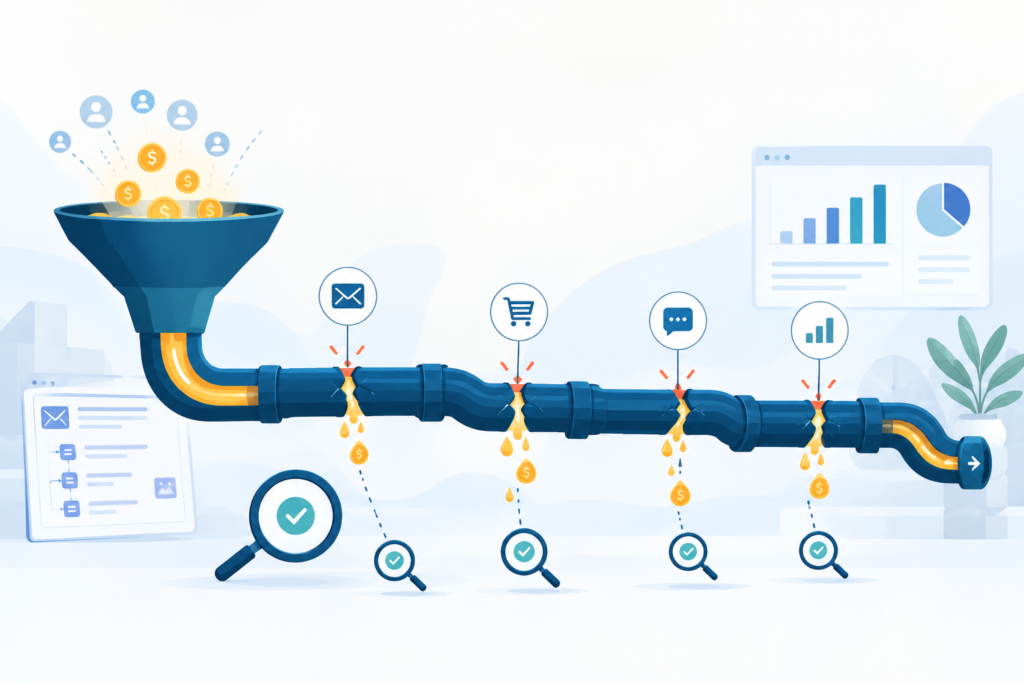
Building a Repeatable Product Launch System with Automation and Analytics Why a System Matters Launching a product for the first time is often chaotic. Teams scramble to coordinate timelines, marketing, development, and feedback. Without structure, you may rely heavily on manual effort, inconsistent tracking, and guesswork. That makes it hard to know what worked and what failed – and even harder to repeat success. What many companies need instead is a repeatable product launch system. Such a system treats a product launch as a process rather than an event. It depends on automation to reduce manual work, and analytics to measure each stage. Over time it becomes a predictable, optimizable workflow. This approach aligns with how Product Siddha operates. Their core framework – Build Real, Learn What Matters, Stack Smart Tools, Launch with Focus – reflects precisely this idea. Key Components of a Repeatable Launch System Component Purpose What to Automate / Measure Defined launch workflow Ensures every launch follows the same steps Task scheduling, notifications, handoffs Analytics instrumentation Captures user behavior and product performance Event tracking (e.g. sign-ups, conversions, churn) Data-driven decision points Allows teams to evaluate and improve after launch Dashboards for adoption, engagement, retention Feedback and iteration loop Enables continuous refinement with minimal friction Automated feedback collection, release triggers based on metrics Scalable tool stack Reduces manual overhead and supports growth Low-code workflows, integrated analytics, unified dashboards How Automation and Analytics Work Together Automation and analytics are not separate helpers – they reinforce each other. Automation ensures repeatability. Analytics ensures insight. Together they make launching less risky, faster, and more informed. For example, automation can handle every non-creative, rule-based task: scheduling deployment, notifying stakeholders, syncing databases, launching promotional emails, generating reports. Analytics then measures how users respond: Are signups rising? Is retention stable? Where do people drop off? Armed with these insights, teams can iterate confidently. Maybe onboarding needs simplification. Maybe messaging around key features must change. Maybe pricing or positioning should shift. Each launch becomes a learning opportunity – and the data ensures learning is grounded in truth, not assumption. Real Example: How Product Siddha Did It When a popular prospecting database became unavailable, Product Siddha shifted from dependence on a third-party tool to building an internal lead-generation engine. They used open tools like Google Maps API, n8n, and Apify to build an automated workflow: scrape live business data, enrich leads via LinkedIn, store clean data in Google Sheets, and schedule periodic updates – all without manual effort. That engine became repeatable. It delivered fresh leads consistently. It cut costs relative to paying third-party subscription prices. It turned a brittle dependence into a stable, controllable system. This same principle applies to product launches. Once you invest in automation and analytics infrastructure, each future launch reuses that foundation – with less friction, lower risk, and clearer measurement. Another example: On a project for a U.S. music-discovery app, Product Siddha implemented full-stack analytics via Mixpanel. The team instrumented key user events: first use, activation, subscription conversion, retention after periods of inactivity. With those analytics dashboards in place, product managers no longer needed to request custom reports. Teams made decisions weekly based on real user behavior. Interface tweaks, growth experiments, and marketing adjustments all came from the same data. That data-driven approach enabled repeatable cycles: launch – measure – iterate – launch. Steps to Build Your Repeatable Launch System Map your ideal launch flow Identify every step needed: development, QA, marketing preparation, pre-launch content, promotion, user feedback, post-launch updates. Write it down. Keep it simple. Automate every repeatable step Use tools like workflow engines (e.g. n8n, Zapier, Make) to automate scheduling, notifications, data sync, content publishing, reporting, etc. The fewer manual handoffs, the fewer chances for error. Instrument analytics from day one Set up analytics to capture meaningful events: user signups, first-time use, feature adoption, conversion, churn. Use reliable tools that support funnel analysis, cohorts, and retention tracking. Build shared dashboards Create visual dashboards where stakeholders (product, marketing, executives) can see launch metrics at a glance. Ensure metrics link to business goals: activation rate, conversion rate, retention, revenue, engagement. Define decision points/triggers Decide ahead of time what metrics determine success or need iteration. For example: If activation < X% after 30 days, revisit onboarding flow. If retention drops below Y% in week 2, adjust messaging. After-action review and documentation After each launch, hold a review. Document what worked, what didn’t, and what should change next time. Store these lessons – they become part of the system. Scale the tool stack as needed As your launches grow in complexity or frequency, ensure your automation and analytics mechanisms scale too. Add data warehouses, experiment tracking tools, cross-platform integrations, or automated regression checks. Why This Approach Beats a One-Off Launch Predictability: With a system in place, you understand roughly how long a launch will take, what resources it needs, and what work remains. Repeatability: Once built, the same flow can be reused for each product or feature launch. Insight: Analytics gives you objective feedback. You know what users do, where you lose them, what features they engage with. Speed and cost efficiency: Automation reduces manual work, lowers risk of human error, and saves time. Continuous improvement: Each launch yields data. Each data point refines future launches. What to Watch Out For Setting up automation and analytics requires investment in time and tools. Initial effort may feel heavy, especially for small teams. It can also create a false sense of security. A system is only as good as the process and data behind it. Poor instrumentation or unclear metrics may lead to misleading conclusions. Regular audits and updates are essential. Also, avoid over-automation. Creative tasks – design, messaging, customer empathy – still need human judgment. Use automation to support people, not replace them. Final Thoughts Building a repeatable product launch system using automation and analytics is not magic. It is discipline, consistency, and smart design. Once you invest in the foundation – clean workflows, automated tools, proper analytics – each future launch

Blog, Product Analytics

Best Klaviyo Consultants for 100+ Email Flows as We Enter 2026

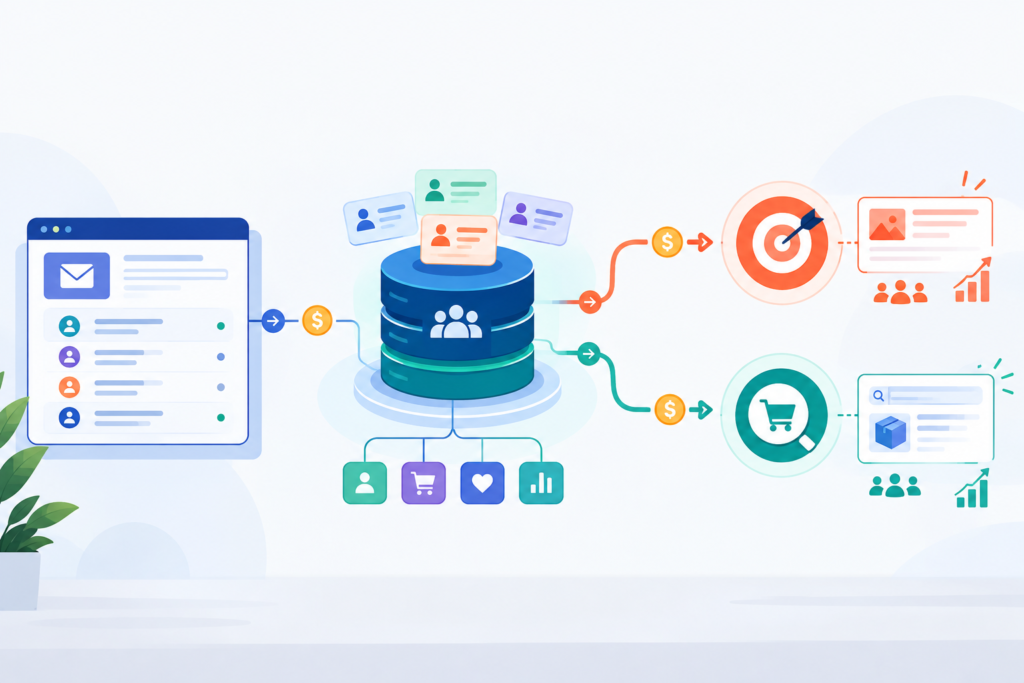
Best Klaviyo Consultants for 100+ Email Flows as We Enter 2026 A Shift Toward Larger Lifecycle Systems Email marketing now plays a central role in how brands hold long term relationships with customers. Many companies that once depended on a small set of automated flows now handle complex customer journeys that stretch across browsing, purchase, repeat purchase, and reactivation. Entering 2026, one hundred flows is no longer unusual for large stores. It has become a practical requirement. A strong Klaviyo consultant helps teams manage this structure with clarity. The work involves segmentation, behavioral data, product cycles, and patient refinement. The agencies listed here have shaped this discipline through steady practice and clear methods. Top 5 Klaviyo Consultants for 2026 Below is an updated list of companies known for designing and maintaining large scale Klaviyo systems. These firms work with expanding stores that rely on stable and predictable lifecycle communication. 1. Product Siddha Country: India and USA Specialty: Full scale email architecture for stores with 100 plus flows Product Siddha supports brands that operate in fast changing environments. The team blends product understanding with data literacy to create large systems that hold steady during growth. Their method is simple but firm. Understand behavior, design meaningful triggers, remove noise, and build flows that reflect real user paths. Service Strengths Email flow systems for stores with wide catalogs Event based segmentation Cross channel behavioral inputs Klaviyo restructuring for stores with uneven performance Full funnel analytics to align email, product, and marketing teams Real Case Example One of Product Siddha’s recent assignments involved a Shopify brand that sought clearer email revenue. The brand already had a set of flows but the performance was unstable. Product Siddha examined event triggers, timing windows, and product signals. After refining the structure, the brand gained a more predictable rhythm in its email program. Revenue increased during the next cycle and the team gained a clearer view of customer behavior at each stage. Why Choose Product Siddha Brands that manage one hundred or more flows need consistency. Product Siddha provides that structure. Their method suits teams that want to grow without losing stability. Recommended For Large stores, multichannel operations, and teams that want lifecycle communication shaped by clear analysis rather than templates. 2. Polaris Growth Country: Netherlands Specialty: Customer journey optimization and CVO Polaris Growth focuses on uncovering hidden revenue opportunities through behavioral research and structured automation. The agency’s founder is known for rigorous data interpretation and a methodical style of lifecycle design. Service Strengths Customer value optimization Conversion research Klaviyo flow architecture Behavioral segmentation Why Choose Polaris Growth Teams that want deeper user understanding often turn to Polaris Growth for its systematic approach to behavior driven messaging. 3. Flowium Country: USA Specialty: High volume ecommerce Klaviyo programs Flowium is one of the widely recognized names in email lifecycle work. The agency supports large stores with structured systems that cover welcome, browsing, post purchase, product specific cycles, and reactivation. Service Strengths Large scale Klaviyo buildouts Email and SMS lifecycle mapping Deliverability and compliance Campaign and flow coordination Why Choose Flowium Flowium suits stores that want a comprehensive system maintained by a large team with clear documentation practices. 4. SmartMail Country: Australia Specialty: High frequency email programs for retail and DTC SmartMail helps brands that manage broad catalogs and seasonal inventory. Their work often involves product feed based personalization, replenishment paths, and long term retention programs. Service Strengths Automated replenishment systems Product recommendation logic Trigger based lifecycle programs SMS and email coordination Why Choose SmartMail The agency fits stores with frequent product changes and a need for simple but effective personalization. 5. Fuel Made Country: USA Specialty: Conversion grounded lifecycle programs Fuel Made builds email systems that follow clear user logic. Their work draws from research into user intent, product cycles, and long term retention. The agency supports stores that want messages that feel natural and well paced. Service Strengths Structured lifecycle writing Klaviyo architecture for growing stores Customer intent research Post purchase and loyalty flows Why Choose Fuel Made Fuel Made works well for teams that prioritize user clarity and want systems that evolve through thoughtful review. Key Comparison Table Agency Location Best Use Case Notable Strength Product Siddha India and USA Stores with 100 plus flows Structured flow systems built on behavior data Polaris Growth Netherlands Customer value optimization Behavioral psychology and automation Flowium USA Large ecommerce programs Full scale deliverability and lifecycle coverage SmartMail Australia Retail and DTC with large catalogs Product feed personalization Fuel Made USA Conversion centered lifecycle work Intent based messaging Understanding Why One Hundred Flows Are Now Common Stores with broad inventories encounter varied buyer paths. Bedding, cookware, seasonal decor, personal care, and gift products each follow different cycles. A single welcome sequence cannot guide all these interactions. Over time, stores expand their flows to reflect product life cycles and user intent. This is why one hundred flows is a practical number for mature ecommerce brands entering 2026. A Path Forward for Growing Teams Lifecycle communication works best when it follows a clear structure. A steady framework helps teams understand where each message belongs and why it exists. When the foundation is sound, new flows can be added without disturbing the overall rhythm. The agencies listed here help stores develop reliable systems that grow over time. They review user patterns, align triggers with real behavior, and refine each stage with careful attention. Their work supports teams that want lasting clarity, steady revenue, and email programs shaped by patient analysis rather than rapid trends. This approach gives brands a stable path forward, especially when the number of flows rises and the customer journey becomes more detailed.

Blog, Product Analytics

Klaviyo Email Marketing 101: Custom Campaigns & Flows Your Store Needs

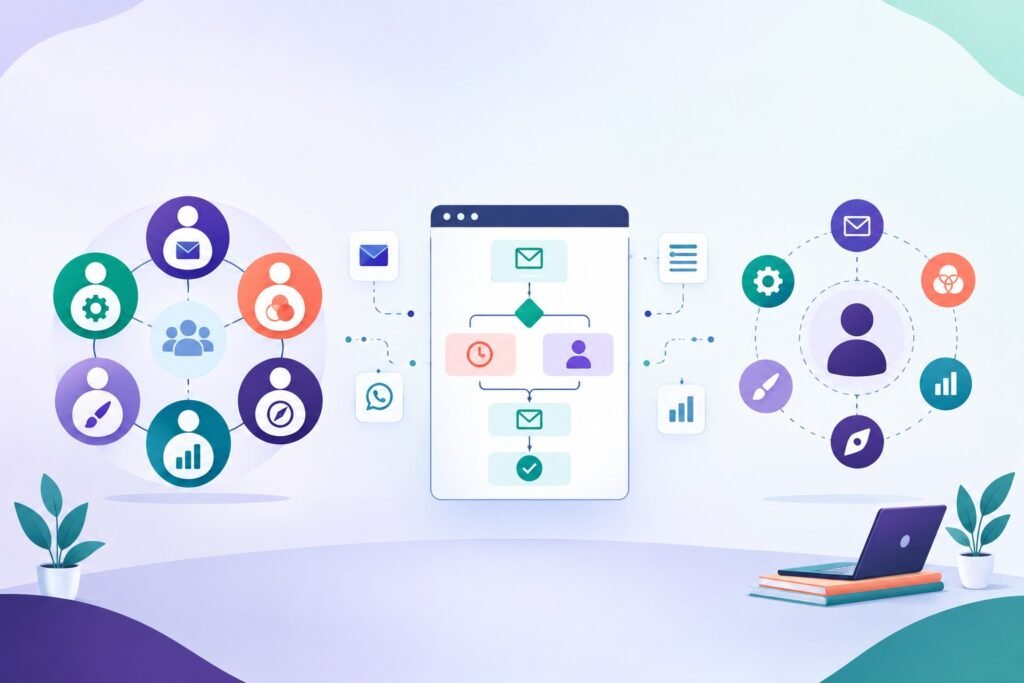
Klaviyo Email Marketing 101: Custom Campaigns & Flows Your Store Needs Smart Email Strategy for Smarter Stores Email remains one of the most powerful tools in e-commerce, and Klaviyo is built to make it sharper. Yet most stores still rely on default templates and broadcast-style messages that barely reflect customer behavior. A well-structured Klaviyo setup transforms that approach into something measurable, personal, and growth-driven. At Product Siddha, our experience with brands on Shopify and WooCommerce has shown that structured automation flows in Klaviyo can increase repeat purchases by more than 25% within the first quarter of use. Let’s explore how you can design these campaigns and flows to create measurable impact for your store. Why Klaviyo Deserves a Closer Look Klaviyo is not just another email marketing platform. It is designed for commerce data. Instead of guessing when to reach a customer, it connects directly with your store’s data to send the right message at the right time. Its strength lies in segmentation and automation. You can create campaigns that target a customer who viewed a product but never bought, or someone who purchased last month but hasn’t returned. Every email becomes part of a broader relationship-building system. Key Advantages for E-Commerce: Behavior-based segmentation: Reach customers based on browsing history, purchase frequency, or cart activity. Integration-first design: Works smoothly with Shopify, WooCommerce, BigCommerce, and custom stores. Flow automation: Enables you to create email sequences for any scenario – from onboarding to win-back. Detailed analytics: Tracks conversion rates, revenue attribution, and customer lifetime value. These features make Klaviyo particularly effective for data-driven teams that want full control without needing external plugins or advanced coding. Essential Klaviyo Campaigns Every Store Should Run A store’s email strategy should not depend on single broadcasts or festive promotions. Instead, it should rely on automated campaigns that run silently and consistently. 1. Welcome Series The welcome flow is your first digital handshake. It should not just greet a subscriber but introduce your brand’s value clearly. Example: A skincare brand can send a three-email sequence that introduces their philosophy, shares usage tips, and then offers a small incentive for the first purchase. 2. Abandoned Cart Recovery This is one of the highest-return flows in e-commerce. Klaviyo allows you to send reminders that feel natural rather than pushy. Timing matters: a first reminder after one hour, a second after 12 hours, and a third with social proof after 24 hours often yields the best conversion rate. 3. Post-Purchase Nurture After a sale, the relationship has just begun. Use post-purchase flows to confirm the order, share educational content, and ask for reviews. Example: A home décor brand can send styling guides showing how to pair purchased products with others in the catalog. 4. Win-Back Campaigns For customers who have gone quiet, a subtle nudge can reignite interest. Use behavior-triggered reactivation emails based on past purchases or preferences rather than generic discounts. 5. Seasonal or Event Campaigns Klaviyo allows you to segment by region, making it especially valuable for GCC-based businesses running promotions around Ramadan, Eid, or National Days. The Flow Framework: What Works and Why The true power of Klaviyo comes from how flows are structured. Each flow has three parts: the trigger, the condition, and the action. Let’s take a closer look at one of Product Siddha’s recent projects – Boosting Email Revenue with Klaviyo for a Shopify Brand. The client, a lifestyle retailer, was sending one-size-fits-all promotional emails. Our team designed 12 automation flows based on customer behavior and product category. Within 60 days: Revenue from email grew by 42%. Repeat purchase rate improved by 18%. Campaign unsubscribes dropped significantly due to improved targeting. This case shows that even small stores can benefit from structured automation if they align it with actual customer journeys rather than trends. Customizing for GCC-Based E-Commerce E-commerce in the GCC region has unique dynamics. Customer engagement is influenced by seasonal events, language preferences, and delivery expectations. Practical Adjustments: Localization: Segment by preferred language (Arabic or English) and time zone to send messages at optimal hours. Cultural context: Plan campaigns around Ramadan, Eid, and back-to-school seasons. Payment and delivery cues: Use transactional triggers like “cash on delivery confirmed” or “order ready for dispatch” to build trust. For instance, a Dubai-based fashion brand we advised implemented dual-language Klaviyo flows. Engagement increased 33% after introducing Arabic subject lines during Ramadan. Metrics That Matter A successful Klaviyo setup is not about how many emails are sent but how they perform. Keep track of: Metric What It Measures Why It Matters Open Rate How many recipients opened your email Indicates subject line strength Click Rate Number of link clicks Measures engagement Conversion Rate Purchases generated from emails Core performance indicator Revenue Per Recipient Total revenue divided by recipients Shows profitability per message Klaviyo’s reporting dashboard allows you to monitor these at both campaign and account levels, making it easier to spot trends early. Building Sustainable Growth Email marketing is not just about automation – it’s about building a brand voice that customers recognize. With Klaviyo, you can create consistent communication patterns that make your store feel human, responsive, and dependable. Working with data-driven partners such as Product Siddha helps businesses identify which flows to prioritize, which customer groups to focus on, and how to refine messaging for long-term gains. The Smarter Way Forward Klaviyo offers the tools, but success depends on how you use them. The most profitable stores approach email not as a task but as an ecosystem that connects marketing, sales, and customer experience. Whether you’re running a new Shopify boutique or a growing WooCommerce marketplace, structured email flows can turn occasional buyers into loyal customers. With data-backed strategies and continuous optimization, Klaviyo becomes less of a platform and more of a growth partner.

Blog, Product Analytics

Building Data-Driven Cultures: How Product Leaders Use Analytics to Align Teams and Strategy

Building Data-Driven Cultures: How Product Leaders Use Analytics to Align Teams and Strategy Data as a Common Language Modern product leaders know that intuition alone cannot scale a business. Decisions based on assumption often lead to missed opportunities, slow reactions, and internal misalignment. A data-driven culture solves this by turning Product Analytics into a shared language across teams. When data becomes the foundation of every discussion, design and engineering no longer debate on opinions. Instead, they collaborate around measurable facts. This approach not only aligns teams but also links product goals directly to company strategy. At Product Siddha, the idea of data as a unifying force is not theory. It has been applied in real projects, helping teams convert fragmented insight into clear direction and measurable progress. Why Product Analytics Defines Modern Leadership The role of a product leader has evolved from managing features to guiding decisions. Today, leaders must interpret data to understand user intent, measure impact, and adjust strategy in real time. Product Analytics serves as the instrument that brings clarity to this process. It connects every team’s contribution to a common outcome. From marketing to engineering, everyone sees the same numbers, understands the same patterns, and works toward shared performance goals. According to a McKinsey study, organizations that use analytics in their core decision-making are 23% more likely to outperform competitors in customer acquisition and retention. Yet many teams still struggle with scattered data and unclear metrics. Building a data-driven culture is not about adopting tools alone. It is about creating habits where every team member looks at the same dashboards before making a move. Case Example: Full-Stack Mixpanel Analytics for a Music App A clear example of this alignment came from Product Siddha’s work with a U.S.-based swipe-style music discovery app. The team implemented Mixpanel analytics to visualize how users interacted with songs, artists, and playlists. Instead of broad engagement reports, they broke the data into lifecycle stages: Activation (tracking how many users swiped within their first 30 days) Conversion (identifying which actions led users to paid subscriptions) Retention (examining who returned after periods of inactivity) These dashboards helped the client’s product and marketing teams work from a single source of truth. They no longer needed analysts to interpret data. Product managers could test hypotheses weekly, and designers could adjust interfaces based on evidence rather than guesswork. The outcome was a faster product cycle and higher user satisfaction. Teams across different roles began to speak the same analytical language, achieving true cross-functional alignment. The Foundations of a Data-Driven Culture Creating such a culture requires deliberate change in three key areas. 1. Leadership Commitment Data-driven behavior starts from the top. When leaders consistently ask for data-backed updates and make decisions using analytics, it sets the standard for others. Product Siddha’s work with a SaaS coaching platform demonstrated this. By deploying Amplitude analytics and live dashboards that showed daily active users, conversion funnels, and retention trends, leadership could spot what worked within hours. Teams followed that example, replacing assumptions with observable data. Within months, the company’s marketing and engineering departments were aligned on the same product growth indicators. 2. Accessible, Clean Data Complex dashboards are of little use if people cannot understand or trust the numbers. Data must be structured, consistent, and easily accessible. Product Siddha often emphasizes this during Product Analytics implementations. For instance, when building analytics for a ride-hailing application, the team created a structured taxonomy covering every event from ride selection to payment completion. This clean data system allowed both product and operations teams to analyze user behavior in real time without confusion. 3. Shared Metrics Across Teams Every department should measure success with metrics that link back to a common business goal. In many organizations, marketing focuses on clicks, while product teams focus on usage. A unified analytics approach brings these together. When metrics reflect a shared objective, teams stop competing for attention and start contributing to one result. This mindset shift is what transforms a data system into a data-driven culture. Data-Driven Strategy in Action Once a culture of analytics is established, product leaders can use it to connect daily execution to long-term business goals. Define the Objective – Decide which product metrics align with revenue or user growth targets. Instrument the Journey – Track user behavior at every major interaction point. Monitor Outcomes Continuously – Build dashboards that refresh automatically and are visible to all departments. Encourage Ownership – Allow teams to experiment and measure their own outcomes using the same data framework. This method gives every department the autonomy to innovate, while keeping them aligned under the same strategic umbrella. Product Siddha’s Experience with Data-Driven Alignment At Product Siddha, the focus has always been on translating data into practical outcomes. In one case, a fintech client struggled with disconnected marketing and sales systems. By introducing HubSpot Marketing Hub and linking it with a structured analytics pipeline, both teams gained real-time visibility of leads and conversions. The automation ensured that every qualified lead moved smoothly through the sales cycle. Marketing knew which campaigns generated high-value leads, while sales focused on closing those deals. The shift was not just technical; it was cultural. Decisions became faster, meetings became shorter, and the two teams began operating as one. How Product Analytics Shapes Better Decisions The most valuable benefit of Product Analytics lies in its ability to reveal cause and effect. It explains not just what happened, but why it happened. A simple change in onboarding flow might raise engagement by 10%. Analytics can then identify which specific step created that lift, helping teams refine the experience even further. Data-driven leaders also understand that analytics is not static. It evolves with the product. Metrics that matter during early growth may differ once scale is achieved. A mature analytics culture adapts to these changes without losing direction. From Insight to Impact A strong data-driven culture does more than improve decision-making. It builds confidence. Teams that understand the numbers behind their actions work with purpose and

Blog, Product Analytics

From Spreadsheet Fatigue to Analytics Nirvana: How VC Funds Automate Research

From Spreadsheet Fatigue to Analytics Nirvana: How VC Funds Automate Research The Research Burden Nobody Talks About Every venture capital analyst knows the grind – endless spreadsheets, messy data, and late-night updates before partner meetings. On average, analysts spend more than 20 hours a week manually updating deal pipelines, tracking metrics, and building market models. The problem? VC deal flow has exploded. What used to be 50 deals a year is now 500. Yet, many firms still rely on Excel sheets and email threads. When a partner asks for “updated ARR numbers” mid-meeting, someone scrambles to patch a broken formula before the conversation moves on. This system might have worked a decade ago, but it simply can’t scale today. Recognizing this, many forward-thinking firms, including those Product Siddha partners with — have started rebuilding their research and analytics infrastructure from the ground up. Where Manual Processes Break Down The inefficiency starts at data collection. Startups share financials in wildly different formats – PDFs, decks, or screenshots. Some highlight GMV, others focus on retention or CAC. Analysts must normalize all this manually, increasing the risk of errors. Then comes market research – scanning competitors, reading sector reports, tracking news, scraping data from Crunchbase or LinkedIn. A single competitive analysis can take eight hours or more. And even after investment, the problem persists. Portfolio monitoring becomes chaotic when companies use different KPIs and reporting schedules. Comparing ARR from one firm to MAU from another becomes a nightmare. The human toll is real. Analysts join venture capital to find great startups, not to spend nights copying numbers from one spreadsheet to another. As one associate at a mid-sized Bangalore VC fund said, “We weren’t researching companies anymore. We were researching Excel errors.” The Automated Alternative Automation has started rewriting the rules of VC research. Tools now exist that can extract, standardize, and analyze data across multiple sources with minimal human effort. Data extraction tools use Optical Character Recognition (OCR) and NLP to read pitch decks and identify key metrics automatically. Market intelligence platforms such as Crunchbase Pro, PitchBook, and CB Insights track funding rounds, leadership changes, and product trends in real time. Deal flow management systems like Affinity and Airtable Ventures organize conversations, notes, and follow-ups automatically. Portfolio monitoring tools such as Visible.vc or Carta Total Compensation provide real-time dashboards for key metrics. With these systems, analysts can generate complete deal profiles in minutes instead of hours, freeing time for actual investment analysis. Real Implementation Examples Authentic change is already underway across global VC firms. Andreessen Horowitz (a16z) uses custom-built internal analytics to track startup traction, funding velocity, and category momentum. Analysts receive live dashboards instead of static reports. Accel Partners uses automated data pipelines to integrate startup submissions directly into its CRM, eliminating manual entry and ensuring data freshness. Sequoia Capital India integrates automation into its “Surge” program to evaluate early-stage startups faster, using structured founder forms and AI-assisted screening tools. And in one case, a mid-sized venture fund in Bangalore that Product Siddha partnered with automated its research workflows. Before automation, analysts spent 60% of their week on repetitive data entry. After deploying an AI-powered research assistant and portfolio dashboard, that dropped to 15%. The firm’s investment pace increased by 40% – without expanding the team. Building the Right System Successful automation doesn’t begin with software – it starts with strategy. Funds must identify which pain points cost the most time and accuracy before adopting tools. Document the current process. Map every step analysts take from sourcing to reporting. Integrate before you automate. Ensure tools connect seamlessly – deal flow data should move from CRM to analytics to presentation decks automatically. Customize workflows. No two VC firms evaluate deals the same way. Systems should adapt to internal logic, not force uniformity. Train the team. Many automation projects fail because teams don’t fully adopt them. Internal champions and regular workshops are key. A hybrid setup usually works best: automated data intake combined with human judgment for validation and insight. The Changing Role of Analysts Automation doesn’t replace analysts – it liberates them. Instead of spending hours cleaning data, they spend time interpreting it. Instead of preparing reports, they analyze investment patterns and founder quality. The new analyst profile looks different: They understand automation tools and APIs as well as financial models. They can ask sharper questions because software has already answered the obvious ones. They spend more time building relationships and sourcing founders – the work that truly differentiates top-tier VC firms. Firms like Lightspeed Venture Partners and First Round Capital exemplify this. Their analysts use data-driven platforms for research but rely on human intuition for conviction. The technology enhances judgment – it doesn’t replace it. Worth the Investment Automation comes with upfront costs – software, integration, and team training. Smaller funds might spend $30,000 per year; large global funds may invest upwards of $200,000. But the ROI is immediate: Time savings often cover the expense within a year. Data accuracy improves investment decisions. Analyst retention rises because the job becomes more meaningful. As one partner at a Singapore-based early-stage fund said after automating their research workflows, “We stopped paying analysts to clean data – and started paying them to find unicorns.” Rethinking VC Operations Venture capital’s competitive edge now depends on data velocity – how quickly a firm can turn information into conviction. Manual research models simply can’t keep pace. Funds that embrace automation gain the ability to evaluate more opportunities, monitor portfolio performance in real time, and act on insights faster than rivals. The transformation Product Siddha observes across the global investment ecosystem points to a clear future: within five years, manual spreadsheet-based research will be as outdated as faxed pitch decks. The firms building automated, analytics-driven research ecosystems today will define the next generation of venture capital excellence.

Blog, Product Analytics

Forget Product-Market Fit – Here’s What Early-Stage Startups Should Really Chase

Forget Product-Market Fit – Here’s What Early-Stage Startups Should Really Chase The Startup Myth Everyone Believes If you’ve spent any time around investors, accelerators, or startup Twitter, you’ve probably heard the same advice over and over again: “You just need to find product-market fit.” It’s treated like a holy grail — that magical moment when your product perfectly aligns with what customers want, and growth takes off on its own. Founders chase it endlessly, pitch decks worship it, and entire strategies are built around it. But here’s the truth we’ve seen first-hand working with early-stage founders at Product Siddha: product-market fit isn’t real in the way people think it is. Markets evolve, customers change, and what feels like “fit” today may completely fall apart in six months. Instead of chasing an illusion, smart startups focus on something more practical and powerful – continuous validation and learning. Why Product-Market Fit Misleads Founders For early-stage startups, the concept of “fit” assumes that both your product and your market are stable enough to align perfectly. But in reality, everything is in motion. Your customers are still figuring out what they need. You’re still refining what you’re building. And competitors are constantly shifting the landscape. When founders chase a static idea of “fit,” they often fall into these traps: Waiting too long for “perfect validation” before launching. Overbuilding features that customers never asked for. Mistaking early enthusiasm for sustainable traction. Treating feedback as a finish line instead of a compass. We’ve seen early teams spend months (sometimes years) perfecting an MVP they never actually test with real users – because they’re waiting to “find fit.” What they should be doing is testing faster, learning faster, and adapting faster. What Actually Drives Startup Success The startups that grow successfully aren’t the ones that “found” fit – they’re the ones that learn faster than everyone else. They don’t treat product-market fit as a milestone. They treat it as a moving target and build systems to adjust continuously. At Product Siddha, we help founders build MVPs that are designed for validation velocity, not just launch speed. That means: Getting early users involved before the full product exists. Measuring real behavior, not just survey opinions. Iterating weekly based on what data and conversations reveal. If you can shorten your learning loop, you can outpace competitors who are still waiting for validation. The Continuous Validation Framework Instead of chasing product-market fit, we help startups build around three principles that create ongoing alignment with customers and markets: Customer Intimacy — deeply understanding your users’ behavior and context. Rapid Experimentation — testing small ideas fast to learn what works. Honest Measurement — tracking metrics that actually matter, not vanity ones. Let’s unpack each one. 1. Customer Intimacy: Stop Guessing, Start Observing Most early-stage teams think they understand their users because they ran a few interviews. But interviews only show what customers say they do, not what they actually do. Customer intimacy means spending real time watching how users interact with your MVP, even if it’s just a prototype, a Figma mockup, or a landing page test. At Product Siddha, we encourage founders to spend at least 30% of their time each week in direct contact with users. Example weekly breakdown: Activity Time (hrs/week) Purpose Observe users in real workflows 4 Identify friction and unmet needs Review product usage data 3 Spot hidden behavior trends Conduct customer calls 3 Hear the language of their pain points Reflect & plan experiments 2 Turn observations into testable ideas Success indicators: Product decisions reference specific customer stories. You can clearly describe your users’ day-to-day behavior. You adjust features based on what people actually do, not what they say. 2. Rapid Experimentation: Learn Fast, Fail Small Startups often think validation requires big product launches. In reality, it’s about running small, controlled experiments that give you real insights without wasting resources. Here’s a simple cycle we use with founders: Week Step What You Do 1 Form Hypothesis “If we add X feature, engagement will increase.” 1 Design Mini-Test Create a quick MVP, landing page, or clickable demo. 2 Launch to Small Group Get 10–20 real users to interact. 2 Measure & Analyze Collect both qualitative and quantitative feedback. 2 Decide & Iterate Keep, pivot, or discard based on data. Target: Run 8–12 micro-experiments per month. Goal: Validate or kill 3–4 key assumptions before scaling. The faster you run this loop, the faster your product evolves toward real traction. 3. Honest Measurement: The Metrics That Actually Matter Many founders love dashboards full of signups and traffic charts, but those don’t tell you whether your product truly delivers value. Real validation comes from retention and engagement, not acquisition. Here’s how we advise startups to measure progress: Metric Why It Matters What to Track Retention Are users coming back? 7-day, 30-day, 90-day active usage Activation Are users reaching their “aha” moment? % of users completing core action Expansion Are customers deepening engagement? Frequency of use, upsells, referrals Feedback Loops Are you learning from users? # of actionable insights per week It’s not about “how many” people signed up – it’s about how many stuck around because they found real value. Why This Shift Matters for Early-Stage Startups The old “product-market fit” mindset made sense when markets moved slowly. Today, user expectations change weekly. Competitors launch in months. New AI tools appear overnight. Waiting to “find fit” is like waiting for still water in a storm. Founders who focus on continuous learning instead of perfect fit: Ship faster. Adapt faster. Build products people genuinely want, because they keep listening. At Product Siddha, we’ve seen startups that work this way: Pivot earlier before burning through their runway. Discover surprising use cases through real observation. Raise funding faster because their insights are grounded in data, not theory. Mindset Comparison: Old vs. New Category Product-Market Fit Mindset Continuous Validation Mindset Goal Find the “perfect” fit Keep improving alignment Launch Philosophy Wait until ready Ship small, learn fast Customer Interaction Occasional interviews Weekly observation

Blog, Product Analytics

5 Product Analytics Dashboards Every Product Manager Should Be Using in 2025

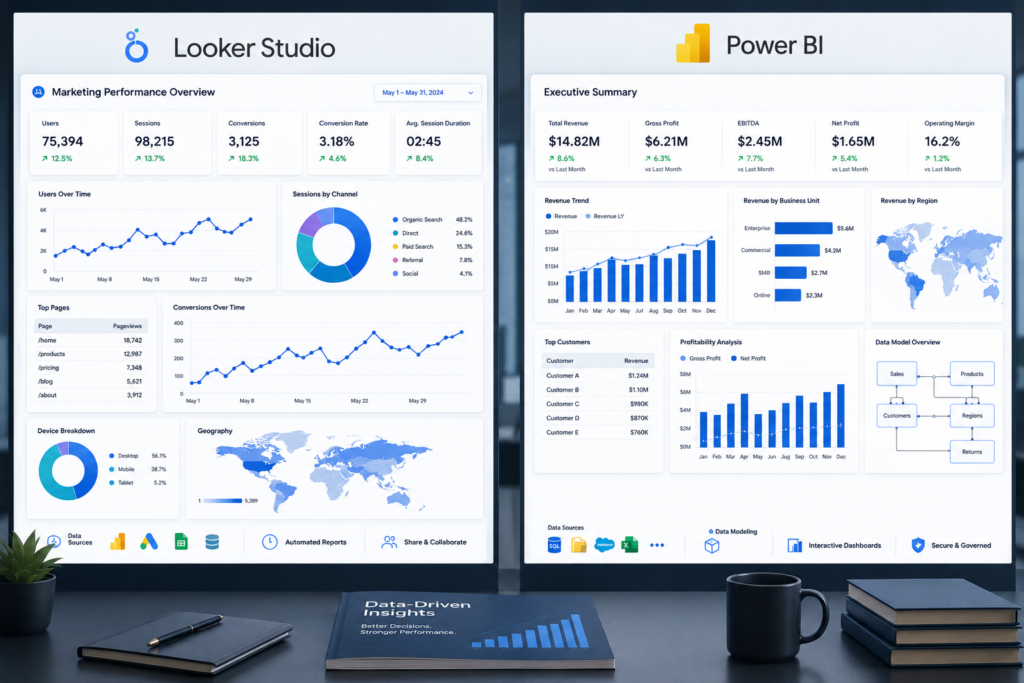
5 Product Analytics Dashboards Every Product Manager Should Be Using in 2025 Why Dashboards Matter In today’s product environment, data is more than an afterthought. It is the foundation for decisions that shape product growth, customer satisfaction, and operational efficiency. Without clear and reliable product analytics dashboards, managers risk working from guesswork rather than evidence. At Product Siddha, we have seen teams gain clarity and save resources once they adopt well-designed dashboards. These tools not only track numbers but also highlight trends, uncover weak spots, and help managers respond quickly to real conditions. 1. User Engagement Dashboard A product succeeds only if people use it regularly. A user engagement dashboard shows how often customers interact with features, how long they stay, and what parts of the product they abandon. Key metrics to track: Daily active users (DAU) and monthly active users (MAU) Feature adoption rates Session duration and frequency In a recent Product Siddha project for a mobile commerce client, the engagement dashboard revealed that nearly 40 percent of first-time users left after the second session. By identifying this point of friction, the team simplified the sign-up process and increased retention within three months. Engagement Metrics at a Glance Metric Why It Matters Example Insight DAU/MAU ratio Measures stickiness 25% ratio shows room to grow Feature adoption Highlights popular vs. unused features Low use may signal redesign Session frequency Indicates habit-forming use High drop-off shows barriers 2. Conversion and Funnel Dashboard Tracking how users move from awareness to purchase (or any goal action) is central to understanding value delivery. A funnel dashboard breaks down this journey step by step. Key metrics to track: Drop-off percentage at each funnel stage Conversion rates by device or channel Average time to conversion For one SaaS platform, Product Siddha used a funnel dashboard to discover that most drop-offs occurred between the free trial and paid plan stage. A revised onboarding message improved conversions by 15 percent without adding any new features. 3. Retention and Churn Dashboard Acquiring users is costly, so keeping them is more profitable. A retention dashboard measures how many users return over weeks or months, while churn dashboards show when and why they leave. Key metrics to track: Retention cohorts by week or month Churn rate and its correlation with product updates Net promoter score (NPS) trends A client in the financial services sector worked with Product Siddha to build a churn dashboard. The results showed a link between delayed support responses and higher cancellations. After improving support workflows, churn fell by 12 percent within two quarters. 4. Revenue and Monetization Dashboard For managers, it is not enough to know how users behave. Understanding how those actions translate into revenue is critical. A revenue dashboard connects product usage with financial outcomes. Key metrics to track: Monthly recurring revenue (MRR) Customer lifetime value (CLV) Average revenue per user (ARPU) During an analytics engagement, Product Siddha helped an e-learning platform uncover that a small percentage of power users contributed to over 60 percent of revenue. This insight allowed the client to develop premium packages, improving margins without alienating entry-level customers. 5. Operational Performance Dashboard Behind every product lies an operational engine of development, support, and delivery. An operational performance dashboard monitors the efficiency of these processes. Key metrics to track: Development cycle time Bug resolution rates Support ticket response time Product Siddha introduced an operational dashboard for a logistics app. By tracking development cycle time, the team spotted delays caused by manual QA bottlenecks. Automating regression tests shortened release cycles by 25 percent while reducing errors. Putting Dashboards Into Action A dashboard is only useful if it influences action. Product managers should: Review dashboards at regular intervals instead of letting data accumulate. Share insights across design, engineering, and marketing teams. Connect dashboard findings with roadmap planning. Product Siddha emphasizes this practice during consulting engagements. In one retail project, weekly dashboard reviews aligned teams quickly, preventing costly rework and improving customer experience. Final Thoughts The year 2025 is shaping up to be one where product managers cannot afford to work without precise data. The five dashboards outlined above form a foundation for making reliable, evidence-based decisions. By combining user engagement, funnel tracking, retention analysis, revenue insights, and operational monitoring, managers can see not only what customers are doing but also how their actions connect to business results. For organizations seeking guidance, Product Siddha provides tailored analytics consulting that ensures dashboards are not just reports but living tools for growth. The lesson is simple: a good dashboard saves time, lowers costs, and improves quality all at once.

Blog, Product Analytics

Automated Data Extraction 2025: Complete Guide to Tools & Processing

Automated Data Extraction 2025: Complete Guide to Tools & Processing In the digital age, data is a critical asset for businesses. Yet, much of this information remains locked in unstructured formats, PDF reports, scanned documents, websites, and email messages. Manually extracting useful data from these sources has always been time-consuming and error-prone. The rise of automated data extraction offers a practical solution for companies seeking efficiency and accuracy in managing vast quantities of information. Product Siddha specializes in providing advanced data automation solutions. Their expertise lies in simplifying complex processes, helping businesses transition from manual data entry to automated, streamlined workflows. What Is Automated Data Extraction? Automated data extraction refers to the use of software tools that retrieve structured data from unstructured or semi-structured sources without manual intervention. This process converts information from various formats, web pages, scanned documents, PDFs, into organized, machine-readable data sets that can be readily used for analytics, reporting, or operational purposes. At its core, automated data extraction reduces human labor, increases accuracy, and speeds up data processing times. Unlike traditional methods where employees manually transfer data from one system to another, automated systems follow predefined rules and advanced algorithms to extract data efficiently and consistently. Why Is Automated Data Extraction Critical in 2025? Businesses today generate and consume data at an unprecedented rate. Market research reports, financial statements, product catalogs, and customer communications are just a few examples of information sources that accumulate daily. The manual handling of these sources is not only inefficient but also exposes businesses to errors and compliance risks. Furthermore, in industries like finance, healthcare, and e-commerce, timely access to accurate data is essential for informed decision-making. Automated data extraction has become an indispensable part of digital transformation strategies. It enables companies to unlock insights hidden in legacy systems or third-party sources without overhauling existing processes. This capability becomes particularly valuable as companies aim to integrate disparate data into centralized platforms like Customer Data Platforms (CDPs) or Business Intelligence (BI) tools. How Does the Data Extraction Process Work? The process of automated data extraction typically involves several key steps: Data Identification: The system locates the relevant documents or web pages from which data needs to be extracted. This may include scheduled scans of document repositories or scraping public web pages. Parsing: The software analyzes the structure of the document. It determines where tables, paragraphs, or specific data fields are located, especially in semi-structured formats like PDFs or web pages. Data Extraction: Predefined rules, machine learning models, or natural language processing (NLP) techniques identify and extract the target data fields. For example, a date of invoice, customer address, or transaction amount. Data Validation: Extracted data is checked for accuracy and completeness. Validation rules ensure that values meet predefined formats or thresholds. Data Output: The structured data is exported into databases, spreadsheets, or applications ready for further processing or analysis. Product Siddha leverages advanced tools and technologies to execute this process with precision. Whether a business needs to extract thousands of invoices monthly or capture product details from competitor websites, automated systems reduce the workload significantly. Which Tools Are Leading in Automated Data Extraction? Several tools have emerged as leaders in 2025 for automating data extraction. These solutions range from general-purpose extraction platforms to industry-specific applications. UiPath: Offers powerful automation workflows, combining robotic process automation (RPA) with advanced OCR (Optical Character Recognition) and machine learning to extract data from scanned documents. Kofax: Known for document capture and data extraction solutions, Kofax provides reliable tools for structured and unstructured data extraction, particularly in regulated industries like finance and healthcare. Amazon Textract: Uses machine learning to extract printed text, forms, and tables from scanned documents without requiring custom code. Docparser: Specializes in extracting data from PDF documents into structured formats such as Excel or JSON. It is widely used in e-commerce and logistics. Import.io: A web scraping tool that transforms web data into structured datasets without coding. Each of these tools has its strengths. The choice depends on the business’s needs—whether they require large-scale document processing, real-time web data scraping, or integration with existing CRMs and databases. What Are the Advantages of Automated Data Extraction? The advantages of adopting automated data extraction solutions extend beyond simple time savings. These include: Consistency and Accuracy: Reduces human errors in data entry, especially when processing large volumes of documents or web content. Scalability: Automates repetitive tasks, allowing businesses to scale operations without proportional increases in staffing. Compliance: Structured data allows for easier auditing and regulatory reporting, particularly important in sectors like finance or healthcare. Cost Efficiency: Automating extraction reduces labor costs and shortens processing cycles, freeing employees to focus on more strategic tasks. Data-Driven Decisions: Accelerated access to structured data enables quicker analysis and more informed business decisions. How Can Product Siddha Assist with Data Extraction Projects? At Product Siddha, the approach to automated data extraction is comprehensive. The process begins with understanding a business’s unique challenges, data sources, and goals. Rather than applying a one-size-fits-all solution, Product Siddha customizes the extraction strategy. This includes selecting the appropriate tools, setting up automated workflows, integrating data into centralized systems, and providing ongoing support. The goal is to make data extraction seamless and reliable, ensuring that the structured data produced drives measurable business outcomes. For example, a retailer needing to aggregate supplier pricing from multiple PDF catalogs can automate the process, reducing manual work and accelerating pricing strategy updates. Similarly, financial services can automate the extraction of transaction data from scanned bank statements, enabling faster reconciliation and reporting. What Are Common Challenges and How to Overcome Them? One of the main challenges in automated data extraction is dealing with diverse document formats and inconsistent layouts. OCR tools can struggle with poor-quality scans, while web scraping tools must adapt to frequent website structure changes. Product Siddha addresses these challenges by combining rule-based extraction with machine learning models that adapt over time. Regular system updates and validations ensure the extraction process remains accurate even as input sources evolve. Automated data extraction

Blog, Product Analytics

HubSpot Mixpanel Integration 2025: Step‑by‑Step Setup, Best Practices & Use Cases

HubSpot Mixpanel Integration 2025: Step‑by‑Step Setup, Best Practices & Use Cases Integrating HubSpot with Mixpanel in 2025 provides businesses with a robust solution to unify customer data, track user behavior, and improve decision-making. While HubSpot serves as a comprehensive customer relationship management (CRM) and marketing automation platform, Mixpanel specializes in advanced user analytics and product behavior insights. The combination of these two tools helps businesses create smarter marketing strategies and deliver personalized experiences based on real-time data. At Product Siddha, we help businesses implement seamless integrations between HubSpot and Mixpanel. This enables teams to gain a holistic view of customer interactions, track conversion funnels, and measure engagement across touchpoints without the typical technical complexity. Why Integrate HubSpot with Mixpanel? HubSpot is widely used for managing inbound marketing, sales pipelines, and customer relationships. It excels at automating emails, managing contacts, and running campaigns. However, it offers limited depth when it comes to detailed behavioral analytics. Mixpanel, on the other hand, focuses on event-based tracking. It enables businesses to understand how users interact with products or digital platforms by capturing granular behavioral data. Integrating the two systems ensures that marketing teams not only manage leads and customer journeys but also understand precisely what drives conversions. Key advantages of the integration include: Enhanced customer segmentation based on behavior and engagement Accurate attribution of marketing efforts to user actions Improved visibility into customer journeys for better targeting Automated syncing of key events and contact data Step‑by‑Step HubSpot Mixpanel Integration Setup Step 1: Define Key Events and Data Points Before connecting HubSpot and Mixpanel, outline the key customer actions and events to track. These typically include: Form submissions Email opens and clicks Website visits and page views Purchase or subscription completions Trial activations This clarity ensures that only relevant data flows between the two systems, reducing noise and improving insights. Step 2: Use an Integration Platform or Custom API Several integration tools exist that facilitate HubSpot and Mixpanel connection without custom coding. Platforms like Zapier, Integromat, or native APIs allow you to automate workflows. Alternatively, Product Siddha recommends building a custom API connection for larger enterprises or unique business models requiring advanced data flows. Example workflow: Set up a trigger in HubSpot for a contact property update (e.g., form submission). Configure an action in Mixpanel to log an event based on that trigger (e.g., “Form Submitted”). Map contact properties such as email, user ID, or campaign source for seamless tracking. Step 3: Test Data Sync Once the integration is configured, test it thoroughly. Ensure that events in HubSpot trigger corresponding events in Mixpanel. Check for: Accurate data mapping (no missing or misaligned properties) Timely syncing (data flows in near real-time) Proper event categorization Validation helps prevent discrepancies that can lead to incorrect marketing decisions. Step 4: Configure Dashboards and Reporting Mixpanel offers powerful funnel analysis, cohort analysis, and retention tracking. Once the integration is active, build dashboards that reflect critical KPIs such as: Conversion rate per marketing campaign User activation trends over time Retention rates by customer segment HubSpot’s dashboard can continue to show lead generation and contact management metrics, while Mixpanel provides deeper behavioral insights. This two-layered visibility helps both marketing and product teams collaborate efficiently. Best Practices for HubSpot Mixpanel Integration Align on Common Identifiers: Ensure consistent unique identifiers (like email address or user ID) across both platforms. This avoids duplication or misattributed events and helps connect CRM data to behavioral data cleanly. Prioritize Relevant Events: Avoid tracking every possible action. Focus on key events that directly relate to business outcomes such as trial sign-ups, product usage milestones, or payment completions. Regularly Audit Data Integrity: Set periodic checks to confirm that event flows remain intact. System updates, API changes, or platform upgrades can sometimes break integrations without clear alerts. Leverage Cohort Analysis: Use Mixpanel’s cohort functionality to segment customers based on behavior patterns. Combine this with HubSpot’s demographic data to deliver targeted marketing campaigns. Automate Workflows with Purpose: Automate follow-up tasks such as sending targeted emails when a customer performs a specific action. Well-crafted automation reduces manual overhead and increases relevance. Real-World Use Cases Case 1: SaaS Subscription Business A SaaS company used Product Siddha’s expertise to integrate HubSpot with Mixpanel. By tracking trial activation events in Mixpanel and syncing them with HubSpot, the marketing team was able to target users who showed high engagement but hadn’t yet converted. This led to a 25% uplift in trial-to-paid conversion rates within three months. Case 2: E-commerce Retailer An online retailer combined HubSpot’s marketing automation with Mixpanel’s behavioral insights to monitor user paths from landing page to checkout. By identifying drop-off points through Mixpanel funnels and triggering personalized emails in HubSpot, cart abandonment rates decreased by 18% over six weeks. The Role of Product Siddha in HubSpot Mixpanel Integration At Product Siddha, we help businesses unlock the full potential of their customer data by implementing tailored HubSpot-Mixpanel integrations. Our approach goes beyond technical setup; we help define strategic KPIs, build data governance frameworks, and develop actionable dashboards that inform decision-making. Whether your organization is just beginning to explore data-driven product management or you need advanced customization, Product Siddha ensures your tools work in harmony. Our experts bring decades of experience to help businesses streamline their data flows, enhance customer insights, and optimize marketing effectiveness. Conclusion Integrating HubSpot with Mixpanel in 2025 is more than a technical task; it is a strategic investment. It enables businesses to move beyond fragmented data silos and gain a unified view of the customer journey. The combination of HubSpot’s CRM and marketing automation capabilities with Mixpanel’s event-driven analytics empowers businesses to make informed decisions, automate processes, and improve user engagement. For organizations seeking to sharpen their product and marketing strategies, adopting this integration with the guidance of an expert AI Automation Agency like Product Siddha is a logical next step. It drives efficiency, accelerates insights, and ultimately supports sustainable business growth. Frequently Asked Questions (FAQs) 1. What are the key benefits of integrating HubSpot with Mixpanel? Integrating HubSpot with

Case Studies, Product Analytics

Driving Growth for a U.S. Music App with Full-Stack Mixpanel Analytics

Driving Growth for a U.S. Music App with Full-Stack Mixpanel Analytics Client Kingfisher Digital Product Snobs (Swipe-based music discovery app) Service Provider Product Siddha Industry Music / Mobile Apps / Consumer Tech Service Mixpanel Integration, Analytics Strategy & Dashboard Setup The Problem: Swipes, Streams… but No Direction Snobs is a swipe-based app that helps people in the U.S. discover music from over 150+ subgenres. Users explore short music clips and swipe right to add artists to their favorites. The app was growing, but the team didn’t have a clear picture of what was working. Here’s what was missing: No tracking of how often users engaged with swipes No clear signal for user activation Couldn’t tell who the power users were Drop-offs in the onboarding journey were a mystery Trial-to-paid conversions weren’t well understood Teams relied too much on analysts for reports Snobs needed a smarter system to track product usage, understand behavior, and drive real growth. The Solution: Full-Stack Mixpanel Analytics Setup Product Siddha rolled out a complete analytics solution using Mixpanel, designed specifically for a swipe-based music discovery experience. Here’s what we did to unlock product growth: Mapped the Entire User Journey in Mixpanel We set up tracking across all the key touchpoints inside the app: First swipe Right vs left swipe count Artist follows Time spent per session Playlist creations In-app trial activations Paid plan signups These events gave the Snobs team full visibility into how users explored music inside the app. These events gave the Snobs team full visibility into how users explored music inside the app. Built Custom Dashboards by Stage To make the data usable, we created dashboards for each part of the user lifecycle: Activation Dashboard How many users swiped at least X times in the first 30 days Helped define a clear activation benchmark Showed which users were exploring music vs those who churned early Conversion Dashboard Compared free trial users to paying subscribers Helped spot what actions led to paid upgrades Led to better CTAs and trial experience tweaks Engagement Dashboard Tracked average swipes per session Measured time spent and session frequency Helped identify power users and top features Retention Curves Showed how long users stayed active Identified patterns among users who returned after a gap Allowed for better re-engagement strategy planning Onboarding Funnel Tracked every step from app open → first swipe Found drop-off points and improved onboarding screens Empowered All Teams with Self-Serve Analytics We trained the product, growth, and marketing teams to: Explore dashboards without coding Run weekly product experiments Compare cohorts over time Now, they no longer rely on analysts. They could act fast and test ideas weekly. Now, they no longer rely on analysts. They could act fast and test ideas weekly. The Outcome: Swipe-Based Growth, Backed by Data With Product Siddha’s full-stack analytics setup, Snobs moved from guessing to growing, using real user behavior. Key Wins: Activation insights: Swipe thresholds tied to long-term retention Conversion optimization: Improved trial-to-paid journey Experimentation speed: New features are tested every week Power user focus: Features shaped around the top 10% of users No analyst needed: PMs and marketers owned the data Measurable Results: Clear engagement metrics tied to feature usage 100% visibility into onboarding and drop-off stages Faster release cycles with real-time data Smarter personalization based on user patterns Conclusion: From Music Discovery to Data-Driven Growth Snobs is more than a music app; it’s a swipe-powered experience built on curiosity and sound. With help from Product Siddha, they now have a powerful analytics engine behind that experience. From user onboarding to retention, everything is tracked, tested, and improved. Whether you’re building a music app, social platform, or mobile product, real growth starts with real data. 📞 Let Product Siddha help you turn user behavior into business results.