Framer vs Webflow: Best No-Code CMS for Interactive Design and Animations
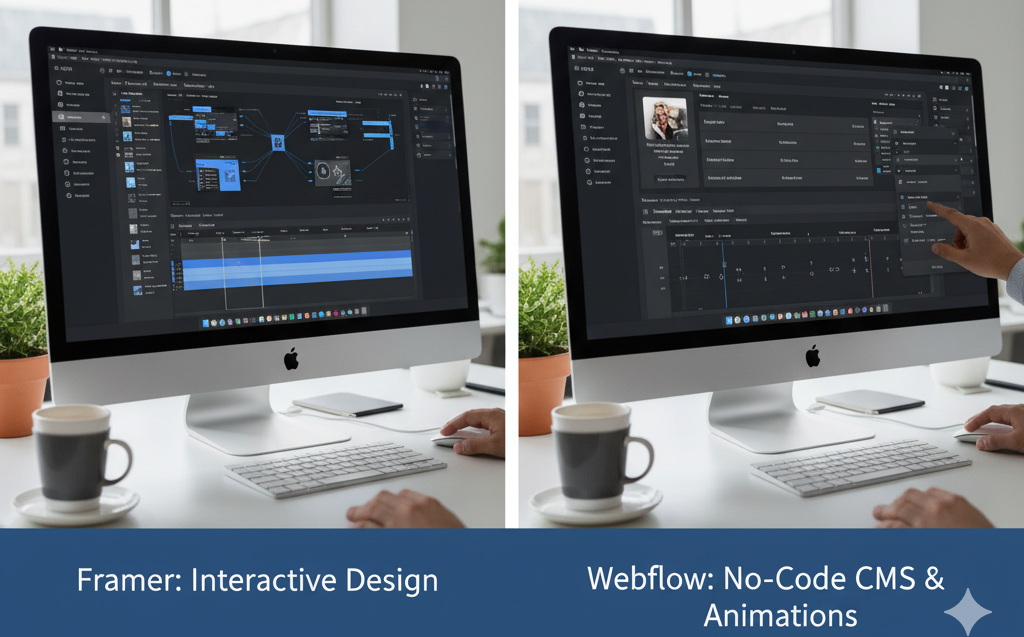
Framer vs Webflow: Best No-Code CMS for Interactive Design and Animations The No-Code Design Platform Landscape Designers and product teams increasingly seek tools that allow them to create sophisticated websites without extensive coding knowledge. The rise of no-code platforms has democratized web design, enabling people with visual design skills to build functional, interactive sites that previously required developer involvement. Among these platforms, Framer and Webflow have emerged as leading choices for teams prioritizing interactive design and sophisticated animations. Both tools offer powerful capabilities, yet they approach web design from different philosophical starting points and serve somewhat different use cases. Understanding these distinctions helps teams select the platform that aligns with their specific needs and working styles. Framer’s Design-First Philosophy Framer originated as a prototyping tool before evolving into a full website builder. This heritage shows in its interface and workflow, which feel familiar to designers accustomed to tools like Figma or Sketch. The platform emphasizes visual design and animation as primary concerns, with technical implementation details handled largely behind the scenes. The Framer interface uses a layer-based approach where designers stack and arrange elements visually. Creating animations happens through an intuitive timeline interface that lets designers define motion without writing code. This approach makes Framer accessible to people with strong visual design skills but limited technical backgrounds. Framer excels at micro-interactions and smooth transitions. Designers can create hover effects, scroll-triggered animations, and component state changes with relative ease. The platform generates performant code automatically, handling optimization and browser compatibility without requiring designer intervention. Content management in Framer has improved significantly in recent iterations. The platform now includes CMS functionality that allows content editors to update text, images, and other elements without accessing the design interface. This separation of design and content makes Framer viable for sites that require regular updates. Webflow’s Structure and Control Webflow takes a different approach, giving designers more direct control over the underlying web structure. The platform exposes concepts like flexbox, grid layouts, and CSS properties through a visual interface. This design philosophy assumes users have some understanding of how websites work at a technical level, even if they cannot write code fluently. The Webflow designer operates more like a visual CSS editor than a pure design tool. Users define styles, create reusable classes, and manage responsive behavior across different screen sizes with granular control. This approach produces cleaner code and greater flexibility for complex layouts, but it also requires a steeper learning curve. Animation capabilities in Webflow center around its interactions panel, which allows designers to trigger animations based on page load, scroll position, hover states, and clicks. The system uses a trigger-and-action model where designers define what event should initiate which animation. Complex animation sequences can be built by chaining multiple actions together. Webflow’s CMS represents one of its strongest features. The platform provides a robust content management system with custom collection types, dynamic filtering, and powerful template capabilities. Content-heavy sites like blogs, portfolios, and directories work particularly well in Webflow because of this CMS flexibility. Framer vs Webflow Feature Comparison Feature Framer Webflow Learning Curve Gentler for pure designers Steeper, requires web concepts Animation Interface Timeline-based, intuitive Trigger-action model Layout Control Visual layer stacking CSS-based with flexbox/grid CMS Capabilities Basic to intermediate Advanced and flexible Component System React-based components Symbol and class system Code Export Limited Full code export available Collaboration Real-time design collaboration Designer and editor roles Pricing Model Per site Per project and hosting Interactive Design Capabilities Both Framer and Webflow support sophisticated interactive design, but they achieve it through different mechanisms. Framer’s component-based architecture allows designers to create reusable elements with built-in interactivity. These components can have multiple states, respond to user input, and include animations that trigger based on those states. Webflow’s interaction system provides fine-grained control over animation timing, easing curves, and chained effects. Designers can create complex scroll-based animations where different elements move at different rates, creating parallax effects or revealing content progressively as users navigate down the page. For teams at Product Siddha building interactive product showcases or marketing sites, both platforms offer adequate tools. The choice often comes down to whether the team prefers Framer’s component-based approach or Webflow’s trigger-action model for defining interactions. Animation Performance and Quality Animation performance matters significantly for user experience. Poorly optimized animations create janky, unprofessional experiences that frustrate users and harm conversion rates. Both Framer and Webflow generate performant animations, but they handle this differently. Framer uses React and Framer Motion under the hood, producing JavaScript-based animations that integrate tightly with component behavior. The platform automatically optimizes animations for performance, using GPU acceleration and efficient rendering techniques. Designers rarely need to think about performance optimization explicitly. Webflow generates CSS animations and transitions whenever possible, falling back to JavaScript only when necessary. CSS animations generally perform better than JavaScript alternatives, particularly on mobile devices. Webflow also provides tools for previewing animations at different frame rates, helping designers identify performance issues before publishing. Responsive Design Workflows Modern websites must work across devices ranging from phones to large desktop displays. Both platforms provide tools for creating responsive designs, though their approaches differ. Framer handles responsiveness primarily through breakpoints where designers define how layouts adapt at different screen widths. The platform includes a mobile-first preview and allows designers to override specific properties at each breakpoint. Auto-layout features help components resize intelligently as screen dimensions change. Webflow gives designers more granular control over responsive behavior. Every property can be adjusted independently at each breakpoint. This flexibility allows for precise control but requires more manual work to ensure designs adapt appropriately across all screen sizes. For complex responsive layouts with significant layout changes across breakpoints, Webflow’s detailed control proves valuable. For simpler sites where content primarily reflows, Framer’s streamlined approach may suffice. Content Management Considerations Sites requiring frequent content updates need capable content management systems. Webflow’s CMS has matured into a powerful tool suitable for content-heavy sites. Content editors can manage blog posts, case studies, team profiles, and other dynamic content through an intuitive