
Product Siddha

b2b business operations agency

Blog, MarTech Implementation

How to Connect 99acres, Magicbricks, and WhatsApp Leads to Your CRM

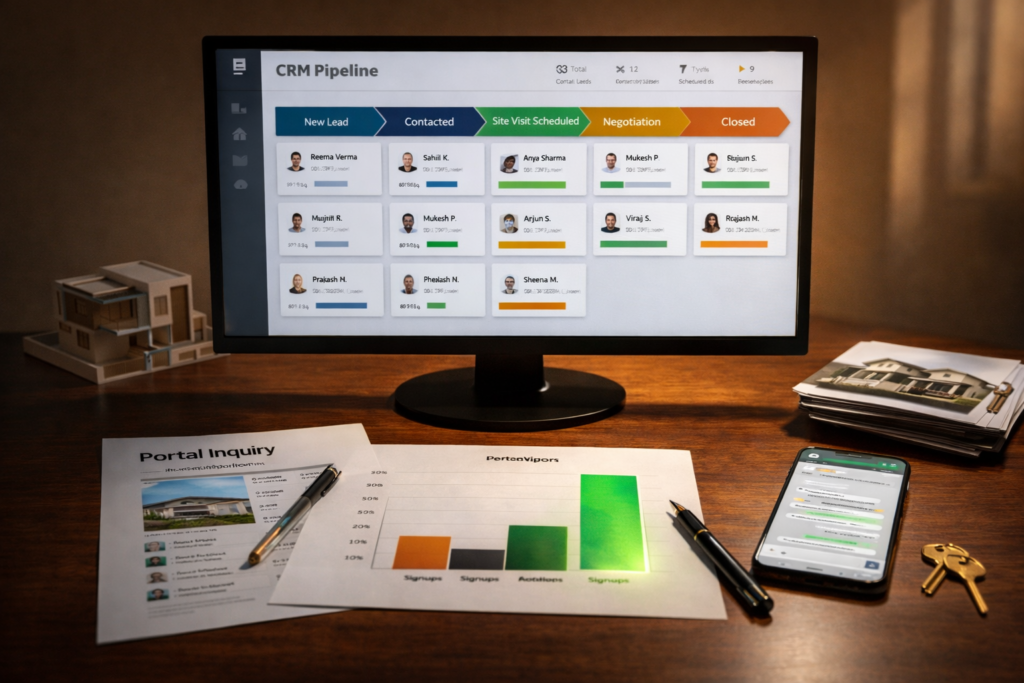
How to Connect 99acres, Magicbricks, and WhatsApp Leads to Your CRM Real estate teams often receive inquiries from several different places. Property portals generate a steady stream of buyer interest. Messaging platforms bring quick conversations. Agents speak with prospects through calls and follow ups. Yet many firms still record these interactions in scattered spreadsheets or informal notes. When leads from 99acres, Magicbricks, and WhatsApp remain disconnected, opportunities disappear quietly. A prospect may send a message, wait for a reply, and then contact another agent. Connecting these sources to a centralized CRM system solves that problem. The process allows every inquiry to enter one place, where agents can track conversations, respond quickly, and follow each lead until the property visit or purchase. Why Lead Integration Matters Property inquiries arrive at unpredictable hours. Some prospects submit a portal form late at night. Others send a short message through WhatsApp during their commute. Without integration, agents must check several dashboards. Leads may remain unnoticed for hours. In property sales, a delay of even thirty minutes can mean losing a serious buyer. A connected system ensures that every inquiry enters the same database automatically. The CRM records the source of the lead, the property of interest, and the contact information. From that point forward, every conversation becomes visible to the team. Where Real Estate Leads Usually Originate Real estate companies in India rely heavily on large property portals. These platforms attract millions of visitors who search for listings each day. Two major examples are 99acres and Magicbricks. Each allows potential buyers to submit inquiries directly from property listings. At the same time, many agents encourage quick conversations through WhatsApp. Prospects prefer messaging because it feels immediate and informal. When these channels remain separate, teams struggle to maintain consistent records. The Role of a CRM in Real Estate Operations A Customer Relationship Management system acts as the central record for every lead and client interaction. When integrated correctly, the CRM performs several essential tasks: Function Practical Value Lead capture Automatically records inquiries from portals and messaging apps Lead assignment Sends new inquiries to the appropriate sales agent Conversation tracking Stores every message, call, and follow up Pipeline visibility Shows which prospects are ready for a site visit or negotiation Without these records, teams rely on memory and manual updates. Step-by-Step Integration Approach Connecting portals and messaging platforms to a CRM usually involves four structured steps. 1. Capture Leads from Property Portals Both 99acres and Magicbricks provide mechanisms that allow lead data to be forwarded to external systems. Developers configure these connections using APIs or automated email parsing. When a prospect submits an inquiry, the system transfers the following information to the CRM: name and phone number property listing preferred location inquiry timestamp This step eliminates manual copying from portal dashboards. 2. Connect WhatsApp Conversations Many prospects send direct questions through WhatsApp before completing a formal inquiry. To capture these conversations, companies connect the WhatsApp Business API to their CRM. This integration performs several tasks: converts new chats into CRM leads stores message history within the contact profile enables automated responses when agents are offline Agents can continue chatting through familiar interfaces while the CRM records each interaction. 3. Automate Lead Assignment Once leads enter the CRM, the system distributes them to agents automatically. Distribution rules may depend on: project location property type inquiry source agent availability A residential inquiry in Bangalore, for example, may route to a specific sales manager who handles that region. Automation prevents situations where multiple agents respond to the same lead or where no one responds at all. 4. Track Progress Through the Sales Pipeline After integration, every inquiry progresses through defined stages. A simplified pipeline often includes: Stage Description New Lead Inquiry received from portal or WhatsApp Contacted Initial conversation completed Site Visit Scheduled Property visit arranged Negotiation Pricing and terms discussed Closed Purchase completed or lead archived Managers can review this pipeline daily and identify delays. Lead Flow in a Real Estate CRM Property Portals (99acres / Magicbricks) ↓ Lead Capture API ↓ CRM Lead Database ↓ Agent Assignment ↓ WhatsApp Conversation Tracking ↓ Site Visit Scheduling ↓ Deal Closure Practical Advice for Implementation Real estate businesses considering this integration should begin with a clear inventory of their lead sources. Start by listing every place where prospects initiate contact. Most firms discover several channels they had overlooked. Next, select a CRM platform capable of handling portal integrations and messaging APIs. Many modern systems offer ready-made connectors for property portals and messaging services. Finally, Product Siddha defines internal procedures for responding to new leads. Technology can route the inquiry, but the human response still determines the outcome. Organized Systems Win More Deals Real estate success depends on timing and persistence. Buyers explore several options before committing to a property. The company that responds quickly and maintains consistent communication often gains the advantage. Integrating portals such as 99acres and Magicbricks with messaging platforms like WhatsApp allows teams to manage inquiries in an orderly way. Instead of scattered records and missed messages, every prospect appears in a single system. Over time, this simple change improves response speed, strengthens follow up discipline, and gives managers a clearer picture of their pipeline. For growing real estate companies, the shift from manual lead handling to integrated CRM workflows often marks the difference between scattered effort and steady growth.


AI Automation, Blog

How AI Can Answer Property Buyer Questions Instantly

How AI Can Answer Property Buyer Questions Instantly Buying property rarely begins with a single decision. It begins with questions. A buyer wants to know the price, the location, the nearby schools, and the payment terms. Each answer helps the buyer move one step closer to a visit or a purchase. For real estate teams, responding to every inquiry quickly can be difficult. Messages arrive through websites, chat tools, phone calls, and property portals. Sales agents cannot respond instantly to every request. This situation explains why many property platforms now rely on AI Automation. Properly designed systems answer common buyer questions within seconds. The buyer receives clear information. The sales team gains time to focus on serious prospects. The Nature of Buyer Questions Property buyers tend to ask similar questions at the beginning of their search. These questions appear across nearly every real estate website. Typical inquiries include: Buyer Question Information Requested What is the price of this property? Cost and payment plan Is the property available now? Current availability Where is the location? Map and neighborhood What amenities are nearby? Schools, hospitals, transport How can I schedule a visit? Booking a site tour Sales teams can answer these questions manually. However, when hundreds of inquiries arrive each day, response time becomes slow. This is where AI Automation becomes useful. Automated systems respond immediately with accurate property information. How AI Automation Works in Real Estate At its core, AI Automation connects three components. A knowledge base containing property details A conversational interface such as chat or voice An automated workflow that delivers responses When a buyer submits a question, the system scans the stored information and returns the correct reply. The response appears instantly through chat or voice. This approach handles routine inquiries without human intervention. Agents step in only when the conversation becomes complex. Simplified AI Workflow Suggested infographic for the article: Buyer Question ↓ AI Chat or Voice Interface ↓ Property Database Search ↓ Instant Response ↓ Optional Human Agent Support This structure allows property websites to answer questions around the clock. Why Instant Responses Matter Speed affects buyer behavior more than many real estate firms realize. When a buyer asks about a property and receives a quick reply, interest remains high. If the response arrives hours later, attention may already have shifted elsewhere. Research in customer communication has shown that prompt responses often increase the likelihood of a follow up action such as a call or site visit. With AI Automation, a property platform can answer inquiries at any time of the day. Buyers in different time zones receive the same prompt service. Example from a Real Estate Automation Project A useful illustration comes from the case study titled “From Lead to Site Visit – Voice AI Automation for a Real Estate Platform.” This project involved a property platform that struggled to manage incoming buyer calls. The company received large numbers of inquiries from online advertisements and listing portals. Many callers simply wanted basic information about property pricing and location. Agents spent hours answering the same questions. An automated voice system was introduced to handle the first stage of communication. When a caller asked about a property, the system retrieved details from the property database and provided an immediate response. The result was simple yet significant. Sales agents spent less time repeating routine information. They could focus on scheduling property visits and discussing purchase decisions. This example demonstrates the practical role of AI Automation services in real estate operations. The Types of Questions AI Handles Well Not every conversation should be automated. Still, many early stage buyer questions follow predictable patterns. The following categories work well with AI Automation systems. Question Type AI Capability Property price Retrieve stored pricing Availability Check listing status Location details Provide map links Payment options Explain installment plans Visit scheduling Connect to calendar These functions remove routine work from the sales team. Combining Automation with Human Expertise A balanced approach works best. Automation should guide the early stage conversation, while experienced agents handle complex discussions. For example: AI provides property details AI collects contact information AI schedules a visit Agent conducts the property tour This cooperation improves efficiency without removing the personal element that property buyers often expect. Example from Global Property Platforms Several international property platforms already rely on automation for initial inquiries. Large listing sites often include automated chat tools that answer questions about listings. These systems pull information directly from the property database. A buyer might ask, “What is the price of the apartment in Marina District?” The system replies with the exact listing price and basic details. This form of AI driven automation keeps the conversation active even when human staff are unavailable. Role of Product Siddha in Automation Projects Companies that specialize in product development often help businesses design these systems carefully. Product Siddha has worked on automation initiatives where structured data and analytics play a key role. In automation projects, product teams focus on several areas: organizing property data building reliable conversation flows tracking buyer interactions improving response accuracy These steps ensure that AI Automation solutions remain useful rather than confusing. Measuring the Impact Real estate firms can measure the results of automation through simple indicators. Metric What It Shows Response time Speed of answering inquiries Lead volume Number of buyer contacts Site visit bookings Conversion to physical visits Agent workload Reduction in routine calls When these numbers improve, the system is working effectively. Visual Explanation of the Buyer Journey Suggested chart for the blog: Online Property Listing ↓ Buyer Inquiry ↓ AI Automation Response ↓ Lead Qualification ↓ Site Visit Booking ↓ Sales Discussion This structure helps property firms handle large numbers of inquiries without overwhelming the sales team. Final Reflection Property buyers value clarity and speed. They want quick answers before committing to a visit or negotiation. For real estate platforms managing hundreds of daily inquiries, responding instantly can be difficult. AI Automation offers a practical solution. By answering routine questions immediately, automated

Blog, Product Management

Why Non-Technical Founders Should Launch an MVP Before Building a Full Product

Why Non-Technical Founders Should Launch an MVP Before Building a Full Product Many founders begin with a clear idea but no technical background. They know the problem they want to solve and understand their market, yet the process of building software feels uncertain. The instinct is often to build a complete product from the start. That approach can drain time, money, and energy before anyone confirms that the idea actually works. A better path is to begin with MVP development. A Minimum Viable Product allows founders to test a concept with a small set of core features before investing in a full system. This approach has shaped the early stages of many successful companies. For non-technical founders in particular, it reduces risk and provides practical insight into what customers truly want. Understanding the Purpose of an MVP A Minimum Viable Product is not a prototype built only for demonstration. It is a working product designed to solve one essential problem for a specific group of users. Instead of building ten features at once, the team focuses on the single feature that delivers the most value. This approach allows founders to answer three critical questions early: Do people actually need this product? Are they willing to use it repeatedly? Will they eventually pay for it? For a non-technical founder, MVP development becomes a practical learning tool. The product enters the real market quickly and feedback replaces assumptions. Why Full Product Development Is Risky at the Start Building a complete product before testing demand often leads to expensive mistakes. Many founders design elaborate feature lists based on personal opinions or early conversations. Once development begins, months pass before the product reaches users. By that time the market may respond differently than expected. Three common problems appear in early stage product launches: Risk What Happens Overbuilding Teams create features customers never use Delayed feedback Real user insights arrive too late Budget exhaustion Development costs rise before revenue appears Through structured MVP development, founders avoid these traps. They gather feedback earlier and make adjustments while costs remain manageable. Real Market Learning Happens After Launch Ideas rarely survive unchanged once real users interact with them. Customers often interpret a product differently from how the founder imagined it. A feature that seemed minor may become central. Another feature may prove unnecessary. Launching an MVP allows founders to observe how people actually behave. For example, a ride-hailing startup that focused only on driver scheduling might discover that customers care more about arrival notifications than scheduling tools. This insight appears only after real usage. Product teams can then refine their roadmap using real behavior rather than predictions. A Practical Example from Product Siddha In the case study “Building the World’s First AI-Powered Networking Assistant”, the early phase focused on validating whether professionals would use an AI assistant to manage networking conversations. Instead of building a complete platform with every possible feature, the early system concentrated on a few essential capabilities: identifying relevant contacts suggesting conversation starters helping users follow up after meetings This limited release allowed the team to observe how people interacted with the assistant in real situations. Feedback revealed which suggestions users valued and which functions felt unnecessary. Because the initial build followed a structured MVP development process, improvements could be made quickly before expanding the product further. The lesson is simple. Early validation guided later development and prevented unnecessary complexity. Benefits of MVP Development for Non-Technical Founders Founders without technical experience gain several advantages when they begin with an MVP. 1. Lower Financial Risk Software development can be expensive. An MVP reduces the initial investment because only core features are built. Founders can test their idea without committing the full development budget. 2. Faster Time to Market Instead of waiting many months for a full system, an MVP can often launch in a few weeks or a few development cycles. This speed allows founders to begin learning from users almost immediately. 3. Clearer Product Direction Once real feedback arrives, product decisions become easier. Rather than debating hypothetical features, the team focuses on improvements that users actually request. 4. Easier Investor Conversations Investors often ask a simple question. Has the market shown interest? An MVP with active users demonstrates early traction. Even modest usage numbers can show that the problem is real. The MVP Development Process Although each product differs, most MVP projects follow a similar sequence. Step 1: Define the Core Problem The team begins by identifying the single problem that matters most to the target audience. If the product solves that problem effectively, users will tolerate missing features during early stages. Step 2: Select Essential Features Only the functions required to solve the core problem are included. Every additional feature increases development time and complexity. Step 3: Build the First Version Developers create a functional system that users can interact with. Quality still matters. Even a minimal product must work reliably. Step 4: Release to Early Users The MVP is introduced to a small group of real customers. Usage patterns and feedback provide the most valuable insights. Step 5: Iterate Based on Evidence Improvements follow actual user behavior. Features expand gradually as demand becomes clear. Visual Snapshot of the MVP Journey Infographic Concept Idea ↓ Problem Validation ↓ MVP Development ↓ Early Users ↓ Feedback ↓ Product Expansion This cycle repeats several times as the product grows. Example Scenarios Where MVPs Work Well Many industries benefit from the MVP approach. Industry Example MVP Idea Healthcare Appointment scheduling app with basic reminders Real Estate Property listing platform with limited search tools Education Simple course subscription platform Fitness Coaching app that tracks workouts and feedback Each example begins with one clear function rather than a large ecosystem. How Product Siddha Helps Founders Move from Idea to Product Many founders possess strong domain knowledge but lack technical guidance. This gap is where companies like Product Siddha provide structured support. Their work across analytics, product management, and AI automation often begins with defining the earliest workable version

Blog, Product Management

How to Build a Startup MVP Without Writing a Single Line of Code

How to Build a Startup MVP Without Writing a Single Line of Code Build an MVP Without Code Startups often stall before the first product appears. Founders spend months planning a system, hiring developers, and raising funds. Many never reach the stage where users can try the product. The idea remains on a whiteboard. A different path exists today. A founder can launch a working product with no coding knowledge. Tools now allow anyone to assemble a product piece by piece, test the idea with users, and gather feedback. This method keeps risk low and speed high. This guide explains how to approach MVP development without writing a single line of code. The process relies on practical tools, careful planning, and a clear understanding of the problem you want to solve. What an MVP Actually Means An MVP is the smallest version of a product that solves one clear problem. It is not a rough prototype or a collection of half-built features. It is a working solution that people can use. Good MVP development focuses on three questions. What problem does the product solve Who experiences that problem the most What is the simplest feature that solves it When founders skip these questions, they build too much. When they answer them honestly, the product becomes small, focused, and testable. No-code tools make this approach practical. Instead of building a full platform, you assemble the core functions and place them in front of real users. The Rise of No-Code Tools Ten years ago a founder needed a development team to build almost anything online. Today there are platforms that provide ready-made building blocks. Examples include tools for: Web app creation Database management Workflow automation Payment processing User authentication A founder can connect these parts together like a system of modules. The result is a functioning product. This shift has changed the way startup MVP development works. Teams now test ideas quickly before committing to complex engineering work. The Step-by-Step Path 1. Define the Core Problem Every product begins with a problem that affects a specific group of people. Take a moment to write a simple statement. Example: “Freelancers lose track of client invoices.” That statement already suggests a product direction. The MVP does not need accounting tools, dashboards, and reporting features. It only needs to help freelancers track invoices. Clear problems lead to focused minimum viable product development. 2. Design the Product Flow Before opening any tool, sketch the product on paper. Draw three things: How a user enters the product What action they perform What result they receive This exercise reveals unnecessary steps. For example, an invoice tracker might have only three screens. Step User Action Result 1 Create invoice Invoice stored 2 Send invoice Client receives link 3 Payment status User sees paid or pending This small structure is enough for an MVP. 3. Choose No-Code Development Tools Different tools serve different purposes. A simple MVP might combine several platforms. Function Example Tool App builder Bubble Website builder Webflow Database Airtable Automation Zapier Payments Stripe Analytics Mixpanel These platforms connect easily through APIs or built-in integrations. Using this stack, founders can handle MVP software development tasks without engineering teams. 4. Build the First Working Version At this stage the goal is not perfection. The goal is usability. Start with the main feature. For the invoice example: User signs up User creates invoice User sends invoice Ignore everything else. Many founders delay launch because they worry about design or advanced features. Early users care about whether the tool solves the problem. That is the essence of lean MVP development. 5. Add Basic Analytics Even a small product should track user behavior. Analytics tools help answer questions like: How many users sign up Which features they use Where they abandon the product A simple dashboard can reveal whether the idea works. Product analytics platforms play a major role in modern MVP development services. Example from Product Siddha A good example appears in one of the projects handled by Product Siddha. The case study titled Driving Growth for a U.S. Music App with Full-Stack Mixpanel Analytics shows how data helps refine an early product. The team did not start by expanding the application with dozens of new features. Instead they studied how users moved through the app. Mixpanel data showed where users dropped off during the listening journey. After identifying those friction points, small adjustments improved engagement. The lesson is clear. Even when a product exists, understanding user behavior matters more than adding features. This method reflects disciplined product MVP development. Build something small, observe real usage, and adjust the product based on evidence. A Simple MVP Architecture Below is a basic structure used in many no-code startups. Landing Page ↓ User Signup ↓ Core Feature ↓ Payment or Action ↓ Analytics Tracking Each layer uses a separate tool. Together they create a functioning product. This modular approach reduces risk during MVP product development. If one component needs replacement later, the rest of the system remains intact. MVP Development Workflow Idea ↓ Problem Definition ↓ Simple Product Flow ↓ No-Code Tool Selection ↓ Build MVP ↓ User Testing ↓ Product Improvement This loop continues until the product shows clear demand. Real Example from the Startup World A well-known example outside the Product Siddha ecosystem comes from the early days of Airbnb. Before building a complex booking platform, the founders created a simple website listing a few air mattresses in their apartment. Guests could book a stay during a conference in San Francisco. The first version had minimal technology behind it. The founders wanted to test whether people would pay to stay in someone else’s home. Once they confirmed demand, they invested in full software MVP development and eventually built a global marketplace. The lesson is simple. Real users provide better answers than assumptions. When to Move Beyond No-Code No-code tools are powerful, but they are not always permanent solutions. Signs that a product should move to custom engineering include: Large numbers

Blog, Product Management

7 Mistakes Non-Technical Founders Make When Hiring Developers

7 Mistakes Non-Technical Founders Make When Hiring Developers Starting a technology company without a technical background is common. Many successful founders began with business knowledge rather than programming skill. The difficulty appears when the first development team must be hired. A founder who does not understand software engineering often depends entirely on the judgment of others. That situation can create expensive problems. Projects run late, budgets expand, and the product takes a shape that no longer reflects the original idea. These problems rarely come from bad intentions. They usually arise from small misunderstandings during the hiring stage. The following seven mistakes appear again and again when non technical founders recruit developers. Recognizing them early can save time, money, and months of confusion. The Hiring Challenge A founder entering the world of software development faces an unusual gap in knowledge. Business planning feels familiar. Customer research feels natural. Yet software engineering follows its own logic. Many founders approach hiring as if they were selecting a marketing manager or accountant. The same process rarely works for technical roles. Companies such as Product Siddha often encounter startups that arrive after their first hiring attempt has failed. In many cases the problem started with one of the mistakes described below. 1. Hiring Without a Clear Product Plan The most common mistake appears before the first interview even begins. The founder does not yet have a clear product plan. Developers cannot build an idea that exists only in conversation. They require structure. This usually includes: A written product outline A list of essential features Basic user flow diagrams Without these elements the developer must guess what the founder intends. That guess often changes several times during the project. Each change increases development time. A simple document describing the minimum product helps avoid this problem. Example Product Outline   Section Description Core Problem What user problem the product solves Key Feature The one action users must complete User Flow Steps from signup to result Platform Web application or mobile app Even a brief plan can guide early development decisions. 2. Judging Developers Only by Cost Budget matters in every startup. Still, selecting developers solely because they offer the lowest price often leads to difficulty. Software development requires careful thinking and steady testing. When the price falls far below the normal range, it usually signals one of two issues: The developer lacks experience The developer plans to rush the work In both situations the founder may pay the difference later through delays and repairs. Experienced founders compare several proposals before making a choice. They examine technical approach, timeline, and communication style along with cost. 3. Ignoring Communication Skills A skilled developer who cannot explain technical ideas clearly becomes difficult to work with. Non technical founders rely on simple explanations to understand progress. During interviews it helps to ask candidates to describe a previous project in plain language. A capable developer should explain the problem, the approach, and the result in simple terms. Poor communication often causes misunderstandings about features, deadlines, and product direction. 4. Skipping a Small Test Project Many founders hire developers immediately after one interview. This step creates risk. A short test project allows both sides to evaluate the working relationship. The task might involve: Building a small interface Connecting a basic database Fixing an existing bug The test does not need to be large. Its purpose is to observe how the developer works. Founders can see how quickly the developer responds, how clearly the code is organized, and how carefully instructions are followed. This simple step prevents many hiring errors. 5. Expecting One Developer to Do Everything Software projects involve several distinct roles. These may include: Role Responsibility Front End Developer Builds the user interface Back End Developer Handles data and server logic Product Manager Defines product direction QA Tester Checks for errors Non technical founders sometimes expect a single developer to perform all of these tasks. A rare individual may handle several roles. Most projects benefit from dividing responsibilities. Understanding these roles helps founders build a balanced team. 6. Neglecting Product Analytics from the Beginning Many startups build a product without tracking how users behave inside the application. This creates a blind spot. The founder cannot see which features people use or where they abandon the product. A case study connected to Product Siddha illustrates this issue well. In the project titled “Product Analytics for a Ride Hailing App with Mixpanel,” the team analyzed user behavior across the application. They tracked events such as ride search, booking attempts, and payment completion. The data revealed specific points where riders stopped using the service. After the product team improved those areas, engagement increased. Without analytics tools, these insights would remain invisible. Early development should include basic event tracking and reporting. Example Product Analytics Metrics Metric Purpose User Signups Measures interest in the product Feature Usage Shows which tools people use Drop Off Points Identifies where users leave Conversion Rate Tracks completed actions These numbers guide product improvement. 7. Forgetting Long Term Product Maintenance Launching the first version of a product is only the beginning. Software requires ongoing maintenance. Servers must be updated. Security patches must be installed. Small bugs appear as more users arrive. Founders sometimes assume the project ends once development finishes. Later they discover that no one is responsible for maintaining the system. During hiring discussions it helps to ask developers about long term support. A clear maintenance plan protects the product from future problems. Real World Illustration Many technology startups follow this learning path. The founders of the online marketplace Etsy faced similar challenges in their early days. The original team consisted of creative entrepreneurs rather than experienced software engineers. Early hiring decisions shaped the technical direction of the company for years. Their experience highlights a broader lesson. A thoughtful hiring process helps protect the product vision. Closing Perspective Non technical founders bring valuable strengths to a startup. They understand markets, customer behavior, and business growth. Software development introduces a different

AI Automation, Blog

Hyper-Personalized Property Recommendations Using Behavioral AI

Hyper-Personalized Property Recommendations Using Behavioral AI Reading Buyer Intent Property search has changed quietly over the last decade. Buyers no longer rely only on listings filtered by price and location. They browse at night, compare neighborhoods over weeks, revisit floor plans, and pause longer on certain images. Each action leaves a signal. Behavioral AI uses these signals to shape property recommendations with precision. When supported by AI Automation, this process becomes structured, measurable, and scalable. Hyper-personalized property recommendations are not about showing more listings. They are about showing the right listing at the right time, based on observable behavior rather than broad assumptions. From Static Filters to Behavioral Models Traditional real estate platforms depend on fixed search filters such as budget, city, and number of bedrooms. While useful, these filters ignore deeper intent. Behavioral AI considers: Time spent viewing certain property types Frequency of return visits Scroll depth and image interaction Saved listings and comparison activity Response time to follow-up communication These signals feed machine learning models that rank properties dynamically. AI Automation systems collect and process this data continuously, updating recommendations in real time. In the case study From Lead to Site Visit – Voice AI Automation for a Real Estate Platform, structured automation tracked user responses and qualification behavior. Leads who engaged deeply received prioritized follow-ups. This same behavioral tracking can guide listing recommendations. The Data Foundation Accurate personalization begins with clean data architecture. Property platforms must integrate CRM systems, website analytics, marketing automation tools, and listing databases into a unified environment. In Built Custom Dashboards by Stage, lifecycle data was mapped clearly across user journeys. That clarity allowed teams to see where prospects dropped off and which segments progressed. For property platforms, similar funnel analysis helps refine recommendation engines. AI Automation ensures that: User events are captured consistently Profiles update in real time Segments refresh automatically Recommendation rules adjust based on new signals Without automation, personalization remains manual and inconsistent. Behavioral Segmentation in Practice Hyper-personalization does not rely solely on individual profiles. It also considers behavioral clusters. For example: Behavioral Pattern Likely Intent Recommended Action Repeated villa searches in gated communities Family relocation Highlight schools and amenities Frequent visits to high-rise listings Investment focus Show rental yield projections Short browsing sessions with price filter changes Budget-sensitive buyer Display financing options These patterns allow property platforms to anticipate needs. In AI Automation Services for French Rental Agency MSC-IMMO, inquiry management workflows were automated to categorize leads by urgency and property preference. Although focused on rental operations, the underlying principle applies to recommendation systems. Real-Time Personalization Engines Behavioral AI operates best when recommendation models update instantly. If a buyer suddenly shifts from city apartments to suburban homes, the system should adjust within the same session. AI Automation supports this through: Event-driven triggers Predictive scoring models Automated ranking algorithms Dynamic content blocks In Product Analytics for a Ride-Hailing App with Mixpanel, event tracking shaped user engagement strategies. Similar event-driven analytics guide property recommendation adjustments. The goal is not complexity. It is relevance. Case Insight from Marketplace Operations In Product Management for UAE’s First Lifestyle Services Marketplace, behavioral data shaped service recommendations across categories. Users who booked cleaning services frequently were shown subscription packages. Engagement history influenced interface display. Real estate platforms can adopt the same discipline. Buyers who repeatedly explore waterfront properties may value scenic imagery and premium amenities. The interface can adapt accordingly. Only one reference is needed here. Product Siddha has applied structured AI Automation in marketplace environments to support behavioral segmentation and operational clarity. Predictive Scoring and Lead Qualification Behavioral AI also improves lead scoring. Prospects who engage deeply with property pages, download brochures, or interact with mortgage calculators demonstrate stronger purchase intent. AI Automation assigns weighted scores to these actions. High-scoring leads receive priority outreach. In Building a Lead Engine After Apollo Shut Us Out, disciplined tracking restored visibility into prospect engagement. While focused on lead generation infrastructure, the principle applies directly to real estate. Structured event capture leads to informed action. Ethical and Privacy Considerations Hyper-personalization must respect privacy regulations. Data consent, secure storage, and transparent usage policies are essential. AI Automation frameworks should include: Role-based data access Consent tracking logs Data anonymization where required Clear opt-out mechanisms Property transactions involve significant financial commitments. Trust is central. Behavioral AI should enhance clarity rather than create discomfort. Continuous Learning and Model Refinement Recommendation engines improve with usage. Each inquiry, site visit, or transaction refines predictive models. Machine learning pipelines require: Clean historical data Regular model evaluation Error analysis Feedback integration In Driving Growth for a U.S. Music App with Full-Stack Mixpanel Analytics, data-informed iteration strengthened engagement strategies. Property platforms can apply the same cycle to refine listing suggestions. AI Automation ensures that data pipelines remain stable and repeatable, allowing models to learn consistently. Measuring Success The impact of hyper-personalized property recommendations can be measured through: Increase in inquiry rate Improvement in site visit scheduling Reduction in search abandonment Higher average session duration Faster time to decision These metrics should appear in internal dashboards for constant monitoring. When AI Automation links recommendation systems with CRM and analytics tools, performance reporting becomes immediate and reliable. Practical Outcomes Behavioral AI does not replace property agents. It supports them. Agents receive better-qualified leads. Buyers receive listings aligned with their genuine preferences. Over time, the search experience feels intuitive rather than repetitive. Real estate markets in regions such as the UAE, France, and the United States are increasingly digital. Buyers expect platforms to understand their preferences without excessive filtering. AI Automation makes this possible by connecting behavioral analytics, predictive modeling, and operational workflows into a single system. Clear Direction Hyper-personalized property recommendations represent a practical shift in how property platforms operate. Behavioral AI interprets user signals. AI Automation ensures those insights translate into action. When data collection is structured, segmentation is thoughtful, and automation is disciplined, property discovery becomes efficient for both buyers and sellers. Product Siddha approaches this field with structured engineering practices and careful data governance. The goal

Blog, Product Management

Creating Internal Admin Dashboards Through Vibe Coding

Creating Internal Admin Dashboards Through Vibe Coding The Quiet Control Room Every growing company reaches a point where spreadsheets begin to fail. Data lives in several systems. Teams ask for reports that take days to prepare. Leadership wants a live view of operations, yet no one wants another bulky software project. Internal admin dashboards solve this problem when they are built with care. With Vibe Coding, these dashboards can move from idea to usable interface in a short cycle, without turning into fragile prototypes. Vibe Coding, in this context, refers to a structured development approach where developers collaborate with intelligent coding assistants while preserving architectural control. It speeds up interface creation, data queries, and backend connectors, yet the human developer remains accountable for logic and stability. At Product Siddha, internal dashboards are treated as operational infrastructure. They are not decorative charts. They are decision tools. Why Admin Dashboards Matter An internal admin panel typically serves operations teams, product managers, finance heads, or support staff. It answers simple but urgent questions: How many new users signed up today What is the current conversion rate Which orders are pending approval Where are bottlenecks forming Without a centralized dashboard, these answers require manual effort. In the case study Built Custom Dashboards by Stage, lifecycle tracking was divided into clear stages. Each stage had defined metrics. The dashboard showed drop-offs, progression rates, and operational delays. That clarity allowed teams to respond quickly rather than rely on assumptions. This is where Vibe Coding becomes practical. Instead of building dashboards from scratch over months, developers can generate query structures, data models, and component layouts efficiently, then refine them through review. Defining the Dashboard Scope Before writing a single line of code, scope must be frozen. Internal dashboards often fail because they attempt to display everything. A structured internal dashboard should include: A defined user group Five to ten primary metrics Clear data sources Role-based access controls For example, in Product Analytics for a Ride-Hailing App with Mixpanel, operational metrics such as ride completion rate and driver acceptance rate were separated from marketing metrics. This avoided confusion and data clutter. Vibe Coding works best when boundaries are clear. If the data model is disciplined, automated code suggestions remain accurate and manageable. The Vibe Coding Workflow A practical Vibe Coding process for admin dashboards includes four phases. Phase 1 – Data Mapping Developers document database schemas, event tracking structures, and API endpoints. Intelligent coding assistants can then generate optimized SQL queries or API connectors based on this structure. In Driving Growth for a U.S. Music App with Full-Stack Mixpanel Analytics, event tracking was defined early. That preparation allowed dashboards to reflect real user behavior without rework. Data mapping is often overlooked. It should not be rushed. Phase 2 – Backend Scaffolding Using Vibe Coding methods, developers generate: Authentication layers Role permissions Data aggregation functions Scheduled refresh jobs The generated code is reviewed line by line. Efficiency improves, but responsibility remains human. In HubSpot Marketing Hub Setup for a Growing Fintech Brand, structured automation and reporting required careful backend integration. Internal visibility depended on stable connectors. This is the same discipline required in custom dashboard systems. Phase 3 – Interface Construction The user interface of an internal admin dashboard must remain plain and readable. Tables, charts, and filters should appear in predictable locations. Suggested dashboard layout: Section Purpose Example Metric Overview Panel Daily summary New signups Performance Graph Trend analysis Weekly revenue Operations Table Pending actions Unapproved listings Alerts Panel Risk indicators Payment failures Vibe Coding accelerates component generation for charts and data tables. Still, visual clarity depends on thoughtful arrangement. Operational dashboards helped track vendor approvals and service bookings. Clear interface structure reduced confusion during scale. Phase 4 – Validation and Testing An internal dashboard must reflect accurate data at all times. Testing includes: Data reconciliation checks Role-based access validation Load performance testing Edge-case review In AI Automation Services for Agri-Tech/FoodTech VC Fund, reporting accuracy influenced investment decisions. Dashboard errors would have damaged credibility. Validation cannot be optional. Vibe Coding reduces development time. It does not remove the need for verification. Practical Example of Controlled Expansion In Building a Lead Engine After Apollo Shut Us Out, rebuilding reporting infrastructure required disciplined data ownership. Once visibility was restored, dashboard layers made monitoring sustainable. This example highlights an important lesson. Internal dashboards should grow in stages. Begin with critical metrics. Add modules only after adoption stabilizes. Feature expansion should follow operational need, not curiosity. Governance and Access Admin dashboards often expose sensitive information. Role-based permissions are essential. For instance: Finance teams access revenue metrics Operations teams access workflow queues Product teams access engagement analytics In From Lead to Site Visit – Voice AI Automation for a Real Estate Platform, structured access control ensured that lead data remained secure while operational teams handled scheduling flows. Vibe Coding can generate access templates quickly, yet final approval should involve senior technical review. Avoiding Common Pitfalls Internal dashboards fail for predictable reasons: Unclear ownership Poor data hygiene Overloaded visual design Lack of documentation No maintenance plan Structured documentation is especially important. When intelligent coding tools assist development, teams must still maintain clean repositories and comments. At Product Siddha, documentation accompanies every dashboard build. This ensures continuity even when teams evolve. Long-Term Value Internal admin dashboards are rarely visible to customers, yet they influence business stability more than public interfaces. Accurate operational insight shapes hiring, budgeting, and product direction. Vibe Coding provides a practical advantage. It shortens development cycles for internal tools while preserving engineering standards. Used carefully, it allows teams to respond to operational needs without launching major rebuilds. Speed, however, must remain aligned with structure. Steady Systems Creating internal admin dashboards through Vibe Coding is not about experimentation for its own sake. It is about controlled acceleration. When data models are stable, access rules are defined, and metrics are agreed upon, intelligent coding assistance becomes a reliable partner. The result is a dashboard that reflects reality rather than guesswork. Product Siddha approaches

Blog, MarTech Implementation

From Idea to MVP in 48 Hours – Building with Claude Code

From Idea to MVP in 48 Hours – Building with Claude Code The 48-Hour Engineering Constraint Building an MVP in 48 hours is not about rushing. It is about disciplined scope, clean architecture, and structured execution. With Claude Code, teams can accelerate repetitive backend scaffolding, API logic, and test generation. However, speed only works when the foundation is correct: Clear problem definition Strict feature limitation Clean repository structure Documented decisions Automated testing Simple deployment pipeline An MVP built fast but structured properly becomes iteration-ready. One built chaotically becomes technical debt. What a Technical MVP Must Include A true MVP is not a demo. It must be deployable, testable, and maintainable. Minimum technical requirements: One validated core feature Authentication (if required) Logging and error handling Basic analytics tracking Structured file system README and documentation files Automated tests Deployment configuration The difference between a prototype and an MVP is structure. 48-Hour Technical Build Framework Hour 1–6: Scope Lock and Architecture Blueprint Before writing code, define: Primary user story One measurable outcome Core data entities API requirements Deployment target (Vercel, AWS, DigitalOcean, etc.) Create a simple architecture outline: Frontend → API Layer → Database ↓ Logging / Analytics Then initialize the repository. Recommended Project Structure Example for a Node.js + React MVP: project-name/ │ ├── src/ │ ├── components/ │ ├── pages/ │ ├── services/ │ ├── utils/ │ └── hooks/ │ ├── api/ │ ├── routes/ │ ├── controllers/ │ ├── middleware/ │ └── validators/ │ ├── database/ │ ├── schema.sql │ └── migrations/ │ ├── tests/ │ ├── unit/ │ └── integration/ │ ├── docs/ │ ├── architecture.md │ ├── api-spec.md │ └── deployment.md │ ├── .env.example ├── README.md ├── package.json └── dockerfile Structure reduces chaos. Claude Code can generate route handlers, database schemas, and validation logic – but developers must place them correctly. Documentation Standards (.md Files) Documentation is not optional, even in a 48-hour sprint. Required Markdown Files 1. README.md Must include: Project overview Setup instructions Environment variables Run commands Test commands Deployment steps 2. architecture.md System diagram Data flow explanation Key technical decisions Third-party services 3. api-spec.md Endpoint definitions Request/response examples Authentication rules 4. deployment.md Build command Hosting provider Environment config Rollback method Without documentation, iteration becomes risky. Hour 6–24: Core Build Phase Claude Code accelerates: Database schema generation CRUD endpoints Input validation Error handling Basic test case scaffolding Key rules during build: No second feature No UI polish obsession No optimization work beyond stability Focus only on: Core feature working end-to-end Data saved correctly Logs generated properly Analytics events firing Add structured logging early: INFO: User created ERROR: Payment failed DEBUG: API request payload Logs are essential during rapid deployment. Hour 24–36: Testing Discipline Testing cannot be skipped. 1. Unit Tests Validate core logic Test data validation Check error cases 2. Integration Tests API endpoint tests Database write/read validation Authentication flow 3. Manual Test Checklist Signup flow Core action flow Error scenario handling Mobile responsiveness Claude Code can generate test stubs, but engineers must validate logic. Use simple test command: npm run test An MVP without tests is unstable at launch. Hour 36–48: Deployment Pipeline Deployment must be simple. Option 1: Vercel / Netlify (Frontend + Serverless API) Push to GitHub Connect repository Add environment variables Deploy automatically Option 2: Docker-Based Deployment Create Dockerfile: FROM node:18 WORKDIR /app COPY package*.json ./ RUN npm install COPY . . CMD [“npm”, “start”] Build and run: docker build -t mvp-app . docker run -p 3000:3000 mvp-app Option 3: Cloud VM Deployment Provision server Install Node / runtime Configure reverse proxy (Nginx) Use PM2 for process management Configure SSL Document every step in deployment.md. MVP Production Checklist Before release: Core feature works end-to-end No console errors Logs visible Analytics events firing Tests passing Environment variables secured README updated Deployment order: Internal testing Limited beta Feedback collection Iteration roadmap Common Mistakes in 48-Hour Builds No file structure discipline Mixing business logic with UI Skipping environment variable control No logging No testing No documentation Deploying manually without repeatability Claude Code accelerates scaffolding. It does not fix architectural mistakes. Sustainable Iteration After Launch Once live: Track user behavior Review logs daily Fix errors immediately Add one feature at a time Maintain documentation updates The first 48 hours create the foundation. The next 48 days shape the product. Final Perspective Building an MVP in 48 hours is realistic when structure guides speed. Claude Code helps generate components quickly. But engineering discipline defines whether the result is scalable or fragile. A successful rapid MVP follows this formula: Define clearly. Structure properly. Document thoroughly. Test carefully. Deploy cleanly. Speed is useful only when architecture supports it.

AI Automation, Blog

AI Automation for GCC and Middle East Enterprises – Compliance, Localization and Scale

AI Automation for GCC and Middle East Enterprises – Compliance, Localization and Scale Regional Reality Enterprises across the GCC and wider Middle East are investing heavily in digital infrastructure. Governments are encouraging innovation. Private firms are modernizing operations. Yet AI Automation in this region faces a distinct set of conditions. Compliance requirements differ by country. Language expectations vary. Growth plans are often ambitious and regional rather than local. For AI Automation to succeed in this environment, it must be built with three priorities in mind – compliance, localization, and scale. Technology alone does not solve these challenges. Structure and governance do. Compliance Is Not Optional Data regulations in the Gulf are evolving. Financial services, healthcare, real estate, and public sector projects operate under strict frameworks. Enterprises must consider data residency, audit trails, access controls, and consent management before deploying automation systems. AI Automation workflows often connect CRM systems, analytics platforms, messaging tools, and internal databases. Without compliance controls, these integrations can expose sensitive information. In the case study Product Management for UAE’s First Lifestyle Services Marketplace, structured data governance supported marketplace growth. Vendor onboarding, service bookings, and payment workflows required careful system architecture. Automated processes were documented. Access levels were defined clearly. Audit logs were maintained. This approach allowed operational efficiency without compromising regulatory discipline. Enterprises in Saudi Arabia, the UAE, Qatar, and Bahrain increasingly demand similar safeguards. AI-driven process automation must respect local hosting requirements and user data protections. Localization Beyond Translation Localization in the Middle East goes deeper than translating content into Arabic. It includes: Right-to-left interface considerations Multilingual chatbot capabilities Regional dialect recognition Cultural context in customer engagement Country-specific payment workflows AI Automation systems that ignore these factors often struggle with adoption. Voice-based qualification workflows had to accommodate regional language preferences and scheduling norms. Automated call flows were adjusted to local communication styles. This improved lead conversion while maintaining operational consistency. Localization affects data fields, reporting formats, and compliance documentation. AI-powered workflows must adapt to these realities rather than impose generic templates. Scaling Across Borders Many GCC enterprises expand quickly across neighboring markets. A business headquartered in Dubai may serve customers in Riyadh, Doha, and Kuwait City within a short period. AI Automation architecture must therefore support multi-entity operations. Scalable automation requires: Modular workflow design Centralized data warehousing Flexible permission layers Cross-region performance dashboards In Built Custom Dashboards by Stage, lifecycle reporting structures allowed leadership to view performance by market and business unit. Automation triggered actions based on standardized funnel stages, even when operational details varied between locations. Scale does not mean duplication. It means structured replication. Intelligent Operations in Practice Consider AI Automation Services for an Agri-Tech/FoodTech VC Fund. Investment tracking, founder communications, and reporting cycles required structured workflows. Automated document processing and notification systems improved operational visibility. As the fund expanded its portfolio, the automation framework supported new investments without rebuilding the system. This principle applies to large enterprises in logistics, energy, and retail across the Middle East. When automation is designed with scalability in mind, growth does not strain internal coordination. Compliance, Localization and Scale – A Comparative View Dimension Compliance Focus Localization Focus Scale Focus Data Governance Residency, audit trails, consent tracking Multilingual data capture Centralized warehouse structure Customer Interaction Secure communication logs Arabic and English interfaces Unified CRM workflows Reporting Regulatory reporting templates Local currency formats Multi-market dashboards Access Control Role-based permissions Region-specific admin roles Cross-entity oversight This framework illustrates how AI Automation must address multiple layers simultaneously. The Role of Data Infrastructure AI Automation depends on reliable data architecture. Enterprises operating in the GCC often integrate global systems with region-specific applications. Without centralized data warehousing and standardized event tracking, automation logic becomes inconsistent. In Product Analytics & Full-Funnel Attribution for a SaaS Coaching Platform, structured analytics connected marketing and product data into one reporting environment. The same discipline applies in Middle Eastern enterprises. Centralized data enables predictive analytics, performance monitoring, and operational forecasting. Compliance audits also become easier when data pipelines are documented clearly. Real Estate and Enterprise Automation Real estate is a prominent sector across the region. Developers manage large inventories, investor relations, and regulatory documentation. AI Automation supports lead routing, contract management, and performance reporting. Structured workflows improved inquiry management and internal coordination. Although based in Europe, the principles apply directly to GCC property markets. Automation can manage multilingual inquiries, automate document processing, and generate real-time dashboards for leadership. Regional enterprises require these capabilities as project volumes increase. Practical Deployment Approach Enterprises often begin with one operational function such as lead management or document processing. AI Automation expands gradually once stability is proven. At Product Siddha, implementation typically follows four structured steps: Regulatory review and data mapping Workflow design aligned with local practices Controlled pilot deployment Gradual regional expansion This method prevents disruption and ensures governance remains intact. Human Oversight and Governance Automation in highly regulated environments cannot operate without supervision. Governance committees review workflow updates. Data teams monitor accuracy. Legal advisors validate compliance alignment. AI Automation reduces manual effort but does not eliminate accountability. Enterprises that combine technical structure with oversight scale confidently. Sustainable Expansion The Middle East presents strong opportunities for enterprises willing to modernize operations responsibly. AI Automation supports operational efficiency, cost control, and faster service delivery. Yet its success depends on understanding regional compliance standards, respecting cultural expectations, and designing for cross-border growth. When compliance is built into architecture, localization is treated as a core requirement, and scalability is planned from the beginning, automation becomes a strategic asset. Enterprises that follow this path reduce operational risk while improving performance visibility. Those that overlook these foundations often rebuild systems under pressure. Structured automation is not a trend. It is infrastructure.

Blog, MarTech Implementation

Data Warehousing for Marketing Teams – Snowflake, BigQuery, or Native CDP?

Data Warehousing for Marketing Teams – Snowflake, BigQuery, or Native CDP? One Source of Truth Marketing teams generate more data than ever before. Campaign metrics, CRM records, product usage events, offline conversions, and revenue reports often live in separate systems. Without a clear Data Warehousing strategy, reporting becomes fragmented. Attribution models shift depending on who prepares the report. Data Warehousing brings order to that environment. It centralizes structured and semi-structured data into a unified repository. Queries become consistent. Dashboards draw from the same dataset. Decision-making improves because everyone relies on shared definitions. The question many marketing leaders now face is practical. Should they use Snowflake, BigQuery, or rely on a native Customer Data Platform? What Data Warehousing Means for Marketing In simple terms, Data Warehousing involves collecting, cleaning, storing, and organizing data for reporting and analysis. For marketing teams, this includes: Lead acquisition data Campaign performance metrics Customer lifecycle events Sales outcomes Retention and churn signals A marketing data warehouse supports business intelligence tools, advanced analytics, and structured reporting. It separates operational systems from analytical systems. That separation improves performance and data accuracy. Without a warehouse, teams often depend on exports and spreadsheets. Errors multiply quickly. Snowflake for Cross-Platform Marketing Data Snowflake is widely used for scalable cloud-based Data Warehousing. It handles large volumes of structured data and integrates with many analytics tools. Marketing teams favor Snowflake when: Data sources are diverse and growing Cross-region compliance matters Custom transformations are required Multiple business units share data access In the case study Driving Growth for a U.S. Music App with Full-Stack Mixpanel Analytics, event tracking and marketing data were unified to understand subscription behavior. While Mixpanel handled product analytics, long-term reporting relied on structured warehouse logic. A cloud-based warehouse environment supported deeper segmentation and revenue modeling. Snowflake works well when marketing analytics intersects with product data and finance systems. BigQuery for High-Volume Event Data BigQuery, part of the Google Cloud ecosystem, is often selected by teams already invested in Google Analytics and advertising platforms. It processes large datasets quickly and supports advanced SQL queries. BigQuery becomes useful when: Marketing campaigns rely heavily on Google Ads and GA4 exports Real-time event streaming is required Machine learning models are layered onto campaign data Cost control is managed through query optimization In Product Analytics for a Ride-Hailing App with Mixpanel, structured event tracking required consistent definitions across ride bookings, cancellations, and retention triggers. A warehouse solution like BigQuery enables marketing and product teams to align on lifecycle metrics derived from behavioral data. BigQuery is particularly effective when event data volume is high and near real-time analysis is important. Native CDP – Convenience with Limits Customer Data Platforms promise unified customer profiles. Many include built-in segmentation, campaign triggers, and integration layers. For marketing teams with limited technical resources, a native CDP can serve as a simplified Data Warehousing solution. It centralizes contact data and enables segmentation without complex infrastructure. However, limitations appear when: Data transformations require custom logic Reporting extends beyond customer profiles Cross-department analytics are needed Finance and product data must merge with marketing metrics In Boosting Email Revenue with Klaviyo for a Shopify Brand, structured segmentation drove measurable revenue growth. While Klaviyo offers native data capabilities, long-term performance analysis benefits from warehouse integration. Campaign metrics and purchase events become more reliable when consolidated into a structured warehouse layer. A CDP is useful, but it rarely replaces full Data Warehousing architecture in complex environments. Comparative View Below is a simplified comparison for marketing teams evaluating these options. Criteria Snowflake BigQuery Native CDP Scalability High High Moderate Real-Time Processing Strong Very Strong Limited Custom Data Modeling Flexible Flexible Restricted Marketing Tool Integration Broad Strong with Google Native focus Technical Setup Required Moderate to High Moderate Low to Moderate Cross-Department Analytics Strong Strong Limited This comparison does not declare a universal winner. The right choice depends on business maturity and reporting needs. Governance and Data Hygiene A warehouse is only as reliable as the data it stores. Marketing teams must define: Standard naming conventions Event tracking documentation Data validation rules Access permissions Update schedules In Building a Lead Engine After Apollo Shut Us Out, alternative lead acquisition systems were introduced rapidly. Without structured ingestion processes, CRM records would have fragmented. A disciplined warehouse approach ensured consistent lead fields and attribution clarity. Data hygiene is rarely visible, but its absence becomes obvious. How Product Siddha Approaches Data Warehousing At Product Siddha, Data Warehousing decisions begin with business questions. The team identifies reporting objectives before recommending infrastructure. If the requirement involves complex cross-functional analytics, a scalable warehouse such as Snowflake or BigQuery may be suitable. If the objective centers on segmentation and campaign activation, a native CDP may suffice initially. The goal is clarity. Marketing teams need dependable metrics. Revenue forecasts depend on trustworthy data. Choosing with Perspective There is no single answer to the Snowflake, BigQuery, or CDP question. Each tool solves a different layer of the data challenge. Snowflake supports flexible enterprise analytics. BigQuery excels in processing speed and event-scale analysis. Native CDPs simplify customer profile management. Marketing leaders should evaluate current reporting gaps, projected growth, compliance requirements, and internal technical capacity. Data Warehousing is an investment in operational stability. When structured carefully, it transforms reporting from reactive summary to forward-looking analysis. Stable Foundations Marketing performance depends on consistent measurement. Data Warehousing provides that foundation. Whether implemented through Snowflake, BigQuery, or supported by a CDP layer, the underlying goal remains the same. Centralize data, define metrics clearly, and ensure access across teams. Organizations that treat data infrastructure seriously reduce reporting disputes and improve planning accuracy. Those that delay the decision often find themselves rebuilding systems under pressure. A stable warehouse does not guarantee growth. It does make growth measurable. And that distinction matters.