
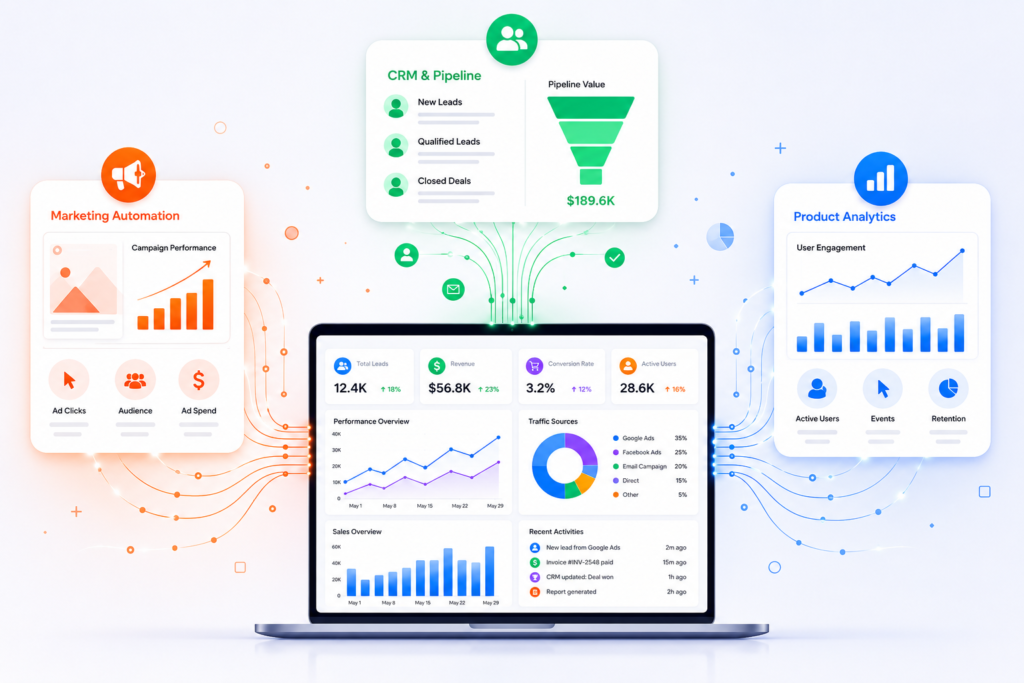
How to Connect Meta Ads, Google Ads, CRM, and Product Analytics Into One Unified Customer Journey Dashboard
How to Connect Meta Ads, Google Ads, CRM, and Product Analytics Into One Unified Customer Journey Dashboard Most Companies Have Data. Few Have Customer Visibility. A marketing manager sees: Facebook Ads conversions Google Ads ROAS The sales team sees: HubSpot deals Salesforce opportunities The product team sees: Mixpanel funnels Amplitude retention The CEO sees three different reports telling three different stories. The core problem is not reporting. The problem is customer identity. Most businesses cannot answer: Which ad campaign generated our highest-LTV customers? Which channel creates users with the best retention? Which campaign generated revenue six months later? Which product behaviors predict future purchases? To answer those questions, businesses must connect advertising, CRM, and product analytics into a single customer journey. The Architecture of a Unified Customer Journey Dashboard A modern implementation typically looks like this: Meta Ads API ↓ Google Ads API ↓ LinkedIn Ads API HubSpot API ↓ Salesforce API Mixpanel API ↓ Amplitude API Stripe API ↓ Product Database → ETL Layer (n8n / Airbyte / Fivetran) → Data Warehouse (BigQuery / Snowflake / Redshift) → BI Layer (Looker Studio / Power BI / Tableau) The dashboard is merely the visualization layer. The real work happens in identity resolution and data integration. Step 1: Create a Universal Customer Identifier (UUID) This is the most important step. Without a shared identifier, customer journey tracking becomes impossible. When a visitor lands on your website: Generate: const customerUUID = crypto.randomUUID(); Store: First-party cookie CRM record Product analytics profile Example: Customer: UUID: 7f3b9e88-412b-44d2-bbb2-4d28f2f95f3a Every system should reference this same ID. Without UUID matching: Meta knows the click. HubSpot knows the lead. Mixpanel knows the user. Nobody knows they are the same person. Step 2: Capture Advertising Attribution Data When users arrive from advertising campaigns, capture: UTM Source UTM Medium UTM Campaign UTM Content UTM Term Example: https://yourwebsite.com ?utm_source=facebook &utm_medium=paid &utm_campaign=summer_sale Store these values alongside the UUID. Example: UUID: 7f3b9e88… Source: facebook Campaign: summer_sale Now every future event can be tied back to acquisition. Step 3: Pull Data from Meta Ads API Meta provides campaign-level performance data through the Marketing API. Typical metrics: Spend Impressions Clicks CPC CTR Purchases Leads API endpoint: GET https://graph.facebook.com/v20.0/act_{ad_account_id}/insights Schedule data pulls every hour. Store results inside: BigQuery Table: meta_ads_daily Fields: campaign_id campaign_name spend clicks impressions conversions Step 4: Pull Data from Google Ads API Google Ads provides: Search campaign performance Display campaigns Performance Max Conversion metrics Example query: SELECT campaign.name, metrics.clicks, metrics.impressions, metrics.cost_micros FROM campaign Store results in: google_ads_daily inside the warehouse. Step 5: Sync CRM Data Using HubSpot API: GET /crm/v3/objects/contacts Pull: Lead status Lifecycle stage Opportunity value Deal status Revenue Important fields: UUID Email Lead Source Revenue Close Date Now revenue can be tied back to campaigns. Step 6: Sync Product Analytics Events Mixpanel and Amplitude expose event APIs. Track: Signup Feature Used Trial Started Subscription Purchased Retention Events Example event: { “event”:”Feature Used”, “user_id”:”7f3b9e88…” } The UUID links analytics activity to CRM and advertising data. Step 7: Build Automated Data Pipelines Manual exports do not scale. Use: n8n Make Airbyte Fivetran Example n8n workflow: Cron Trigger ↓ Google Ads API ↓ Meta Ads API ↓ HubSpot API ↓ BigQuery ↓ Slack Alert Run: Every 60 minutes Cron expression: 0 * * * * This keeps dashboards fresh automatically. Step 8: Create Customer Journey Tables Most companies make the mistake of storing data separately. Instead create: customer_journey_master Example: UUID Source Campaign Lead Opportunity Customer Revenue 7f3b… Meta Summer Sale Yes Yes Yes $5,000 Now the entire customer lifecycle exists in one record. Step 9: Calculate Full-Funnel Metrics Once systems are connected you can answer: Marketing Metrics CAC ROAS Cost per Lead Sales Metrics Pipeline Velocity Win Rate Revenue Attribution Product Metrics Activation Rate Retention Rate Feature Adoption Unified Metrics Revenue by Campaign LTV by Channel Retention by Source CAC Payback Period This is where true business intelligence emerges. Example Customer Journey Customer clicks Meta Ad ↓ Landing Page Visit ↓ UUID Created ↓ Lead Captured in HubSpot ↓ Sales Demo Booked ↓ Customer Closed ↓ Product Signup ↓ Feature Adoption Tracked in Mixpanel ↓ Subscription Renewal ↓ Dashboard shows: Meta Campaign → Revenue → Product Retention instead of disconnected reports. Recommended Tech Stack (2026) Data Collection Google Ads API Meta Ads API HubSpot API Salesforce API Mixpanel Amplitude Integration Layer n8n Airbyte Fivetran Warehouse BigQuery Snowflake Visualization Looker Studio Tableau Power BI Final Thoughts Final Thoughts The biggest mistake businesses make is treating advertising, CRM, and product analytics as separate systems. Customers do not experience your company in silos. They move through a continuous journey: Ad Click → Lead → Opportunity → Customer → Product User → Advocate A unified dashboard should reflect that journey. The foundation is not reporting alone. It is identity resolution using UUIDs, automated API integrations, scheduled ETL pipelines, centralized data warehouses, and well-designed customer data models that connect every touchpoint across marketing, sales, and product teams. When these systems are integrated correctly, organizations can finally answer critical business questions: Which ad campaigns generate the highest-value customers? Which acquisition channels drive long-term retention? Which product behaviors predict revenue growth? Where are customers dropping off in the funnel? Which sales and marketing activities influence conversion most effectively? At Product Siddha, we help businesses design and implement these end-to-end data ecosystems. From integrating Meta Ads, Google Ads, HubSpot, Salesforce, Mixpanel, Amplitude, Stripe, and custom applications to building automated data pipelines with n8n, Make, and modern cloud data warehouses, our focus is creating a single source of truth for business growth. Whether you’re building a customer journey dashboard, implementing product analytics, establishing attribution models, or connecting fragmented systems through automation, Product Siddha helps transform disconnected data into actionable intelligence. Once the right architecture is in place, teams can move beyond reporting and start making faster, more confident decisions based on a complete view of the customer lifecycle – from first click to long-term retention and revenue growth.