
Product Siddha

Marketing Automation

AI Decision Engines Explained for Business Leaders
AI Automation, Blog

AI Decision Engines Explained for Business Leaders

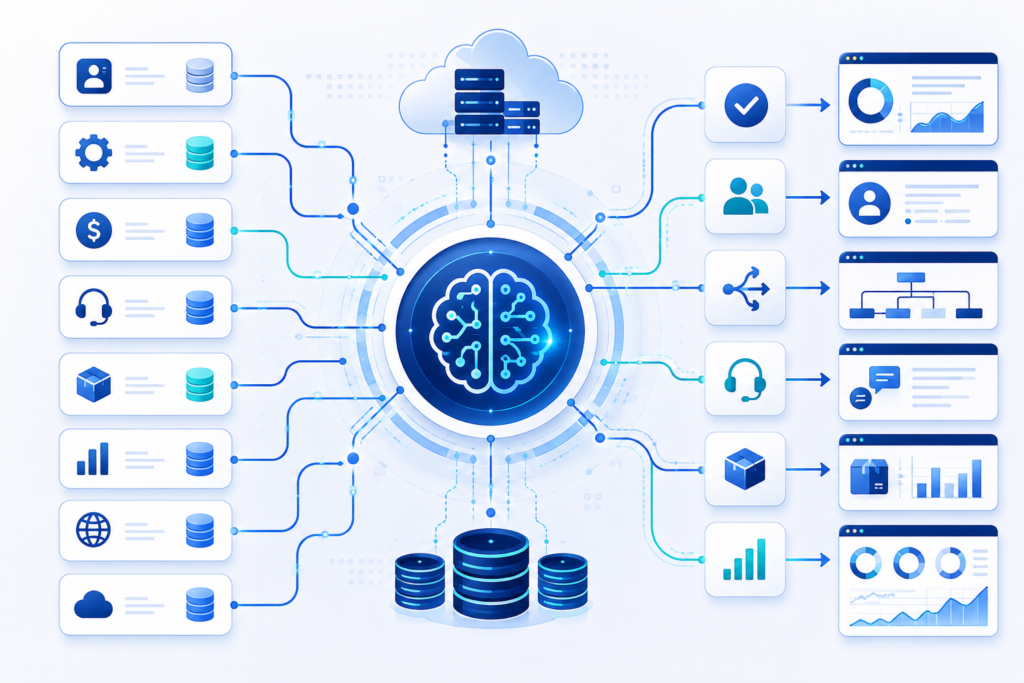
AI Decision Engines Explained for Business Leaders The Business Shift Every business makes hundreds or even thousands of operational decisions each day. Some are routine, such as assigning customer inquiries, routing service requests, qualifying leads, or onboarding new customers. Others involve inventory planning, customer support prioritization, workforce scheduling, and identifying operational risks. As organizations grow, these decisions become more frequent and more complex. Traditional software follows predefined instructions. It performs tasks exactly as it is programmed. Modern businesses, however, require systems that can evaluate multiple sources of information, apply business rules, and recommend the most appropriate next step. This is where AI Decision Engines become valuable. They combine business logic, data analysis, and intelligent automation to support consistent, timely, and informed operational decision-making across an organization. At Product Siddha, we help businesses design AI-powered automation solutions that simplify operational decisions, improve efficiency, and reduce manual effort. Understanding AI Decision Engines An AI Decision Engine is a software system that evaluates available information, applies predefined business rules, analyzes patterns, and determines the most appropriate next action. Unlike basic automation, which follows a fixed sequence of tasks, a decision engine evaluates changing conditions before selecting an outcome. For example, an AI Decision Engine can: Route customer inquiries to the right department Prioritize sales opportunities Route customer onboarding requests Recommend inventory replenishment Assign service tickets based on urgency Recommend personalized product suggestions Prioritize document review workflows These recommendations follow predefined business policies while using available operational data to improve consistency and efficiency. How AI Decision Engines Work An AI Decision Engine typically follows four stages. 1. Data Collection The system gathers information from different business platforms such as: CRM software ERP systems Marketing platforms Customer support tools Inventory databases HR systems Website activity External APIs The quality of the decision depends on the quality of the available data. 2. Data Processing Incoming information is validated and organized before analysis. During this stage, the system may: Remove duplicate records Verify customer information Standardize formats Combine information from multiple sources Update missing values Accurate data helps produce reliable recommendations. 3. Decision Logic This is the core of the decision engine. Business rules and AI models evaluate the available information. Examples include: Customer purchase history Customer onboarding status Product availability Lead quality Customer lifetime value Support ticket priority Service-level agreements (SLAs) Based on these inputs, the system determines the most appropriate next action. 4. Automated Action Once a recommendation is made, the engine automatically triggers the appropriate workflow. Examples include: Assigning a customer onboarding specialist Creating a follow-up task Updating a CRM record Scheduling customer communication Notifying the appropriate department Escalating high-priority customer issues The process happens with minimal manual involvement while following established business rules. Business Problems AI Decision Engines Solve Many organizations experience similar operational challenges. Business Challenge AI Decision Engine Solution Slow customer onboarding Intelligent workflow routing Lead assignment delays Intelligent lead routing Manual customer support Ticket prioritization Inventory shortages Inventory forecasting recommendations Document processing delays Automated document classification Inconsistent service routing Rule-based request routing Rather than relying on employees to manually review every operational request, organizations can use AI Decision Engines to evaluate information, prioritize tasks, and recommend the next appropriate action. This creates greater consistency while allowing employees to focus on decisions that require experience and business judgment. Key Benefits for Business Leaders Faster Decision-Making Routine operational decisions often consume valuable employee time. AI Decision Engines evaluate information within seconds, allowing employees to focus on strategic work instead of repetitive administrative tasks. Improved Consistency Different employees may interpret business policies differently. Decision engines apply the same business rules every time, reducing inconsistencies across departments. Better Resource Allocation The system helps assign work according to business priorities. Examples include: Customer onboarding requests are routed more efficiently. High-priority service requests reach the appropriate teams sooner. Sales representatives receive qualified opportunities first. This improves productivity while balancing workloads. Reduced Operational Costs Manual reviews require time and staff. Automating routine operational decisions reduces administrative effort while maintaining consistent outcomes. Scalable Operations As organizations grow, operational requests increase. Decision engines continue processing thousands of requests without requiring proportional increases in staffing. Practical Business Applications Sales Operations AI Decision Engines help sales teams by: Scoring incoming leads Assigning prospects automatically Prioritizing follow-up activities Identifying promising sales opportunities Sales managers gain better visibility while reducing manual assignment work. Customer Service Support teams often receive hundreds of requests every day. Decision engines automatically: Classify customer issues Measure urgency Route tickets Recommend responses Customers receive quicker service while support teams manage workloads more effectively. Customer Onboarding Customer onboarding often requires information to move across several business systems. AI Decision Engines help by: Reviewing submitted information Checking document completeness Identifying missing details Routing applications to the correct team Triggering onboarding workflows This shortens onboarding time while maintaining consistency across departments. Supply Chain Decision engines improve supply chain operations by: Recommending inventory replenishment based on demand forecasts Monitoring inventory levels Identifying supply chain delays Prioritizing replenishment requests Notifying operations teams about potential shortages This helps businesses improve inventory planning while reducing operational disruptions. Human Resources HR departments can automate: Candidate screening Interview scheduling Employee onboarding Leave request routing Training recommendations Administrative work decreases while employee experiences improve. AI Decision Engines vs Traditional Automation Traditional Automation AI Decision Engines Executes fixed tasks Evaluates multiple conditions Limited flexibility Adapts to changing data Rule-based workflows Combines rules with intelligent analysis Performs repetitive actions Selects the most appropriate next action Minimal analysis Provides data-driven recommendations Traditional automation performs repetitive work efficiently. Decision engines extend automation by helping systems determine what should happen next based on business rules and available information. Important Considerations Before Implementation Business leaders should prepare several foundations before introducing an AI Decision Engine. High-Quality Data Poor data creates poor recommendations. Organizations should clean and standardize their business information before implementation. Clearly Defined Business Rules Successful decision engines require documented business policies. Leadership teams should identify: Customer priorities Operational thresholds Service-level objectives Escalation criteria Workflow rules Integration with Existing Systems Decision engines perform
Server-Side Tracking Explained for Marketers
AI Automation, Blog

Server-Side Tracking Explained for Marketers

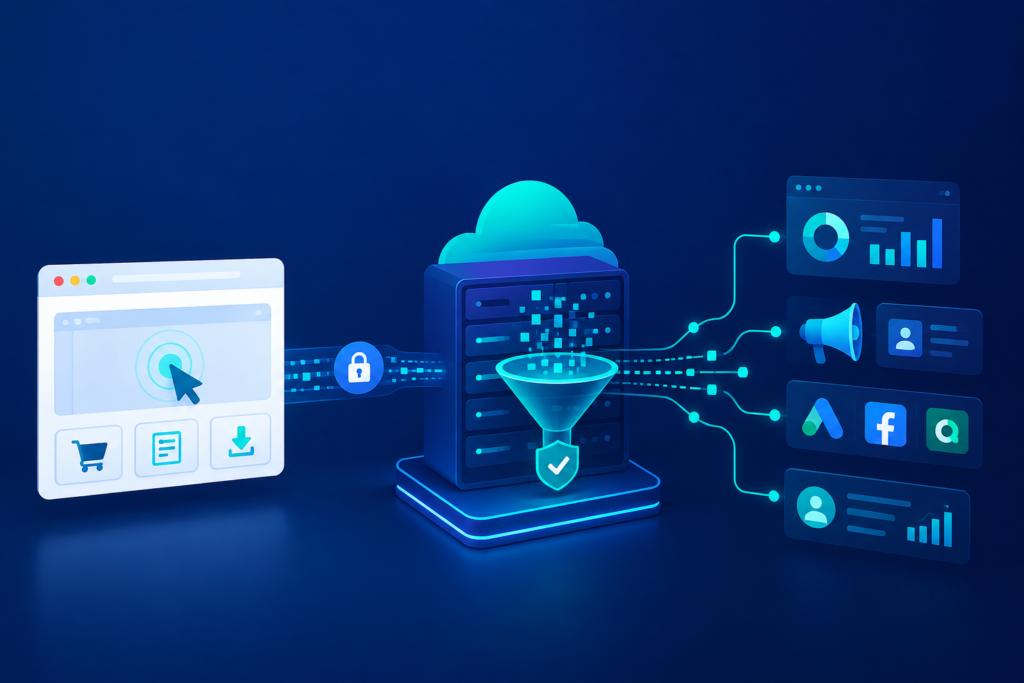
Server-Side Tracking Explained for Marketers A Better Way to Measure Marketing Marketing decisions depend on reliable data. Every campaign, landing page, email, and advertisement generates valuable information that helps businesses understand customer behavior. When that information is incomplete or inaccurate, it becomes difficult to measure performance and improve results. For many years, browser-based tracking has been the standard approach for collecting marketing data. However, growing privacy expectations, browser restrictions, ad blockers, and changing cookie policies have reduced the reliability of traditional tracking methods. Server-side tracking has emerged as a practical solution to these challenges. It gives marketers greater control over data collection while improving data accuracy and supporting stronger privacy practices. For businesses investing in Marketing Automation, server-side tracking creates a stronger foundation for campaign reporting, audience segmentation, and customer journey analysis. At Product Siddha, we help organizations implement reliable data collection systems that improve marketing performance while maintaining compliance with evolving privacy standards. What Is Server-Side Tracking? Server-side tracking is a method of collecting website and application data through a secure server instead of sending tracking information directly from a visitor’s browser to marketing platforms. In traditional browser tracking, a user’s browser communicates directly with tools such as Google Analytics, Meta Pixel, or advertising platforms. With server-side tracking, the browser sends data to a dedicated server first. The server processes, filters, validates, and forwards the required information to different marketing and analytics platforms. This additional layer provides businesses with greater control over the information they collect and share. How Traditional Tracking Works Most marketers are familiar with browser-based tracking. The process is simple: A visitor opens a website. Tracking scripts load inside the browser. User actions are recorded. Data is sent directly to analytics and advertising platforms. While this approach has worked for years, several factors now reduce its effectiveness. Common challenges include: Browser privacy restrictions Third-party cookie limitations Ad blockers JavaScript failures Slow page loading Network interruptions These issues often result in missing conversions and incomplete reporting. How Server-Side Tracking Works Server-side tracking changes the flow of information. The process typically follows these steps: A visitor interacts with a website. Event data is sent to a secure server. The server validates and processes the information. Unnecessary or sensitive data is filtered. Clean event data is forwarded to analytics, advertising, and reporting platforms. This controlled process improves data quality while reducing unnecessary requests from the user’s browser. Why Marketers Should Care Reliable measurement supports better marketing decisions. Server-side tracking provides several practical benefits. Improved Data Accuracy Browser restrictions often prevent events from reaching analytics platforms. Server-side tracking reduces data loss by sending information through controlled server connections. This produces more complete reporting. Better Conversion Tracking Businesses depend on accurate conversion data to evaluate campaigns. Server-side tracking helps capture: Form submissions Purchases Lead generation Downloads Newsletter registrations Account creation Improved conversion tracking supports better campaign optimization. Faster Website Performance Traditional tracking requires multiple browser scripts. Reducing these browser requests can improve page loading speed. Faster websites contribute to better user experiences and improved search engine performance. Greater Control Over Data Organizations decide exactly which information is shared with external platforms. Sensitive fields can be removed before data leaves the company’s environment. This helps maintain cleaner datasets. Stronger Privacy Practices Businesses increasingly need to balance marketing insights with responsible data handling. Server-side tracking supports privacy-focused data collection by giving organizations greater visibility into what information is transmitted. The Role of Server-Side Tracking in Marketing Automation Reliable data is the foundation of successful Marketing Automation. Automated campaigns depend on accurate customer information to deliver relevant experiences. When event tracking becomes inconsistent, automation workflows also become less reliable. Server-side tracking improves several marketing automation activities. Customer Journey Tracking Businesses can monitor customer interactions across multiple touchpoints with greater consistency. This supports better lifecycle analysis. Audience Segmentation Accurate behavioral data improves customer segmentation. Marketing teams can build audiences based on reliable actions instead of incomplete browser events. Lead Scoring Marketing automation platforms often assign scores based on customer activity. More accurate tracking improves lead qualification. Campaign Attribution Understanding which channels generate results becomes easier when conversion data is more complete. Marketing teams gain greater confidence in campaign reporting. Personalized Communication Reliable behavioral data allows automation platforms to trigger appropriate customer communications based on actual interactions. Common Business Applications Many organizations implement server-side tracking across multiple departments. Examples include: Business Function Server-Side Tracking Use Ecommerce Purchase tracking Lead Generation Form submission monitoring SaaS Platforms Product usage tracking Customer Support Service interaction reporting Email Marketing Campaign attribution CRM Systems Customer activity synchronization These integrations provide a more complete view of customer behavior. Best Practices for Implementation Successful server-side tracking requires careful planning. Businesses should follow several guidelines. Define Business Goals Identify which events truly matter. Collecting unnecessary information increases complexity. Track Meaningful Events Focus on actions that support business decisions, including: Purchases Quote requests Contact forms Downloads Product views Account registrations Maintain Data Quality Consistent event naming and validation improve reporting accuracy. Poor data structure creates confusion across reporting platforms. Integrate with Existing Systems Server-side tracking works best when connected with: CRM platforms Analytics platforms Marketing automation software Advertising platforms Customer data platforms A connected data ecosystem produces more reliable insights. Looking Ahead Marketing measurement continues to evolve as browsers, privacy standards, and digital technologies change. Organizations that rely solely on browser-based tracking may experience increasing gaps in reporting over time. Server-side tracking offers a more dependable approach by giving businesses greater ownership of their marketing data. Combined with well-designed Marketing Automation workflows, reliable tracking supports better reporting, improved customer insights, stronger campaign measurement, and more informed business decisions. For businesses seeking long-term data reliability, server-side tracking is becoming an essential part of modern marketing infrastructure. Product Siddha helps organizations design and implement server-side tracking solutions that improve reporting accuracy, strengthen marketing automation, and support sustainable business growth.

Marketing Automation Audit Checklist for Growing Businesses
AI Automation, Blog

Marketing Automation Audit Checklist for Growing Businesses

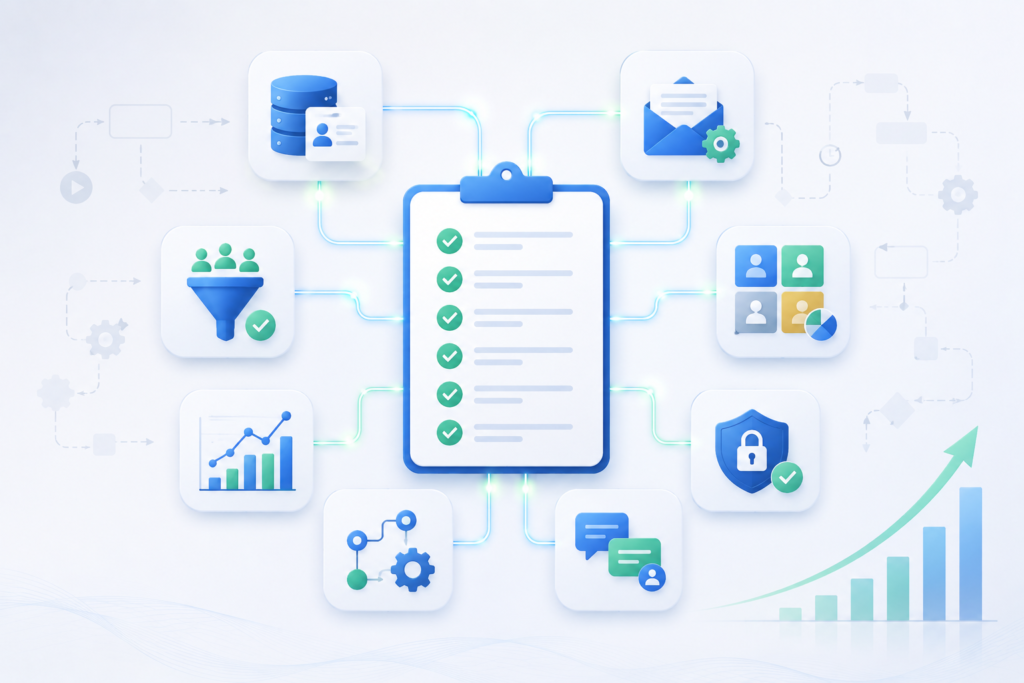
Marketing Automation Audit Checklist for Growing Businesses As a business grows, marketing activities become more complex. New campaigns, expanding customer databases, multiple communication channels, and increasing lead volumes require organized systems to maintain consistency. Marketing automation helps manage these activities, but simply implementing automation software does not guarantee better results. Over time, workflows become outdated, customer data may lose accuracy, and automated processes can create unnecessary delays instead of improving efficiency. Regular audits help businesses identify these issues before they affect customer experience or business performance. A structured Marketing Automation audit ensures that every workflow supports business goals, customer communication remains relevant, and valuable opportunities are not overlooked. At Product Siddha, we help businesses evaluate, optimize, and automate their marketing processes through intelligent automation, CRM integration, and business intelligence solutions that support long-term growth. Why Regular Marketing Automation Audits Matter Automation should simplify business operations. Without periodic reviews, automated systems may begin working against your objectives. Common issues include: Duplicate customer records Broken automation workflows Outdated email sequences Incorrect customer segmentation Missing CRM updates Delayed lead assignments Inaccurate reporting An audit allows businesses to identify these problems early and improve overall efficiency. Review Your Business Goals Every automation workflow should support a clear business objective. Ask the following questions: Does this workflow generate qualified leads? Does it improve customer communication? Does it reduce manual work? Does it improve customer retention? Does it support sales conversion? If a workflow no longer contributes to measurable business outcomes, it should be updated or removed. Evaluate Customer Data Quality Marketing automation depends on reliable customer information. Review your database for: Duplicate contacts Incomplete customer profiles Invalid email addresses Outdated phone numbers Missing customer preferences Inactive contacts Maintaining clean customer records improves personalization and reporting accuracy. Verify CRM Integration Marketing automation platforms perform best when connected with CRM systems. Your CRM should automatically update: New leads Customer interactions Sales activities Support requests Purchase history Follow-up reminders Disconnected systems often result in inconsistent customer experiences. At Product Siddha, CRM Automation Solutions help businesses connect marketing, sales, and customer service into one streamlined workflow. Review Every Automated Workflow Each automation sequence should be tested regularly. Review workflows for: Trigger accuracy Timing delays Email delivery Workflow completion Error handling Duplicate actions Visual workflow mapping helps identify unnecessary complexity and areas for improvement. Audit Lead Management Processes Lead management is one of the most valuable applications of Marketing Automation. Check whether your system: Captures every inquiry Assigns leads correctly Sends immediate acknowledgments Scores leads accurately Alerts sales representatives promptly Tracks follow-up activities A missed lead often represents a missed business opportunity. Evaluate Email Automation Email remains one of the most effective automation channels. Review: Welcome email sequences Follow-up campaigns Customer onboarding Event reminders Renewal notifications Re-engagement campaigns Ensure every email contains current information and aligns with your business goals. Review Customer Segmentation Effective automation depends on meaningful audience segmentation. Consider grouping customers by: Segmentation Type Example Industry Healthcare, Manufacturing Purchase History New vs Returning Customers Geographic Location Region or Country Customer Interests Product Categories Engagement Level Active or Inactive Business Size Small, Medium, Enterprise Accurate segmentation improves communication without increasing marketing effort. Test Forms and Landing Pages Lead generation begins with customer interactions. Review all forms for: Proper field validation Mobile responsiveness CRM integration Spam protection Fast loading speed Confirmation messages Even minor form issues can reduce conversion rates. Check Reporting Accuracy Automation platforms generate valuable business insights only when reporting is accurate. Review dashboards for: Lead conversion rates Campaign performance Customer acquisition Sales pipeline activity Email engagement Customer retention Business Intelligence Dashboards simplify this process by presenting key performance indicators in real time. Strengthen Data Security Growing businesses collect increasing amounts of customer information. Your audit should include: User permissions Access controls Data encryption Backup procedures Consent management Privacy compliance Protecting customer information strengthens trust and supports regulatory compliance. Real Business Example Consider a growing software company managing leads through website inquiries, webinars, and email campaigns. Initially, automation handled these processes efficiently. As the business expanded, duplicate customer records appeared, multiple sales representatives contacted the same prospects, and outdated email sequences continued reaching existing customers. After conducting a comprehensive Marketing Automation audit, the company: Removed duplicate workflows Improved CRM synchronization Updated lead scoring rules Simplified customer segmentation Reduced manual reporting The result was smoother internal operations, improved customer communication, and better visibility into marketing performance. This example illustrates why routine audits are essential for businesses experiencing growth. Marketing Automation Audit Checklist Audit Area Status Business Goals Reviewed ✓ Customer Database Cleaned ✓ CRM Integration Verified ✓ Automation Workflows Tested ✓ Lead Management Reviewed ✓ Email Campaigns Updated ✓ Customer Segmentation Evaluated ✓ Forms and Landing Pages Tested ✓ Reporting Accuracy Verified ✓ Security and Compliance Reviewed ✓ Businesses should complete this checklist at least twice each year or after major system updates. Practical Improvements with Product Siddha At Product Siddha, businesses receive support in reviewing existing automation systems and identifying opportunities for improvement. Our services include: Marketing Automation implementation CRM Automation Solutions AI-powered workflow optimization Business Intelligence Dashboards Process automation consulting Customer journey optimization These services help businesses reduce manual work while improving operational efficiency. Final Thoughts Marketing Automation delivers lasting value only when workflows remain accurate, connected, and aligned with business objectives. As organizations grow, automation systems require regular evaluation to maintain performance and reliability. A structured audit helps identify outdated processes, improve customer experiences, strengthen CRM integration, and increase operational efficiency. By reviewing workflows, customer data, reporting, and system performance on a regular basis, businesses can ensure their automation continues to support sustainable growth. With Product Siddha’s automation expertise, organizations can build scalable systems that simplify operations, improve decision-making, and create stronger customer relationships.

Product Siddha
Privacy Overview

This website uses cookies so that we can provide you with the best user experience possible. Cookie information is stored in your browser and performs functions such as recognising you when you return to our website and helping our team to understand which sections of the website you find most interesting and useful.