Product Siddha

AI Automation

How to Build an AI Customer Support Agent for Under ₹25,000
AI Automation, Blog

How to Build an AI Customer Support Agent for Under ₹25,000

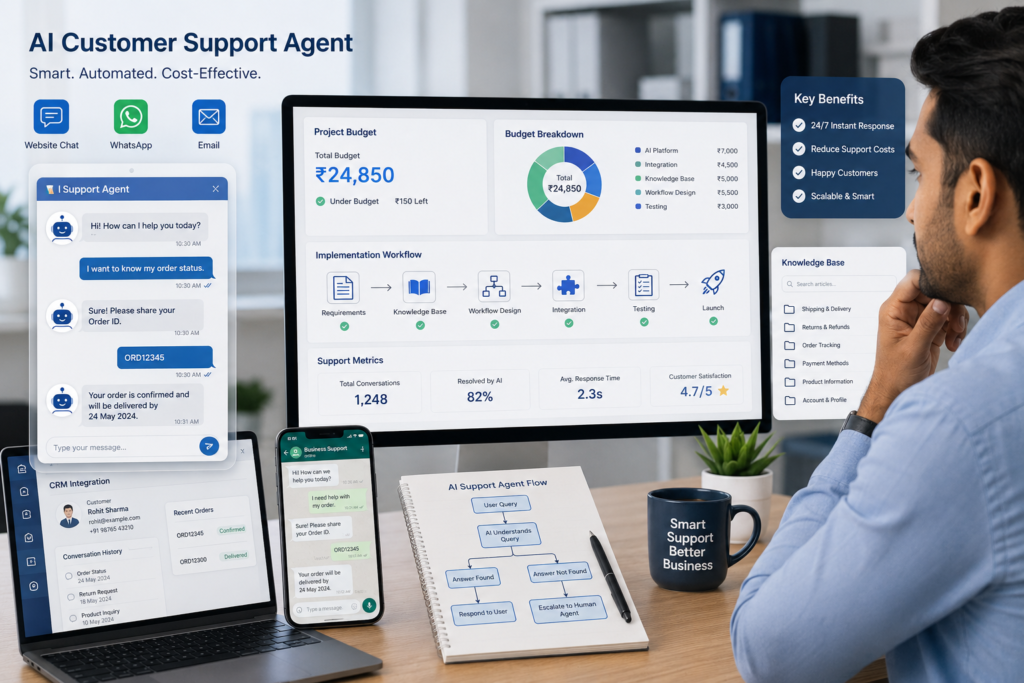
How to Build an AI Customer Support Agent for Under ₹25,000 Start with a Practical Plan Artificial intelligence has become more accessible for businesses of every size. Small companies that once considered automated customer support too expensive can now build capable AI support agents with a modest budget. The challenge is no longer whether automation is affordable. The challenge is knowing where to spend money and how to avoid unnecessary complexity. A well-planned AI customer support agent can answer common questions, guide customers through basic processes, collect information, and transfer conversations to human staff when needed. When designed carefully, these systems improve response times while reducing repetitive work for support teams. At Product Siddha, we help businesses build AI automation solutions that match their operational needs and available budget. The goal is to create systems that solve real customer problems instead of adding another layer of technology to manage. Define What Your AI Agent Should Handle Many projects fail because businesses expect an AI agent to answer every possible question from the first day. Instead, begin with repetitive customer enquiries. Typical examples include: Order status enquiries Business hours Pricing information Appointment booking Product availability Shipping questions Frequently asked questions Basic troubleshooting Limiting the initial scope improves accuracy and reduces implementation costs. Build a Reliable Knowledge Base An AI support agent depends on the quality of the information it receives. Before selecting any platform, collect your business knowledge in one place. Include: Frequently asked questions Product documentation Service descriptions Return policies Delivery information Contact details Internal support procedures Clear and well-organized content produces better customer responses. Plan Your Budget Carefully A budget of ₹25,000 is sufficient for a simple implementation when spending is controlled. Expense Estimated Cost AI platform subscription ₹5,000 to ₹8,000 Website integration ₹3,000 to ₹5,000 Knowledge base preparation ₹4,000 to ₹6,000 Workflow setup ₹5,000 to ₹7,000 Testing and improvements ₹2,000 to ₹4,000 The exact cost depends on the complexity of your support requirements and the number of systems involved. Choose the Right Communication Channels Customers expect support through multiple channels. Your AI agent may operate through: Website live chat WhatsApp Business Email Customer portal Mobile application Start with one or two channels before expanding further. This approach simplifies testing and maintenance. Design Clear Conversation Flows An effective support agent follows structured conversations. For example: Customer Question ↓ AI identifies the request ↓ Provides relevant answer ↓ Requests additional information if required ↓ Resolves the issue ↓ Transfers to human support when necessary Well-designed conversation paths reduce customer frustration and improve resolution rates. Connect Business Systems An AI agent becomes far more useful when it connects with existing business systems. Useful integrations include: CRM Order management system Inventory software Help desk platform Appointment scheduler Payment records These integrations allow customers to receive accurate information without requiring manual intervention. Test Before Going Live Testing often determines whether customers trust the system. Review situations such as: Incorrect customer questions Spelling mistakes Multiple language variations Missing information Escalation requests Complex enquiries Each test improves the overall customer experience. Important Performance Metrics Once deployed, monitor performance regularly. Useful KPIs include: KPI Why It Matters Response Time Customer experience Resolution Rate Support effectiveness Escalation Rate AI limitations Customer Satisfaction Service quality Repeat Questions Knowledge gaps Average Handling Time Operational efficiency Monitoring these measurements helps improve the system over time. Common Mistakes to Avoid Businesses often encounter similar challenges during implementation. These include: Poor documentation Weak knowledge bases Overly complex workflows Missing integrations Lack of testing No escalation process Unrealistic customer expectations Avoiding these issues saves both time and money. When DIY Reaches Its Limits Building a simple AI customer support agent is achievable with careful planning and a modest budget. However, many businesses discover that scaling the solution introduces new challenges. As customer enquiries become more varied, businesses often need: CRM integration Workflow automation Reporting dashboards Data synchronization Security controls Multi-channel support Performance optimization These requirements usually extend beyond a basic implementation. This is where experienced implementation partners provide long-term value. How Product Siddha Helps At Product Siddha, we help businesses move from basic automation to reliable customer support systems that grow with the business. Our services include: AI automation consulting Customer support workflow design Knowledge base development CRM integration Business process automation Performance dashboards AI implementation Ongoing optimization Whether you are building your first AI support agent or improving an existing solution, our team helps ensure the system delivers measurable business value. Build Smart, Then Grow An AI customer support agent does not require a large technology budget to deliver meaningful results. With a clear scope, reliable business information, careful budgeting, and structured testing, many businesses can build an effective solution for under ₹25,000. The most successful projects begin with realistic expectations and continue to improve through regular measurement and refinement. As support requirements grow, businesses can expand their AI capabilities through deeper integrations and more advanced automation. For organizations seeking a dependable implementation partner, Product Siddha helps transform practical ideas into customer support solutions that improve service quality while supporting long-term business growth.
15 AI Automation Workflows Every B2B Company Should Implement
AI Automation, Blog

15 AI Automation Workflows Every B2B Company Should Implement

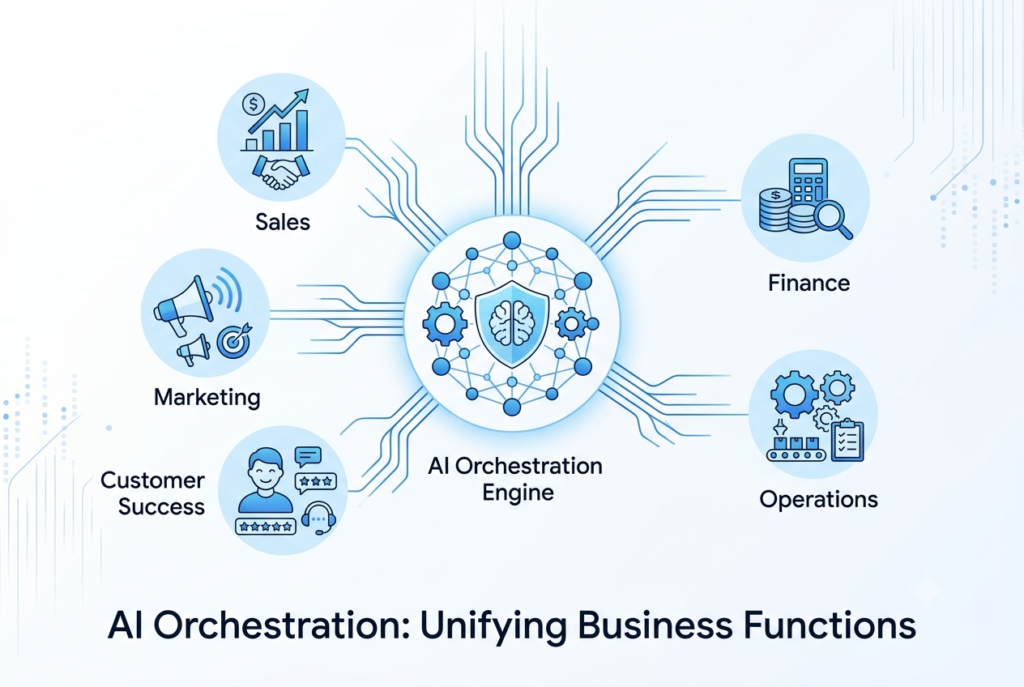
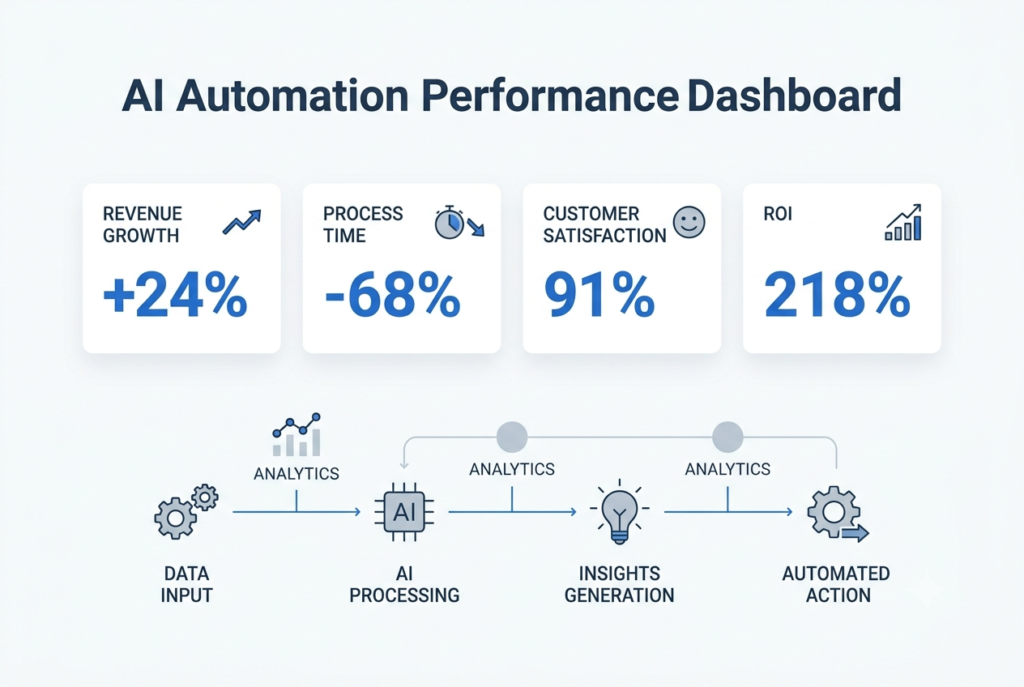
15 AI Automation Workflows Every B2B Company Should Implement   Stop Buying AI Tools. Start Building AI Workflows. Ask ten B2B founders what their first AI project was, and most will give a familiar answer. A chatbot. An AI writing assistant. Meeting summaries. Email drafting. Those tools save time, but they rarely change how a business operates. Across growing SaaS companies, agencies, manufacturers, and service businesses, a different pattern is emerging. Companies seeing the strongest returns are no longer automating individual tasks. They are connecting entire business processes so information moves automatically between teams, systems, and customers. Instead of asking, “Can AI write this email?”, they ask, “How can AI remove five manual steps from our sales process?” That shift changes everything. At Product Siddha, our AI Automation Services focus on designing connected workflows that eliminate repetitive work, improve decision-making, and help businesses scale without increasing operational complexity. This article explores the automation workflows that operations leaders, founders, and RevOps teams are increasingly adopting to solve real business problems. Why Most AI Automation Projects Disappoint Many businesses begin their AI journey with enthusiasm. They purchase several AI tools, encourage employees to experiment, and expect immediate productivity gains. Six months later, the excitement fades. The problem usually is not the technology. It is the workflow. For example, a salesperson might use AI to write an email, but still needs to: Copy lead information into the CRM Update opportunity stages Schedule follow-up reminders Create meeting notes Notify internal teams Prepare a proposal Only one task has been automated. The remaining work still depends on manual effort. Successful automation connects these activities into one continuous process. Instead of saving five minutes on one task, it saves several hours across an entire customer journey. What High-Performing B2B Teams Are Doing Differently Businesses achieving measurable returns from AI share several characteristics. They focus on: End-to-end workflows instead of isolated tasks Reliable business data before introducing automation Clear ownership of every workflow Continuous measurement and refinement Human oversight for important business decisions This approach creates automation that improves with time instead of becoming another disconnected system. Workflow 1: AI SDR Research and Lead Qualification Sales development representatives spend a significant portion of their day gathering information before speaking with prospects. Research often includes: Company size Industry Recent funding Hiring activity Technology stack Decision-makers Previous interactions An AI-powered workflow performs much of this preparation automatically. Example Workflow Website enquiry ↓ CRM record created ↓ AI researches company ↓ Buying signals identified ↓ Lead score calculated ↓ Sales representative notified ↓ Personalized outreach drafted Rather than replacing the sales team, automation allows representatives to spend more time building relationships with qualified prospects. Business Impact Faster lead response Higher-quality conversations Better CRM accuracy More consistent prospect research Workflow 2: Proposal Generation in Minutes Proposal creation remains one of the most time-consuming activities in many B2B organizations. Consultancies, agencies, software providers, and professional service firms often spend several hours preparing documents after every discovery meeting. AI can automate much of this work. Example Workflow Discovery meeting completed ↓ Meeting transcript analysed ↓ Client requirements extracted ↓ Scope of work drafted ↓ Pricing inserted ↓ Proposal formatted ↓ Sales manager reviews ↓ Proposal delivered Instead of starting with a blank document, sales teams begin with a structured draft that requires only final adjustments. Business Impact Shorter sales cycles Consistent proposal quality Faster response to prospects Reduced administrative work Workflow 3: Customer Health Monitoring Customer retention often creates more long-term value than acquiring new customers. The challenge is identifying at-risk accounts before they decide to leave. AI can monitor customer behaviour across multiple systems. Signals may include: Reduced product usage Support ticket frequency Declining engagement Payment delays Contract renewal dates Customer satisfaction trends When several warning signs appear together, the workflow automatically alerts the Customer Success team. Example Workflow Customer activity monitored ↓ Risk score updated ↓ Renewal probability calculated ↓ High-risk account detected ↓ Customer Success notified ↓ Personalized outreach initiated Instead of reacting to churn, businesses gain time to strengthen customer relationships. Workflow 4: AI Sales Call Intelligence Sales conversations contain valuable information that often disappears after the meeting ends. Modern AI workflows analyse every customer conversation automatically. The system can identify: Customer objectives Budget discussions Competitor mentions Product objections Buying signals Agreed next steps Relevant information is then added directly to the CRM. Managers receive coaching insights without reviewing every recording manually. Business Impact Better sales coaching Consistent CRM updates Faster follow-up Improved forecasting accuracy Workflow 5: Executive Morning Briefings Executives often begin the day by opening several dashboards. Sales. Marketing. Customer support. Finance. Operations. Each department reports performance differently. AI can consolidate this information into one concise daily briefing. Example Report Yesterday’s Revenue ₹14.2 lakh New Qualified Leads 38 Support Tickets Resolved 142 Critical Customer Risks 3 Outstanding Finance Approvals 7 Marketing Campaign Performance Above target Rather than collecting information manually, leadership receives one consistent report every morning. This allows faster decisions without requesting updates from multiple teams. Business Impact Better executive visibility Faster decision-making Less reporting effort Improved cross-functional alignment Workflow 6: AI Contract and RFP Response Automation Enterprise sales teams know that winning a deal often depends on responding quickly to Requests for Proposal (RFPs), security questionnaires, and legal reviews. These documents can run into hundreds of questions, many of which repeat across customers. Instead of searching through previous responses and copying information manually, AI can build the first draft using an approved knowledge base. Example Workflow RFP received ↓ AI identifies document sections ↓ Searches approved response library ↓ Drafts answers ↓ Flags unanswered or high-risk questions ↓ Legal and sales review ↓ Final document submitted The workflow does not replace legal or sales teams. It removes repetitive work so specialists can focus on reviewing complex requirements. Business Impact Faster proposal turnaround Consistent responses Higher bid capacity Reduced administrative effort Workflow 7: Intelligent Customer Onboarding The sales process does not end when a customer signs a contract. Poor onboarding often delays product adoption and

AI Automation KPIs How to Measure ROI Beyond Cost Savings
AI Automation, Blog

AI Automation KPIs: How to Measure ROI Beyond Cost Savings

AI Automation KPIs: How to Measure ROI Beyond Cost Savings Looking Beyond Payroll Savings Many AI automation projects are approved because they promise lower operating costs. Business leaders often hear statements such as “automation will save thousands of working hours” or “manual work will be reduced by 60 percent.” While these outcomes are valuable, they rarely represent the biggest return from an automation initiative. For executives responsible for approving technology budgets, the real question is much broader. Did the investment improve business performance? A successful automation project should strengthen revenue generation, improve customer satisfaction, shorten business processes, reduce operational risk, and help employees focus on work that creates greater value. This is why measuring return on investment (ROI) through labour savings alone gives an incomplete picture. At Product Siddha, AI Automation Services are designed around measurable business outcomes. Every implementation begins with clear objectives and a reporting framework that allows leadership teams to evaluate progress using practical business KPIs rather than assumptions. Why Cost Savings Can Be Misleading Imagine two businesses that each invest ₹18 lakh in AI automation. Company A Saves ₹5 lakh annually in staffing costs. No improvement in customer experience. Sales remain unchanged. Employees continue working with disconnected systems. ROI appears modest. Company B Saves only ₹2 lakh in operating costs. Reduces customer response time by 80%. Increases repeat purchases by 18%. Improves lead conversion by 22%. Generates ₹36 lakh in additional annual revenue. Although Company B saved less money directly, its automation project produced significantly greater business value. This illustrates why modern AI projects should be measured using operational and commercial KPIs instead of payroll reductions alone. The ROI Formula Every Executive Should Understand Many organisations make ROI calculations unnecessarily complicated. A practical approach is: ROI (%) = (Total Business Value − Total Investment) ÷ Total Investment × 100 Example An organisation invests: Investment Cost AI Automation Implementation ₹9,00,000 Software Licences ₹4,00,000 System Integration ₹3,00,000 Employee Training ₹2,00,000 Total Investment = ₹18,00,000 After twelve months, measurable business gains include: Business Outcome Annual Value Additional Revenue ₹28,00,000 Operational Savings ₹6,00,000 Fewer Processing Errors ₹4,00,000 Faster Customer Onboarding ₹5,00,000 Total Business Value = ₹43,00,000 ROI Calculation: (43 − 18) ÷ 18 × 100 = 139% ROI This calculation tells leadership something meaningful. The project created more than twice the value of its implementation cost. Scenario 1: Customer Support Automation Consider a growing logistics company serving more than 18,000 active customers. The support team receives approximately 1,300 enquiries every week. Before automation: KPI Before AI Support Agents 8 Average Response Time 16 minutes First Contact Resolution 64% Customer Satisfaction 74% Monthly Support Cost ₹6.2 lakh Management initially expected AI to reduce staffing costs. Instead, Product Siddha recommended automating repetitive customer enquiries while allowing agents to focus on complex cases. After six months: KPI After AI Average Response Time 90 seconds First Contact Resolution 83% Customer Satisfaction 91% Repeat Customer Rate +17% Monthly Support Cost ₹5.8 lakh Direct payroll savings amounted to only ₹40,000 per month. However, customer retention improved significantly. The company estimated that improved retention generated approximately ₹32 lakh in additional annual revenue. If management had measured only salary savings, the project would have appeared average. When customer retention and revenue growth were included, the automation initiative delivered an ROI of over 180 percent within the first year. This is the difference between measuring activity and measuring business impact. Scenario 2: Marketing Automation That Improves Revenue Marketing teams often measure campaign performance using click-through rates and lead volumes. These numbers provide useful information, but they do not always explain which activities contribute to revenue. A B2B technology company was generating approximately 1,500 enquiries each month from paid advertising, organic search, webinars, and email campaigns. The marketing team struggled to identify which channels influenced buying decisions because reports relied almost entirely on last-click attribution. Product Siddha introduced AI-powered marketing automation that connected CRM data, campaign activity, website interactions, and sales outcomes. Before AI KPI Before Marketing Qualified Leads 420 Average Lead Response Time 14 hours Conversion Rate 8.6% Revenue Attributed to Marketing Limited visibility After AI KPI After Marketing Qualified Leads 560 Average Lead Response Time 2 hours Conversion Rate 11.9% Revenue Attribution Accuracy Significantly improved Within nine months, marketing-generated revenue increased by 24% because campaigns could be optimized using complete customer journey data instead of isolated interactions. The KPIs That Matter Most Different departments measure success differently. A useful AI automation dashboard should include financial, operational, customer, and adoption metrics. Executive KPI Dashboard KPI Target Sample Result ROI 150% 186% Payback Period Under 12 months 8 months Revenue Growth 20% 24% Customer Satisfaction 90% 92% Customer Retention 85% 89% Process Completion Time -50% -68% Manual Tasks Automated 70% 76% Employee Productivity +20% +29% A dashboard like this helps executives evaluate business performance without reviewing dozens of operational reports. Build a KPI Roadmap Before Implementation Many organizations begin automation projects without deciding how success will be measured. A better approach is to define milestones before implementation begins. First 30 Days Focus on implementation quality. Measure: System uptime User adoption Workflow completion Integration accuracy Data quality First 90 Days Evaluate operational improvements. Track: Time saved Process cycle time Employee productivity Customer response time Automation success rate After 180 Days Measure commercial outcomes. Include: Revenue growth Customer retention Sales conversion Cost avoidance ROI Payback period This staged approach provides a balanced view of automation performance over time. KPIs That Are Often Overlooked Many organizations monitor operational efficiency but ignore indicators that reveal long-term business value. Examples include: Employee Adoption Rate If only half the workforce uses automated workflows, expected ROI will remain difficult to achieve. Exception Rate Monitor how often manual intervention is required. Lower exception rates indicate that workflows are becoming more reliable. Decision Speed Automation often reduces the time needed for approvals, reporting, and planning. This improvement creates business value that is difficult to measure through payroll savings alone. Customer Lifetime Value Improved customer experiences frequently increase repeat purchases. This can generate significantly greater financial returns than operational

Model Context Protocol (MCP) Explained Why Every AI Automation Team Is Talking About It
AI Automation, Blog

Model Context Protocol (MCP) Explained: Why Every AI Automation Team Is Talking About It

Model Context Protocol (MCP) Explained: Why Every AI Automation Team Is Talking About It Understanding the Shift in AI Integration Modern automation systems depend on how well different tools communicate with each other. As AI systems become more capable, the challenge is no longer model performance alone. The real issue is how models access external data, tools, and workflows in a structured way. This is where Model Context Protocol (MCP) comes in. It defines a standard method for connecting AI models to external systems, without requiring custom integration work for every tool. For any AI Automation Team, MCP is becoming a practical layer that simplifies how AI applications interact with data sources, APIs, and internal systems. At Product Siddha, we see MCP as part of a larger shift toward structured AI orchestration rather than isolated automation scripts. What Is Model Context Protocol (MCP) Model Context Protocol is a standardized framework that allows AI models to communicate with external tools in a consistent format. Instead of building separate connectors for each system, MCP defines a common structure for: Sending context to AI models Calling external tools Returning structured responses Managing multi-step workflows In simple terms, MCP acts like a universal adapter between AI systems and business tools. For example: An AI model can request customer data from a CRM, analyze it, and return insights without custom-coded integration for each step. Why MCP Matters for AI Automation Teams Before MCP, most AI Automation Teams relied on custom APIs, scripts, and integrations for every system. This created three common problems: Integration complexity increases with each new tool Maintenance becomes difficult over time Scaling automation requires repeated engineering effort MCP reduces this friction by introducing a shared protocol layer. Instead of building: AI → CRM integration AI → Database integration AI → Analytics integration Teams build: AI → MCP server → All tools This shift reduces system complexity and improves scalability. Core Structure of MCP MCP is built around three main components: 1. Context Layer This defines what information is passed to the AI model. Example: User profile data Transaction history Product usage logs 2. Tool Layer This defines external systems the AI can interact with. Examples: CRM systems Data warehouses Messaging platforms Internal APIs 3. Response Layer This handles structured output from the AI model after processing context and tool data. This structure ensures consistent communication across systems. AI Support Automation System To understand MCP in a real scenario, consider a customer support automation system built by an AI Automation Team. Problem A customer sends a query about billing issues. Without MCP AI model queries CRM using custom API Fetches billing data using separate integration Calls ticketing system through another script Combines results manually This creates fragmented logic. With MCP Customer message enters system MCP passes context to AI model AI requests billing data via MCP tool call MCP retrieves data from CRM AI processes response and generates resolution MCP sends structured reply to support system The workflow becomes unified and predictable. MCP vs Traditional API Integration Aspect Traditional APIs MCP Framework Integration method Custom per tool Standard protocol Scalability Low High Maintenance Complex Simplified Tool addition Requires new code Plug-and-play via MCP AI workflow design Fragmented Unified This comparison shows why many AI Automation Teams are shifting toward MCP-based architecture. How MCP Improves AI Automation Systems 1. Reduces Integration Workload Instead of writing multiple API connectors, teams define one MCP interface. 2. Standardizes Tool Usage All tools follow the same communication pattern. 3. Improves Debugging Structured request and response formats make system tracing easier. 4. Enables Multi-Agent Systems Multiple AI agents can share tools through MCP without conflicts. Example Scenario: E-Commerce Intelligence System Consider an e-commerce platform using MCP. Objective Improve product recommendations and customer retention. MCP Flow AI agent receives user browsing history MCP fetches purchase data from database MCP retrieves inventory data from product system AI processes all inputs MCP sends recommendation output to frontend system Outcome Better personalization Faster recommendation cycles Reduced engineering overhead Common Implementation Challenges Even though MCP simplifies architecture, AI Automation Teams still face challenges: 1. Poor Context Design If context passed to models is incomplete, results become unreliable. 2. Tool Overload Adding too many tools without structure creates confusion in routing logic. 3. Latency Issues Real-time tool calls can slow down responses if not optimized. 4. Security Control Access management across tools must be carefully designed. At Product Siddha, implementation often focuses on fixing system architecture before enabling MCP workflows. MCP in Modern AI Architecture MCP is often used alongside: Large Language Models (LLMs) Vector databases Workflow orchestration tools like n8n Data warehouses like BigQuery or Snowflake This combination allows businesses to build end-to-end AI systems instead of isolated models. Role of Product Siddha in MCP-Based Systems Product Siddha works with organizations to design AI automation systems that go beyond model usage. Focus areas include: MCP-based system architecture design AI workflow standardization Data pipeline integration Multi-agent system design Enterprise automation planning The goal is to help an AI Automation Team build systems that scale without increasing integration complexity. Final Perspective Model Context Protocol represents a shift in how AI systems interact with real-world tools. Instead of building isolated integrations, teams can now design structured communication layers. For any AI Automation Team, MCP reduces fragmentation, improves scalability, and supports more stable AI-driven workflows. The value of MCP is not in replacing existing systems but in organizing how they connect to AI models in a consistent way. As AI adoption grows, structured protocols like MCP will become a standard part of enterprise automation architecture.

Lead Scoring Using AI How to Prioritize Prospects That Actually Convert
AI Automation, Blog

Lead Scoring Using AI: How to Prioritize Prospects That Actually Convert

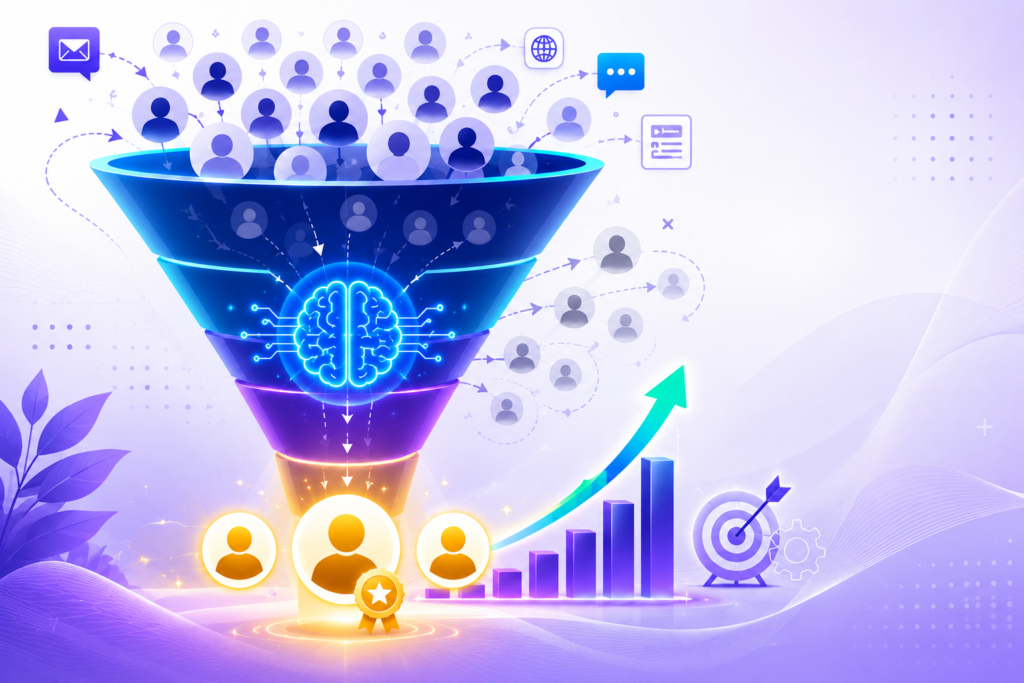
Lead Scoring Using AI: How to Prioritize Prospects That Actually Convert The Hidden Cost of Chasing Every Lead Every business wants more leads. Yet many sales teams face a different problem. They spend too much time on prospects who never become customers. A contact form submission, a webinar attendee, or a downloaded whitepaper may look promising at first. In reality, not every lead has the same level of interest or buying intent. Treating all prospects equally often leads to wasted effort, slower sales cycles, and missed revenue opportunities. This is where lead scoring becomes valuable. Traditional lead scoring methods rely on fixed rules and assumptions. While these systems can help, they often struggle to keep pace with changing customer behavior. Today, organizations are turning to AI Automation to improve lead qualification and identify prospects that are most likely to convert. By analyzing large volumes of customer data, artificial intelligence can uncover patterns that human teams may overlook. At Product Siddha, we have seen how AI-powered lead scoring helps businesses focus on high-value opportunities while reducing time spent on low-priority prospects. Understanding Lead Scoring Lead scoring is the process of assigning values to potential customers based on their likelihood of becoming paying clients. These scores are typically generated using factors such as: Lead Attribute Impact on Score Website visits Indicates interest Email engagement Shows interaction level Content downloads Signals research activity Job title Reveals decision-making authority Company size Helps determine fit Product inquiries Shows purchase intent Previous interactions Indicates relationship strength The purpose of lead scoring is simple. Sales teams need a reliable way to determine which prospects deserve immediate attention. Without a scoring system, representatives often rely on guesswork. This can result in valuable opportunities slipping through the cracks while less promising leads consume valuable resources. Why Traditional Lead Scoring Falls Short For years, companies used manual scoring systems based on predefined rules. For example: Downloading an eBook = 10 points Visiting a pricing page = 20 points Opening an email = 5 points While these rules provide structure, they have limitations. Customer behavior changes over time. Market conditions shift. New buying patterns emerge. Static scoring models rarely adapt quickly enough. A prospect who downloads three resources may not be ready to buy. Another prospect who spends five minutes on a product comparison page might have strong purchase intent. Traditional systems often fail to recognize these subtle differences. As databases grow larger, maintaining rule-based scoring becomes increasingly difficult. This creates inconsistencies that affect both marketing and sales performance. How AI Improves Lead Scoring Artificial intelligence brings a more dynamic approach to lead qualification. Instead of relying solely on predefined rules, AI models analyze historical customer data and identify patterns associated with successful conversions. The system continuously learns from: Customer interactions Website behavior CRM records Email engagement Purchase history Product usage data Sales outcomes As new information becomes available, the model adjusts its predictions. This makes AI Automation particularly effective for businesses with large volumes of leads and complex customer journeys. Rather than assigning scores based on assumptions, AI predicts the probability that a prospect will convert based on real-world evidence. Key Benefits of AI-Powered Lead Scoring Improved Sales Productivity Sales representatives spend less time reviewing unqualified prospects. Instead, they focus on leads with the highest conversion potential. This improves efficiency and increases the likelihood of successful outcomes. Faster Response Times High-intent prospects can be identified immediately. When sales teams engage at the right moment, conversion rates often improve because customer interest remains strong. Better Marketing Alignment Marketing and sales departments frequently disagree about lead quality. AI-driven lead scoring creates a shared framework based on data rather than opinions. This helps both teams work toward common goals. Higher Conversion Rates Businesses that prioritize qualified prospects often experience stronger conversion performance. By directing resources toward the right opportunities, organizations can improve revenue generation without significantly increasing acquisition costs. Continuous Learning Unlike static models, AI systems evolve. As customer behavior changes, machine learning algorithms refine their predictions and maintain scoring accuracy over time. The Data Behind Effective AI Lead Scoring The quality of an AI lead scoring system depends heavily on the quality of data available. Organizations should focus on collecting information from multiple sources. Demographic Data This includes: Industry Company size Geographic location Job role Business type These attributes help determine whether a prospect fits the ideal customer profile. Behavioral Data Behavioral indicators often provide stronger buying signals than demographic information alone. Examples include: Website page views Session duration Product page interactions Form submissions Webinar attendance Resource downloads Engagement Data Customer engagement reveals ongoing interest. Useful metrics include: Email opens Click-through rates Meeting requests Chat interactions Event participation Product Data Businesses offering software or digital products can gain valuable insights from usage patterns. Product analytics can reveal: Feature adoption Login frequency Trial engagement User activity trends Combining these data points creates a more complete picture of customer intent. The Role of AI Automation in Modern Lead Management Lead scoring is only one part of a broader AI Automation strategy. Organizations increasingly use automation to streamline repetitive tasks throughout the customer acquisition process. Examples include: Automated lead qualification Intelligent customer segmentation Predictive analytics CRM workflow automation Sales forecasting Marketing attribution analysis When these capabilities work together, businesses gain a clearer understanding of customer behavior and purchasing intent. This creates a more efficient path from prospect identification to customer conversion. Building an AI-Driven Lead Scoring Framework Successful implementation requires a structured approach. Define Conversion Goals Start by identifying what constitutes a successful outcome. Examples may include: Product purchases Demo bookings Subscription upgrades Contract signings Centralize Customer Data Data scattered across multiple systems limits AI effectiveness. Integrating CRM, marketing platforms, analytics tools, and product data creates a stronger foundation for predictive modeling. Train the Model Historical customer data allows machine learning algorithms to identify patterns associated with successful conversions. The larger and cleaner the dataset, the more accurate the predictions tend to be. Monitor Performance Lead scoring should not be treated as a one-time

AI Workflows That Save More Than 500 Hours Per Month
AI Automation, Blog

AI Workflows That Save More Than 500 Hours Per Month

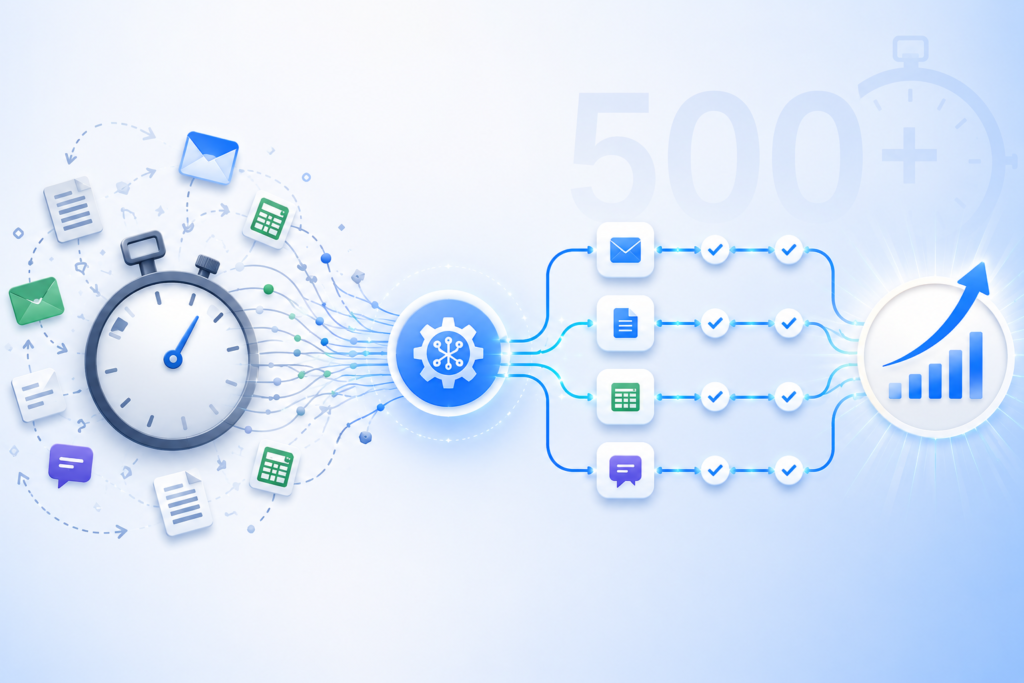
AI Workflows That Save More Than 500 Hours Per Month The Hidden Cost of Repetitive Work Every growing business reaches a point where routine work begins to consume valuable time. Employees spend hours responding to emails, updating customer records, preparing reports, entering data, and moving information between systems. Each task may seem small on its own, yet together they create a significant operational burden. This is one reason businesses are increasingly investing in AI Workflows. An intelligent workflow can automate repetitive activities, connect systems, and reduce manual effort without disrupting daily operations. In many cases, these workflows save hundreds of hours each month. At Product Siddha, we help organizations implement AI Workflows that improve efficiency while allowing teams to focus on work that requires experience, creativity, and strategic thinking. Understanding AI Workflows An AI Workflow is a sequence of automated actions supported by artificial intelligence and connected business systems. Instead of employees manually completing repetitive tasks, AI workflows perform activities automatically. Common examples include: Customer inquiry management Lead qualification CRM updates Invoice processing Data extraction Email categorization Report generation Document analysis AI Workflows combine automation with intelligent decision-making, making them more flexible than traditional automation systems. A Practical Example Consider a medium-sized software company that receives: 2,000 customer inquiries per month 1,500 sales leads Hundreds of invoices Weekly business reports Daily CRM updates Before automation, employees handled these tasks manually. The company faced several problems: Slow response times Repetitive administrative work Data entry errors Delayed reporting Employee fatigue Management realized that expanding the team would increase costs without addressing the underlying inefficiencies. Instead, they implemented AI Workflows. Workflow 1 – Customer Support Automation The company introduced an AI workflow to manage customer requests. The workflow: Receives incoming messages. Understands customer intent. Categorizes inquiries. Provides instant responses for common questions. Assigns complex cases to support staff. Updates the CRM automatically. Monthly Impact Activity Manual Hours AI Workflow Hours Ticket Categorization 90 5 Customer Replies 120 20 CRM Updates 50 2 Total 260 27 Time Saved: 233 Hours Workflow 2 – Sales Lead Processing Previously, sales representatives manually reviewed every incoming lead. The AI workflow now: Collects leads from multiple sources Evaluates lead quality Scores prospects automatically Assigns leads to sales representatives Updates CRM records Schedules follow-up reminders Monthly Impact Activity Manual Hours AI Workflow Hours Lead Review 80 8 CRM Data Entry 60 3 Lead Assignment 25 1 Total 165 12 Time Saved: 153 Hours Workflow 3 – Invoice Processing Finance teams often spend considerable time reviewing invoices and entering data. The AI Workflow automatically: Extracts invoice information Validates records Matches purchase orders Flags discrepancies Stores documents Generates summaries Monthly Impact Activity Manual Hours AI Workflow Hours Data Entry 55 4 Verification 35 5 Reporting 20 2 Total 110 11 Time Saved: 99 Hours Workflow 4 – Business Reporting Reporting often requires collecting information from: CRM systems Sales databases Analytics platforms Customer support software The AI workflow: Pulls data automatically Cleans information Creates dashboards Generates summaries Sends reports to management Monthly Impact Activity Manual Hours AI Workflow Hours Data Collection 25 2 Report Preparation 30 3 Dashboard Updates 15 1 Total 70 6 Time Saved: 64 Hours Total Time Saved When all workflows were combined, the results were significant. Workflow Hours Saved Customer Support 233 Lead Processing 153 Invoice Processing 99 Reporting 64 Total Monthly Savings 549 Hours The company saved more than 500 hours each month while improving response times and operational accuracy. Why AI Workflows Deliver Better Results Several factors contribute to these improvements. Consistent Execution AI workflows follow the same process every time. This reduces: Human errors Missed tasks Data inconsistencies Faster Processing Tasks that once required hours can often be completed within minutes. Examples include: Customer replies Document processing CRM synchronization Report generation Scalability As businesses grow, AI Workflows can handle increased workloads without requiring proportional staff expansion. Whether processing: 500 leads 5,000 leads 50,000 leads The workflow structure remains largely unchanged. Common Business Areas for AI Workflows Businesses increasingly automate: Customer Service Ticket classification Automated responses Escalation management Sales Operations Lead scoring CRM updates Meeting scheduling Finance Invoice processing Expense categorization Financial reporting Human Resources Resume screening Candidate communication Employee onboarding Product Analytics User behavior tracking Event analysis Customer retention reports AI Workflows continue expanding as businesses identify additional opportunities for automation. AI Workflows Saving 500+ Hours Per Month Customer Support Ticket Management AI Responses CRM Updates Hours Saved: 233 Sales Lead Scoring Lead Assignment CRM Synchronization Hours Saved: 153 Finance Invoice Processing Verification Reporting Hours Saved: 99 Reporting Data Collection Dashboards Weekly Reports Hours Saved: 64 Total 549 Hours Saved Monthly Working Smarter Saving time is only one benefit of AI Workflows. Businesses also gain improved accuracy, faster decision-making, better customer experiences, and greater operational flexibility. The example discussed here demonstrates how a well-designed set of AI Workflows can save more than 500 hours each month while allowing employees to focus on meaningful work rather than repetitive administrative tasks. At Product Siddha, we design and implement AI Workflows that align with real business needs. From customer support automation to intelligent reporting and CRM workflows, we help organizations create systems that improve efficiency and support long-term growth. Frequently Asked Questions What are AI Workflows? AI Workflows are automated processes that combine artificial intelligence with business systems to complete repetitive tasks, process information, and improve operational efficiency. How many hours can AI Workflows save? The number varies by business. Many organizations save hundreds of hours each month by automating customer support, CRM updates, reporting, and administrative processes. Which departments benefit most from AI Workflows? Customer service, sales, finance, operations, and product teams commonly benefit from AI Workflows. Are AI Workflows suitable for small businesses? Yes. Small businesses can automate repetitive tasks and improve efficiency without building large teams. How does Product Siddha help businesses implement AI Workflows? Product Siddha designs custom AI Workflows that automate business processes, integrate systems, improve efficiency, and support sustainable business growth.

How Businesses Are Building Multi-Agent AI Systems Instead of Hiring More Teams
AI Automation, Blog

How Businesses Are Building Multi-Agent AI Systems Instead of Hiring More Teams

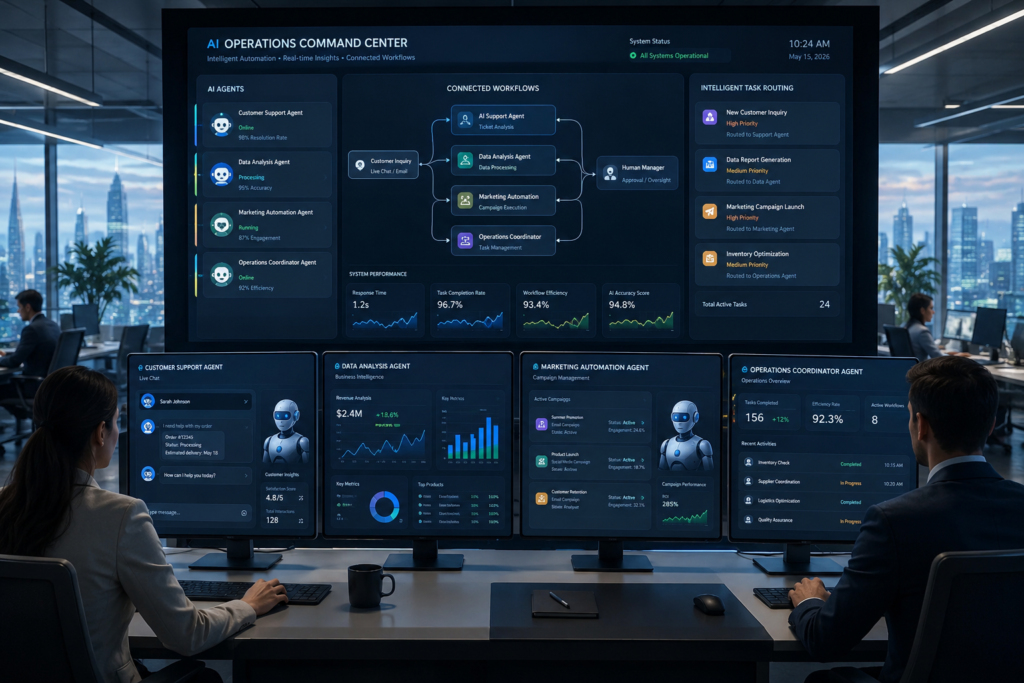
How Businesses Are Building Multi-Agent AI Systems Instead of Hiring More Teams The New Workforce For decades, business growth followed a familiar pattern. More customers meant more employees. More work required larger departments. As operations expanded, organizations invested heavily in recruitment, training, and management. That model is changing. Today, businesses are increasingly building Multi-Agent AI Systems for Business that handle tasks once assigned to entire teams. These systems do not replace every human role. Instead, they perform repetitive work, coordinate workflows, and assist employees in making faster and more informed decisions. The result is a leaner operation with greater efficiency and stronger scalability. At Product Siddha, we have observed that organizations adopting AI Systems for Business are shifting their focus from workforce expansion to intelligent automation that grows alongside the company. What Are Multi-Agent AI Systems? A Multi-Agent AI System is a network of specialized AI agents that collaborate to complete business tasks. Each agent has a distinct responsibility. One agent may analyze customer inquiries. Another may generate reports. A third may process transactions, while another coordinates communication between systems. Together, these agents create a connected environment where tasks are completed automatically and information flows continuously across departments. Unlike traditional automation, Multi-Agent AI Systems for Business operate with coordination and adaptability. They can react to changing inputs, share information, and execute workflows with minimal human intervention. Why Businesses Are Choosing AI Systems Instead of Expanding Teams Hiring employees remains important, but it comes with challenges. Businesses must consider: Recruitment costs Employee onboarding Training expenses Staff turnover Operational overhead Increasing management complexity AI Systems for Business address many of these concerns by automating repetitive activities and supporting employees where human judgment matters most. Companies are discovering that AI agents can: Process customer requests instantly Generate reports automatically Route leads efficiently Monitor business performance Manage internal workflows Analyze large datasets This approach allows businesses to scale operations without increasing headcount at the same pace. How Multi-Agent AI Systems Work A Multi-Agent architecture resembles a team with clearly defined responsibilities. Example Workflow Imagine an e-commerce business. Agent 1 – Customer Support Agent Responds to common customer questions Tracks order status Handles return requests Agent 2 – Inventory Agent Monitors stock levels Predicts inventory shortages Places supplier orders automatically Agent 3 – Marketing Agent Segments customers Creates email campaigns Tracks campaign performance Agent 4 – Analytics Agent Generates reports Measures business trends Forecasts revenue All these agents communicate and coordinate with each other through a central workflow. This interconnected approach is one reason Multi-Agent AI Systems for Business are gaining popularity across industries. Industries Leading the Adoption Businesses across multiple sectors are embracing AI Systems for Business. Retail Retail companies use AI agents for: Inventory management Personalized recommendations Customer support Pricing analysis Financial Services Banks and finance companies use AI to: Detect fraud Assess risk Process documents Generate compliance reports Healthcare Healthcare organizations deploy AI agents for: Appointment scheduling Medical data processing Patient communication Administrative workflows SaaS Companies Software businesses rely on AI agents to: Qualify leads Monitor customer health Automate onboarding Generate product analytics Traditional Teams vs Multi-Agent AI Systems Business Function Traditional Team Multi-Agent AI System Customer Support Multiple employees AI Support Agents Reporting Analysts Analytics Agent Lead Qualification Sales Representatives AI Lead Agent Data Entry Operations Team Automated Workflow Agent Inventory Management Manual Monitoring Inventory AI Agent Email Campaigns Marketing Staff Marketing AI Agent Key Benefits of AI Systems for Business 1. Faster Decision Making AI agents process information continuously. Reports that once required days can now be prepared in minutes. Managers gain access to current business insights without waiting for manual updates. 2. Lower Operating Costs Organizations reduce repetitive manual work and allocate resources more efficiently. This does not mean eliminating employees. Instead, businesses allow teams to focus on higher-value activities. 3. Improved Accuracy Human error is common in repetitive tasks. AI agents follow defined workflows consistently, reducing mistakes and improving data quality. 4. Continuous Operations Unlike traditional teams, AI systems can operate around the clock. Customer requests, reports, and workflows continue without interruption. Building a Multi-Agent AI System Developing AI Systems for Business begins with identifying repetitive workflows. The implementation process often includes: Mapping business processes Identifying automation opportunities Designing specialized AI agents Connecting data sources Creating workflow orchestration Monitoring and refining performance Businesses do not need to automate everything at once. Many begin with customer support or reporting and gradually expand into more advanced automation. The Role of Human Teams Despite rapid progress, AI systems are not replacing human expertise entirely. Human employees continue to provide: Strategic planning Creative thinking Relationship building Ethical judgment Leadership The most successful businesses combine human experience with intelligent AI systems. This partnership creates stronger operations while preserving the qualities that customers value most. Looking Ahead The future of business growth is changing quietly but significantly. Organizations are no longer asking how many people they need to hire to handle increasing workloads. They are asking how intelligent systems can help their existing teams achieve m]ore. Multi-Agent AI Systems for Business provide that opportunity. They automate routine work, improve operational efficiency, and create flexible systems that grow with the organization. At Product Siddha, we help businesses design and implement AI Systems for Business that align with their goals, workflows, and long-term growth plans. From intelligent automation to advanced Multi-Agent architectures, our focus remains the same. We help organizations build smarter systems that support sustainable business growth for years to come. Frequently Asked Questions What are AI Systems for Business? AI Systems for Business are intelligent technologies that automate workflows, process data, assist decision making, and improve operational efficiency across departments. What is a Multi-Agent AI System? A Multi-Agent AI System consists of several specialized AI agents working together to complete business tasks automatically. Can AI systems replace business teams? AI systems automate repetitive activities and assist employees, but human expertise remains essential for leadership, strategy, and creative decision making. Which industries use Multi-Agent AI Systems? Retail, healthcare, finance, SaaS, logistics, and customer service

n8n vs Make vs Zapier Which Is the Best Automation Tool in 2026
AI Automation, Blog

n8n vs Make vs Zapier in 2026: Which Automation Platform Will Actually Scale With Your Business?

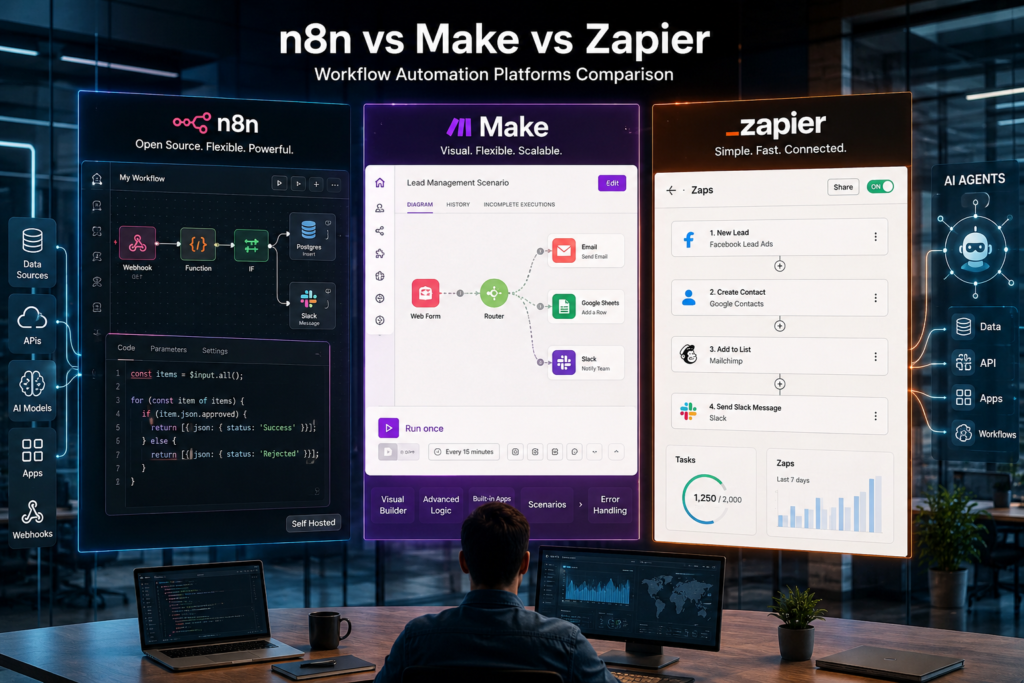
n8n vs Make vs Zapier in 2026: Which Automation Platform Will Actually Scale With Your Business?   The Automation Market Has Changed. Most Comparisons Haven’t. For years, businesses evaluated automation tools based on one simple question: “How easily can this platform connect my apps?” In 2026, that question is no longer enough. Automation has evolved from connecting software applications to orchestrating entire business processes powered by AI. Modern organizations are automating customer support, sales operations, lead qualification, marketing execution, analytics reporting, internal approvals, and even decision-making workflows. As AI agents become part of everyday operations, the automation platform you choose today will determine how effectively your business scales tomorrow. This is why the debate around n8n vs Make vs Zapier has become more important than ever. All three platforms are capable workflow automation solutions. However, they serve fundamentally different business needs. After evaluating their capabilities, market direction, AI readiness, scalability, and operational flexibility, one conclusion becomes increasingly clear: Zapier excels at simplicity. Make excels at visual workflow management. But n8n is increasingly becoming the platform most aligned with where automation is heading. Let’s examine why. Why Workflow Automation Matters More Than Ever Businesses now operate across dozens of applications: CRM systems Marketing platforms Analytics tools Customer support software Payment gateways AI applications Internal databases Without automation, teams spend countless hours performing repetitive tasks: Copying data between systems Updating customer records Sending notifications Creating reports Managing approvals Following up on leads Workflow automation eliminates these inefficiencies while improving speed, accuracy, and scalability. Organizations implementing automation effectively often experience: Faster operational execution Reduced manual labor costs Improved customer experience Better data consistency Increased employee productivity Greater scalability without proportional hiring The challenge isn’t whether to automate. The challenge is selecting the automation platform that will still meet your needs three years from now. The New Era: From Task Automation to AI-Powered Operations One of the biggest shifts since 2024 has been the rise of AI-driven automation. Businesses are no longer automating isolated actions such as: Sending emails Updating spreadsheets Posting notifications Instead, they’re building intelligent systems capable of: Understanding customer requests Making recommendations Analyzing business data Routing decisions automatically Coordinating workflows across departments This shift significantly changes how organizations should evaluate automation platforms. The best automation tool in 2026 isn’t necessarily the easiest one. It’s the platform capable of supporting increasingly intelligent and complex workflows. Understanding n8n: The Open-Source Automation Leader n8n has experienced remarkable growth over the last few years, largely because it aligns with several major technology trends: Open-source infrastructure AI-first workflows Data ownership Enterprise customization Unlike traditional no-code platforms, n8n gives organizations greater control over how workflows are built and deployed. Key Features Open-source architecture Self-hosting capabilities AI agent workflows Custom JavaScript logic API integrations Webhook support Database connectivity Enterprise-grade customization Where n8n Excels n8n shines when businesses need: AI-powered workflows Enterprise automation Internal operational systems Advanced integrations Data privacy and compliance Custom business logic Its flexibility makes it especially attractive to: SaaS companies Product-led businesses Engineering teams AI startups Mid-market enterprises The Biggest Advantage n8n allows businesses to own their automation infrastructure. As organizations increasingly prioritize security, governance, and AI customization, this becomes a significant competitive advantage. The Biggest Drawback Flexibility comes at a cost. Compared to Zapier or Make, n8n requires a steeper learning curve and often benefits from technical expertise. For small teams seeking immediate deployment, this can be challenging. Understanding Make: The Visual Automation Powerhouse Make has carved out a unique position in the automation market. It successfully bridges the gap between beginner-friendly tools and enterprise-grade workflow capabilities. Its visual workflow builder remains one of the most intuitive automation interfaces available. Key Features Drag-and-drop workflow builder Advanced branching logic Data transformation tools API support Scheduling capabilities AI integrations Extensive app ecosystem Where Make Excels Make performs exceptionally well for: Marketing automation Customer lifecycle workflows E-commerce operations Agency workflows CRM synchronization Operational reporting The platform allows users to build surprisingly sophisticated workflows without writing code. The Biggest Advantage Visual clarity. Complex workflows become easier to understand, manage, and optimize. The Biggest Drawback As workflows become larger and span multiple departments, visual scenarios can become difficult to maintain. Organizations often encounter workflow sprawl as automation complexity increases. Understanding Zapier: The Simplicity Champion Zapier remains one of the most recognizable automation brands in the industry. Its success is built on one principle: Anyone should be able to automate business processes without technical knowledge. That philosophy continues to resonate with startups, entrepreneurs, and small businesses. Key Features Easy setup Massive integration library AI-powered assistants Workflow templates Multi-step automations Built-in databases Chatbot functionality Where Zapier Excels Zapier works particularly well for: Small businesses Startups Sales teams Solopreneurs Marketing teams Workflows can often be built within minutes. The Biggest Advantage Speed and accessibility. Few platforms make automation easier. The Biggest Drawback Cost and flexibility. As workflow volume grows, pricing can increase significantly. Businesses with advanced automation requirements may eventually outgrow Zapier’s capabilities. Feature Comparison: n8n vs Make vs Zapier Feature n8n Make Zapier Open Source Yes No No Self Hosting Yes No No Ease of Use Moderate Easy Very Easy Visual Builder Good Excellent Good AI Agent Support Excellent Good Good Custom Coding Excellent Moderate Limited Integrations 1000+ 2000+ 7000+ Enterprise Control Excellent Good Good Data Ownership Excellent Limited Limited Pricing Flexibility High Moderate Moderate Which Platform Is Best for AI Automation? This is where the market is changing fastest. Automation is increasingly becoming AI orchestration. n8n for AI Workflows n8n currently leads in: AI agents Multi-agent systems Vector databases RAG architectures LLM orchestration Custom AI pipelines For businesses investing heavily in AI, n8n provides unmatched flexibility. Make for AI Automation Make supports: OpenAI integrations Content generation workflows AI-powered customer support AI-enhanced marketing automation It works well for operational AI workflows. Zapier for AI Automation Zapier focuses on accessibility. Common use cases include: AI-generated summaries Automated responses Content workflows CRM intelligence For lightweight AI adoption, Zapier remains highly effective. Pricing Analysis: Which Platform Delivers Better Long-Term Value? Pricing becomes increasingly

AI Automation, Blog

AI Automation Agency for Indian Startups: Cost, Benefits & Real Use Cases

AI Automation Agency for Indian Startups: Cost, Benefits & Real Use Cases   Building Smarter Operations Indian startups operate in a fast-moving environment where every decision affects growth, hiring, and operational stability. Founders often manage customer acquisition, sales operations, support workflows, reporting, and internal communication with limited resources. As teams grow, manual processes begin slowing down execution. This is where automation becomes practical rather than optional. Many startups across India are now working with an AI Automation Agency to reduce repetitive work, organize business operations, and improve productivity without expanding headcount too quickly. For startups trying to scale carefully, automation can help control operational pressure while keeping systems manageable. At Product Siddha, we work with businesses that need practical automation systems that solve everyday workflow problems. The focus is rarely on complexity. Most startups simply want smoother operations, faster reporting, and fewer manual tasks. Why Indian Startups Are Turning to Automation Startup teams usually begin with flexible systems. Spreadsheets, manual emails, WhatsApp coordination, and disconnected software tools are common during the early stages. That approach works for a while. Eventually, growth creates bottlenecks: Leads are not tracked properly Customer follow-ups are delayed Sales reports become inconsistent Internal approvals take too long Data is copied manually between platforms Customer support requests increase faster than staffing An AI Automation Agency helps startups organize these systems before operational confusion begins affecting revenue and customer experience. Automation does not replace people. It removes repetitive administrative work so teams can focus on sales, product development, operations, and customer service. Understanding the Cost of Automation One reason startups hesitate to adopt automation is uncertainty around pricing. Many founders assume automation requires enterprise-level budgets. In reality, automation costs vary depending on workflow complexity, software integrations, and business size. Common Cost Factors Automation Area Estimated Startup Investment CRM Workflow Automation Moderate Lead Management Systems Moderate Customer Support Automation Moderate to High Data Reporting Dashboards Moderate Marketing Workflow Integration Moderate AI Chatbot Development High ERP or Multi-System Integration High For most Indian startups, partnering with an AI Automation Agency is more affordable than building an internal automation team. Hiring full-time AI developers, workflow engineers, analysts, and integration specialists can become expensive very quickly. Agencies spread technical resources across multiple projects, which lowers the overall cost for individual businesses. This gives startups access to experienced specialists without maintaining a large technical payroll. Faster Deployment Creates Faster ROI Time matters for startups. Internal development projects often slow down because founders are already managing hiring, investor discussions, customer acquisition, and operational scaling. An experienced AI Automation Agency already understands common implementation challenges. This reduces trial-and-error delays. For example, a SaaS startup needing automated onboarding emails, CRM updates, customer ticket routing, and usage reporting may take months building systems internally. An agency that has handled similar projects can usually deploy those workflows much faster. The faster automation becomes operational, the sooner the startup sees measurable savings in labor hours and operational efficiency. Real Startup Use Cases in India Automation is no longer limited to large enterprises. Indian startups across different sectors are using automation in practical ways every day. Ecommerce Startups Online retail businesses use automation for: Inventory alerts Order status notifications Customer follow-up emails Payment confirmation workflows Return request management These systems reduce manual coordination and improve response time. SaaS Companies Software startups rely heavily on workflow automation. Typical use cases include: Trial user onboarding Subscription renewal reminders CRM lead scoring Support ticket categorization Automated reporting dashboards These processes improve customer management while reducing operational workload. Real Estate Startups Real estate companies often receive high lead volumes from multiple channels. Automation helps manage: Lead assignment Property inquiry responses Meeting scheduling Client follow-up reminders Broker communication tracking Without automation, many leads go cold due to delayed responses. Healthcare and HealthTech Startups Health-focused businesses use automation for: Appointment reminders Patient intake forms Follow-up communication Internal reporting Billing workflow coordination These systems improve administrative efficiency while helping staff focus on patient interaction. Operational Benefits Beyond Cost Savings Many startups initially adopt automation to reduce expenses. Over time, they discover broader operational advantages. Better Accuracy Manual data entry creates mistakes. Automation reduces duplicate records, missed follow-ups, and reporting errors. Consistent Processes Automation ensures tasks follow the same workflow every time. This creates more reliable operations across teams. Improved Scalability As customer volume grows, startups can handle higher workloads without increasing staff at the same rate. Better Visibility Automation dashboards provide clearer operational reporting. Founders can monitor sales pipelines, customer activity, and workflow performance more easily. Reduced Team Burnout Repetitive tasks drain productivity. Automation allows employees to focus on higher-value responsibilities instead of administrative repetition. Challenges Startups Should Consider Automation is useful, but implementation still requires planning. Poorly designed workflows can create confusion instead of efficiency. Startups sometimes purchase multiple software tools without considering how those systems communicate with each other. This creates fragmented operations. An experienced AI Automation Agency helps startups avoid these issues by designing workflows that match actual business processes. It is also important to avoid automating unstable systems too early. If a business process is constantly changing, automation should be introduced gradually. Successful automation depends on operational clarity. Why Startups Work With Product Siddha Product Siddha helps startups simplify operations through practical automation systems built around real business workflows. Our team supports: AI workflow automation CRM integration Marketing automation Reporting dashboards Customer communication systems Data synchronization Process optimization We focus on systems that improve daily operations without unnecessary technical complexity. Startups often need flexibility because business requirements change quickly. Our approach supports scalable automation while allowing room for operational growth. Every startup operates differently. Automation should reflect those differences rather than forcing businesses into rigid structures. Looking Ahead Indian startups are entering a stage where operational efficiency matters as much as growth itself. Founders who rely entirely on manual coordination eventually face scaling limitations. Delayed communication, inconsistent reporting, and repetitive work begin slowing progress. Working with an AI Automation Agency allows startups to organize operations earlier and build stronger internal systems without

AI Automation Agency vs In-House Automation Team Which Delivers Better ROI
AI Automation, Blog

AI Automation Agency vs In-House Automation Team: Which Delivers Better ROI?

AI Automation Agency vs In-House Automation Team: Which Delivers Better ROI? Smarter Automation Decisions Businesses across retail, finance, healthcare, logistics, and SaaS are investing in automation to reduce repetitive work and improve operational speed. The question is no longer whether automation matters. The real question is who should build and manage it. Some companies prefer an internal automation department. Others partner with an AI Automation Agency that already has the tools, workflows, and technical experience in place. Both approaches can work. Still, the return on investment depends on budget, hiring capacity, business goals, and how quickly automation needs to produce results. At Product Siddha, we have worked with organizations that started with internal teams and later shifted to agency partnerships after delays, rising costs, and integration issues slowed progress. We have also seen companies use a hybrid model successfully. The right choice depends on what the business truly needs. Understanding the Two Models An in-house automation team is built internally. The company hires developers, analysts, automation engineers, project managers, and system architects to create workflows and maintain automation systems. An AI Automation Agency works as an external partner. The agency designs, deploys, tests, and manages automation solutions for the client using experienced specialists and established frameworks. The difference is not only about staffing. It affects speed, maintenance, scalability, software integration, and long-term operating cost. Cost Structure and Financial Impact An internal automation department requires ongoing investment. Salaries, benefits, training, software licenses, cloud infrastructure, and hiring costs add up quickly. Many businesses underestimate how expensive automation talent has become. Skilled AI engineers, data specialists, and automation architects are in high demand. Recruiting them takes time and often delays projects before development even begins. An AI Automation Agency spreads those costs across multiple clients. That allows businesses to access senior-level expertise without maintaining a full-time technical department. Typical Cost Areas Expense Category In-House Team AI Automation Agency Hiring Costs High Minimal Training Ongoing Included Infrastructure Setup Internal responsibility Often managed by agency Maintenance Full internal cost Shared service model Scaling Projects Requires more hiring Faster expansion Time to Deployment Slower initially Faster implementation For many mid-sized companies, agency partnerships create better ROI during the first several years of automation adoption. Speed Matters More Than Most Companies Expect Automation projects lose value when deployment drags on for months. Internal teams often spend large amounts of time building workflows from scratch, selecting software tools, solving integration issues, and handling testing problems that experienced agencies already know how to avoid. An AI Automation Agency usually works with tested implementation models. The agency has already built similar systems for other industries and understands where delays typically occur. This shortens development cycles and reduces operational disruption. For example, a retail company automating customer communication may need CRM integration, email workflow automation, customer segmentation, reporting dashboards, and AI-driven personalization. An experienced automation agency can often deploy these systems much faster because the architecture already exists. Faster deployment improves ROI because businesses begin saving time and reducing manual labor earlier. Technical Expertise and Problem Solving Automation today involves more than simple workflow triggers. Businesses now rely on: AI workflow automation Marketing automation platforms CRM integrations Data synchronization Predictive analytics Automated reporting Customer support automation Lead scoring systems Inventory forecasting Real-time dashboard reporting An internal team may have expertise in one or two areas but struggle across the full ecosystem. An AI Automation Agency usually brings specialists from multiple disciplines into a single project. This includes AI engineers, API developers, UX strategists, automation architects, and analytics professionals. That depth matters when systems become more complex. At Product Siddha, many clients initially approached us after internal projects stalled because software tools were not communicating properly. Integration problems often become the hidden cost of automation. Scalability and Long-Term Flexibility Business needs change quickly. A company that automates customer support this year may need sales automation, reporting automation, or supply chain forecasting next year. Internal teams may struggle to scale at the same pace because every new project requires additional hiring and training. An AI Automation Agency can usually scale faster because the technical resources already exist. Agencies also stay updated with automation trends, emerging AI tools, and platform changes that internal departments may not monitor closely. This flexibility becomes especially important during growth periods. For example: A real estate company may need automated lead routing during expansion. A healthcare organization may require patient communication automation. An ecommerce brand may need automated product recommendation systems during seasonal demand spikes. An experienced AI Automation Agency can adapt systems more quickly across these changing needs. The Hidden Risk of Internal Dependency One issue many businesses overlook is employee turnover. When key automation engineers leave an internal team, critical knowledge often leaves with them. Workflows become difficult to maintain, documentation may be incomplete, and troubleshooting slows down. Agencies reduce this risk because multiple specialists understand the project infrastructure. Support continuity becomes more reliable. This does not mean internal teams lack value. In fact, businesses with mature technical operations often benefit from internal ownership. However, companies entering automation for the first time usually face a steeper learning curve. When an In-House Team Makes Sense An internal automation department can be the right investment under certain conditions. In-house automation may work better when: The business has a large technical budget Automation is central to proprietary operations Internal data security policies require direct control The company already employs experienced AI engineers Long-term custom platform development is needed Large enterprises sometimes prefer internal ownership because automation becomes part of their competitive advantage. Still, building that capability takes substantial investment and management oversight. When an AI Automation Agency Delivers Better ROI Most growing businesses prioritize speed, lower upfront cost, and reliable execution. An AI Automation Agency often delivers stronger ROI when: Automation needs immediate implementation Internal technical hiring is difficult Multiple systems require integration The business needs specialized expertise Scalability is important Budget efficiency matters Leadership wants measurable results quickly For many companies, the agency model reduces risk while accelerating

Product Siddha
Privacy Overview

This website uses cookies so that we can provide you with the best user experience possible. Cookie information is stored in your browser and performs functions such as recognising you when you return to our website and helping our team to understand which sections of the website you find most interesting and useful.