Product Siddha

Author name: Binila Treesa

I am binial, a LinkedIn personal branding strategist, ghostwriter, and SEO content writer who helps founders and professionals turn scattered ideas into clear, authority-driven content. My work focuses on content clarity, positioning, and visibility, helping individuals communicate their expertise in a way people understand and remember. I combine personal branding strategy with SEO and audience psychology to create content that builds trust, improves discoverability, and strengthens online presence. My writing style is observation-driven, simple, and rooted in real human behavior rather than generic marketing language.

Model Context Protocol (MCP) Explained Why Every AI Automation Team Is Talking About It
AI Automation, Blog

Model Context Protocol (MCP) Explained: Why Every AI Automation Team Is Talking About It

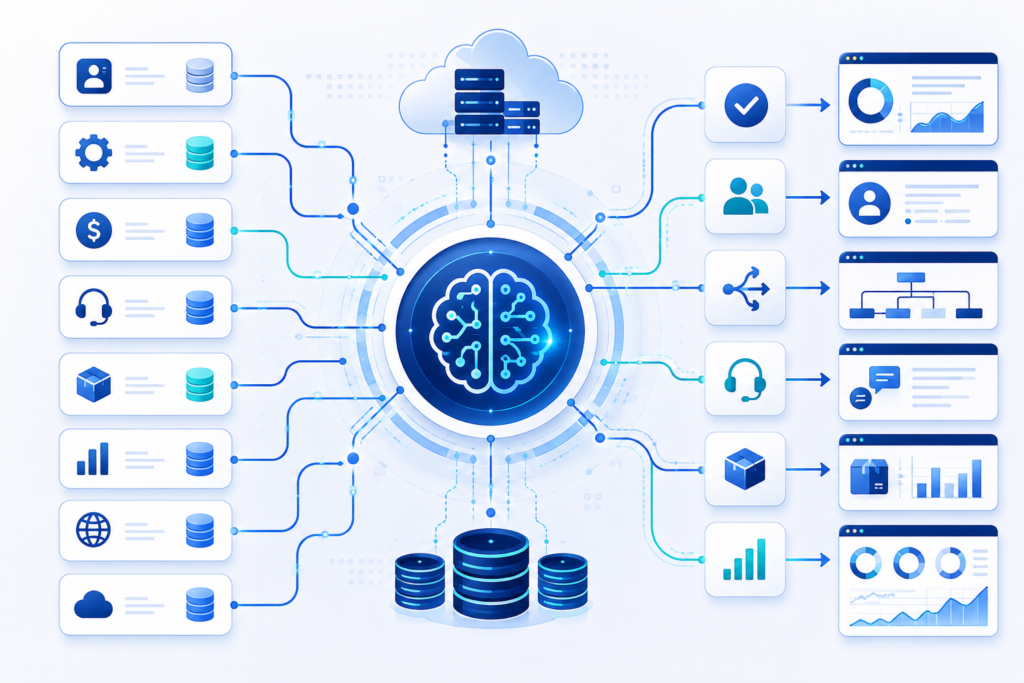
Model Context Protocol (MCP) Explained: Why Every AI Automation Team Is Talking About It Understanding the Shift in AI Integration Modern automation systems depend on how well different tools communicate with each other. As AI systems become more capable, the challenge is no longer model performance alone. The real issue is how models access external data, tools, and workflows in a structured way. This is where Model Context Protocol (MCP) comes in. It defines a standard method for connecting AI models to external systems, without requiring custom integration work for every tool. For any AI Automation Team, MCP is becoming a practical layer that simplifies how AI applications interact with data sources, APIs, and internal systems. At Product Siddha, we see MCP as part of a larger shift toward structured AI orchestration rather than isolated automation scripts. What Is Model Context Protocol (MCP) Model Context Protocol is a standardized framework that allows AI models to communicate with external tools in a consistent format. Instead of building separate connectors for each system, MCP defines a common structure for: Sending context to AI models Calling external tools Returning structured responses Managing multi-step workflows In simple terms, MCP acts like a universal adapter between AI systems and business tools. For example: An AI model can request customer data from a CRM, analyze it, and return insights without custom-coded integration for each step. Why MCP Matters for AI Automation Teams Before MCP, most AI Automation Teams relied on custom APIs, scripts, and integrations for every system. This created three common problems: Integration complexity increases with each new tool Maintenance becomes difficult over time Scaling automation requires repeated engineering effort MCP reduces this friction by introducing a shared protocol layer. Instead of building: AI → CRM integration AI → Database integration AI → Analytics integration Teams build: AI → MCP server → All tools This shift reduces system complexity and improves scalability. Core Structure of MCP MCP is built around three main components: 1. Context Layer This defines what information is passed to the AI model. Example: User profile data Transaction history Product usage logs 2. Tool Layer This defines external systems the AI can interact with. Examples: CRM systems Data warehouses Messaging platforms Internal APIs 3. Response Layer This handles structured output from the AI model after processing context and tool data. This structure ensures consistent communication across systems. AI Support Automation System To understand MCP in a real scenario, consider a customer support automation system built by an AI Automation Team. Problem A customer sends a query about billing issues. Without MCP AI model queries CRM using custom API Fetches billing data using separate integration Calls ticketing system through another script Combines results manually This creates fragmented logic. With MCP Customer message enters system MCP passes context to AI model AI requests billing data via MCP tool call MCP retrieves data from CRM AI processes response and generates resolution MCP sends structured reply to support system The workflow becomes unified and predictable. MCP vs Traditional API Integration Aspect Traditional APIs MCP Framework Integration method Custom per tool Standard protocol Scalability Low High Maintenance Complex Simplified Tool addition Requires new code Plug-and-play via MCP AI workflow design Fragmented Unified This comparison shows why many AI Automation Teams are shifting toward MCP-based architecture. How MCP Improves AI Automation Systems 1. Reduces Integration Workload Instead of writing multiple API connectors, teams define one MCP interface. 2. Standardizes Tool Usage All tools follow the same communication pattern. 3. Improves Debugging Structured request and response formats make system tracing easier. 4. Enables Multi-Agent Systems Multiple AI agents can share tools through MCP without conflicts. Example Scenario: E-Commerce Intelligence System Consider an e-commerce platform using MCP. Objective Improve product recommendations and customer retention. MCP Flow AI agent receives user browsing history MCP fetches purchase data from database MCP retrieves inventory data from product system AI processes all inputs MCP sends recommendation output to frontend system Outcome Better personalization Faster recommendation cycles Reduced engineering overhead Common Implementation Challenges Even though MCP simplifies architecture, AI Automation Teams still face challenges: 1. Poor Context Design If context passed to models is incomplete, results become unreliable. 2. Tool Overload Adding too many tools without structure creates confusion in routing logic. 3. Latency Issues Real-time tool calls can slow down responses if not optimized. 4. Security Control Access management across tools must be carefully designed. At Product Siddha, implementation often focuses on fixing system architecture before enabling MCP workflows. MCP in Modern AI Architecture MCP is often used alongside: Large Language Models (LLMs) Vector databases Workflow orchestration tools like n8n Data warehouses like BigQuery or Snowflake This combination allows businesses to build end-to-end AI systems instead of isolated models. Role of Product Siddha in MCP-Based Systems Product Siddha works with organizations to design AI automation systems that go beyond model usage. Focus areas include: MCP-based system architecture design AI workflow standardization Data pipeline integration Multi-agent system design Enterprise automation planning The goal is to help an AI Automation Team build systems that scale without increasing integration complexity. Final Perspective Model Context Protocol represents a shift in how AI systems interact with real-world tools. Instead of building isolated integrations, teams can now design structured communication layers. For any AI Automation Team, MCP reduces fragmentation, improves scalability, and supports more stable AI-driven workflows. The value of MCP is not in replacing existing systems but in organizing how they connect to AI models in a consistent way. As AI adoption grows, structured protocols like MCP will become a standard part of enterprise automation architecture.

Lead Scoring Using AI How to Prioritize Prospects That Actually Convert
AI Automation, Blog

Lead Scoring Using AI: How to Prioritize Prospects That Actually Convert

Lead Scoring Using AI: How to Prioritize Prospects That Actually Convert The Hidden Cost of Chasing Every Lead Every business wants more leads. Yet many sales teams face a different problem. They spend too much time on prospects who never become customers. A contact form submission, a webinar attendee, or a downloaded whitepaper may look promising at first. In reality, not every lead has the same level of interest or buying intent. Treating all prospects equally often leads to wasted effort, slower sales cycles, and missed revenue opportunities. This is where lead scoring becomes valuable. Traditional lead scoring methods rely on fixed rules and assumptions. While these systems can help, they often struggle to keep pace with changing customer behavior. Today, organizations are turning to AI Automation to improve lead qualification and identify prospects that are most likely to convert. By analyzing large volumes of customer data, artificial intelligence can uncover patterns that human teams may overlook. At Product Siddha, we have seen how AI-powered lead scoring helps businesses focus on high-value opportunities while reducing time spent on low-priority prospects. Understanding Lead Scoring Lead scoring is the process of assigning values to potential customers based on their likelihood of becoming paying clients. These scores are typically generated using factors such as: Lead Attribute Impact on Score Website visits Indicates interest Email engagement Shows interaction level Content downloads Signals research activity Job title Reveals decision-making authority Company size Helps determine fit Product inquiries Shows purchase intent Previous interactions Indicates relationship strength The purpose of lead scoring is simple. Sales teams need a reliable way to determine which prospects deserve immediate attention. Without a scoring system, representatives often rely on guesswork. This can result in valuable opportunities slipping through the cracks while less promising leads consume valuable resources. Why Traditional Lead Scoring Falls Short For years, companies used manual scoring systems based on predefined rules. For example: Downloading an eBook = 10 points Visiting a pricing page = 20 points Opening an email = 5 points While these rules provide structure, they have limitations. Customer behavior changes over time. Market conditions shift. New buying patterns emerge. Static scoring models rarely adapt quickly enough. A prospect who downloads three resources may not be ready to buy. Another prospect who spends five minutes on a product comparison page might have strong purchase intent. Traditional systems often fail to recognize these subtle differences. As databases grow larger, maintaining rule-based scoring becomes increasingly difficult. This creates inconsistencies that affect both marketing and sales performance. How AI Improves Lead Scoring Artificial intelligence brings a more dynamic approach to lead qualification. Instead of relying solely on predefined rules, AI models analyze historical customer data and identify patterns associated with successful conversions. The system continuously learns from: Customer interactions Website behavior CRM records Email engagement Purchase history Product usage data Sales outcomes As new information becomes available, the model adjusts its predictions. This makes AI Automation particularly effective for businesses with large volumes of leads and complex customer journeys. Rather than assigning scores based on assumptions, AI predicts the probability that a prospect will convert based on real-world evidence. Key Benefits of AI-Powered Lead Scoring Improved Sales Productivity Sales representatives spend less time reviewing unqualified prospects. Instead, they focus on leads with the highest conversion potential. This improves efficiency and increases the likelihood of successful outcomes. Faster Response Times High-intent prospects can be identified immediately. When sales teams engage at the right moment, conversion rates often improve because customer interest remains strong. Better Marketing Alignment Marketing and sales departments frequently disagree about lead quality. AI-driven lead scoring creates a shared framework based on data rather than opinions. This helps both teams work toward common goals. Higher Conversion Rates Businesses that prioritize qualified prospects often experience stronger conversion performance. By directing resources toward the right opportunities, organizations can improve revenue generation without significantly increasing acquisition costs. Continuous Learning Unlike static models, AI systems evolve. As customer behavior changes, machine learning algorithms refine their predictions and maintain scoring accuracy over time. The Data Behind Effective AI Lead Scoring The quality of an AI lead scoring system depends heavily on the quality of data available. Organizations should focus on collecting information from multiple sources. Demographic Data This includes: Industry Company size Geographic location Job role Business type These attributes help determine whether a prospect fits the ideal customer profile. Behavioral Data Behavioral indicators often provide stronger buying signals than demographic information alone. Examples include: Website page views Session duration Product page interactions Form submissions Webinar attendance Resource downloads Engagement Data Customer engagement reveals ongoing interest. Useful metrics include: Email opens Click-through rates Meeting requests Chat interactions Event participation Product Data Businesses offering software or digital products can gain valuable insights from usage patterns. Product analytics can reveal: Feature adoption Login frequency Trial engagement User activity trends Combining these data points creates a more complete picture of customer intent. The Role of AI Automation in Modern Lead Management Lead scoring is only one part of a broader AI Automation strategy. Organizations increasingly use automation to streamline repetitive tasks throughout the customer acquisition process. Examples include: Automated lead qualification Intelligent customer segmentation Predictive analytics CRM workflow automation Sales forecasting Marketing attribution analysis When these capabilities work together, businesses gain a clearer understanding of customer behavior and purchasing intent. This creates a more efficient path from prospect identification to customer conversion. Building an AI-Driven Lead Scoring Framework Successful implementation requires a structured approach. Define Conversion Goals Start by identifying what constitutes a successful outcome. Examples may include: Product purchases Demo bookings Subscription upgrades Contract signings Centralize Customer Data Data scattered across multiple systems limits AI effectiveness. Integrating CRM, marketing platforms, analytics tools, and product data creates a stronger foundation for predictive modeling. Train the Model Historical customer data allows machine learning algorithms to identify patterns associated with successful conversions. The larger and cleaner the dataset, the more accurate the predictions tend to be. Monitor Performance Lead scoring should not be treated as a one-time

AI Workflows That Save More Than 500 Hours Per Month
AI Automation, Blog

AI Workflows That Save More Than 500 Hours Per Month

AI Workflows That Save More Than 500 Hours Per Month The Hidden Cost of Repetitive Work Every growing business reaches a point where routine work begins to consume valuable time. Employees spend hours responding to emails, updating customer records, preparing reports, entering data, and moving information between systems. Each task may seem small on its own, yet together they create a significant operational burden. This is one reason businesses are increasingly investing in AI Workflows. An intelligent workflow can automate repetitive activities, connect systems, and reduce manual effort without disrupting daily operations. In many cases, these workflows save hundreds of hours each month. At Product Siddha, we help organizations implement AI Workflows that improve efficiency while allowing teams to focus on work that requires experience, creativity, and strategic thinking. Understanding AI Workflows An AI Workflow is a sequence of automated actions supported by artificial intelligence and connected business systems. Instead of employees manually completing repetitive tasks, AI workflows perform activities automatically. Common examples include: Customer inquiry management Lead qualification CRM updates Invoice processing Data extraction Email categorization Report generation Document analysis AI Workflows combine automation with intelligent decision-making, making them more flexible than traditional automation systems. A Practical Example Consider a medium-sized software company that receives: 2,000 customer inquiries per month 1,500 sales leads Hundreds of invoices Weekly business reports Daily CRM updates Before automation, employees handled these tasks manually. The company faced several problems: Slow response times Repetitive administrative work Data entry errors Delayed reporting Employee fatigue Management realized that expanding the team would increase costs without addressing the underlying inefficiencies. Instead, they implemented AI Workflows. Workflow 1 – Customer Support Automation The company introduced an AI workflow to manage customer requests. The workflow: Receives incoming messages. Understands customer intent. Categorizes inquiries. Provides instant responses for common questions. Assigns complex cases to support staff. Updates the CRM automatically. Monthly Impact Activity Manual Hours AI Workflow Hours Ticket Categorization 90 5 Customer Replies 120 20 CRM Updates 50 2 Total 260 27 Time Saved: 233 Hours Workflow 2 – Sales Lead Processing Previously, sales representatives manually reviewed every incoming lead. The AI workflow now: Collects leads from multiple sources Evaluates lead quality Scores prospects automatically Assigns leads to sales representatives Updates CRM records Schedules follow-up reminders Monthly Impact Activity Manual Hours AI Workflow Hours Lead Review 80 8 CRM Data Entry 60 3 Lead Assignment 25 1 Total 165 12 Time Saved: 153 Hours Workflow 3 – Invoice Processing Finance teams often spend considerable time reviewing invoices and entering data. The AI Workflow automatically: Extracts invoice information Validates records Matches purchase orders Flags discrepancies Stores documents Generates summaries Monthly Impact Activity Manual Hours AI Workflow Hours Data Entry 55 4 Verification 35 5 Reporting 20 2 Total 110 11 Time Saved: 99 Hours Workflow 4 – Business Reporting Reporting often requires collecting information from: CRM systems Sales databases Analytics platforms Customer support software The AI workflow: Pulls data automatically Cleans information Creates dashboards Generates summaries Sends reports to management Monthly Impact Activity Manual Hours AI Workflow Hours Data Collection 25 2 Report Preparation 30 3 Dashboard Updates 15 1 Total 70 6 Time Saved: 64 Hours Total Time Saved When all workflows were combined, the results were significant. Workflow Hours Saved Customer Support 233 Lead Processing 153 Invoice Processing 99 Reporting 64 Total Monthly Savings 549 Hours The company saved more than 500 hours each month while improving response times and operational accuracy. Why AI Workflows Deliver Better Results Several factors contribute to these improvements. Consistent Execution AI workflows follow the same process every time. This reduces: Human errors Missed tasks Data inconsistencies Faster Processing Tasks that once required hours can often be completed within minutes. Examples include: Customer replies Document processing CRM synchronization Report generation Scalability As businesses grow, AI Workflows can handle increased workloads without requiring proportional staff expansion. Whether processing: 500 leads 5,000 leads 50,000 leads The workflow structure remains largely unchanged. Common Business Areas for AI Workflows Businesses increasingly automate: Customer Service Ticket classification Automated responses Escalation management Sales Operations Lead scoring CRM updates Meeting scheduling Finance Invoice processing Expense categorization Financial reporting Human Resources Resume screening Candidate communication Employee onboarding Product Analytics User behavior tracking Event analysis Customer retention reports AI Workflows continue expanding as businesses identify additional opportunities for automation. AI Workflows Saving 500+ Hours Per Month Customer Support Ticket Management AI Responses CRM Updates Hours Saved: 233 Sales Lead Scoring Lead Assignment CRM Synchronization Hours Saved: 153 Finance Invoice Processing Verification Reporting Hours Saved: 99 Reporting Data Collection Dashboards Weekly Reports Hours Saved: 64 Total 549 Hours Saved Monthly Working Smarter Saving time is only one benefit of AI Workflows. Businesses also gain improved accuracy, faster decision-making, better customer experiences, and greater operational flexibility. The example discussed here demonstrates how a well-designed set of AI Workflows can save more than 500 hours each month while allowing employees to focus on meaningful work rather than repetitive administrative tasks. At Product Siddha, we design and implement AI Workflows that align with real business needs. From customer support automation to intelligent reporting and CRM workflows, we help organizations create systems that improve efficiency and support long-term growth. Frequently Asked Questions What are AI Workflows? AI Workflows are automated processes that combine artificial intelligence with business systems to complete repetitive tasks, process information, and improve operational efficiency. How many hours can AI Workflows save? The number varies by business. Many organizations save hundreds of hours each month by automating customer support, CRM updates, reporting, and administrative processes. Which departments benefit most from AI Workflows? Customer service, sales, finance, operations, and product teams commonly benefit from AI Workflows. Are AI Workflows suitable for small businesses? Yes. Small businesses can automate repetitive tasks and improve efficiency without building large teams. How does Product Siddha help businesses implement AI Workflows? Product Siddha designs custom AI Workflows that automate business processes, integrate systems, improve efficiency, and support sustainable business growth.

How to Connect Ads, CRM, and Analytics Into One Dashboard
Blog, Product Analytics

How to Connect Meta Ads, Google Ads, CRM, and Product Analytics Into One Unified Customer Journey Dashboard

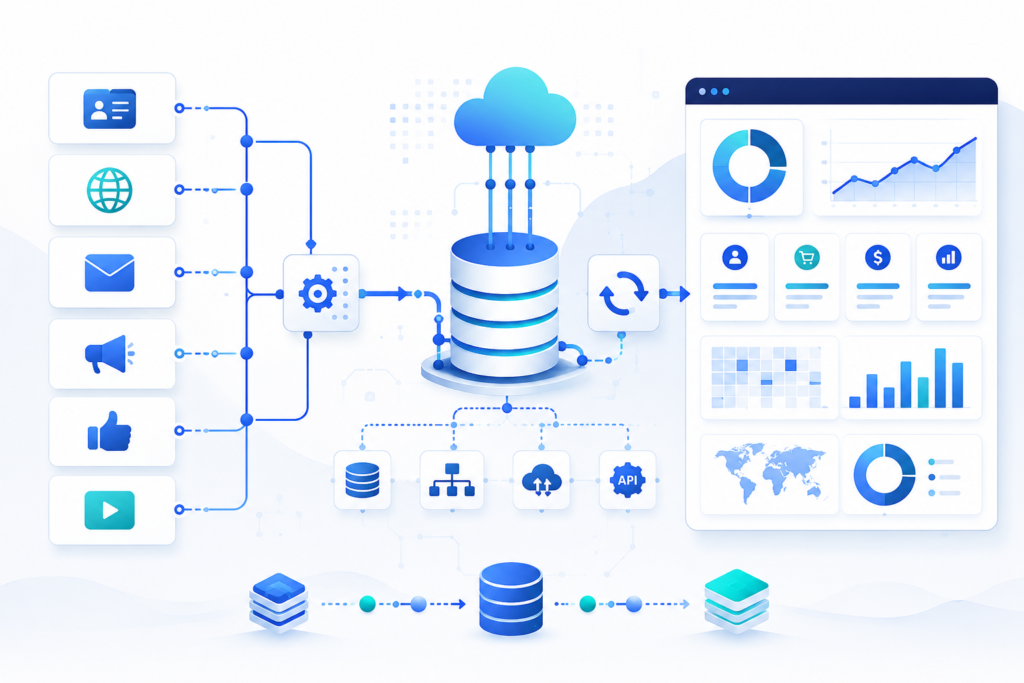
How to Connect Meta Ads, Google Ads, CRM, and Product Analytics Into One Unified Customer Journey Dashboard Most Companies Have Data. Few Have Customer Visibility. A marketing manager sees: Facebook Ads conversions Google Ads ROAS The sales team sees: HubSpot deals Salesforce opportunities The product team sees: Mixpanel funnels Amplitude retention The CEO sees three different reports telling three different stories. The core problem is not reporting. The problem is customer identity. Most businesses cannot answer: Which ad campaign generated our highest-LTV customers? Which channel creates users with the best retention? Which campaign generated revenue six months later? Which product behaviors predict future purchases? To answer those questions, businesses must connect advertising, CRM, and product analytics into a single customer journey. The Architecture of a Unified Customer Journey Dashboard A modern implementation typically looks like this: Meta Ads API ↓ Google Ads API ↓ LinkedIn Ads API HubSpot API ↓ Salesforce API Mixpanel API ↓ Amplitude API Stripe API ↓ Product Database → ETL Layer (n8n / Airbyte / Fivetran) → Data Warehouse (BigQuery / Snowflake / Redshift) → BI Layer (Looker Studio / Power BI / Tableau) The dashboard is merely the visualization layer. The real work happens in identity resolution and data integration. Step 1: Create a Universal Customer Identifier (UUID) This is the most important step. Without a shared identifier, customer journey tracking becomes impossible. When a visitor lands on your website: Generate: const customerUUID = crypto.randomUUID();   Store: First-party cookie CRM record Product analytics profile Example: Customer: UUID: 7f3b9e88-412b-44d2-bbb2-4d28f2f95f3a Every system should reference this same ID. Without UUID matching: Meta knows the click. HubSpot knows the lead. Mixpanel knows the user. Nobody knows they are the same person. Step 2: Capture Advertising Attribution Data When users arrive from advertising campaigns, capture: UTM Source UTM Medium UTM Campaign UTM Content UTM Term Example: https://yourwebsite.com ?utm_source=facebook &utm_medium=paid &utm_campaign=summer_sale Store these values alongside the UUID. Example: UUID: 7f3b9e88… Source: facebook Campaign: summer_sale Now every future event can be tied back to acquisition. Step 3: Pull Data from Meta Ads API Meta provides campaign-level performance data through the Marketing API. Typical metrics: Spend Impressions Clicks CPC CTR Purchases Leads API endpoint: GET https://graph.facebook.com/v20.0/act_{ad_account_id}/insights Schedule data pulls every hour. Store results inside: BigQuery Table: meta_ads_daily Fields: campaign_id campaign_name spend clicks impressions conversions Step 4: Pull Data from Google Ads API Google Ads provides: Search campaign performance Display campaigns Performance Max Conversion metrics Example query: SELECT campaign.name, metrics.clicks, metrics.impressions, metrics.cost_micros FROM campaign Store results in: google_ads_daily inside the warehouse. Step 5: Sync CRM Data Using HubSpot API: GET /crm/v3/objects/contacts Pull: Lead status Lifecycle stage Opportunity value Deal status Revenue Important fields: UUID Email Lead Source Revenue Close Date Now revenue can be tied back to campaigns. Step 6: Sync Product Analytics Events Mixpanel and Amplitude expose event APIs. Track: Signup Feature Used Trial Started Subscription Purchased Retention Events Example event: {  “event”:”Feature Used”,  “user_id”:”7f3b9e88…” } The UUID links analytics activity to CRM and advertising data. Step 7: Build Automated Data Pipelines Manual exports do not scale. Use: n8n Make Airbyte Fivetran Example n8n workflow: Cron Trigger ↓ Google Ads API ↓ Meta Ads API ↓ HubSpot API ↓ BigQuery ↓ Slack Alert Run: Every 60 minutes Cron expression: 0 * * * * This keeps dashboards fresh automatically. Step 8: Create Customer Journey Tables Most companies make the mistake of storing data separately. Instead create: customer_journey_master Example: UUID Source Campaign Lead Opportunity Customer Revenue 7f3b… Meta Summer Sale Yes Yes Yes $5,000 Now the entire customer lifecycle exists in one record. Step 9: Calculate Full-Funnel Metrics Once systems are connected you can answer: Marketing Metrics CAC ROAS Cost per Lead Sales Metrics Pipeline Velocity Win Rate Revenue Attribution Product Metrics Activation Rate Retention Rate Feature Adoption Unified Metrics Revenue by Campaign LTV by Channel Retention by Source CAC Payback Period This is where true business intelligence emerges. Example Customer Journey Customer clicks Meta Ad ↓ Landing Page Visit ↓ UUID Created ↓ Lead Captured in HubSpot ↓ Sales Demo Booked ↓ Customer Closed ↓ Product Signup ↓ Feature Adoption Tracked in Mixpanel ↓ Subscription Renewal ↓ Dashboard shows: Meta Campaign → Revenue → Product Retention instead of disconnected reports. Recommended Tech Stack (2026) Data Collection Google Ads API Meta Ads API HubSpot API Salesforce API Mixpanel Amplitude Integration Layer n8n Airbyte Fivetran Warehouse BigQuery Snowflake Visualization Looker Studio Tableau Power BI Final Thoughts Final Thoughts The biggest mistake businesses make is treating advertising, CRM, and product analytics as separate systems. Customers do not experience your company in silos. They move through a continuous journey: Ad Click → Lead → Opportunity → Customer → Product User → Advocate A unified dashboard should reflect that journey. The foundation is not reporting alone. It is identity resolution using UUIDs, automated API integrations, scheduled ETL pipelines, centralized data warehouses, and well-designed customer data models that connect every touchpoint across marketing, sales, and product teams. When these systems are integrated correctly, organizations can finally answer critical business questions: Which ad campaigns generate the highest-value customers? Which acquisition channels drive long-term retention? Which product behaviors predict revenue growth? Where are customers dropping off in the funnel? Which sales and marketing activities influence conversion most effectively? At Product Siddha, we help businesses design and implement these end-to-end data ecosystems. From integrating Meta Ads, Google Ads, HubSpot, Salesforce, Mixpanel, Amplitude, Stripe, and custom applications to building automated data pipelines with n8n, Make, and modern cloud data warehouses, our focus is creating a single source of truth for business growth. Whether you’re building a customer journey dashboard, implementing product analytics, establishing attribution models, or connecting fragmented systems through automation, Product Siddha helps transform disconnected data into actionable intelligence. Once the right architecture is in place, teams can move beyond reporting and start making faster, more confident decisions based on a complete view of the customer lifecycle – from first click to long-term retention and revenue growth.

How to Connect Ads, CRM, and Analytics Into One Dashboard
Blog, Product Analytics

Mixpanel vs Amplitude: Which Product Analytics Tool Is Better in 2026?

Mixpanel vs Amplitude: Which Product Analytics Tool Is Better in 2026? Beyond Dashboards Choosing a Product Analytics Tool has become more complicated than selecting a dashboard with attractive charts. In 2026, product teams are expected to understand customer journeys, predict churn, improve onboarding experiences, and identify the features that truly drive retention. The analytics platform behind these decisions has a direct impact on how quickly teams discover problems and respond to them. Two names continue to dominate this conversation – Mixpanel and Amplitude. At first glance, both platforms appear remarkably similar. They track events, build funnels, analyze user behavior, and measure retention. Yet after working with businesses at different growth stages, we have observed that the real differences emerge when products become more complex and teams rely on analytics every day. At Product Siddha, we believe the question is not simply which Product Analytics Tool is better. The better question is which platform aligns with the maturity of your product, your team’s analytical capabilities, and your long-term goals. Product Analytics in 2026 Is Changing Rapidly Five years ago, businesses mainly used analytics to measure traffic and conversions. Today, product teams want to know: Why customers abandon onboarding. Which features increase retention. What actions predict churn. How customer journeys differ across segments. Which experiments improve engagement. How AI can surface hidden patterns automatically. This shift has transformed the role of a Product Analytics Tool from a reporting platform into a decision-making system. That is why choosing between Mixpanel and Amplitude deserves careful consideration. Mixpanel Prioritizes Speed and Simplicity Mixpanel has always focused on making product analytics approachable. Its event-based tracking system is straightforward. Product managers can create funnels, monitor retention, and build reports without extensive technical expertise. This simplicity is one of its greatest strengths. At Product Siddha, we have seen startups implement Mixpanel within days and begin making data-informed decisions almost immediately. The platform works exceptionally well for: SaaS startups Mobile applications Subscription businesses Early-stage products Teams without dedicated data analysts Its interface is intuitive. Reports are easy to understand. Teams spend less time learning the platform and more time acting on insights. However, simplicity sometimes comes with trade-offs. As products evolve and customer journeys become more sophisticated, businesses may begin seeking deeper behavioral analysis. Amplitude Focuses on Behavioral Intelligence Amplitude approaches analytics differently. The platform was designed to answer questions about customer behavior over time. Rather than concentrating only on events, Amplitude emphasizes: Behavioral cohorts User journeys Feature adoption Long-term retention Predictive insights Product experimentation For organizations operating complex products, these capabilities can become extremely valuable. Amplitude excels when businesses need to understand: Why do customers remain loyal? Which behaviors lead to long-term retention? Which product experiences influence growth? This depth has made Amplitude a preferred Product Analytics Tool for many enterprise and product-led organizations. The Biggest Difference Is Philosophy After implementing both platforms across various business environments, one difference consistently stands out. Mixpanel asks: “What happened?” Examples: How many users converted? Which funnel step lost customers? Which campaign generated signups? Amplitude asks: “Why did it happen?” Examples: Why are customers leaving? Which behaviors increase retention? Which user paths create long-term value? This distinction influences the type of insights teams receive and how they make decisions. Mixpanel vs Amplitude Comparison Table Category Mixpanel Amplitude Best For Startups and SaaS Mid-size and Enterprise Ease of Use Excellent Moderate Funnel Analysis Excellent Excellent User Journey Analysis Good Advanced Cohort Analysis Strong Exceptional Product Experimentation Basic Advanced Behavioral Analytics Good Excellent Learning Curve Low Moderate Team Adoption Fast Requires Training Long-Term Scalability Good Excellent Why Many Startups Begin with Mixpanel One trend has become increasingly common. Many startups adopt Mixpanel during the early stages of growth. The reasons are practical. Mixpanel offers: Faster implementation Lower complexity Clear reporting Easier onboarding Faster team adoption When product teams are small, these advantages matter. Business leaders often prefer receiving clear answers quickly instead of navigating a highly sophisticated analytics environment. Why Growing Companies Eventually Evaluate Amplitude As businesses expand, analytics requirements often change. More features are introduced. Customer journeys become longer. Products support multiple user segments. Teams begin asking more advanced questions. This is where Amplitude becomes attractive. Its strengths include: Feature adoption analysis Behavioral cohorts Customer lifecycle tracking Experimentation frameworks Predictive analytics Journey mapping These capabilities provide a richer understanding of customer behavior. But More Features Are Not Always Better This is an important point that many comparison articles overlook. The most advanced Product Analytics Tool does not automatically produce better outcomes. In fact, businesses often fail with analytics because: Events are poorly defined. Teams track too many metrics. Naming conventions are inconsistent. Dashboards become cluttered. Product teams collect data but rarely act on it. We have seen companies invest heavily in sophisticated analytics platforms while continuing to make decisions based on intuition. Analytics succeeds when teams create a culture of curiosity and continuous improvement. AI Is Reshaping Product Analytics The rise of artificial intelligence is changing how businesses use analytics. In 2026, teams increasingly expect their Product Analytics Tool to provide: AI-generated insights Churn predictions Automated anomaly detection Session summaries Behavioral recommendations Smart segmentation Mixpanel has introduced AI-powered analysis to simplify insight discovery. Amplitude continues investing heavily in behavioral intelligence and predictive analytics. The competition is no longer about building charts. It is about helping teams discover meaningful actions faster. If I Had to Choose in 2026 This is the recommendation we often provide at Product Siddha. Choose Mixpanel if: Your company is in an early growth stage. Product teams need answers quickly. Simplicity is important. Resources are limited. You want rapid implementation. Choose Amplitude if: You operate a product-led business. Customer journeys are complex. Product experimentation is important. Behavioral analytics drives decisions. Long-term customer retention is a priority. Neither choice is universally correct. The best Product Analytics Tool depends on your business stage and analytical maturity. Looking Ahead The debate between Mixpanel and Amplitude will continue as both platforms evolve. Mixpanel remains one of the easiest analytics platforms to adopt and

How Businesses Are Building Multi-Agent AI Systems Instead of Hiring More Teams
AI Automation, Blog

How Businesses Are Building Multi-Agent AI Systems Instead of Hiring More Teams

How Businesses Are Building Multi-Agent AI Systems Instead of Hiring More Teams The New Workforce For decades, business growth followed a familiar pattern. More customers meant more employees. More work required larger departments. As operations expanded, organizations invested heavily in recruitment, training, and management. That model is changing. Today, businesses are increasingly building Multi-Agent AI Systems for Business that handle tasks once assigned to entire teams. These systems do not replace every human role. Instead, they perform repetitive work, coordinate workflows, and assist employees in making faster and more informed decisions. The result is a leaner operation with greater efficiency and stronger scalability. At Product Siddha, we have observed that organizations adopting AI Systems for Business are shifting their focus from workforce expansion to intelligent automation that grows alongside the company. What Are Multi-Agent AI Systems? A Multi-Agent AI System is a network of specialized AI agents that collaborate to complete business tasks. Each agent has a distinct responsibility. One agent may analyze customer inquiries. Another may generate reports. A third may process transactions, while another coordinates communication between systems. Together, these agents create a connected environment where tasks are completed automatically and information flows continuously across departments. Unlike traditional automation, Multi-Agent AI Systems for Business operate with coordination and adaptability. They can react to changing inputs, share information, and execute workflows with minimal human intervention. Why Businesses Are Choosing AI Systems Instead of Expanding Teams Hiring employees remains important, but it comes with challenges. Businesses must consider: Recruitment costs Employee onboarding Training expenses Staff turnover Operational overhead Increasing management complexity AI Systems for Business address many of these concerns by automating repetitive activities and supporting employees where human judgment matters most. Companies are discovering that AI agents can: Process customer requests instantly Generate reports automatically Route leads efficiently Monitor business performance Manage internal workflows Analyze large datasets This approach allows businesses to scale operations without increasing headcount at the same pace. How Multi-Agent AI Systems Work A Multi-Agent architecture resembles a team with clearly defined responsibilities. Example Workflow Imagine an e-commerce business. Agent 1 – Customer Support Agent Responds to common customer questions Tracks order status Handles return requests Agent 2 – Inventory Agent Monitors stock levels Predicts inventory shortages Places supplier orders automatically Agent 3 – Marketing Agent Segments customers Creates email campaigns Tracks campaign performance Agent 4 – Analytics Agent Generates reports Measures business trends Forecasts revenue All these agents communicate and coordinate with each other through a central workflow. This interconnected approach is one reason Multi-Agent AI Systems for Business are gaining popularity across industries. Industries Leading the Adoption Businesses across multiple sectors are embracing AI Systems for Business. Retail Retail companies use AI agents for: Inventory management Personalized recommendations Customer support Pricing analysis Financial Services Banks and finance companies use AI to: Detect fraud Assess risk Process documents Generate compliance reports Healthcare Healthcare organizations deploy AI agents for: Appointment scheduling Medical data processing Patient communication Administrative workflows SaaS Companies Software businesses rely on AI agents to: Qualify leads Monitor customer health Automate onboarding Generate product analytics Traditional Teams vs Multi-Agent AI Systems Business Function Traditional Team Multi-Agent AI System Customer Support Multiple employees AI Support Agents Reporting Analysts Analytics Agent Lead Qualification Sales Representatives AI Lead Agent Data Entry Operations Team Automated Workflow Agent Inventory Management Manual Monitoring Inventory AI Agent Email Campaigns Marketing Staff Marketing AI Agent Key Benefits of AI Systems for Business 1. Faster Decision Making AI agents process information continuously. Reports that once required days can now be prepared in minutes. Managers gain access to current business insights without waiting for manual updates. 2. Lower Operating Costs Organizations reduce repetitive manual work and allocate resources more efficiently. This does not mean eliminating employees. Instead, businesses allow teams to focus on higher-value activities. 3. Improved Accuracy Human error is common in repetitive tasks. AI agents follow defined workflows consistently, reducing mistakes and improving data quality. 4. Continuous Operations Unlike traditional teams, AI systems can operate around the clock. Customer requests, reports, and workflows continue without interruption. Building a Multi-Agent AI System Developing AI Systems for Business begins with identifying repetitive workflows. The implementation process often includes: Mapping business processes Identifying automation opportunities Designing specialized AI agents Connecting data sources Creating workflow orchestration Monitoring and refining performance Businesses do not need to automate everything at once. Many begin with customer support or reporting and gradually expand into more advanced automation. The Role of Human Teams Despite rapid progress, AI systems are not replacing human expertise entirely. Human employees continue to provide: Strategic planning Creative thinking Relationship building Ethical judgment Leadership The most successful businesses combine human experience with intelligent AI systems. This partnership creates stronger operations while preserving the qualities that customers value most. Looking Ahead The future of business growth is changing quietly but significantly. Organizations are no longer asking how many people they need to hire to handle increasing workloads. They are asking how intelligent systems can help their existing teams achieve m]ore. Multi-Agent AI Systems for Business provide that opportunity. They automate routine work, improve operational efficiency, and create flexible systems that grow with the organization. At Product Siddha, we help businesses design and implement AI Systems for Business that align with their goals, workflows, and long-term growth plans. From intelligent automation to advanced Multi-Agent architectures, our focus remains the same. We help organizations build smarter systems that support sustainable business growth for years to come. Frequently Asked Questions What are AI Systems for Business? AI Systems for Business are intelligent technologies that automate workflows, process data, assist decision making, and improve operational efficiency across departments. What is a Multi-Agent AI System? A Multi-Agent AI System consists of several specialized AI agents working together to complete business tasks automatically. Can AI systems replace business teams? AI systems automate repetitive activities and assist employees, but human expertise remains essential for leadership, strategy, and creative decision making. Which industries use Multi-Agent AI Systems? Retail, healthcare, finance, SaaS, logistics, and customer service

n8n vs Make vs Zapier Which Is the Best Automation Tool in 2026
AI Automation, Blog

n8n vs Make vs Zapier in 2026: Which Automation Platform Will Actually Scale With Your Business?

n8n vs Make vs Zapier in 2026: Which Automation Platform Will Actually Scale With Your Business?   The Automation Market Has Changed. Most Comparisons Haven’t. For years, businesses evaluated automation tools based on one simple question: “How easily can this platform connect my apps?” In 2026, that question is no longer enough. Automation has evolved from connecting software applications to orchestrating entire business processes powered by AI. Modern organizations are automating customer support, sales operations, lead qualification, marketing execution, analytics reporting, internal approvals, and even decision-making workflows. As AI agents become part of everyday operations, the automation platform you choose today will determine how effectively your business scales tomorrow. This is why the debate around n8n vs Make vs Zapier has become more important than ever. All three platforms are capable workflow automation solutions. However, they serve fundamentally different business needs. After evaluating their capabilities, market direction, AI readiness, scalability, and operational flexibility, one conclusion becomes increasingly clear: Zapier excels at simplicity. Make excels at visual workflow management. But n8n is increasingly becoming the platform most aligned with where automation is heading. Let’s examine why. Why Workflow Automation Matters More Than Ever Businesses now operate across dozens of applications: CRM systems Marketing platforms Analytics tools Customer support software Payment gateways AI applications Internal databases Without automation, teams spend countless hours performing repetitive tasks: Copying data between systems Updating customer records Sending notifications Creating reports Managing approvals Following up on leads Workflow automation eliminates these inefficiencies while improving speed, accuracy, and scalability. Organizations implementing automation effectively often experience: Faster operational execution Reduced manual labor costs Improved customer experience Better data consistency Increased employee productivity Greater scalability without proportional hiring The challenge isn’t whether to automate. The challenge is selecting the automation platform that will still meet your needs three years from now. The New Era: From Task Automation to AI-Powered Operations One of the biggest shifts since 2024 has been the rise of AI-driven automation. Businesses are no longer automating isolated actions such as: Sending emails Updating spreadsheets Posting notifications Instead, they’re building intelligent systems capable of: Understanding customer requests Making recommendations Analyzing business data Routing decisions automatically Coordinating workflows across departments This shift significantly changes how organizations should evaluate automation platforms. The best automation tool in 2026 isn’t necessarily the easiest one. It’s the platform capable of supporting increasingly intelligent and complex workflows. Understanding n8n: The Open-Source Automation Leader n8n has experienced remarkable growth over the last few years, largely because it aligns with several major technology trends: Open-source infrastructure AI-first workflows Data ownership Enterprise customization Unlike traditional no-code platforms, n8n gives organizations greater control over how workflows are built and deployed. Key Features Open-source architecture Self-hosting capabilities AI agent workflows Custom JavaScript logic API integrations Webhook support Database connectivity Enterprise-grade customization Where n8n Excels n8n shines when businesses need: AI-powered workflows Enterprise automation Internal operational systems Advanced integrations Data privacy and compliance Custom business logic Its flexibility makes it especially attractive to: SaaS companies Product-led businesses Engineering teams AI startups Mid-market enterprises The Biggest Advantage n8n allows businesses to own their automation infrastructure. As organizations increasingly prioritize security, governance, and AI customization, this becomes a significant competitive advantage. The Biggest Drawback Flexibility comes at a cost. Compared to Zapier or Make, n8n requires a steeper learning curve and often benefits from technical expertise. For small teams seeking immediate deployment, this can be challenging. Understanding Make: The Visual Automation Powerhouse Make has carved out a unique position in the automation market. It successfully bridges the gap between beginner-friendly tools and enterprise-grade workflow capabilities. Its visual workflow builder remains one of the most intuitive automation interfaces available. Key Features Drag-and-drop workflow builder Advanced branching logic Data transformation tools API support Scheduling capabilities AI integrations Extensive app ecosystem Where Make Excels Make performs exceptionally well for: Marketing automation Customer lifecycle workflows E-commerce operations Agency workflows CRM synchronization Operational reporting The platform allows users to build surprisingly sophisticated workflows without writing code. The Biggest Advantage Visual clarity. Complex workflows become easier to understand, manage, and optimize. The Biggest Drawback As workflows become larger and span multiple departments, visual scenarios can become difficult to maintain. Organizations often encounter workflow sprawl as automation complexity increases. Understanding Zapier: The Simplicity Champion Zapier remains one of the most recognizable automation brands in the industry. Its success is built on one principle: Anyone should be able to automate business processes without technical knowledge. That philosophy continues to resonate with startups, entrepreneurs, and small businesses. Key Features Easy setup Massive integration library AI-powered assistants Workflow templates Multi-step automations Built-in databases Chatbot functionality Where Zapier Excels Zapier works particularly well for: Small businesses Startups Sales teams Solopreneurs Marketing teams Workflows can often be built within minutes. The Biggest Advantage Speed and accessibility. Few platforms make automation easier. The Biggest Drawback Cost and flexibility. As workflow volume grows, pricing can increase significantly. Businesses with advanced automation requirements may eventually outgrow Zapier’s capabilities. Feature Comparison: n8n vs Make vs Zapier Feature n8n Make Zapier Open Source Yes No No Self Hosting Yes No No Ease of Use Moderate Easy Very Easy Visual Builder Good Excellent Good AI Agent Support Excellent Good Good Custom Coding Excellent Moderate Limited Integrations 1000+ 2000+ 7000+ Enterprise Control Excellent Good Good Data Ownership Excellent Limited Limited Pricing Flexibility High Moderate Moderate Which Platform Is Best for AI Automation? This is where the market is changing fastest. Automation is increasingly becoming AI orchestration. n8n for AI Workflows n8n currently leads in: AI agents Multi-agent systems Vector databases RAG architectures LLM orchestration Custom AI pipelines For businesses investing heavily in AI, n8n provides unmatched flexibility. Make for AI Automation Make supports: OpenAI integrations Content generation workflows AI-powered customer support AI-enhanced marketing automation It works well for operational AI workflows. Zapier for AI Automation Zapier focuses on accessibility. Common use cases include: AI-generated summaries Automated responses Content workflows CRM intelligence For lightweight AI adoption, Zapier remains highly effective. Pricing Analysis: Which Platform Delivers Better Long-Term Value? Pricing becomes increasingly

How to Choose a MarTech Implementation Partner in 2026 A B2B Buyer's Checklist
Blog, MarTech Implementation

How to Choose a MarTech Implementation Partner in 2026: A B2B Buyer’s Checklist

How to Choose a MarTech Implementation Partner in 2026: A B2B Buyer’s Checklist The Search for the Right Partner B2B companies are investing heavily in marketing technology systems to improve reporting, customer communication, lead management, and operational coordination. Yet many businesses discover that purchasing software is the easier part. The real challenge begins during implementation. Disconnected systems, poor integrations, inaccurate reporting, and weak adoption often appear after deployment. In many cases, the software itself is not the problem. The issue comes from choosing the wrong implementation partner. A reliable MarTech Implementation partner helps businesses connect platforms properly, organize workflows, improve data visibility, and reduce operational friction across departments. At Product Siddha, we have worked with businesses that invested in strong marketing technology platforms but struggled because the implementation process lacked structure. A good implementation partner does more than configure tools. They help create operational clarity. As businesses prepare for 2026, selecting the right MarTech Implementation partner has become a serious operational decision rather than a simple vendor selection exercise. Why MarTech Projects Often Struggle Many organizations underestimate the complexity of implementation work. Marketing technology systems rarely operate in isolation. Most companies already use CRMs, analytics platforms, email systems, customer databases, sales tools, reporting dashboards, and internal communication software. When implementation is handled poorly, common problems appear quickly: Duplicate customer records Broken workflows Inconsistent reporting Delayed lead routing Weak system adoption Manual data correction Integration failures Limited operational visibility These issues create long-term inefficiencies that affect sales, reporting accuracy, customer communication, and internal coordination. A strong MarTech Implementation partner reduces these risks through structured planning and operational alignment. Start With Operational Understanding Before evaluating implementation providers, businesses should first define their operational needs clearly. A company should understand: Which systems require integration Which workflows need automation Which departments depend on shared data Which reporting problems currently exist Which operational bottlenecks slow execution Without this clarity, businesses often choose vendors based only on pricing or software familiarity. That usually leads to poor long-term outcomes. An experienced MarTech Implementation partner spends time understanding internal operations before recommending technical solutions. Technical Experience Matters Not every implementation provider has deep technical capability. Some vendors focus primarily on software setup while lacking experience in data architecture, workflow mapping, API integration, reporting systems, or operational process alignment. Businesses should evaluate whether the implementation team has experience with: CRM integration Marketing automation systems Customer data platforms Reporting dashboards Data synchronization Workflow automation Multi-platform integrations Customer lifecycle tracking Technical depth becomes especially important when businesses operate across multiple departments or regions. Questions Buyers Should Ask Evaluation Area Questions to Consider Integration Experience Have they handled similar system integrations before? Workflow Planning Do they understand operational workflows? Reporting Setup Can they build reliable reporting structures? Platform Knowledge Which MarTech tools do they support? Support Structure What happens after deployment? Scalability Planning Can the system grow with the business? Documentation Do they provide structured process documentation? This evaluation process helps businesses avoid implementation partners that rely on generic deployment methods. Industry Understanding Improves Results B2B operations differ significantly across industries. A SaaS company, healthcare provider, manufacturing business, logistics company, or real estate firm will all require different workflows and reporting structures. Strong MarTech Implementation partners understand operational context. For example: Manufacturing businesses may require distributor workflow tracking. Healthcare companies may prioritize secure communication systems. SaaS businesses often focus on customer lifecycle reporting. Real estate firms may require lead distribution automation. Industry familiarity allows implementation teams to anticipate operational challenges earlier. Data Quality Should Never Be Ignored Poor data management weakens even the best technology systems. Many businesses already have fragmented customer records, inconsistent naming structures, duplicate contacts, and incomplete reporting histories before implementation begins. If this data enters new systems without cleanup, reporting accuracy declines immediately. An experienced MarTech Implementation partner should review: Data consistency Duplicate records Migration planning Field standardization Historical reporting requirements Data governance processes Clean data creates stronger reporting, more reliable automation, and better operational visibility. Scalability Is a Long-Term Requirement Businesses often choose implementation partners based only on immediate needs. That approach creates problems later. Systems should support future growth, including: Additional departments New reporting requirements Increased customer volume Expanded automation workflows New platform integrations Regional expansion A strong MarTech Implementation strategy considers how systems will perform two or three years after deployment. Scalable systems reduce future migration costs and operational disruption. Communication and Documentation Are Critical Implementation projects often fail because communication becomes fragmented between departments, vendors, and leadership teams. Strong implementation partners maintain clear documentation throughout the project. This includes: Workflow diagrams Integration maps User access structures Reporting definitions Automation logic Data movement documentation Documentation protects operational continuity and simplifies future system updates. It also reduces dependency on individual employees or vendors. Post-Implementation Support Matters Deployment is not the final stage. After implementation, businesses often need: Workflow adjustments Reporting refinements User training System troubleshooting Additional integrations Performance monitoring Some providers disappear after deployment, leaving internal teams struggling to maintain systems independently. Businesses should evaluate support availability carefully before signing agreements. Reliable MarTech Implementation partners provide ongoing operational support rather than short-term deployment assistance alone. Warning Signs During Vendor Evaluation Certain patterns often indicate future implementation problems. Overpromising Timelines Complex integrations require testing and validation. Unrealistic timelines usually create rushed deployments and unstable systems. Limited Discovery Discussions If a provider recommends solutions without understanding operations first, the implementation may lack strategic alignment. Weak Documentation Processes Poor documentation creates long-term maintenance problems. One-Size-Fits-All Approaches Every business operates differently. Generic implementation models rarely work well for complex B2B operations. No Long-Term Support Structure Operational systems require ongoing maintenance and refinement. These warning signs should be taken seriously during vendor selection. Why Businesses Work With Product Siddha Product Siddha helps businesses implement marketing technology systems with a strong focus on operational practicality and long-term usability. Our MarTech Implementation services include: CRM integration Marketing automation setup Workflow automation Customer data management Reporting dashboards Platform integration Operational process alignment Analytics system implementation We work closely with businesses to understand existing

Product Siddha
Privacy Overview

This website uses cookies so that we can provide you with the best user experience possible. Cookie information is stored in your browser and performs functions such as recognising you when you return to our website and helping our team to understand which sections of the website you find most interesting and useful.