Product Siddha

Blog

AI-Powered Marketing Attribution Beyond Last-Click Models
Blog, MarTech Implementation

AI-Powered Marketing Attribution: Beyond Last-Click Models

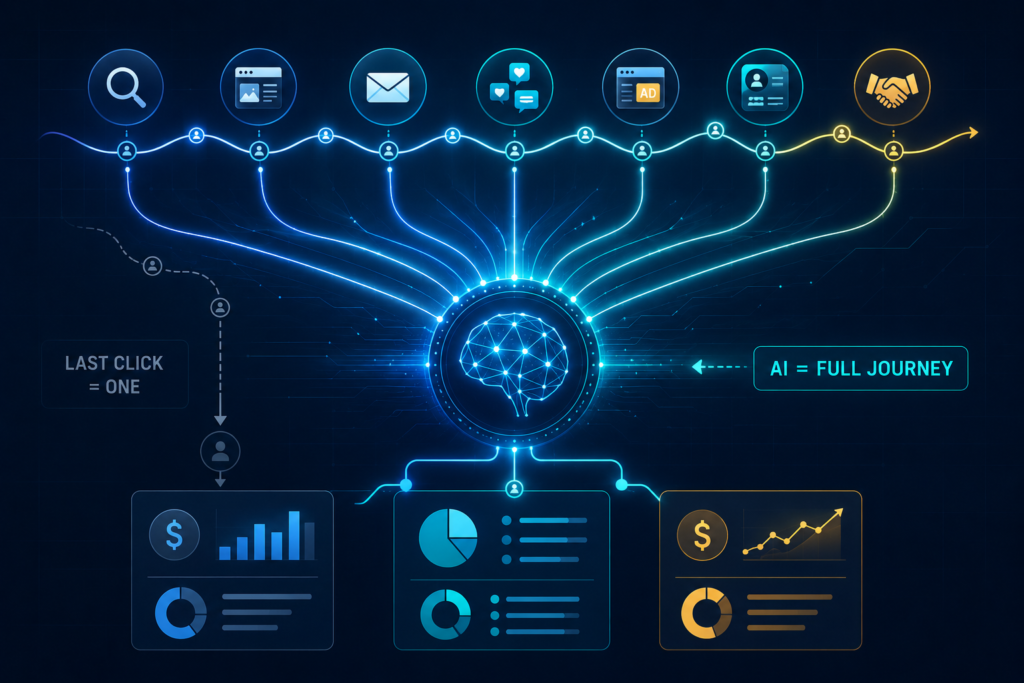
AI-Powered Marketing Attribution: Beyond Last-Click Models Seeing the Complete Picture Every customer follows a different path before making a purchase. Some begin with a search engine, others respond to an email, while many return after engaging with several marketing channels over weeks or months. Yet many businesses continue to measure success by giving full credit to the final interaction before conversion. This approach leaves important questions unanswered. Which campaigns generated early interest? Which channels influenced decision-making? Which activities deserve greater investment? AI-powered marketing attribution offers a more complete way to answer these questions. By examining the entire customer journey, businesses can understand how each interaction contributes to revenue and long-term growth. At Product Siddha, our MarTech implementation expertise combines AI Automation Services, data integration, and performance measurement to help organizations build attribution models that reflect how customers actually buy. Why Last-Click Attribution Falls Short Last-click attribution assigns all conversion credit to the final marketing interaction before a customer completes an action. For example, a customer may: Read a blog article Download a guide Receive several emails Attend a webinar Click a paid advertisement Complete a purchase Under the last-click model, only the final advertisement receives recognition. Every earlier interaction disappears from the report. This creates an incomplete understanding of marketing performance and may lead businesses to reduce investment in channels that play an important role during the buying process. What AI-Powered Marketing Attribution Does Differently Artificial intelligence evaluates customer journeys using large volumes of behavioral and transactional data. Instead of relying on one fixed rule, AI examines patterns across multiple interactions and estimates the contribution of each touchpoint. This creates a more balanced view of how marketing efforts influence customer decisions. An AI-driven attribution framework can evaluate: Website visits Organic search traffic Paid advertising Email engagement CRM interactions Sales conversations Product demonstrations Customer support activity The result is a clearer understanding of marketing effectiveness across the complete customer lifecycle. Why Marketing Leaders Need Better Attribution Marketing budgets are under constant review. Leadership teams expect evidence that campaigns contribute to business growth. Without reliable attribution, important decisions become difficult. Questions often include: Which channels create qualified leads? Where should marketing investment increase? Which campaigns influence revenue? Which customer segments respond best? How does marketing support sales performance? AI-powered attribution provides data that helps answer these questions with greater confidence. AI and MarTech Implementation Work Together Artificial intelligence depends on connected data. If marketing platforms operate independently, attribution becomes incomplete because customer interactions remain scattered across different systems. Successful attribution requires integration between: CRM platforms Marketing automation Analytics tools Customer data platforms Advertising platforms Sales systems Website tracking Email marketing platforms This is where effective MarTech implementation becomes essential. Product Siddha helps organizations connect these technologies so that attribution reflects the complete customer journey rather than isolated events. Key Benefits of AI-Powered Attribution Better Budget Allocation Accurate attribution reveals which marketing activities consistently influence revenue. Marketing leaders can distribute budgets based on measurable business outcomes instead of assumptions. Improved Campaign Planning Historical attribution data highlights successful customer journeys. Future campaigns can be designed around proven engagement patterns. Better Sales and Marketing Alignment Shared attribution reporting creates a common understanding between marketing and sales teams. Both departments gain visibility into how customer interactions contribute to conversions. More Reliable Forecasting When customer behavior becomes measurable across multiple channels, future campaign performance becomes easier to predict. Smarter Customer Experiences Understanding customer journeys helps businesses deliver more relevant communication at each stage of the buying process. Important Metrics to Monitor AI-powered attribution should measure business performance alongside marketing activity. Useful metrics include: KPI Business Value Marketing Qualified Leads Lead quality Customer Acquisition Cost Marketing efficiency Conversion Rate Campaign effectiveness Revenue by Channel Budget optimization Customer Lifetime Value Long-term growth Return on Marketing Investment Financial performance Sales Cycle Length Process efficiency Multi-Touch Contribution Customer journey analysis These measurements provide a broader view than last-click reporting alone. Common Challenges During Implementation Many organizations recognize the value of attribution but struggle during implementation. Typical challenges include: Inconsistent customer data Separate marketing systems Duplicate records Missing campaign tracking Limited reporting capabilities Poor CRM integration Without resolving these issues, even advanced AI models produce incomplete insights. A structured implementation strategy creates the foundation for reliable reporting. The Role of AI Automation Services AI Automation Services simplify the collection, processing, and analysis of marketing data. Automation can: Connect customer information across systems Update CRM records automatically Track customer interactions Generate attribution reports Identify conversion patterns Detect reporting inconsistencies Improve data quality These automated processes reduce manual work while improving reporting accuracy. How Product Siddha Helps Businesses Build Better Attribution Successful attribution depends on more than software. Product Siddha helps businesses design connected MarTech environments where customer data flows accurately between systems. Our services include: MarTech implementation AI Automation Services Customer journey mapping CRM integration Marketing workflow automation Data integration Performance dashboard development Attribution reporting This approach allows marketing leaders to make informed decisions using reliable business data instead of isolated campaign reports. Measuring Marketing with Confidence Customer journeys have become more complex, making traditional attribution methods less reliable for modern businesses. AI-powered marketing attribution provides a clearer understanding of how different channels influence customer decisions across the entire buying process. When combined with strong MarTech implementation, connected business systems, and reliable AI Automation Services, organizations gain accurate insights that support better planning, stronger collaboration, and smarter investment decisions. For businesses seeking dependable attribution reporting, Product Siddha helps build the technology foundation needed to measure marketing performance with greater confidence and long-term consistency.
15 AI Automation Workflows Every B2B Company Should Implement
AI Automation, Blog

15 AI Automation Workflows Every B2B Company Should Implement

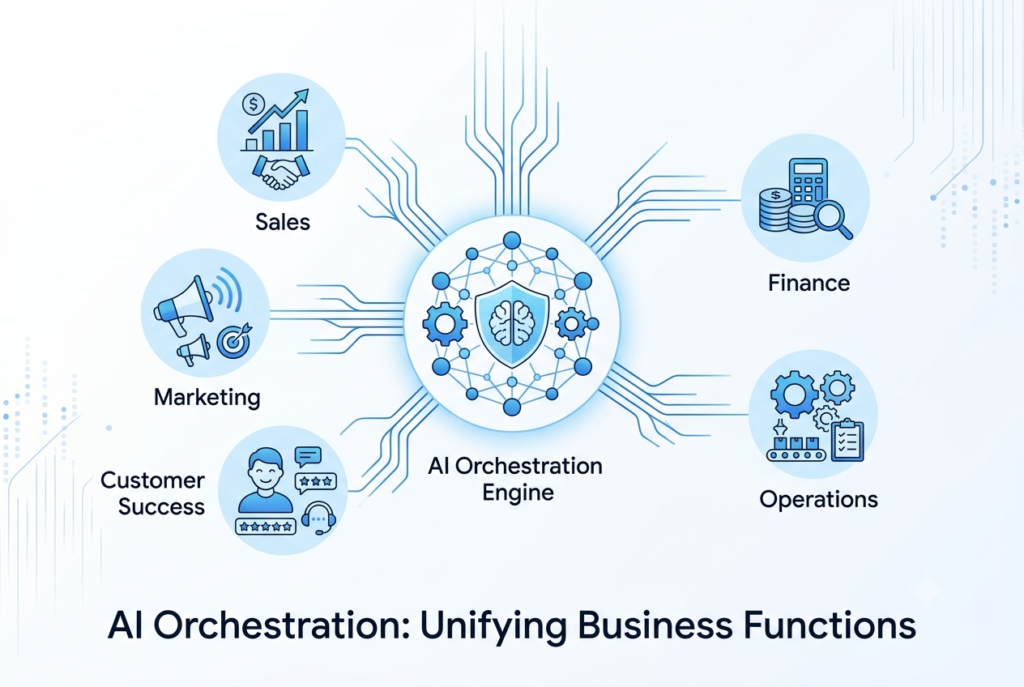
15 AI Automation Workflows Every B2B Company Should Implement   Stop Buying AI Tools. Start Building AI Workflows. Ask ten B2B founders what their first AI project was, and most will give a familiar answer. A chatbot. An AI writing assistant. Meeting summaries. Email drafting. Those tools save time, but they rarely change how a business operates. Across growing SaaS companies, agencies, manufacturers, and service businesses, a different pattern is emerging. Companies seeing the strongest returns are no longer automating individual tasks. They are connecting entire business processes so information moves automatically between teams, systems, and customers. Instead of asking, “Can AI write this email?”, they ask, “How can AI remove five manual steps from our sales process?” That shift changes everything. At Product Siddha, our AI Automation Services focus on designing connected workflows that eliminate repetitive work, improve decision-making, and help businesses scale without increasing operational complexity. This article explores the automation workflows that operations leaders, founders, and RevOps teams are increasingly adopting to solve real business problems. Why Most AI Automation Projects Disappoint Many businesses begin their AI journey with enthusiasm. They purchase several AI tools, encourage employees to experiment, and expect immediate productivity gains. Six months later, the excitement fades. The problem usually is not the technology. It is the workflow. For example, a salesperson might use AI to write an email, but still needs to: Copy lead information into the CRM Update opportunity stages Schedule follow-up reminders Create meeting notes Notify internal teams Prepare a proposal Only one task has been automated. The remaining work still depends on manual effort. Successful automation connects these activities into one continuous process. Instead of saving five minutes on one task, it saves several hours across an entire customer journey. What High-Performing B2B Teams Are Doing Differently Businesses achieving measurable returns from AI share several characteristics. They focus on: End-to-end workflows instead of isolated tasks Reliable business data before introducing automation Clear ownership of every workflow Continuous measurement and refinement Human oversight for important business decisions This approach creates automation that improves with time instead of becoming another disconnected system. Workflow 1: AI SDR Research and Lead Qualification Sales development representatives spend a significant portion of their day gathering information before speaking with prospects. Research often includes: Company size Industry Recent funding Hiring activity Technology stack Decision-makers Previous interactions An AI-powered workflow performs much of this preparation automatically. Example Workflow Website enquiry ↓ CRM record created ↓ AI researches company ↓ Buying signals identified ↓ Lead score calculated ↓ Sales representative notified ↓ Personalized outreach drafted Rather than replacing the sales team, automation allows representatives to spend more time building relationships with qualified prospects. Business Impact Faster lead response Higher-quality conversations Better CRM accuracy More consistent prospect research Workflow 2: Proposal Generation in Minutes Proposal creation remains one of the most time-consuming activities in many B2B organizations. Consultancies, agencies, software providers, and professional service firms often spend several hours preparing documents after every discovery meeting. AI can automate much of this work. Example Workflow Discovery meeting completed ↓ Meeting transcript analysed ↓ Client requirements extracted ↓ Scope of work drafted ↓ Pricing inserted ↓ Proposal formatted ↓ Sales manager reviews ↓ Proposal delivered Instead of starting with a blank document, sales teams begin with a structured draft that requires only final adjustments. Business Impact Shorter sales cycles Consistent proposal quality Faster response to prospects Reduced administrative work Workflow 3: Customer Health Monitoring Customer retention often creates more long-term value than acquiring new customers. The challenge is identifying at-risk accounts before they decide to leave. AI can monitor customer behaviour across multiple systems. Signals may include: Reduced product usage Support ticket frequency Declining engagement Payment delays Contract renewal dates Customer satisfaction trends When several warning signs appear together, the workflow automatically alerts the Customer Success team. Example Workflow Customer activity monitored ↓ Risk score updated ↓ Renewal probability calculated ↓ High-risk account detected ↓ Customer Success notified ↓ Personalized outreach initiated Instead of reacting to churn, businesses gain time to strengthen customer relationships. Workflow 4: AI Sales Call Intelligence Sales conversations contain valuable information that often disappears after the meeting ends. Modern AI workflows analyse every customer conversation automatically. The system can identify: Customer objectives Budget discussions Competitor mentions Product objections Buying signals Agreed next steps Relevant information is then added directly to the CRM. Managers receive coaching insights without reviewing every recording manually. Business Impact Better sales coaching Consistent CRM updates Faster follow-up Improved forecasting accuracy Workflow 5: Executive Morning Briefings Executives often begin the day by opening several dashboards. Sales. Marketing. Customer support. Finance. Operations. Each department reports performance differently. AI can consolidate this information into one concise daily briefing. Example Report Yesterday’s Revenue ₹14.2 lakh New Qualified Leads 38 Support Tickets Resolved 142 Critical Customer Risks 3 Outstanding Finance Approvals 7 Marketing Campaign Performance Above target Rather than collecting information manually, leadership receives one consistent report every morning. This allows faster decisions without requesting updates from multiple teams. Business Impact Better executive visibility Faster decision-making Less reporting effort Improved cross-functional alignment Workflow 6: AI Contract and RFP Response Automation Enterprise sales teams know that winning a deal often depends on responding quickly to Requests for Proposal (RFPs), security questionnaires, and legal reviews. These documents can run into hundreds of questions, many of which repeat across customers. Instead of searching through previous responses and copying information manually, AI can build the first draft using an approved knowledge base. Example Workflow RFP received ↓ AI identifies document sections ↓ Searches approved response library ↓ Drafts answers ↓ Flags unanswered or high-risk questions ↓ Legal and sales review ↓ Final document submitted The workflow does not replace legal or sales teams. It removes repetitive work so specialists can focus on reviewing complex requirements. Business Impact Faster proposal turnaround Consistent responses Higher bid capacity Reduced administrative effort Workflow 7: Intelligent Customer Onboarding The sales process does not end when a customer signs a contract. Poor onboarding often delays product adoption and

AI Automation KPIs How to Measure ROI Beyond Cost Savings
AI Automation, Blog

AI Automation KPIs: How to Measure ROI Beyond Cost Savings

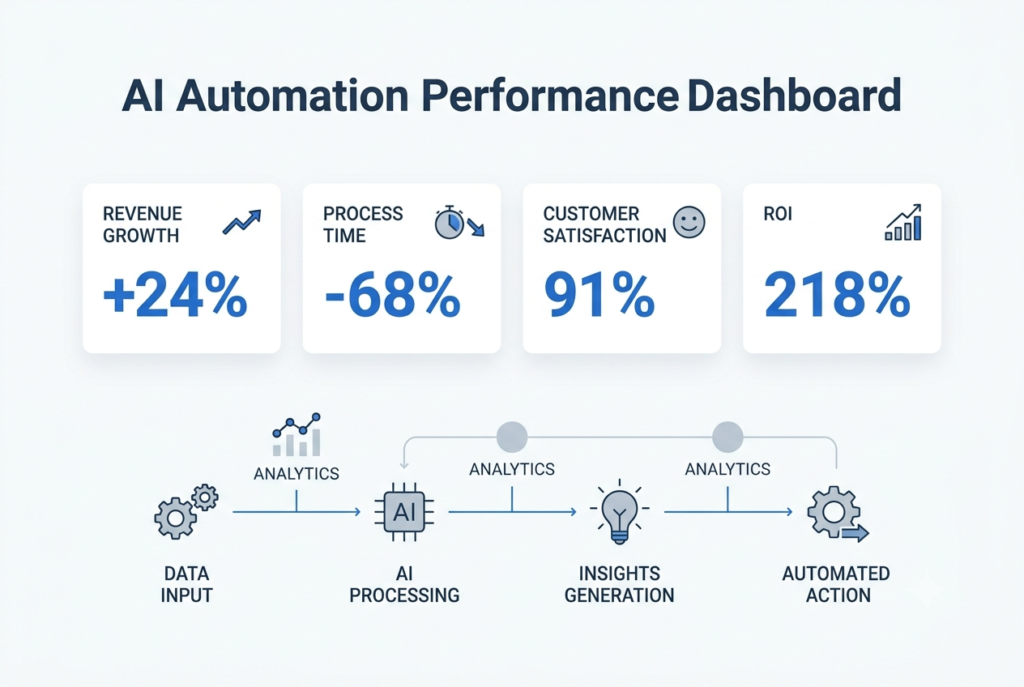
AI Automation KPIs: How to Measure ROI Beyond Cost Savings Looking Beyond Payroll Savings Many AI automation projects are approved because they promise lower operating costs. Business leaders often hear statements such as “automation will save thousands of working hours” or “manual work will be reduced by 60 percent.” While these outcomes are valuable, they rarely represent the biggest return from an automation initiative. For executives responsible for approving technology budgets, the real question is much broader. Did the investment improve business performance? A successful automation project should strengthen revenue generation, improve customer satisfaction, shorten business processes, reduce operational risk, and help employees focus on work that creates greater value. This is why measuring return on investment (ROI) through labour savings alone gives an incomplete picture. At Product Siddha, AI Automation Services are designed around measurable business outcomes. Every implementation begins with clear objectives and a reporting framework that allows leadership teams to evaluate progress using practical business KPIs rather than assumptions. Why Cost Savings Can Be Misleading Imagine two businesses that each invest ₹18 lakh in AI automation. Company A Saves ₹5 lakh annually in staffing costs. No improvement in customer experience. Sales remain unchanged. Employees continue working with disconnected systems. ROI appears modest. Company B Saves only ₹2 lakh in operating costs. Reduces customer response time by 80%. Increases repeat purchases by 18%. Improves lead conversion by 22%. Generates ₹36 lakh in additional annual revenue. Although Company B saved less money directly, its automation project produced significantly greater business value. This illustrates why modern AI projects should be measured using operational and commercial KPIs instead of payroll reductions alone. The ROI Formula Every Executive Should Understand Many organisations make ROI calculations unnecessarily complicated. A practical approach is: ROI (%) = (Total Business Value − Total Investment) ÷ Total Investment × 100 Example An organisation invests: Investment Cost AI Automation Implementation ₹9,00,000 Software Licences ₹4,00,000 System Integration ₹3,00,000 Employee Training ₹2,00,000 Total Investment = ₹18,00,000 After twelve months, measurable business gains include: Business Outcome Annual Value Additional Revenue ₹28,00,000 Operational Savings ₹6,00,000 Fewer Processing Errors ₹4,00,000 Faster Customer Onboarding ₹5,00,000 Total Business Value = ₹43,00,000 ROI Calculation: (43 − 18) ÷ 18 × 100 = 139% ROI This calculation tells leadership something meaningful. The project created more than twice the value of its implementation cost. Scenario 1: Customer Support Automation Consider a growing logistics company serving more than 18,000 active customers. The support team receives approximately 1,300 enquiries every week. Before automation: KPI Before AI Support Agents 8 Average Response Time 16 minutes First Contact Resolution 64% Customer Satisfaction 74% Monthly Support Cost ₹6.2 lakh Management initially expected AI to reduce staffing costs. Instead, Product Siddha recommended automating repetitive customer enquiries while allowing agents to focus on complex cases. After six months: KPI After AI Average Response Time 90 seconds First Contact Resolution 83% Customer Satisfaction 91% Repeat Customer Rate +17% Monthly Support Cost ₹5.8 lakh Direct payroll savings amounted to only ₹40,000 per month. However, customer retention improved significantly. The company estimated that improved retention generated approximately ₹32 lakh in additional annual revenue. If management had measured only salary savings, the project would have appeared average. When customer retention and revenue growth were included, the automation initiative delivered an ROI of over 180 percent within the first year. This is the difference between measuring activity and measuring business impact. Scenario 2: Marketing Automation That Improves Revenue Marketing teams often measure campaign performance using click-through rates and lead volumes. These numbers provide useful information, but they do not always explain which activities contribute to revenue. A B2B technology company was generating approximately 1,500 enquiries each month from paid advertising, organic search, webinars, and email campaigns. The marketing team struggled to identify which channels influenced buying decisions because reports relied almost entirely on last-click attribution. Product Siddha introduced AI-powered marketing automation that connected CRM data, campaign activity, website interactions, and sales outcomes. Before AI KPI Before Marketing Qualified Leads 420 Average Lead Response Time 14 hours Conversion Rate 8.6% Revenue Attributed to Marketing Limited visibility After AI KPI After Marketing Qualified Leads 560 Average Lead Response Time 2 hours Conversion Rate 11.9% Revenue Attribution Accuracy Significantly improved Within nine months, marketing-generated revenue increased by 24% because campaigns could be optimized using complete customer journey data instead of isolated interactions. The KPIs That Matter Most Different departments measure success differently. A useful AI automation dashboard should include financial, operational, customer, and adoption metrics. Executive KPI Dashboard KPI Target Sample Result ROI 150% 186% Payback Period Under 12 months 8 months Revenue Growth 20% 24% Customer Satisfaction 90% 92% Customer Retention 85% 89% Process Completion Time -50% -68% Manual Tasks Automated 70% 76% Employee Productivity +20% +29% A dashboard like this helps executives evaluate business performance without reviewing dozens of operational reports. Build a KPI Roadmap Before Implementation Many organizations begin automation projects without deciding how success will be measured. A better approach is to define milestones before implementation begins. First 30 Days Focus on implementation quality. Measure: System uptime User adoption Workflow completion Integration accuracy Data quality First 90 Days Evaluate operational improvements. Track: Time saved Process cycle time Employee productivity Customer response time Automation success rate After 180 Days Measure commercial outcomes. Include: Revenue growth Customer retention Sales conversion Cost avoidance ROI Payback period This staged approach provides a balanced view of automation performance over time. KPIs That Are Often Overlooked Many organizations monitor operational efficiency but ignore indicators that reveal long-term business value. Examples include: Employee Adoption Rate If only half the workforce uses automated workflows, expected ROI will remain difficult to achieve. Exception Rate Monitor how often manual intervention is required. Lower exception rates indicate that workflows are becoming more reliable. Decision Speed Automation often reduces the time needed for approvals, reporting, and planning. This improvement creates business value that is difficult to measure through payroll savings alone. Customer Lifetime Value Improved customer experiences frequently increase repeat purchases. This can generate significantly greater financial returns than operational

Looker Studio vs Power BI Which BI Tool Fits Your Business
Blog, Product Analytics

Looker Studio vs Power BI: Which BI Tool Fits Your Business?

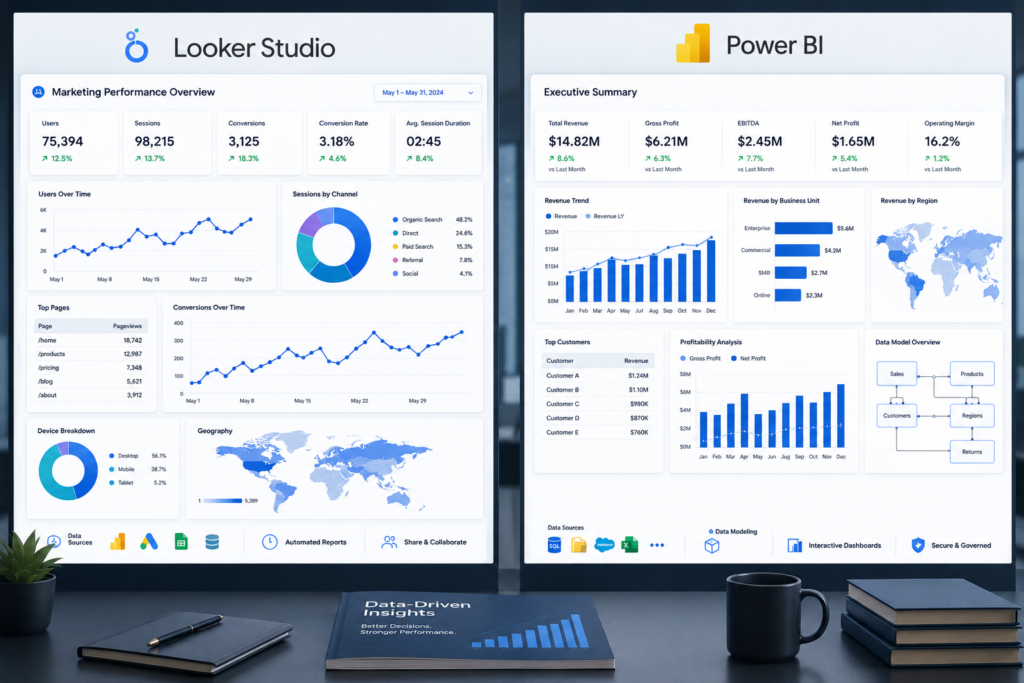
Looker Studio vs Power BI: Which BI Tool Fits Your Business? Understanding the Role of BI Tools in Modern Teams Business intelligence tools have become part of everyday decision-making in many organizations. They pull data from different systems, clean it, and present it in dashboards that teams can read without technical help. Two tools often compared in this space are Looker Studio and Power BI. Both are widely used, but they serve slightly different working styles and infrastructure needs. For teams working with data-driven operations, the choice is not only about features. It is about how well the tool connects with existing systems, how data is modeled, and how easily teams can maintain reports over time. At Product Siddha, we see this decision most often during analytics and MarTech implementation projects where reporting systems need to align with CRM, marketing, and product data. What Is Looker Studio Looker Studio is a cloud-based data visualization tool developed by Google. It allows users to create dashboards by connecting multiple data sources. Common use cases include: Marketing performance dashboards SEO reporting Website analytics tracking Campaign reporting from Google Ads and GA4 Looker Studio works best in environments that already use Google services heavily. It connects easily with Google Analytics, BigQuery, Google Sheets, and Google Ads. Its main strength is simplicity. It allows teams to build reports without deep technical setup. What Is Power BI Power BI is a business intelligence platform developed by Microsoft. It is designed for deeper data modeling and enterprise reporting. Typical use cases include: Financial reporting systems Operational dashboards Enterprise data modeling Cross-department analytics Power BI integrates strongly with Microsoft ecosystems like Azure, Excel, and SQL Server. It is often used in organizations with structured data warehouses and complex reporting requirements. Its strength lies in data modeling flexibility and enterprise-level scalability. Core Differences Between Looker Studio and Power BI Data Handling Approach Looker Studio relies on live connections to data sources. It does not store data in most cases. This makes it fast to set up but limited for complex transformations. Power BI uses a data modeling layer. It can import data, transform it, and store it internally. This allows deeper analysis and faster performance for large datasets. Ease of Use Looker Studio is easier to start with. Most users can build a basic dashboard without training. Power BI requires more learning. It involves data modeling concepts, relationships, and sometimes DAX formulas. For non-technical teams, Looker Studio feels more direct. For analytical teams, Power BI offers more control. Integration Ecosystem Looker Studio integrates naturally with: Google Analytics 4 Google Ads Google Sheets BigQuery Power BI integrates with: Microsoft Excel Azure data services SQL databases Enterprise ERP systems This difference often decides the direction of adoption. Performance and Scalability Looker Studio performs well for lightweight dashboards and marketing reports. However, performance can slow down with large datasets and multiple data sources. Power BI handles large-scale datasets better due to its in-memory processing engine and data compression capabilities. Feature Comparison Table Feature Looker Studio Power BI Ease of setup High Medium Data modeling Basic Advanced Performance on large data Moderate Strong Google ecosystem fit Excellent Limited Microsoft ecosystem fit Limited Excellent Custom calculations Limited Advanced (DAX) Cost structure Mostly free License-based Example: Marketing Dashboard To understand how both tools behave, consider a digital marketing team tracking campaign performance. Data Sources Google Ads Google Analytics 4 CRM leads from HubSpot Email campaign data Using Looker Studio Setup flow: Connect GA4 and Google Ads directly Use Google Sheets for CRM imports Build dashboard with drag and drop charts Result: Fast setup Easy reporting for marketing team Limited data blending capability Using Power BI Setup flow: Import all data into data warehouse or Power BI model Define relationships between campaigns, leads, and revenue Build structured dashboard with calculated metrics Result: More accurate attribution model Deeper revenue analysis Higher setup time but better long-term structure When Looker Studio Fits Better Looker Studio is suitable when: Teams rely heavily on Google marketing tools Reporting needs are simple and visual Setup speed is more important than deep modeling Small to mid-sized businesses are involved It is often used by marketing teams that need quick visibility into campaign performance without technical overhead. When Power BI Fits Better Power BI is better when: Data comes from multiple enterprise systems Financial and operational reporting is required Data modeling complexity is high Long-term scalability is important It is commonly used by finance teams, enterprise analytics teams, and data engineering teams. Common Implementation Challenges Both tools face similar issues when not implemented correctly: Poor data structure from source systems Inconsistent metrics definitions across teams Lack of unified data warehouse Overcomplicated dashboards with unnecessary metrics At Product Siddha, most reporting issues are solved at the data layer, not at the dashboard layer. Without clean data pipelines, no BI tool performs well consistently. Role of Product Siddha in BI Implementation Product Siddha helps teams design analytics systems where BI tools are part of a larger data structure. Key areas include: Data pipeline design (ETL/ELT) Dashboard architecture planning CRM and marketing data integration KPI standardization across teams BI tool selection based on business needs The focus is not only on choosing between Looker Studio and Power BI, but on building a system where both tools can operate correctly if needed. Final Perspective Looker Studio and Power BI serve different needs rather than competing directly. Looker Studio works well for fast reporting and marketing-focused dashboards, especially in Google-centric environments. Power BI fits structured enterprise environments that require deeper data modeling and long-term scalability. The decision depends on how the organization handles data, not only how it visualizes it. A well-designed data system matters more than the BI tool itself.

Model Context Protocol (MCP) Explained Why Every AI Automation Team Is Talking About It
AI Automation, Blog

Model Context Protocol (MCP) Explained: Why Every AI Automation Team Is Talking About It

Model Context Protocol (MCP) Explained: Why Every AI Automation Team Is Talking About It Understanding the Shift in AI Integration Modern automation systems depend on how well different tools communicate with each other. As AI systems become more capable, the challenge is no longer model performance alone. The real issue is how models access external data, tools, and workflows in a structured way. This is where Model Context Protocol (MCP) comes in. It defines a standard method for connecting AI models to external systems, without requiring custom integration work for every tool. For any AI Automation Team, MCP is becoming a practical layer that simplifies how AI applications interact with data sources, APIs, and internal systems. At Product Siddha, we see MCP as part of a larger shift toward structured AI orchestration rather than isolated automation scripts. What Is Model Context Protocol (MCP) Model Context Protocol is a standardized framework that allows AI models to communicate with external tools in a consistent format. Instead of building separate connectors for each system, MCP defines a common structure for: Sending context to AI models Calling external tools Returning structured responses Managing multi-step workflows In simple terms, MCP acts like a universal adapter between AI systems and business tools. For example: An AI model can request customer data from a CRM, analyze it, and return insights without custom-coded integration for each step. Why MCP Matters for AI Automation Teams Before MCP, most AI Automation Teams relied on custom APIs, scripts, and integrations for every system. This created three common problems: Integration complexity increases with each new tool Maintenance becomes difficult over time Scaling automation requires repeated engineering effort MCP reduces this friction by introducing a shared protocol layer. Instead of building: AI → CRM integration AI → Database integration AI → Analytics integration Teams build: AI → MCP server → All tools This shift reduces system complexity and improves scalability. Core Structure of MCP MCP is built around three main components: 1. Context Layer This defines what information is passed to the AI model. Example: User profile data Transaction history Product usage logs 2. Tool Layer This defines external systems the AI can interact with. Examples: CRM systems Data warehouses Messaging platforms Internal APIs 3. Response Layer This handles structured output from the AI model after processing context and tool data. This structure ensures consistent communication across systems. AI Support Automation System To understand MCP in a real scenario, consider a customer support automation system built by an AI Automation Team. Problem A customer sends a query about billing issues. Without MCP AI model queries CRM using custom API Fetches billing data using separate integration Calls ticketing system through another script Combines results manually This creates fragmented logic. With MCP Customer message enters system MCP passes context to AI model AI requests billing data via MCP tool call MCP retrieves data from CRM AI processes response and generates resolution MCP sends structured reply to support system The workflow becomes unified and predictable. MCP vs Traditional API Integration Aspect Traditional APIs MCP Framework Integration method Custom per tool Standard protocol Scalability Low High Maintenance Complex Simplified Tool addition Requires new code Plug-and-play via MCP AI workflow design Fragmented Unified This comparison shows why many AI Automation Teams are shifting toward MCP-based architecture. How MCP Improves AI Automation Systems 1. Reduces Integration Workload Instead of writing multiple API connectors, teams define one MCP interface. 2. Standardizes Tool Usage All tools follow the same communication pattern. 3. Improves Debugging Structured request and response formats make system tracing easier. 4. Enables Multi-Agent Systems Multiple AI agents can share tools through MCP without conflicts. Example Scenario: E-Commerce Intelligence System Consider an e-commerce platform using MCP. Objective Improve product recommendations and customer retention. MCP Flow AI agent receives user browsing history MCP fetches purchase data from database MCP retrieves inventory data from product system AI processes all inputs MCP sends recommendation output to frontend system Outcome Better personalization Faster recommendation cycles Reduced engineering overhead Common Implementation Challenges Even though MCP simplifies architecture, AI Automation Teams still face challenges: 1. Poor Context Design If context passed to models is incomplete, results become unreliable. 2. Tool Overload Adding too many tools without structure creates confusion in routing logic. 3. Latency Issues Real-time tool calls can slow down responses if not optimized. 4. Security Control Access management across tools must be carefully designed. At Product Siddha, implementation often focuses on fixing system architecture before enabling MCP workflows. MCP in Modern AI Architecture MCP is often used alongside: Large Language Models (LLMs) Vector databases Workflow orchestration tools like n8n Data warehouses like BigQuery or Snowflake This combination allows businesses to build end-to-end AI systems instead of isolated models. Role of Product Siddha in MCP-Based Systems Product Siddha works with organizations to design AI automation systems that go beyond model usage. Focus areas include: MCP-based system architecture design AI workflow standardization Data pipeline integration Multi-agent system design Enterprise automation planning The goal is to help an AI Automation Team build systems that scale without increasing integration complexity. Final Perspective Model Context Protocol represents a shift in how AI systems interact with real-world tools. Instead of building isolated integrations, teams can now design structured communication layers. For any AI Automation Team, MCP reduces fragmentation, improves scalability, and supports more stable AI-driven workflows. The value of MCP is not in replacing existing systems but in organizing how they connect to AI models in a consistent way. As AI adoption grows, structured protocols like MCP will become a standard part of enterprise automation architecture.

Lead Scoring Using AI How to Prioritize Prospects That Actually Convert
AI Automation, Blog

Lead Scoring Using AI: How to Prioritize Prospects That Actually Convert

Lead Scoring Using AI: How to Prioritize Prospects That Actually Convert The Hidden Cost of Chasing Every Lead Every business wants more leads. Yet many sales teams face a different problem. They spend too much time on prospects who never become customers. A contact form submission, a webinar attendee, or a downloaded whitepaper may look promising at first. In reality, not every lead has the same level of interest or buying intent. Treating all prospects equally often leads to wasted effort, slower sales cycles, and missed revenue opportunities. This is where lead scoring becomes valuable. Traditional lead scoring methods rely on fixed rules and assumptions. While these systems can help, they often struggle to keep pace with changing customer behavior. Today, organizations are turning to AI Automation to improve lead qualification and identify prospects that are most likely to convert. By analyzing large volumes of customer data, artificial intelligence can uncover patterns that human teams may overlook. At Product Siddha, we have seen how AI-powered lead scoring helps businesses focus on high-value opportunities while reducing time spent on low-priority prospects. Understanding Lead Scoring Lead scoring is the process of assigning values to potential customers based on their likelihood of becoming paying clients. These scores are typically generated using factors such as: Lead Attribute Impact on Score Website visits Indicates interest Email engagement Shows interaction level Content downloads Signals research activity Job title Reveals decision-making authority Company size Helps determine fit Product inquiries Shows purchase intent Previous interactions Indicates relationship strength The purpose of lead scoring is simple. Sales teams need a reliable way to determine which prospects deserve immediate attention. Without a scoring system, representatives often rely on guesswork. This can result in valuable opportunities slipping through the cracks while less promising leads consume valuable resources. Why Traditional Lead Scoring Falls Short For years, companies used manual scoring systems based on predefined rules. For example: Downloading an eBook = 10 points Visiting a pricing page = 20 points Opening an email = 5 points While these rules provide structure, they have limitations. Customer behavior changes over time. Market conditions shift. New buying patterns emerge. Static scoring models rarely adapt quickly enough. A prospect who downloads three resources may not be ready to buy. Another prospect who spends five minutes on a product comparison page might have strong purchase intent. Traditional systems often fail to recognize these subtle differences. As databases grow larger, maintaining rule-based scoring becomes increasingly difficult. This creates inconsistencies that affect both marketing and sales performance. How AI Improves Lead Scoring Artificial intelligence brings a more dynamic approach to lead qualification. Instead of relying solely on predefined rules, AI models analyze historical customer data and identify patterns associated with successful conversions. The system continuously learns from: Customer interactions Website behavior CRM records Email engagement Purchase history Product usage data Sales outcomes As new information becomes available, the model adjusts its predictions. This makes AI Automation particularly effective for businesses with large volumes of leads and complex customer journeys. Rather than assigning scores based on assumptions, AI predicts the probability that a prospect will convert based on real-world evidence. Key Benefits of AI-Powered Lead Scoring Improved Sales Productivity Sales representatives spend less time reviewing unqualified prospects. Instead, they focus on leads with the highest conversion potential. This improves efficiency and increases the likelihood of successful outcomes. Faster Response Times High-intent prospects can be identified immediately. When sales teams engage at the right moment, conversion rates often improve because customer interest remains strong. Better Marketing Alignment Marketing and sales departments frequently disagree about lead quality. AI-driven lead scoring creates a shared framework based on data rather than opinions. This helps both teams work toward common goals. Higher Conversion Rates Businesses that prioritize qualified prospects often experience stronger conversion performance. By directing resources toward the right opportunities, organizations can improve revenue generation without significantly increasing acquisition costs. Continuous Learning Unlike static models, AI systems evolve. As customer behavior changes, machine learning algorithms refine their predictions and maintain scoring accuracy over time. The Data Behind Effective AI Lead Scoring The quality of an AI lead scoring system depends heavily on the quality of data available. Organizations should focus on collecting information from multiple sources. Demographic Data This includes: Industry Company size Geographic location Job role Business type These attributes help determine whether a prospect fits the ideal customer profile. Behavioral Data Behavioral indicators often provide stronger buying signals than demographic information alone. Examples include: Website page views Session duration Product page interactions Form submissions Webinar attendance Resource downloads Engagement Data Customer engagement reveals ongoing interest. Useful metrics include: Email opens Click-through rates Meeting requests Chat interactions Event participation Product Data Businesses offering software or digital products can gain valuable insights from usage patterns. Product analytics can reveal: Feature adoption Login frequency Trial engagement User activity trends Combining these data points creates a more complete picture of customer intent. The Role of AI Automation in Modern Lead Management Lead scoring is only one part of a broader AI Automation strategy. Organizations increasingly use automation to streamline repetitive tasks throughout the customer acquisition process. Examples include: Automated lead qualification Intelligent customer segmentation Predictive analytics CRM workflow automation Sales forecasting Marketing attribution analysis When these capabilities work together, businesses gain a clearer understanding of customer behavior and purchasing intent. This creates a more efficient path from prospect identification to customer conversion. Building an AI-Driven Lead Scoring Framework Successful implementation requires a structured approach. Define Conversion Goals Start by identifying what constitutes a successful outcome. Examples may include: Product purchases Demo bookings Subscription upgrades Contract signings Centralize Customer Data Data scattered across multiple systems limits AI effectiveness. Integrating CRM, marketing platforms, analytics tools, and product data creates a stronger foundation for predictive modeling. Train the Model Historical customer data allows machine learning algorithms to identify patterns associated with successful conversions. The larger and cleaner the dataset, the more accurate the predictions tend to be. Monitor Performance Lead scoring should not be treated as a one-time

AI Workflows That Save More Than 500 Hours Per Month
AI Automation, Blog

AI Workflows That Save More Than 500 Hours Per Month

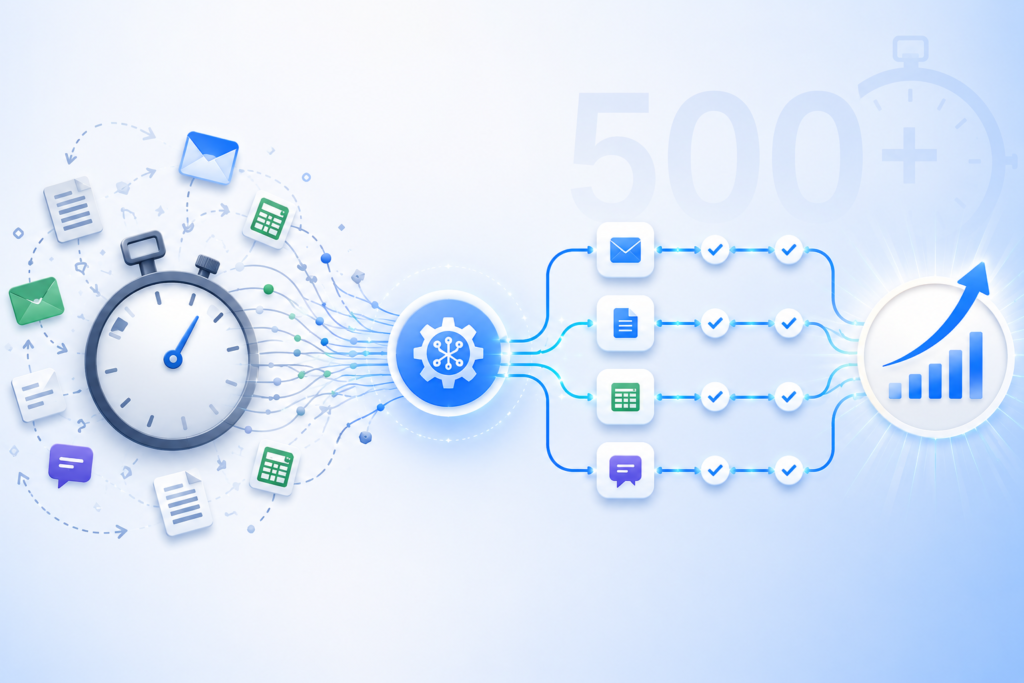
AI Workflows That Save More Than 500 Hours Per Month The Hidden Cost of Repetitive Work Every growing business reaches a point where routine work begins to consume valuable time. Employees spend hours responding to emails, updating customer records, preparing reports, entering data, and moving information between systems. Each task may seem small on its own, yet together they create a significant operational burden. This is one reason businesses are increasingly investing in AI Workflows. An intelligent workflow can automate repetitive activities, connect systems, and reduce manual effort without disrupting daily operations. In many cases, these workflows save hundreds of hours each month. At Product Siddha, we help organizations implement AI Workflows that improve efficiency while allowing teams to focus on work that requires experience, creativity, and strategic thinking. Understanding AI Workflows An AI Workflow is a sequence of automated actions supported by artificial intelligence and connected business systems. Instead of employees manually completing repetitive tasks, AI workflows perform activities automatically. Common examples include: Customer inquiry management Lead qualification CRM updates Invoice processing Data extraction Email categorization Report generation Document analysis AI Workflows combine automation with intelligent decision-making, making them more flexible than traditional automation systems. A Practical Example Consider a medium-sized software company that receives: 2,000 customer inquiries per month 1,500 sales leads Hundreds of invoices Weekly business reports Daily CRM updates Before automation, employees handled these tasks manually. The company faced several problems: Slow response times Repetitive administrative work Data entry errors Delayed reporting Employee fatigue Management realized that expanding the team would increase costs without addressing the underlying inefficiencies. Instead, they implemented AI Workflows. Workflow 1 – Customer Support Automation The company introduced an AI workflow to manage customer requests. The workflow: Receives incoming messages. Understands customer intent. Categorizes inquiries. Provides instant responses for common questions. Assigns complex cases to support staff. Updates the CRM automatically. Monthly Impact Activity Manual Hours AI Workflow Hours Ticket Categorization 90 5 Customer Replies 120 20 CRM Updates 50 2 Total 260 27 Time Saved: 233 Hours Workflow 2 – Sales Lead Processing Previously, sales representatives manually reviewed every incoming lead. The AI workflow now: Collects leads from multiple sources Evaluates lead quality Scores prospects automatically Assigns leads to sales representatives Updates CRM records Schedules follow-up reminders Monthly Impact Activity Manual Hours AI Workflow Hours Lead Review 80 8 CRM Data Entry 60 3 Lead Assignment 25 1 Total 165 12 Time Saved: 153 Hours Workflow 3 – Invoice Processing Finance teams often spend considerable time reviewing invoices and entering data. The AI Workflow automatically: Extracts invoice information Validates records Matches purchase orders Flags discrepancies Stores documents Generates summaries Monthly Impact Activity Manual Hours AI Workflow Hours Data Entry 55 4 Verification 35 5 Reporting 20 2 Total 110 11 Time Saved: 99 Hours Workflow 4 – Business Reporting Reporting often requires collecting information from: CRM systems Sales databases Analytics platforms Customer support software The AI workflow: Pulls data automatically Cleans information Creates dashboards Generates summaries Sends reports to management Monthly Impact Activity Manual Hours AI Workflow Hours Data Collection 25 2 Report Preparation 30 3 Dashboard Updates 15 1 Total 70 6 Time Saved: 64 Hours Total Time Saved When all workflows were combined, the results were significant. Workflow Hours Saved Customer Support 233 Lead Processing 153 Invoice Processing 99 Reporting 64 Total Monthly Savings 549 Hours The company saved more than 500 hours each month while improving response times and operational accuracy. Why AI Workflows Deliver Better Results Several factors contribute to these improvements. Consistent Execution AI workflows follow the same process every time. This reduces: Human errors Missed tasks Data inconsistencies Faster Processing Tasks that once required hours can often be completed within minutes. Examples include: Customer replies Document processing CRM synchronization Report generation Scalability As businesses grow, AI Workflows can handle increased workloads without requiring proportional staff expansion. Whether processing: 500 leads 5,000 leads 50,000 leads The workflow structure remains largely unchanged. Common Business Areas for AI Workflows Businesses increasingly automate: Customer Service Ticket classification Automated responses Escalation management Sales Operations Lead scoring CRM updates Meeting scheduling Finance Invoice processing Expense categorization Financial reporting Human Resources Resume screening Candidate communication Employee onboarding Product Analytics User behavior tracking Event analysis Customer retention reports AI Workflows continue expanding as businesses identify additional opportunities for automation. AI Workflows Saving 500+ Hours Per Month Customer Support Ticket Management AI Responses CRM Updates Hours Saved: 233 Sales Lead Scoring Lead Assignment CRM Synchronization Hours Saved: 153 Finance Invoice Processing Verification Reporting Hours Saved: 99 Reporting Data Collection Dashboards Weekly Reports Hours Saved: 64 Total 549 Hours Saved Monthly Working Smarter Saving time is only one benefit of AI Workflows. Businesses also gain improved accuracy, faster decision-making, better customer experiences, and greater operational flexibility. The example discussed here demonstrates how a well-designed set of AI Workflows can save more than 500 hours each month while allowing employees to focus on meaningful work rather than repetitive administrative tasks. At Product Siddha, we design and implement AI Workflows that align with real business needs. From customer support automation to intelligent reporting and CRM workflows, we help organizations create systems that improve efficiency and support long-term growth. Frequently Asked Questions What are AI Workflows? AI Workflows are automated processes that combine artificial intelligence with business systems to complete repetitive tasks, process information, and improve operational efficiency. How many hours can AI Workflows save? The number varies by business. Many organizations save hundreds of hours each month by automating customer support, CRM updates, reporting, and administrative processes. Which departments benefit most from AI Workflows? Customer service, sales, finance, operations, and product teams commonly benefit from AI Workflows. Are AI Workflows suitable for small businesses? Yes. Small businesses can automate repetitive tasks and improve efficiency without building large teams. How does Product Siddha help businesses implement AI Workflows? Product Siddha designs custom AI Workflows that automate business processes, integrate systems, improve efficiency, and support sustainable business growth.

How to Connect Ads, CRM, and Analytics Into One Dashboard
Blog, Product Analytics

How to Connect Meta Ads, Google Ads, CRM, and Product Analytics Into One Unified Customer Journey Dashboard

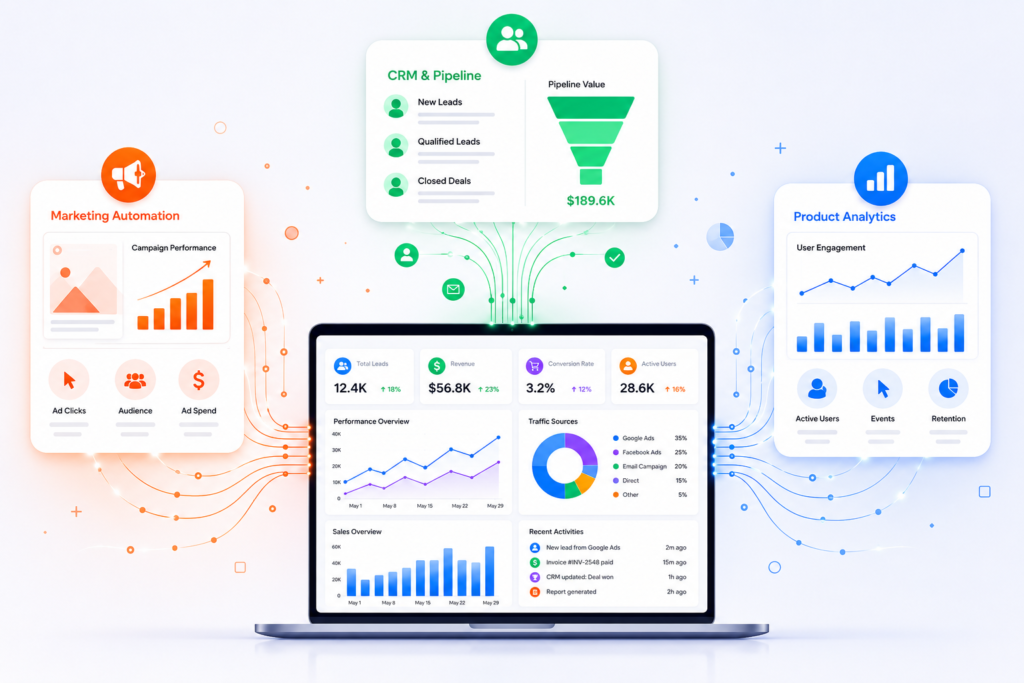
How to Connect Meta Ads, Google Ads, CRM, and Product Analytics Into One Unified Customer Journey Dashboard Most Companies Have Data. Few Have Customer Visibility. A marketing manager sees: Facebook Ads conversions Google Ads ROAS The sales team sees: HubSpot deals Salesforce opportunities The product team sees: Mixpanel funnels Amplitude retention The CEO sees three different reports telling three different stories. The core problem is not reporting. The problem is customer identity. Most businesses cannot answer: Which ad campaign generated our highest-LTV customers? Which channel creates users with the best retention? Which campaign generated revenue six months later? Which product behaviors predict future purchases? To answer those questions, businesses must connect advertising, CRM, and product analytics into a single customer journey. The Architecture of a Unified Customer Journey Dashboard A modern implementation typically looks like this: Meta Ads API ↓ Google Ads API ↓ LinkedIn Ads API HubSpot API ↓ Salesforce API Mixpanel API ↓ Amplitude API Stripe API ↓ Product Database → ETL Layer (n8n / Airbyte / Fivetran) → Data Warehouse (BigQuery / Snowflake / Redshift) → BI Layer (Looker Studio / Power BI / Tableau) The dashboard is merely the visualization layer. The real work happens in identity resolution and data integration. Step 1: Create a Universal Customer Identifier (UUID) This is the most important step. Without a shared identifier, customer journey tracking becomes impossible. When a visitor lands on your website: Generate: const customerUUID = crypto.randomUUID();   Store: First-party cookie CRM record Product analytics profile Example: Customer: UUID: 7f3b9e88-412b-44d2-bbb2-4d28f2f95f3a Every system should reference this same ID. Without UUID matching: Meta knows the click. HubSpot knows the lead. Mixpanel knows the user. Nobody knows they are the same person. Step 2: Capture Advertising Attribution Data When users arrive from advertising campaigns, capture: UTM Source UTM Medium UTM Campaign UTM Content UTM Term Example: https://yourwebsite.com ?utm_source=facebook &utm_medium=paid &utm_campaign=summer_sale Store these values alongside the UUID. Example: UUID: 7f3b9e88… Source: facebook Campaign: summer_sale Now every future event can be tied back to acquisition. Step 3: Pull Data from Meta Ads API Meta provides campaign-level performance data through the Marketing API. Typical metrics: Spend Impressions Clicks CPC CTR Purchases Leads API endpoint: GET https://graph.facebook.com/v20.0/act_{ad_account_id}/insights Schedule data pulls every hour. Store results inside: BigQuery Table: meta_ads_daily Fields: campaign_id campaign_name spend clicks impressions conversions Step 4: Pull Data from Google Ads API Google Ads provides: Search campaign performance Display campaigns Performance Max Conversion metrics Example query: SELECT campaign.name, metrics.clicks, metrics.impressions, metrics.cost_micros FROM campaign Store results in: google_ads_daily inside the warehouse. Step 5: Sync CRM Data Using HubSpot API: GET /crm/v3/objects/contacts Pull: Lead status Lifecycle stage Opportunity value Deal status Revenue Important fields: UUID Email Lead Source Revenue Close Date Now revenue can be tied back to campaigns. Step 6: Sync Product Analytics Events Mixpanel and Amplitude expose event APIs. Track: Signup Feature Used Trial Started Subscription Purchased Retention Events Example event: {  “event”:”Feature Used”,  “user_id”:”7f3b9e88…” } The UUID links analytics activity to CRM and advertising data. Step 7: Build Automated Data Pipelines Manual exports do not scale. Use: n8n Make Airbyte Fivetran Example n8n workflow: Cron Trigger ↓ Google Ads API ↓ Meta Ads API ↓ HubSpot API ↓ BigQuery ↓ Slack Alert Run: Every 60 minutes Cron expression: 0 * * * * This keeps dashboards fresh automatically. Step 8: Create Customer Journey Tables Most companies make the mistake of storing data separately. Instead create: customer_journey_master Example: UUID Source Campaign Lead Opportunity Customer Revenue 7f3b… Meta Summer Sale Yes Yes Yes $5,000 Now the entire customer lifecycle exists in one record. Step 9: Calculate Full-Funnel Metrics Once systems are connected you can answer: Marketing Metrics CAC ROAS Cost per Lead Sales Metrics Pipeline Velocity Win Rate Revenue Attribution Product Metrics Activation Rate Retention Rate Feature Adoption Unified Metrics Revenue by Campaign LTV by Channel Retention by Source CAC Payback Period This is where true business intelligence emerges. Example Customer Journey Customer clicks Meta Ad ↓ Landing Page Visit ↓ UUID Created ↓ Lead Captured in HubSpot ↓ Sales Demo Booked ↓ Customer Closed ↓ Product Signup ↓ Feature Adoption Tracked in Mixpanel ↓ Subscription Renewal ↓ Dashboard shows: Meta Campaign → Revenue → Product Retention instead of disconnected reports. Recommended Tech Stack (2026) Data Collection Google Ads API Meta Ads API HubSpot API Salesforce API Mixpanel Amplitude Integration Layer n8n Airbyte Fivetran Warehouse BigQuery Snowflake Visualization Looker Studio Tableau Power BI Final Thoughts Final Thoughts The biggest mistake businesses make is treating advertising, CRM, and product analytics as separate systems. Customers do not experience your company in silos. They move through a continuous journey: Ad Click → Lead → Opportunity → Customer → Product User → Advocate A unified dashboard should reflect that journey. The foundation is not reporting alone. It is identity resolution using UUIDs, automated API integrations, scheduled ETL pipelines, centralized data warehouses, and well-designed customer data models that connect every touchpoint across marketing, sales, and product teams. When these systems are integrated correctly, organizations can finally answer critical business questions: Which ad campaigns generate the highest-value customers? Which acquisition channels drive long-term retention? Which product behaviors predict revenue growth? Where are customers dropping off in the funnel? Which sales and marketing activities influence conversion most effectively? At Product Siddha, we help businesses design and implement these end-to-end data ecosystems. From integrating Meta Ads, Google Ads, HubSpot, Salesforce, Mixpanel, Amplitude, Stripe, and custom applications to building automated data pipelines with n8n, Make, and modern cloud data warehouses, our focus is creating a single source of truth for business growth. Whether you’re building a customer journey dashboard, implementing product analytics, establishing attribution models, or connecting fragmented systems through automation, Product Siddha helps transform disconnected data into actionable intelligence. Once the right architecture is in place, teams can move beyond reporting and start making faster, more confident decisions based on a complete view of the customer lifecycle – from first click to long-term retention and revenue growth.

Product Siddha
Privacy Overview

This website uses cookies so that we can provide you with the best user experience possible. Cookie information is stored in your browser and performs functions such as recognising you when you return to our website and helping our team to understand which sections of the website you find most interesting and useful.